SeraPlot
Plot anything. Train anything. Ship anywhere.
A Rust-native engine for visualization, machine learning, and zero-friction delivery — 6,000× faster than Plotly, 200× smaller, zero dependencies.
Seraplot, More than a charting library
SeraPlot is a complete data toolkit written in Rust. The same engine powers your visualizations, your machine learning, and the way you ship results to other people.
| Pillar | What you get |
|---|---|
| Plot | 57 chart types — 33 in 2D, 17 in 3D (WebGL), 2 maps. Built-in themes, palettes, animation, zoom, crosshair, export. |
| Train | Scikit-learn-compatible ML in Rust — DBSCAN, K-Means, RandomForest, GradientBoosting, SVM, PCA, GridSearchCV, train/test split. 1.3× to 686× faster. |
| Stream & scale | Live updates, downsampling for millions of points, drift detection, AutoML, diff mode, facet grids. |
| Ship | Self-contained 21 KB HTML — no CDN, no backend, works offline, by email, in S3, in PDFs, in Notion, in air-gapped CI. |
| Integrate | Python, JavaScript, TypeScript, Rust. Drop-in seraplot.matplotlib as plt migration. Pandas / NumPy native. |
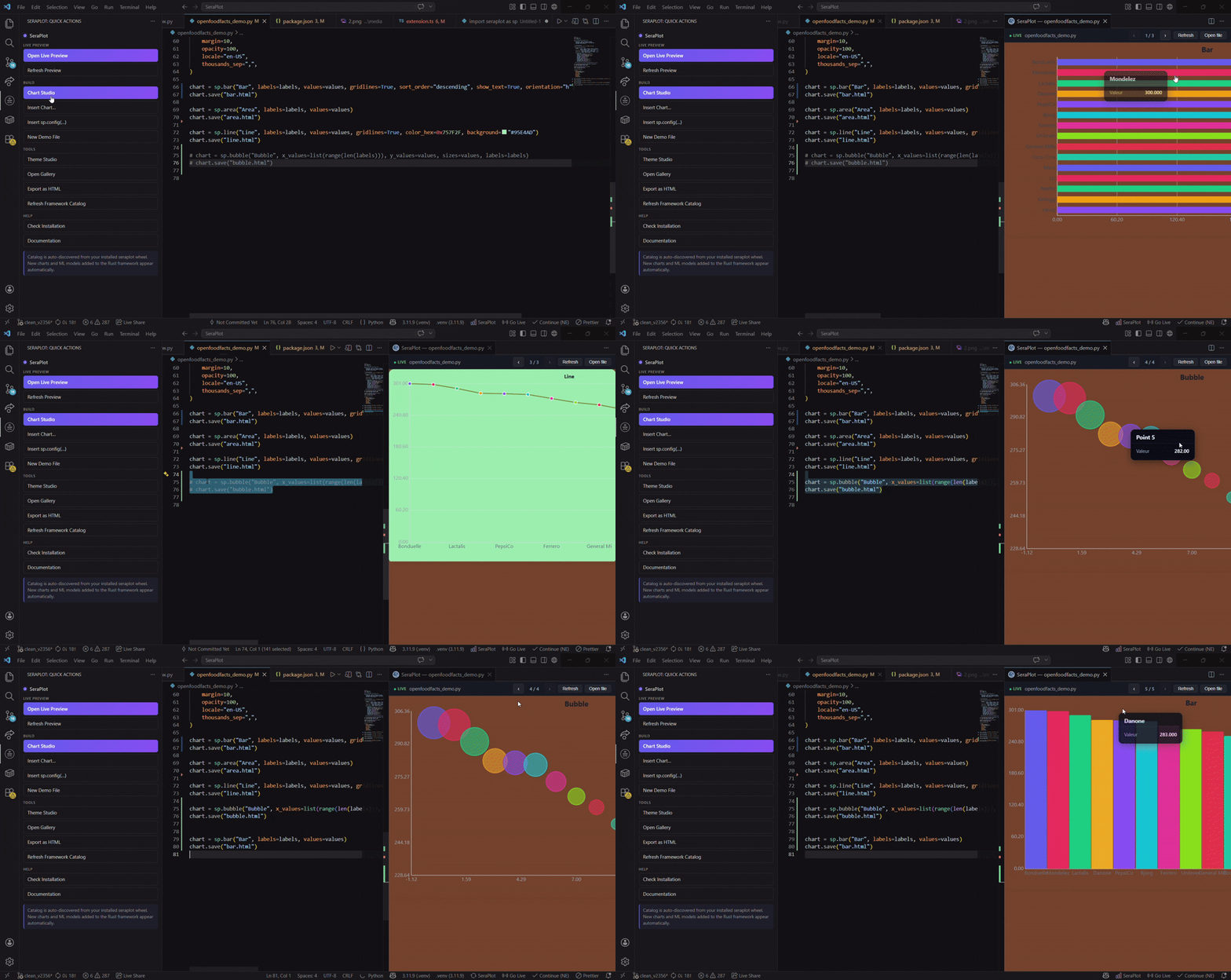
| Author | Native VS Code extension — live preview, gallery, theme studio, snippets, auto-detection of labels / values from your code. |
| Persist & export | Save to HTML, PNG, SVG, PDF, pickle. Re-load trained ML models. CSP-safe output. |
| Stay accessible | A11y-tagged SVG, semantic HTML, keyboard navigation, locale-aware number formatting. |
One library replaces: matplotlib + plotly + dash + streamlit + seaborn + parts of scikit-learn — with one
pip installand zero runtime dependencies.
Same chart — three libraries
import seraplot as sp
sp.bar("Revenue by Product", labels, values).save("chart.html")import plotly.express as px
fig = px.bar(x=labels, y=values, title="Revenue by Product")
fig.update_layout(template="plotly_white")
fig.write_html("chart.html")import matplotlib.pyplot as plt
fig, ax = plt.subplots(figsize=(9, 5))
ax.bar(labels, values, color="#6366f1")
ax.set_title("Revenue by Product")
ax.set_ylabel("Revenue")
plt.tight_layout()
plt.savefig("chart.png")| SeraPlot | Plotly | Matplotlib | |
|---|---|---|---|
| Lines of code | 2 | 4 | 7 |
| Output | HTML | HTML | PNG |
| File size | 21 KB | 4.7 MB | ~150 KB |
| Interactive | ✅ | ✅ | ❌ |
| Dependencies | 0 | 6+ | 3+ |
| 1-line migration | ✅ | — | — |
Why Seraplot?
As you’ve probably understood by now, Seraplot is a tool designed to be extremely customizable, while also being much faster and more resource-efficient than existing solutions. It also provides a wide range of helpful features, such as the Seraplot extension for VSCode, which allows you to generate plots or ML methods very quickly and live, between each save of your scripts.
In addition, Seraplot is available across multiple languages such as: JS/TS, C (C# & C++), Java, Rust, Python, R & Scala. The main goal is to be highly accessible: from one language to another, the commands remain the same for greater simplicity.
In summary, Seraplot is a much more practical and independent tool that enables the generation of 2D & 3D plots, while also aiming to provide machine learning-related methods that you will find throughout the documentation. More surprises await you, such as the ability to choose different themes, a chunk system in case of crashes to resume from the error point, and even multiple aliases to use the same method (e.g., sp.build_bar_chart / sp.bar_chart / sp.bar / sp.bars).
1000 charts. Measured.
Same code, same random data, same machine. Full HTML output timed.
import seraplot as sp
categories = ["Electronics", "Clothing", "Food", "Books", "Sports", "Toys", "Health", "Auto"]
data = [...] # 1000 pre-generated lists
for i in range(1000):
sp.bar(f"Report #{i+1}", categories, data[i]).html
1000 charts in 6 ms — 6 µs/chart
import plotly.graph_objects as go
categories = ["Electronics", "Clothing", "Food", "Books", "Sports", "Toys", "Health", "Auto"]
data = [...] # same 1000 pre-generated lists
for i in range(1000):
fig = go.Figure(data=[go.Bar(x=categories, y=data[i])])
fig.update_layout(title=f"Report #{i+1}", template="plotly_dark")
fig.to_html(full_html=True, include_plotlyjs="cdn")
1000 charts in 37,023 ms — 6,170× slower
import matplotlib
matplotlib.use("Agg")
import matplotlib.pyplot as plt
categories = ["Electronics", "Clothing", "Food", "Books", "Sports", "Toys", "Health", "Auto"]
data = [...] # same 1000 pre-generated lists
for i in range(1000):
fig, ax = plt.subplots(figsize=(9, 5))
ax.bar(categories, data[i])
ax.set_title(f"Report #{i+1}")
fig.savefig(f"chart_{i}.png")
plt.close()
1000 charts in 60,352 ms — 10,058× slower
| Scale | SeraPlot | Plotly | Matplotlib |
|---|---|---|---|
| 1,000 charts | 6 ms | 37 s | 60 s |
| 10,000 charts | ~60 ms | ~6 min | ~10 min |
| 100,000 charts | ~600 ms | ~1 h | ~1.7 h |
Render core speed
Benchmark: Diabetes dataset (n=768, 40 runs). Rust render time — chart object creation, not full HTML serialization.
| Chart | SeraPlot | Plotly figure | Plotly → HTML | Matplotlib |
|---|---|---|---|---|
| Pie | 4.2 | 725 | 33,416 | 15,085 |
| Bar | 2.8 | 658 | 18,166 | 13,596 |
| Grouped Bar | 5.0 | 558 | 17,981 | 17,445 |
| Histogram | 12.4 | 2,496 | 32,762 | 37,973 |
| Scatter | 17.0 | 3,916 | 21,615 | 14,141 |
| Violin | 16.7 | 2,616 | 21,347 | 21,211 |
| Box Plot | 18.4 | 2,329 | 21,799 | 15,590 |
| KDE | 26.3 | 2,981 | 19,807 | 40,108 |
| Radar | 11.8 | 962 | 17,679 | 20,942 |
| Lollipop | 6.3 | 8,382 | 25,096 | 9,072 |
| Candlestick | 8.8 | 1,478 | 17,934 | N/A |
| Ridgeline | 88.8 | N/A | N/A | N/A |
All times in µs.
Output file size
Plotly embeds its entire JavaScript bundle in every HTML file. SeraPlot only includes the JS needed for that specific chart type.
Matplotlib outputs PNG/SVG/PDF (50-500 KB) — not interactive HTML.
What SeraPlot actually is
SeraPlot is not a wrapper around Plotly, Chart.js, or D3.
It is a Rust-native rendering engine that generates minimal HTML + JS per chart. A Pie chart gets Pie JS. A Bar chart gets Bar JS. Nothing else is bundled.
That's why the output is 20 KB instead of 4.7 MB.
One line migration
import seraplot.matplotlib as plt
Everything else stays the same.
plt.bar(), plt.scatter(), plt.hist(), plt.show(), plt.savefig() — unchanged.
Deploy from an API
from fastapi import FastAPI
import seraplot as sp
app = FastAPI()
@app.get("/chart")
def revenue_chart():
return sp.bar("Revenue", labels, values).htmlfrom fastapi import FastAPI
from fastapi.responses import HTMLResponse
import plotly.express as px
app = FastAPI()
@app.get("/chart", response_class=HTMLResponse)
def revenue_chart():
fig = px.bar(x=labels, y=values, title="Revenue")
return fig.to_html(full_html=True)from fastapi import FastAPI
from fastapi.responses import FileResponse
import matplotlib
matplotlib.use("Agg")
import matplotlib.pyplot as plt
import tempfile
app = FastAPI()
@app.get("/chart")
def revenue_chart():
fig, ax = plt.subplots(figsize=(9, 5))
ax.bar(labels, values)
ax.set_title("Revenue")
path = tempfile.mktemp(suffix=".png")
plt.savefig(path)
plt.close()
return FileResponse(path, media_type="image/png")Plotly returns 4.7 MB per request. Matplotlib requires disk I/O and returns a static PNG. SeraPlot returns 21 KB of interactive HTML directly from RAM.
Everything SeraPlot does
- 57 chart types — every 2D chart has a 3D WebGL variant
- Drop-in matplotlib API —
import seraplot.matplotlib as plt - Pandas & NumPy native — pass DataFrames directly
- 7 built-in themes — dark, light, scientific, apple, notion, minimal, neon
- Global config —
sp.config()sets font, zoom, crosshair, animation across all charts - Zero dependencies — pure Rust renderer
- 200× smaller files — no bundled JS runtime
- Multi-language — Python, JavaScript/TypeScript (npm), Rust, R, Scala, C#, C++, Java
- DBSCAN up to 600× faster than scikit-learn
- Native Machine learning — some ml methods is include by default in this tool
- Works everywhere — Python ≥ 3.8, any OS
Navigation
- Installation —
pip install seraplot - Quick Start — first chart in 3 lines
- Chart Methods — all universal Chart methods
- 2D Charts — 33 chart types
- 3D Charts — 17 chart types, WebGL GPU renderer
- Machine Learning — DBSCAN up to 600x faster than scikit-learn
- API Reference — complete function index
Seraplot - Bien plus qu'une bibliothèque de graphiques
« Tout tracer. Tout entraîner. Partout déployer. »
SeraPlot est une boîte à outils data complète écrite en Rust. Le même moteur propulse vos visualisations, votre machine learning, et la façon dont vous livrez les résultats à vos collègues.
| Pilier | Ce que vous obtenez |
|---|---|
| Tracer | 57 types de graphiques — 33 en 2D, 17 en 3D (WebGL), 2 cartes. Thèmes intégrés, palettes, animations, zoom, crosshair, export. |
| Entraîner | ML compatible scikit-learn en Rust — DBSCAN, K-Means, RandomForest, GradientBoosting, SVM, PCA, GridSearchCV, train/test split. De 1,3× à 686× plus rapide. |
| Streamer & passer à l'échelle | Mises à jour en direct, downsampling pour des millions de points, détection de drift, AutoML, mode diff, grilles de facettes. |
| Déployer | HTML autonome de 21 Ko — pas de CDN, pas de backend, fonctionne hors-ligne, par e-mail, sur S3, dans des PDF, dans Notion, en CI isolée. |
| Intégrer | Python, JavaScript, TypeScript, Rust. Migration directe seraplot.matplotlib as plt. Pandas / NumPy nativement. |
| Coder | Extension VS Code native — aperçu en direct, galerie, studio de thèmes, snippets, détection automatique des labels / values depuis votre code. |
| Persister & exporter | Export HTML, PNG, SVG, PDF, pickle. Rechargement des modèles ML entraînés. Sortie compatible CSP. |
| Rester accessible | SVG balisé a11y, HTML sémantique, navigation clavier, formatage numérique localisé. |
Une seule librairie remplace : matplotlib + plotly + dash + streamlit + seaborn + une partie de scikit-learn — avec un seul
pip installet zéro dépendance d'exécution.
Même graphique — trois bibliothèques
import seraplot as sp
sp.bar("Chiffre d'affaires par produit", labels, values).save("chart.html")import plotly.express as px
fig = px.bar(x=labels, y=values, title="Chiffre d'affaires par produit")
fig.update_layout(template="plotly_white")
fig.write_html("chart.html")import matplotlib.pyplot as plt
fig, ax = plt.subplots(figsize=(9, 5))
ax.bar(labels, values, color="#6366f1")
ax.set_title("Chiffre d'affaires par produit")
ax.set_ylabel("Chiffre d'affaires")
plt.tight_layout()
plt.savefig("chart.png")| SeraPlot | Plotly | Matplotlib | |
|---|---|---|---|
| Lignes de code | 2 | 4 | 7 |
| Sortie | HTML | HTML | PNG |
| Taille fichier | 21 Ko | 4,7 Mo | ~150 Ko |
| Interactif | ✅ | ✅ | ❌ |
| Dépendances | 0 | 6+ | 3+ |
| Migration 1 ligne | ✅ | — | — |
Pourquoi Seraplot ?
Comme vous l’aurez compris en arrivant jusqu’ici, Seraplot est un outil qui a pour objectif d’être extrêmement personnalisable, mais aussi beaucoup plus rapide et moins gourmand que ce qui existe déjà, en plus de proposer tout un panel d’aides, comme l’extension Seraplot dans VSCode, qui vous permettra de générer des plots ou des méthodes ML très rapidement et en live, entre chaque sauvegarde de vos scripts.
En plus de cela, Seraplot se voit distribué dans différents langages comme : JS/TS, C (C# & C++), Java, Rust, Python, R & Scala. L’objectif étant vraiment d’être ultra accessible : d’un langage à un autre, les commandes restent les mêmes pour plus de simplicité.
Pour résumer, Seraplot est un outil beaucoup plus pratique de ce qui existe déjà et complétement indépendant, en plus de compilé différente fonctionnalitée. En autre il permet la génération de plots 2D & 3D, mais aussi qui tend à proposer des méthodes liées au ML, que vous pourrez retrouver au cours de votre documentation. D’autres surprises vous attendent, que ce soit la possibilité de choisir différents thèmes, ou bien le système de chunks en cas de crash pour reprendre au point d’erreur, ou encore pour n'en citer que un dernier, le fait d’avoir différents alias pour utiliser une même méthode (ex : sp.build_bar_chart / sp.bar_chart / sp.bar / sp.bars).
1 000 graphiques. Mesurés.
Même code, mêmes données aléatoires, même machine. Sortie HTML complète chronométrée.
import seraplot as sp
categories = ["Électronique", "Vêtements", "Alimentation", "Livres", "Sport", "Jouets", "Santé", "Auto"]
data = [...]
for i in range(1000):
sp.bar(f"Rapport #{i+1}", categories, data[i]).html
1 000 graphiques en 6 ms — 6 µs/graphique
import plotly.graph_objects as go
categories = ["Électronique", "Vêtements", "Alimentation", "Livres", "Sport", "Jouets", "Santé", "Auto"]
data = [...]
for i in range(1000):
fig = go.Figure(data=[go.Bar(x=categories, y=data[i])])
fig.update_layout(title=f"Rapport #{i+1}", template="plotly_dark")
fig.to_html(full_html=True, include_plotlyjs="cdn")
1 000 graphiques en 37 023 ms — 6 170× plus lent
import matplotlib
matplotlib.use("Agg")
import matplotlib.pyplot as plt
categories = ["Électronique", "Vêtements", "Alimentation", "Livres", "Sport", "Jouets", "Santé", "Auto"]
data = [...]
for i in range(1000):
fig, ax = plt.subplots(figsize=(9, 5))
ax.bar(categories, data[i])
ax.set_title(f"Rapport #{i+1}")
fig.savefig(f"chart_{i}.png")
plt.close()
1 000 graphiques en 60 352 ms — 10 058× plus lent
| Échelle | SeraPlot | Plotly | Matplotlib |
|---|---|---|---|
| 1 000 graphiques | 6 ms | 37 s | 60 s |
| 10 000 graphiques | ~60 ms | ~6 min | ~10 min |
| 100 000 graphiques | ~600 ms | ~1 h | ~1,7 h |
Vitesse du moteur de rendu
Benchmark : dataset Diabetes (n=768, 40 itérations). Temps de rendu Rust — création de l'objet graphique, pas la sérialisation HTML complète.
| Graphique | SeraPlot | Plotly figure | Plotly → HTML | Matplotlib |
|---|---|---|---|---|
| Camembert | 4,2 | 725 | 33 416 | 15 085 |
| Barres | 2,8 | 658 | 18 166 | 13 596 |
| Barres groupées | 5,0 | 558 | 17 981 | 17 445 |
| Histogramme | 12,4 | 2 496 | 32 762 | 37 973 |
| Nuage de points | 17,0 | 3 916 | 21 615 | 14 141 |
| Violon | 16,7 | 2 616 | 21 347 | 21 211 |
| Boîte à moustaches | 18,4 | 2 329 | 21 799 | 15 590 |
| KDE | 26,3 | 2 981 | 19 807 | 40 108 |
| Radar | 11,8 | 962 | 17 679 | 20 942 |
| Sucette | 6,3 | 8 382 | 25 096 | 9 072 |
| Bougie | 8,8 | 1 478 | 17 934 | N/A |
| Ridgeline | 88,8 | N/A | N/A | N/A |
Toutes les valeurs en µs.
Taille des fichiers de sortie
Plotly embarque tout son bundle JavaScript dans chaque fichier HTML. SeraPlot n'inclut que le JS nécessaire au type de graphique spécifique.
Matplotlib produit du PNG/SVG/PDF (50–500 Ko) — pas du HTML interactif.
Ce qu'est réellement SeraPlot
SeraPlot n'est pas un wrapper autour de Plotly, Chart.js ou D3.
C'est un moteur de rendu natif Rust qui génère du HTML + JS minimal par graphique. chaque chart reçoit soit js dédiée. Rien d'autre n'est embarqué.
C'est pour ça que la sortie fait 20 Ko au lieu de 4,7 Mo.
Migration en une ligne
import seraplot.matplotlib as plt
Tout le reste reste identique.
plt.bar(), plt.scatter(), plt.hist(), plt.show(), plt.savefig() — inchangés.
Déployer depuis une API
from fastapi import FastAPI
import seraplot as sp
app = FastAPI()
@app.get("/chart")
def revenue_chart():
return sp.bar("Chiffre d'affaires", labels, values).htmlfrom fastapi import FastAPI
from fastapi.responses import HTMLResponse
import plotly.express as px
app = FastAPI()
@app.get("/chart", response_class=HTMLResponse)
def revenue_chart():
fig = px.bar(x=labels, y=values, title="Chiffre d'affaires")
return fig.to_html(full_html=True)from fastapi import FastAPI
from fastapi.responses import FileResponse
import matplotlib
matplotlib.use("Agg")
import matplotlib.pyplot as plt
import tempfile
app = FastAPI()
@app.get("/chart")
def revenue_chart():
fig, ax = plt.subplots(figsize=(9, 5))
ax.bar(labels, values)
ax.set_title("Chiffre d'affaires")
path = tempfile.mktemp(suffix=".png")
plt.savefig(path)
plt.close()
return FileResponse(path, media_type="image/png")Plotly retourne 4,7 Mo par requête. Matplotlib nécessite des I/O disque et retourne un PNG statique. SeraPlot retourne 21 Ko de HTML interactif directement depuis la RAM.
Tout ce que SeraPlot fait
- 57 types de graphiques — chaque graphique 2D a une variante 3D WebGL
- API matplotlib drop-in —
import seraplot.matplotlib as plt - Pandas & NumPy natifs — passez les DataFrames directement
- 7 thèmes intégrés — dark, light, scientific, apple, notion, minimal, neon
- Configuration globale —
sp.config()définit la police, le zoom, le réticule, l'animation pour tous les graphiques - Zéro dépendance — moteur de rendu Rust pur
- Fichiers 200× plus petits — pas de runtime JS embarqué
- Multi-langage — Python, JavaScript/TypeScript (npm), Rust, R, Scala, C#, C++, Java
- DBSCAN jusqu'à 600× plus rapide que scikit-learn
- Machine learning natif — Plusieurs methods ml, sont déjà existante dans le framework
- Fonctionne partout — Python ≥ 3.8, tout OS
Navigation
- Installation —
pip install seraplot - Démarrage rapide — premier graphique en 3 lignes
- Méthodes des graphiques — toutes les méthodes universelles Chart
- Graphiques 2D — 33 types
- Graphiques 3D — 17 types, rendu GPU WebGL
- Machine Learning — DBSCAN jusqu'à 600× plus rapide que scikit-learn
- Référence API — index complet des fonctions
Installation
Requirements
- Python 3.8+
- pip 21+
SeraPlot ships as a compiled Rust extension (.pyd / .so) bundled in the wheel. There is no compiler required on the user side — the binary is pre-built for each platform.
pip
pip install seraplot
pip install seraplot==2.3.61
pip install --upgrade seraplot
uv
uv is a fast Python package manager written in Rust.
uv add seraplot
conda
conda install -c conda-forge seraplot
Or add it to your environment.yml:
dependencies:
- pip:
- seraplot
Why the install is this simple
SeraPlot has zero required Python dependencies. The Rust extension is entirely self-contained — the HTML output embeds its own JavaScript inline and does not load anything from a CDN. This means:
- charts work offline, in air-gapped environments, in emails, in PDF exports via browser print
- no version conflict with your
numpy,pandas, orscipy - wheels available for Windows, Linux, and macOS — no compilation needed
For comparison, pip install plotly downloads ~15 MB. pip install seraplot downloads ~2 MB.
Prérequis
- Python 3.8+
- pip 21+
SeraPlot se distribue sous forme d'extension Rust compilée (.pyd / .so) incluse dans le wheel. Aucun compilateur n'est requis côté utilisateur — le binaire est pré-compilé pour chaque plateforme.
pip
pip install seraplot
pip install seraplot==2.3.61
pip install --upgrade seraplot
uv
uv est un gestionnaire de paquets Python rapide écrit en Rust.
uv add seraplot
conda
conda install -c conda-forge seraplot
Ou dans votre environment.yml :
dependencies:
- pip:
- seraplot
Pourquoi l'installation est aussi simple
SeraPlot n'a aucune dépendance Python requise. L'extension Rust est entièrement autonome — le HTML embarque son propre JavaScript sans rien charger depuis un CDN. Concrètement :
- les graphiques fonctionnent hors ligne, en environnement isolé, par e-mail, en impression PDF
- aucun conflit de version avec
numpy,pandasouscipy - wheels disponibles pour Windows, Linux et macOS — aucune compilation nécessaire
Pour comparaison, pip install plotly télécharge ~15 Mo. pip install seraplot télécharge ~2 Mo.
Démarrage rapide
Your first chart
import seraplot as sp
chart = sp.build_bar_chart(
"Sales by Region",
labels=["North", "South", "East", "West"],
values=[120.0, 85.0, 200.0, 140.0],
)const sp = require('seraplot');
const chart = sp.build_bar_chart("Sales by Region", ["North", "South", "East", "West"], {
values: [120.0, 85.0, 200.0, 140.0],
});import * as sp from 'seraplot';
const chart = sp.build_bar_chart("Sales by Region", ["North", "South", "East", "West"], {
values: [120.0, 85.0, 200.0, 140.0],
});In Jupyter, the chart displays automatically.
Save to HTML
chart.save(plot_name.html)chart.save(plot_name.html);chart.save(plot_name.html);Votre premier graphique
import seraplot as sp
chart = sp.build_bar_chart(
"Ventes par région",
labels=["Nord", "Sud", "Est", "Ouest"],
values=[120.0, 85.0, 200.0, 140.0],
)const sp = require('seraplot');
const chart = sp.build_bar_chart("Ventes par région", ["Nord", "Sud", "Est", "Ouest"], {
values: [120.0, 85.0, 200.0, 140.0],
});import * as sp from 'seraplot';
const chart = sp.build_bar_chart("Ventes par région", ["Nord", "Sud", "Est", "Ouest"], {
values: [120.0, 85.0, 200.0, 140.0],
});Dans Jupyter, le graphique s'affiche automatiquement.
Enregistrer en HTML
chart.save(nom_du_plot.html)chart.save(nom_du_plot.html);chart.save(nom_du_plot.html);Chart Object
Every SeraPlot function returns a Chart object — a thin wrapper around a
complete, standalone HTML string.
Properties
| Property | Type | Description |
|---|---|---|
html | str | Full self-contained HTML string |
chart = sp.build_bar_chart("Title", labels=["A", "B"], values=[1.0, 2.0])
print(type(chart.html)) # <class 'str'>
print(len(chart.html)) # typically 20,000–90,000 bytes
Auto-display in Jupyter
Charts display automatically when created inside a Jupyter cell. No display() call needed.
To disable:
sp.set_auto_display(False)
chart = sp.build_bar_chart("My Chart", labels=["A"], values=[1.0])
Manual display
you don't need anything, you just do make your chart, seraplot has a native display inside
Export to file
chart.save("output.html")
# or
with open("output.html", "w", encoding="utf-8") as f:
f.write(chart.html)
Method chaining
chart = (
sp.build_bar_chart("Sales", labels, values)
.set_bg("#1e1e2e")
.show_grid()
.no_legend()
.set_font_size(14)
)
See Chart Methods for the full reference.
Chaque fonction SeraPlot retourne un objet Chart — un wrapper léger autour d'une chaîne HTML complète et autonome.
Propriétés
| Propriété | Type | Description |
|---|---|---|
html | str | Chaîne HTML complète et autonome |
chart = sp.build_bar_chart("Titre", labels=["A", "B"], values=[1.0, 2.0])
print(len(chart.html)) # typiquement 20 000 à 90 000 octets
Affichage automatique dans Jupyter
Les graphiques s'affichent automatiquement à la fin d'une cellule Jupyter. Aucun appel à display() n'est nécessaire.
Pour désactiver :
sp.set_auto_display(False)
Affichage manuel
Comme dit au précédemment, vous n'avez aucunement besoin de rien, juste de crée votre chart, Seraplot à une fonction native d'affichage
Export vers fichier
chart.save("sortie.html")
# ou
with open("sortie.html", "w", encoding="utf-8") as f:
f.write(chart.html)
Chaînage de méthodes
chart = (
sp.build_bar_chart("Ventes", labels, values)
.set_bg("#1e1e2e")
.show_grid()
.no_legend()
.set_font_size(14)
)
Voir Méthodes du graphique pour la référence complète.
Chart Methods
These methods are available on every Chart object returned by any SeraPlot
function. They all return a new Chart, so they can be chained freely.
Global config (automatic inheritance)
sp.config(**kwargs)
Set once, every chart created after inherits the configuration automatically. No per-chart override needed.
| Parameter | Type | Effect |
|---|---|---|
font | str | Font family for all text (e.g., "Inter", "Roboto") |
font_size | int | Base font size in px |
title_size | int | Title font size in px |
crosshair | bool | Crosshair lines follow mouse hover |
zoom | bool | Mouse wheel zoom + pan (double-click resets) |
animation | bool | Fade-in animation on chart elements |
animation_duration | int | Duration (ms), default 300 |
export_button | bool | Download button on each chart |
responsive | bool | Auto-resize to container width |
border_radius | int | Container border radius (px) |
margin | int | Container padding (px) |
opacity | float | Element opacity 0.0–1.0 |
background | str | Background color (any CSS color) |
gridlines | bool | Show grid lines in chart |
palette | list[int] | Color palette as hex ints (e.g., [0x6366F1, 0xFB7185]) |
locale | str | Number formatting locale |
thousands_sep | str | Thousands separator char |
tooltip | str | Tooltip mode |
import seraplot as sp
sp.config(
font="Inter",
font_size=14,
title_size=22,
crosshair=True,
zoom=True,
animation=True,
animation_duration=500,
export_button=True,
responsive=True,
border_radius=12,
margin=16,
opacity=0.85,
background="#0f172a",
gridlines=True,
palette=[0x818CF8, 0xFB7185, 0x34D399, 0xFBBF24],
)
chart1 = sp.bar("Revenue", ["Q1", "Q2", "Q3"], [120, 180, 140]) # inherits ALL config
chart2 = sp.line("Trend", ["Jan", "Feb", "Mar"], [100, 110, 105]) # same config
chart3 = sp.scatter("Correlation", [1, 2, 3], [10, 20, 30]) # same config
sp.reset_config()
Reset all global config to defaults (no background, no crosshair, no zoom, etc.).
sp.reset_config()
chart = sp.bar("Clean", labels, values) # back to defaults
Per-chart override (method chaining)
Override global config for individual charts:
| Method | Effect |
|---|---|
.font("Inter") | Override font family |
.title_size(22) | Override title size |
.set_font_size(14) | Override base font size |
.crosshair() | Enable/add crosshair on this chart |
.zoom() | Enable/add zoom on this chart |
.animate(300) | Add animation (ms) |
.export_button() | Add download button |
.responsive() | Make responsive |
.border_radius(12) | Set border radius |
.set_opacity(0.85) | Set element opacity |
.set_margin(16) | Set padding |
.set_bg("#color") | Override background |
import seraplot as sp
sp.config(font="Inter", background="#0f172a", gridlines=True)
chart1 = sp.bar("Default", labels, values) # uses config
chart2 = sp.bar("Override", labels, values).font("Roboto").border_radius(20) # different font + radius
chart3 = sp.line("Clean", dates, values).zoom() # adds zoom on top of config
Background and frame
set_bg(color=None)
Sets the background color of the full HTML wrapper.
chart = sp.build_bar_chart("Sales", labels, values).set_bg("#0f172a")
chart = sp.build_scatter_chart("Data", x, y).set_bg("white")
chart = sp.build_pie_chart("Share", labels, values).set_bg(None) # transparent
Accepts any CSS color string: "#rrggbb", "rgb(r,g,b)", named colors, or
None/"transparent".
set_frame(color=None)
Sets the SVG canvas background independently of the HTML wrapper. Useful when embedding the chart inside a page with its own background.
chart = sp.build_bar_chart("Title", labels, values).set_frame("transparent")
set_global_background(color)
Module-level functions that apply a background to all charts created after the call — useful for notebook sessions with a consistent theme.
sp.set_global_background("#0f172a") # all subsequent charts use this bg
chart1 = sp.build_bar_chart(...)
chart2 = sp.build_scatter_chart(...)
sp.reset_global_background() # restore per-chart defaultsp.set_global_background("#0f172a"); // all subsequent charts use this bg
const chart1 = sp.build_bar_chart(...);
const chart2 = sp.build_scatter_chart(...);
sp.reset_global_background(); // restore per-chart defaultsp.set_global_background("#0f172a"); // all subsequent charts use this bg
const chart1 = sp.build_bar_chart(...);
const chart2 = sp.build_scatter_chart(...);
sp.reset_global_background(); // restore per-chart defaultGrid and axes
show_grid()
Force gridlines on regardless of the gridlines parameter used at chart creation.
chart = sp.build_histogram("Ages", values).show_grid()
hide_grid()
Force gridlines off regardless of the gridlines parameter used at chart creation.
chart = sp.build_line_chart("Trend", labels, values, gridlines=True).hide_grid()
no_x_axis()
Removes the X-axis lines, ticks, and labels.
chart = sp.build_bar_chart("", labels, values).no_x_axis() # keep Y only
no_y_axis()
Removes the Y-axis lines, ticks, and labels.
chart = sp.build_bar_chart("", labels, values).no_y_axis() # keep X only
no_axes()
Removes both axes at once.
chart = sp.build_scatter_chart("", x, y).no_axes() # remove both axes
Labels and text
show_labels(position="bottom", labels=None, colors=None)
Renders a text label on each chart element. position can be "top",
"bottom", "left", or "right".
# Automatic labels derived from the chart data
chart = sp.build_bar_chart("Revenue", labels, values).show_labels(position="top")
# Custom label text per element
chart = sp.build_bar_chart("Revenue", labels, values).show_labels(
position="top",
labels=["$142k", "$98k", "$210k"],
colors=["#22c55e", "#ef4444", "#22c55e"],
)
no_title()
Removes the chart title from the rendered output.
chart = sp.build_pie_chart("Internal label", labels, values).no_title()
no_legend()
Removes the legend from the rendered output.
chart = sp.build_grouped_bar("Q1", cats, series).no_legend()
set_font_size(px)
Override all text sizes in the SVG with a single pixel value.
chart = sp.build_radar_chart("Skills", labels, values).set_font_size(11)
Size and scale
scale(factor)
Scales the entire chart (SVG and canvas). Useful to produce thumbnail or high-DPI variants.
small = sp.build_bar_chart("Sales", labels, values).scale(0.5)
large = sp.build_bar_chart("Sales", labels, values).scale(2.0)
Hover
no_hover()
Disables the tooltip engine. All data-idx pointer events are removed. Useful
for static embeds where hover interaction is unwanted.
chart = sp.build_scatter_chart("Distribution", x, y).no_hover()
CSS and JavaScript injection
inject_css(css)
Injects a <style> block into the HTML <head>. Gives complete access to the
SVG DOM — override any internal class, change colors, animations, fonts.
SeraPlot's internal CSS classes:
| Class | Target |
|---|---|
svg text | All text in the chart |
.sp-gl | Gridlines |
.sp-ax-x, .sp-ax-y | Axis lines |
.sp-xt, .sp-yt | Axis tick labels |
.sp-xl, .sp-yl | Axis title labels |
g[data-legend] | Legend group |
.sp-ttl | Chart title |
[data-idx] | Interactive data elements (hover targets) |
rect.sp-bg | SVG background rect |
chart = sp.build_bar_chart("Dark theme", labels, values).inject_css("""
rect.sp-bg { fill: #0f172a !important; }
svg text { fill: #e2e8f0 !important; }
.sp-gl { stroke: #1e293b !important; }
[data-idx] { opacity: 0.85; }
[data-idx]:hover { filter: brightness(1.3); }
""")
inject_js(js)
Injects a <script> block before </body>. The entire rendered SVG DOM is
accessible. Use it to add event listeners, animations, or third-party integrations.
# Highlight every bar on load
chart = sp.build_bar_chart("Sales", labels, values).inject_js("""
document.querySelectorAll('[data-idx]').forEach((el, i) => {
setTimeout(() => el.style.opacity = '1', i * 50);
});
""")
# Export SVG on button click
chart = sp.build_scatter_chart("Data", x, y).inject_js("""
const btn = document.createElement('button');
btn.textContent = 'Download SVG';
btn.onclick = () => {
const svg = document.querySelector('svg').outerHTML;
const a = document.createElement('a');
a.href = 'data:image/svg+xml;charset=utf-8,' + encodeURIComponent(svg);
a.download = 'chart.svg';
a.click();
};
document.body.appendChild(btn);
""")
Export
save(path)
Writes the HTML to a file.
chart = sp.build_pie_chart("Share", labels, values)
chart.save("report/pie.html")
to_svg()
Extracts the raw SVG string from the HTML.
svg_string = chart.to_svg()
export_svg(path)
Writes only the SVG to a file (no HTML wrapper).
chart.export_svg("chart.svg")
Ces méthodes sont disponibles sur chaque objet Chart retourné par n'importe quelle
fonction SeraPlot. Elles retournent toutes un nouveau Chart — elles peuvent donc être
chaînées librement.
Configuration globale (héritage automatique)
sp.config(**kwargs)
Définie une fois, chaque graphique créé ensuite hérite automatiquement de la configuration. Aucune surcharge par graphique nécessaire.
| Paramètre | Type | Effet |
|---|---|---|
font | str | Police pour tout le texte (ex. "Inter", "Roboto") |
font_size | int | Taille de police de base en px |
title_size | int | Taille de police du titre en px |
crosshair | bool | Réticule qui suit la souris au survol |
zoom | bool | Zoom molette + déplacement (double-clic réinitialise) |
animation | bool | Animation d'apparition sur les éléments |
animation_duration | int | Durée (ms), défaut 300 |
export_button | bool | Bouton de téléchargement sur chaque graphique |
responsive | bool | Redimensionnement automatique à la largeur du conteneur |
border_radius | int | Rayon des coins du conteneur (px) |
margin | int | Marge intérieure du conteneur (px) |
opacity | float | Opacité des éléments 0.0–1.0 |
background | str | Couleur de fond (toute couleur CSS) |
gridlines | bool | Afficher les lignes de grille |
palette | list[int] | Palette de couleurs en entiers hex (ex. [0x6366F1, 0xFB7185]) |
locale | str | Locale de formatage des nombres |
thousands_sep | str | Caractère séparateur des milliers |
tooltip | str | Mode des infobulles |
import seraplot as sp
sp.config(
font="Inter",
font_size=14,
title_size=22,
crosshair=True,
zoom=True,
animation=True,
animation_duration=500,
export_button=True,
responsive=True,
border_radius=12,
margin=16,
opacity=0.85,
background="#0f172a",
gridlines=True,
palette=[0x818CF8, 0xFB7185, 0x34D399, 0xFBBF24],
)
chart1 = sp.bar("Chiffre d'affaires", ["T1", "T2", "T3"], [120, 180, 140])
chart2 = sp.line("Tendance", ["Jan", "Fév", "Mar"], [100, 110, 105])
chart3 = sp.scatter("Corrélation", [1, 2, 3], [10, 20, 30])
sp.reset_config()
Remet toute la configuration globale aux valeurs par défaut (pas de fond, pas de réticule, pas de zoom, etc.).
sp.reset_config()
chart = sp.bar("Propre", labels, values)
Surcharge par graphique (chaînage de méthodes)
Surcharger la configuration globale pour des graphiques individuels :
| Méthode | Effet |
|---|---|
.font("Inter") | Surcharger la police |
.title_size(22) | Surcharger la taille du titre |
.set_font_size(14) | Surcharger la taille de base |
.crosshair() | Activer/ajouter le réticule sur ce graphique |
.zoom() | Activer/ajouter le zoom sur ce graphique |
.animate(300) | Ajouter une animation (ms) |
.export_button() | Ajouter un bouton de téléchargement |
.responsive() | Rendre responsive |
.border_radius(12) | Définir le rayon des coins |
.set_opacity(0.85) | Définir l'opacité des éléments |
.set_margin(16) | Définir la marge |
.set_bg("#couleur") | Surcharger le fond |
import seraplot as sp
sp.config(font="Inter", background="#0f172a", gridlines=True)
chart1 = sp.bar("Défaut", labels, values)
chart2 = sp.bar("Surcharge", labels, values).font("Roboto").border_radius(20)
chart3 = sp.line("Propre", dates, values).zoom()
Fond et cadre
set_bg(color=None)
Définit la couleur de fond du wrapper HTML complet, pour plus d'infos une section Background existe dans cette documentation, ou vous pourrez retrouver plus ample information concernant les arrières plan, mais aussi les thèmes existant.
chart = sp.build_bar_chart("Ventes", labels, values).set_bg("#0f172a")
chart = sp.build_scatter_chart("Données", x, y).set_bg("white")
chart = sp.build_pie_chart("Parts", labels, values).set_bg(None) # transparent
Accepte toute chaîne de couleur CSS : "#rrggbb", "rgb(r,g,b)", couleurs nommées, ou
None/"transparent".
set_frame(color=None)
Définit le fond du canevas SVG indépendamment du wrapper HTML. Utile lors d'une intégration dans une page avec son propre fond.
chart = sp.build_bar_chart("Titre", labels, values).set_frame("transparent")
set_global_background(color)
Fonctions au niveau du module qui appliquent un fond à tous les graphiques créés après l'appel — utile pour les sessions notebook avec un thème cohérent.
sp.set_global_background("#0f172a")
chart1 = sp.build_bar_chart(...)
chart2 = sp.build_scatter_chart(...)
sp.reset_global_background()sp.set_global_background("#0f172a");
const chart1 = sp.build_bar_chart(...);
const chart2 = sp.build_scatter_chart(...);
sp.reset_global_background();sp.set_global_background("#0f172a");
const chart1 = sp.build_bar_chart(...);
const chart2 = sp.build_scatter_chart(...);
sp.reset_global_background();Grille et axes
show_grid()
Force l'affichage des lignes de grille indépendamment du paramètre gridlines à la création.
chart = sp.build_histogram("Âges", values).show_grid()
hide_grid()
Force la désactivation des lignes de grille indépendamment du paramètre gridlines à la création.
chart = sp.build_line_chart("Tendance", labels, values, gridlines=True).hide_grid()
no_x_axis()
Supprime les lignes, ticks et étiquettes de l'axe X.
chart = sp.build_bar_chart("", labels, values).no_x_axis()
no_y_axis()
Supprime les lignes, ticks et étiquettes de l'axe Y.
chart = sp.build_bar_chart("", labels, values).no_y_axis()
no_axes()
Supprime les deux axes en une seule fois.
chart = sp.build_scatter_chart("", x, y).no_axes()
Étiquettes et texte
show_labels(position="bottom", labels=None, colors=None)
Affiche une étiquette texte sur chaque élément du graphique. position peut être
"top", "bottom", "left" ou "right".
chart = sp.build_bar_chart("Chiffre d'affaires", labels, values).show_labels(position="top")
chart = sp.build_bar_chart("Chiffre d'affaires", labels, values).show_labels(
position="top",
labels=["142 k€", "98 k€", "210 k€"],
colors=["#22c55e", "#ef4444", "#22c55e"],
)
no_title()
Supprime le titre du rendu.
chart = sp.build_pie_chart("Étiquette interne", labels, values).no_title()
no_legend()
Supprime la légende du rendu.
chart = sp.build_grouped_bar("T1", cats, series).no_legend()
set_font_size(px)
Surcharge toutes les tailles de texte du SVG avec une seule valeur en pixels.
chart = sp.build_radar_chart("Compétences", labels, values).set_font_size(11)
Taille et échelle
scale(factor)
Met à l'échelle tout le graphique (SVG et canevas). Utile pour produire des miniatures ou des variantes haute définition.
small = sp.build_bar_chart("Ventes", labels, values).scale(0.5)
large = sp.build_bar_chart("Ventes", labels, values).scale(2.0)
Survol
no_hover()
Désactive le moteur d'infobulles. Tous les événements pointeur data-idx sont retirés.
Utile pour des intégrations statiques sans interaction au survol.
chart = sp.build_scatter_chart("Distribution", x, y).no_hover()
Injection CSS et JavaScript
inject_css(css)
Injecte un bloc <style> dans le <head> du HTML. Donne un accès complet au DOM SVG
— surcharger n'importe quelle classe interne, changer les couleurs, animations, polices.
Classes CSS internes de SeraPlot :
| Classe | Cible |
|---|---|
svg text | Tout le texte du graphique |
.sp-gl | Lignes de grille |
.sp-ax-x, .sp-ax-y | Lignes des axes |
.sp-xt, .sp-yt | Étiquettes des ticks |
.sp-xl, .sp-yl | Titres des axes |
g[data-legend] | Groupe légende |
.sp-ttl | Titre du graphique |
[data-idx] | Éléments interactifs (cibles de survol) |
rect.sp-bg | Rectangle de fond du SVG |
chart = sp.build_bar_chart("Thème sombre", labels, values).inject_css("""
rect.sp-bg { fill: #0f172a !important; }
svg text { fill: #e2e8f0 !important; }
.sp-gl { stroke: #1e293b !important; }
[data-idx] { opacity: 0.85; }
[data-idx]:hover { filter: brightness(1.3); }
""")
inject_js(js)
Injecte un bloc <script> avant </body>. Tout le DOM SVG rendu est accessible.
Utilisez-le pour ajouter des écouteurs d'événements, animations ou intégrations tierces.
chart = sp.build_bar_chart("Ventes", labels, values).inject_js("""
document.querySelectorAll('[data-idx]').forEach((el, i) => {
setTimeout(() => el.style.opacity = '1', i * 50);
});
""")
chart = sp.build_scatter_chart("Données", x, y).inject_js("""
const btn = document.createElement('button');
btn.textContent = 'Télécharger SVG';
btn.onclick = () => {
const svg = document.querySelector('svg').outerHTML;
const a = document.createElement('a');
a.href = 'data:image/svg+xml;charset=utf-8,' + encodeURIComponent(svg);
a.download = 'chart.svg';
a.click();
};
document.body.appendChild(btn);
""")
Export
save(path)
Écrit le HTML dans un fichier.
chart = sp.build_pie_chart("Parts", labels, values)
chart.save("rapport/pie.html")
to_svg()
Extrait la chaîne SVG brute du HTML.
svg_string = chart.to_svg()
export_svg(path)
Écrit uniquement le SVG dans un fichier (sans le wrapper HTML).
chart.export_svg("chart.svg")
Charts
SeraPlot supports 33 two-dimensional charts, 17 three-dimensional charts, and 2 map chart types.
SeraPlot propose 33 graphiques en 2D, 17 en 3D, et 2 types de cartes.
2D Charts
SeraPlot provides 33 two-dimensional chart types, from basic bar and line charts to specialized plots like ridgeline, dumbbell, and slideshow.
| Chart | Function |
|---|---|
| Bar Chart | bar() |
| Horizontal Bar | hbar() |
| Line Chart | line() |
| Scatter Chart | scatter() |
| Histogram | histogram() |
| Histogram Overlay | histogram_overlay() |
| Grouped Bar | grouped_bar() |
| Stacked Bar | stacked_bar() |
| Heatmap | heatmap() |
| Pie Chart | pie() |
| Donut Chart | donut() |
| Box Plot | boxplot() |
| Violin Chart | violin() |
| Slope Chart | slope() |
| Sunburst | sunburst() |
| Funnel | funnel() |
| Treemap | treemap() |
| Multi-line Chart | multiline() |
| Area Chart | area() |
| Waterfall | waterfall() |
| Bullet Chart | bullet() |
| Word Cloud | wordcloud() |
| Candlestick | candlestick() |
| Dumbbell | dumbbell() |
| Bubble | bubble() |
| Gauge | gauge() |
| Parallel Coordinates | parallel() |
| Lollipop | lollipop() |
| KDE | kde() |
| Ridgeline | ridgeline() |
| Radar | radar() |
| Grid Layout | grid() |
| Slideshow | slideshow() |
SeraPlot propose 33 types de graphiques 2D, des barres et courbes basiques aux graphiques spécialisés (ridgeline, haltère, slideshow…).
| Graphique | Fonction |
|---|---|
| Graphique en barres | bar() |
| Barres horizontales | hbar() |
| Courbe | line() |
| Nuage de points | scatter() |
| Histogramme | histogram() |
| Histogramme superposé | histogram_overlay() |
| Barres groupées | grouped_bar() |
| Barres empilées | stacked_bar() |
| Heatmap | heatmap() |
| Camembert | pie() |
| Anneau | donut() |
| Boîte à moustaches | boxplot() |
| Violon | violin() |
| Pente | slope() |
| Sunburst | sunburst() |
| Entonnoir | funnel() |
| Treemap | treemap() |
| Multi-courbes | multiline() |
| Aires | area() |
| Cascade | waterfall() |
| Bullet | bullet() |
| Nuage de mots | wordcloud() |
| Bougie | candlestick() |
| Haltère | dumbbell() |
| Bulles | bubble() |
| Jauge | gauge() |
| Coordonnées parallèles | parallel() |
| Sucette | lollipop() |
| KDE | kde() |
| Ridgeline | ridgeline() |
| Radar | radar() |
| Grille | grid() |
| Diaporama | slideshow() |
Bar Chart
Signature
sp.build_bar_chart(
title: str,
labels: list[str],
values: list[float],
*,
color_hex: int = 0,
orientation: str = "v",
show_text: bool = False,
color_groups: list[str] | None = None,
width: int = 900,
height: int = 480,
x_label: str = "",
y_label: str = "",
gridlines: bool = False,
sort_order: str = "none",
hover_json: str = "",
legend_position: str = "right",
palette: list[int] | None = None,
series_names: list[str] | None = None,
background: str | None = None,
no_x_axis: bool = False,
no_y_axis: bool = False,
) -> Chart
Aliases: sp.bar, sp.bar_chart, sp.bars
Description
Renders a vertical or horizontal bar chart.
Parameters
| Parameter | Type | Default | Description |
|---|---|---|---|
title | str | required | Chart title |
labels | list[str] | required | Category labels |
values | list[float] | required | Bar values |
color_hex | int | 0 | Single bar color as hex int (e.g. 0xFF5733) |
orientation | str | "v" | "v" = vertical, "h" = horizontal |
show_text | bool | False | Show value labels on bars |
color_groups | list[str] | None | None | Per-bar group name for coloring |
width | int | 900 | Canvas width in pixels |
height | int | 480 | Canvas height in pixels |
x_label | str | "" | X-axis label |
y_label | str | "" | Y-axis label |
gridlines | bool | False | Show gridlines |
sort_order | str | "none" | "asc", "desc", or "none" |
hover_json | str | "" | Custom hover tooltip JSON |
legend_position | str | "right" | "right", "left", "top", "bottom" |
palette | list[int] | None | None | Custom color palette as list of hex ints |
background | str | None | None | Background color (e.g. "#0f172a") or None = transparent |
no_x_axis | bool | False | Hide X axis |
no_y_axis | bool | False | Hide Y axis |
Returns
Chart — object with .html property containing the full self-contained HTML.
Examples
Basic bar chart
import seraplot as sp
labels = ["Jan", "Feb", "Mar", "Apr", "May"]
values = [1200.0, 1850.0, 2100.0, 1750.0, 2400.0]
logo = "https://raw.githubusercontent.com/feur25/seraplot-documentation/main/logo.png"
hover = sp.build_hover_json(labels, images=[logo] * len(labels))
chart = (
sp.build_bar_chart(
"Monthly Revenue",
labels=labels,
values=values,
x_label="Month",
y_label="Revenue (€)",
gridlines=True,
hover_json=hover,
)
.set_bg(None)
.show_labels(position="top")
)const sp = require('seraplot');
const labels = ["Jan", "Feb", "Mar", "Apr", "May"]
const values = [1200.0, 1850.0, 2100.0, 1750.0, 2400.0]
const logo = "https://raw.githubusercontent.com/feur25/seraplot-documentation/main/logo.png"
const hover = sp.build_hover_json(labels,
[logo])
const chart = (
sp.build_bar_chart("Monthly Revenue",
labels,
{
values: values,
x_label: "Month",
y_label: "Revenue (€)",
gridlines: true,
hover_json: hover
})
.set_bg(null)
.show_labels(position="top")
)import * as sp from 'seraplot';
const labels: string[] = ["Jan", "Feb", "Mar", "Apr", "May"]
const values: number[] = [1200.0, 1850.0, 2100.0, 1750.0, 2400.0]
const logo: string = "https://raw.githubusercontent.com/feur25/seraplot-documentation/main/logo.png"
const hover = sp.build_hover_json(labels,
[logo])
const chart = (
sp.build_bar_chart("Monthly Revenue",
labels,
{
values: values,
x_label: "Month",
y_label: "Revenue (€)",
gridlines: true,
hover_json: hover
})
.set_bg(null)
.show_labels(position="top")
)▶ Live Preview
Colored groups
chart = sp.build_bar_chart(
"Products by Category",
labels=["A1", "A2", "B1", "B2", "C1"],
values=[10.0, 15.0, 8.0, 12.0, 20.0],
color_groups=["Cat A", "Cat A", "Cat B", "Cat B", "Cat C"],
legend_position="bottom",
)
Dark background
chart = sp.build_bar_chart(
"Dark Theme",
labels=["Q1", "Q2", "Q3", "Q4"],
values=[300.0, 450.0, 380.0, 520.0],
background="#0f172a",
width=800,
height=400,
)
See also
- Horizontal Bar —
sp.build_hbar() - Grouped Bar —
sp.build_grouped_bar() - Stacked Bar —
sp.build_stacked_bar()
Signature
sp.build_bar_chart(
title: str,
labels: list[str],
values: list[float],
*,
color_hex: int = 0,
orientation: str = "v",
show_text: bool = False,
color_groups: list[str] | None = None,
width: int = 900,
height: int = 480,
x_label: str = "",
y_label: str = "",
gridlines: bool = False,
sort_order: str = "none",
hover_json: str = "",
legend_position: str = "right",
palette: list[int] | None = None,
series_names: list[str] | None = None,
background: str | None = None,
no_x_axis: bool = False,
no_y_axis: bool = False,
) -> Chart
Aliases: sp.bar, sp.bar_chart, sp.bars
Description
Affiche un graphique en barres vertical ou horizontal.
Paramètres
| Paramètre | Type | Défaut | Description |
|---|---|---|---|
title | str | requis | Titre du graphique |
labels | list[str] | requis | Étiquettes des catégories |
values | list[float] | requis | Valeurs des barres |
color_hex | int | 0 | Couleur unique (ex. 0xFF5733) |
orientation | str | "v" | "v" = vertical, "h" = horizontal |
show_text | bool | False | Afficher les valeurs sur les barres |
color_groups | list[str] | None | None | Groupe par barre pour la coloration |
width | int | 900 | Largeur du canvas en pixels |
height | int | 480 | Hauteur du canvas en pixels |
x_label | str | "" | Étiquette de l'axe X |
y_label | str | "" | Étiquette de l'axe Y |
gridlines | bool | False | Afficher les lignes de grille |
sort_order | str | "none" | "asc", "desc" ou "none" |
hover_json | str | "" | JSON d'infobulle personnalisée |
legend_position | str | "right" | "right", "left", "top", "bottom" |
palette | list[int] | None | None | Palette de couleurs personnalisée |
background | str | None | None | Couleur de fond ou None = transparent |
no_x_axis | bool | False | Masquer l'axe X |
no_y_axis | bool | False | Masquer l'axe Y |
Retourne
Chart — objet avec la propriété .html contenant le HTML autonome complet.
Exemples
Graphique en barres simple
import seraplot as sp
labels = ["Jan", "Fév", "Mar", "Avr", "Mai"]
values = [1200.0, 1850.0, 2100.0, 1750.0, 2400.0]
chart = (
sp.build_bar_chart(
"Chiffre d'affaires mensuel",
labels=labels,
values=values,
x_label="Mois",
y_label="Chiffre d'affaires (€)",
gridlines=True,
)
.set_bg(None)
.show_labels(position="top")
)
Groupes colorés
chart = sp.build_bar_chart(
"Produits par catégorie",
labels=["A1", "A2", "B1", "B2", "C1"],
values=[10.0, 15.0, 8.0, 12.0, 20.0],
color_groups=["Cat A", "Cat A", "Cat B", "Cat B", "Cat C"],
legend_position="bottom",
)
Voir aussi
- Barres horizontales —
sp.build_hbar() - Barres groupées —
sp.build_grouped_bar() - Barres empilées —
sp.build_stacked_bar()
Horizontal Bar Chart
Signature
sp.build_hbar(
title: str,
labels: list[str],
values: list[float],
*,
color_hex: int = 0,
show_text: bool = True,
color_groups: list[str] | None = None,
width: int = 900,
height: int = 500,
x_label: str = "",
y_label: str = "",
gridlines: bool = False,
sort_order: str = "none",
hover_json: str = "",
legend_position: str = "right",
palette: list[int] | None = None,
background: str | None = None,
no_x_axis: bool = False,
no_y_axis: bool = False,
) -> Chart
Aliases: sp.hbar, sp.barh, sp.horizontal_bar
Description
Horizontal bar chart. Best for long category labels or ranking comparisons.
Parameters
| Parameter | Type | Default | Description |
|---|---|---|---|
title | str | required | Chart title |
labels | list[str] | required | Category labels |
values | list[float] | required | Bar values |
show_text | bool | True | Show values on bars (default True for hbar) |
sort_order | str | "none" | "asc", "desc", "none" |
color_groups | list[str] | None | None | Group names for color mapping |
palette | list[int] | None | None | Custom hex color palette |
background | str | None | None | Background CSS color |
width | int | 900 | Width in pixels |
height | int | 500 | Height in pixels |
Returns
Chart
Examples
Top 10 ranking
import seraplot as sp
chart = sp.build_hbar(
"Top Countries by GDP",
labels=["USA", "China", "Germany", "Japan", "India", "UK", "France", "Brazil", "Canada", "Korea"],
values=[25.0, 18.0, 4.1, 4.2, 3.7, 3.1, 2.9, 2.1, 2.0, 1.7],
sort_order="desc",
x_label="GDP (trillion USD)",
show_text=True,
width=900,
height=460,
)const sp = require('seraplot');
const chart = sp.build_hbar("Top Countries by GDP",
["USA", "China", "Germany", "Japan", "India", "UK", "France", "Brazil", "Canada", "Korea"],
{
values: [25.0, 18.0, 4.1, 4.2, 3.7, 3.1, 2.9, 2.1, 2.0, 1.7],
sort_order: "desc",
x_label: "GDP (trillion USD)",
show_text: true,
width: 900,
height: 460
})import * as sp from 'seraplot';
const chart = sp.build_hbar("Top Countries by GDP",
["USA", "China", "Germany", "Japan", "India", "UK", "France", "Brazil", "Canada", "Korea"],
{
values: [25.0, 18.0, 4.1, 4.2, 3.7, 3.1, 2.9, 2.1, 2.0, 1.7],
sort_order: "desc",
x_label: "GDP (trillion USD)",
show_text: true,
width: 900,
height: 460
})▶ Live Preview
See also
Signature
sp.build_hbar(
title: str,
labels: list[str],
values: list[float],
*,
color_hex: int = 0,
show_text: bool = True,
color_groups: list[str] | None = None,
width: int = 900,
height: int = 500,
x_label: str = "",
y_label: str = "",
gridlines: bool = False,
sort_order: str = "none",
hover_json: str = "",
legend_position: str = "right",
palette: list[int] | None = None,
background: str | None = None,
no_x_axis: bool = False,
no_y_axis: bool = False,
) -> Chart
Aliases: sp.hbar, sp.barh, sp.horizontal_bar
Description
Graphique en barres horizontales. Particulièrement adapté aux longues étiquettes de catégories ou aux classements.
Paramètres
| Paramètre | Type | Défaut | Description |
|---|---|---|---|
title | str | requis | Titre du graphique |
labels | list[str] | requis | Étiquettes des catégories |
values | list[float] | requis | Valeurs des barres |
show_text | bool | True | Afficher les valeurs sur les barres |
sort_order | str | "none" | "asc", "desc" ou "none" |
color_groups | list[str] | None | None | Noms de groupe pour la coloration |
palette | list[int] | None | None | Palette de couleurs hex |
background | str | None | None | Couleur de fond CSS |
width | int | 900 | Largeur en pixels |
height | int | 500 | Hauteur en pixels |
Retourne
Chart
Exemples
Top 10 classement
import seraplot as sp
chart = sp.build_hbar(
"Top pays par PIB",
labels=["USA", "Chine", "Allemagne", "Japon", "Inde", "UK", "France", "Brésil", "Canada", "Corée"],
values=[25.0, 18.0, 4.1, 4.2, 3.7, 3.1, 2.9, 2.1, 2.0, 1.7],
sort_order="desc",
x_label="PIB (billions USD)",
show_text=True,
)
Voir aussi
- Graphique en barres —
sp.build_bar_chart() - Lollipop —
sp.build_lollipop_chart()
Line Chart
Signature
sp.build_line_chart(
title: str,
labels: list[str],
values: list[float],
*,
color_hex: int = 0x6366F1,
show_points: bool = True,
width: int = 900,
height: int = 480,
x_label: str = "",
y_label: str = "",
gridlines: bool = False,
sort_order: str = "none",
hover_json: str = "",
legend_position: str = "right",
palette: list[int] | None = None,
background: str | None = None,
no_x_axis: bool = False,
no_y_axis: bool = False,
) -> Chart
Aliases: sp.line, sp.line_chart
Description
Single-series line chart with optional data points.
For multiple series, use build_multiline_chart.
Parameters
| Parameter | Type | Default | Description |
|---|---|---|---|
title | str | required | Chart title |
labels | list[str] | required | X-axis labels |
values | list[float] | required | Y values |
color_hex | int | 0x6366F1 | Line color as hex int (indigo by default) |
show_points | bool | True | Draw circles at data points |
gridlines | bool | False | Horizontal gridlines |
sort_order | str | "none" | "asc", "desc", "none" |
width | int | 900 | Width in pixels |
height | int | 480 | Height in pixels |
Returns
Chart
Examples
Time series
import seraplot as sp
months = ["Jan", "Feb", "Mar", "Apr", "May", "Jun",
"Jul", "Aug", "Sep", "Oct", "Nov", "Dec"]
revenue = [1200.0, 1350.0, 1100.0, 1600.0, 1800.0, 2100.0,
1950.0, 2300.0, 2000.0, 2500.0, 2200.0, 2800.0]
logo = "https://raw.githubusercontent.com/feur25/seraplot-documentation/main/logo.png"
hover = sp.build_hover_json(months, images=[logo] * len(months))
chart = (
sp.build_line_chart(
"Annual Revenue",
labels=months,
values=revenue,
x_label="Month",
y_label="Revenue (€)",
gridlines=True,
color_hex=0x22d3ee,
hover_json=hover,
)
.set_bg(None)
.show_grid()
)const sp = require('seraplot');
const months = ["Jan", "Feb", "Mar", "Apr", "May", "Jun",
"Jul", "Aug", "Sep", "Oct", "Nov", "Dec"]
const revenue = [1200.0, 1350.0, 1100.0, 1600.0, 1800.0, 2100.0,
1950.0, 2300.0, 2000.0, 2500.0, 2200.0, 2800.0]
const logo = "https://raw.githubusercontent.com/feur25/seraplot-documentation/main/logo.png"
const hover = sp.build_hover_json(months,
[logo])
const chart = (
sp.build_line_chart("Annual Revenue",
months,
{
values: revenue,
x_label: "Month",
y_label: "Revenue (€)",
gridlines: true,
color_hex: 0x22d3ee,
hover_json: hover
})
.set_bg(null)
.show_grid()
)import * as sp from 'seraplot';
const months: string[] = ["Jan", "Feb", "Mar", "Apr", "May", "Jun",
"Jul", "Aug", "Sep", "Oct", "Nov", "Dec"]
const revenue: number[] = [1200.0, 1350.0, 1100.0, 1600.0, 1800.0, 2100.0,
1950.0, 2300.0, 2000.0, 2500.0, 2200.0, 2800.0]
const logo: string = "https://raw.githubusercontent.com/feur25/seraplot-documentation/main/logo.png"
const hover = sp.build_hover_json(months,
[logo])
const chart = (
sp.build_line_chart("Annual Revenue",
months,
{
values: revenue,
x_label: "Month",
y_label: "Revenue (€)",
gridlines: true,
color_hex: 0x22d3ee,
hover_json: hover
})
.set_bg(null)
.show_grid()
)▶ Live Preview
See also
- Multi-line —
sp.build_multiline_chart()for multiple series - Area Chart —
sp.build_area_chart()
Signature
sp.build_line_chart(
title: str,
labels: list[str],
values: list[float],
*,
color_hex: int = 0x6366F1,
show_points: bool = True,
width: int = 900,
height: int = 480,
x_label: str = "",
y_label: str = "",
gridlines: bool = False,
sort_order: str = "none",
hover_json: str = "",
legend_position: str = "right",
palette: list[int] | None = None,
background: str | None = None,
no_x_axis: bool = False,
no_y_axis: bool = False,
) -> Chart
Aliases: sp.line, sp.line_chart
Description
Graphique en courbe simple avec points de données optionnels.
Pour plusieurs séries, utilisez build_multiline_chart.
Paramètres
| Paramètre | Type | Défaut | Description |
|---|---|---|---|
title | str | requis | Titre du graphique |
labels | list[str] | requis | Étiquettes de l'axe X |
values | list[float] | requis | Valeurs Y |
color_hex | int | 0x6366F1 | Couleur de la courbe (hex int) |
show_points | bool | True | Dessiner des cercles aux points de données |
gridlines | bool | False | Lignes de grille horizontales |
sort_order | str | "none" | "asc", "desc" ou "none" |
width | int | 900 | Largeur en pixels |
height | int | 480 | Hauteur en pixels |
Retourne
Chart
Exemples
import seraplot as sp
mois = ["Jan", "Fév", "Mar", "Avr", "Mai", "Jun",
"Jul", "Aoû", "Sep", "Oct", "Nov", "Déc"]
revenu = [1200.0, 1350.0, 1100.0, 1600.0, 1800.0, 2100.0,
1950.0, 2300.0, 2000.0, 2500.0, 2200.0, 2800.0]
chart = (
sp.build_line_chart(
"Chiffre d'affaires annuel",
labels=mois,
values=revenu,
x_label="Mois",
y_label="Chiffre d'affaires (€)",
gridlines=True,
color_hex=0x22d3ee,
)
.set_bg(None)
)
Voir aussi
- Multi-courbes —
sp.build_multiline_chart()pour plusieurs séries - Graphique en aires —
sp.build_area_chart()
Area Chart
Signature
sp.build_area_chart(
title: str,
x_labels: list[str],
series_values: list[list[float]],
*,
stacked: bool = False,
series_names: list[str] | None = None,
palette: list[int] | None = None,
width: int = 900,
height: int = 480,
x_label: str = "",
y_label: str = "",
gridlines: bool = True,
background: str | None = None,
legend_position: str = "top",
hover_json: str | None = None,
) -> Chart
Aliases: sp.area, sp.area_chart
Description
Filled area chart, optionally stacked. Ideal for showing cumulative part-to-whole over time.
Parameters
| Parameter | Type | Default | Description |
|---|---|---|---|
title | str | required | Chart title |
x_labels | list[str] | required | X-axis tick labels |
series_values | list[list[float]] | required | One list per series |
stacked | bool | False | Stack areas instead of overlapping |
series_names | list[str] | None | None | Legend names per series |
palette | list[int] | None | None | Custom colors |
width | int | 900 | Canvas width |
height | int | 480 | Canvas height |
x_label | str | "" | X-axis label |
y_label | str | "" | Y-axis label |
gridlines | bool | True | Horizontal gridlines |
legend_position | str | "top" | Legend position |
hover_json | str | None | None | Custom hover tooltip JSON |
Returns
Chart
Examples
Overlapping areas
Stacked area
import seraplot as sp
chart = sp.build_area_chart(
"Revenue Stacked by Region",
x_labels=["Q1","Q2","Q3","Q4"],
series_values=[
[12000, 14000, 13500, 16000],
[8000, 9200, 10000, 11500],
[4500, 5000, 5200, 6000],
],
series_names=["North", "South", "East"],
stacked=True,
y_label="Revenue ($)",
)const sp = require('seraplot');
const chart = sp.build_area_chart("Revenue Stacked by Region",
["Q1", "Q2", "Q3", "Q4"],
{
series_values: [[12000, 14000, 13500, 16000], [8000, 9200, 10000, 11500], [4500, 5000, 5200, 6000]],
series_names: ["North", "South", "East"],
stacked: true,
y_label: "Revenue ($)"
})import * as sp from 'seraplot';
const chart = sp.build_area_chart("Revenue Stacked by Region",
["Q1", "Q2", "Q3", "Q4"],
{
series_values: [[12000, 14000, 13500, 16000], [8000, 9200, 10000, 11500], [4500, 5000, 5200, 6000]],
series_names: ["North", "South", "East"],
stacked: true,
y_label: "Revenue ($)"
})▶ Live Preview
See also
Signature
sp.build_area_chart(
title: str,
x_labels: list[str],
series_values: list[list[float]],
*,
stacked: bool = False,
series_names: list[str] | None = None,
palette: list[int] | None = None,
width: int = 900,
height: int = 480,
x_label: str = "",
y_label: str = "",
gridlines: bool = True,
background: str | None = None,
legend_position: str = "top",
hover_json: str | None = None,
) -> Chart
Aliases: sp.area, sp.area_chart
Description
Graphique en aires remplies, optionnellement empilées. Idéal pour visualiser les évolutions cumulatives au fil du temps.
Paramètres
| Paramètre | Type | Défaut | Description |
|---|---|---|---|
title | str | requis | Titre du graphique |
x_labels | list[str] | requis | Étiquettes de graduation de l'axe X |
series_values | list[list[float]] | requis | Une liste par série |
stacked | bool | False | Empiler les aires au lieu de les superposer |
series_names | list[str] | None | None | Noms des séries pour la légende |
palette | list[int] | None | None | Couleurs personnalisées |
width | int | 900 | Largeur du canvas |
height | int | 480 | Hauteur du canvas |
x_label | str | "" | Étiquette de l'axe X |
y_label | str | "" | Étiquette de l'axe Y |
gridlines | bool | True | Lignes de grille horizontales |
legend_position | str | "top" | Position de la légende |
hover_json | str | None | None | JSON d'infobulle personnalisée |
Retourne
Chart
Exemples
Aires empilées
import seraplot as sp
chart = sp.build_area_chart(
"Chiffre d'affaires empiлé par région",
x_labels=["T1","T2","T3","T4"],
series_values=[
[12000, 14000, 13500, 16000],
[8000, 9200, 10000, 11500],
[4500, 5000, 5200, 6000],
],
series_names=["Nord", "Sud", "Est"],
stacked=True,
y_label="Chiffre d'affaires (€)",
)
Voir aussi
Multi-Line Chart
Signature
sp.build_multiline_chart(
title: str,
x_labels: list[str],
series_values: list[list[float]],
*,
show_points: bool = True,
series_names: list[str] | None = None,
color_hex: int = 0x6366F1,
palette: list[int] | None = None,
width: int = 900,
height: int = 480,
x_label: str = "",
y_label: str = "",
gridlines: bool = True,
background: str | None = None,
no_x_axis: bool = False,
no_y_axis: bool = False,
legend_position: str = "top",
hover_json: str | None = None,
) -> Chart
Aliases: sp.multiline
Description
Multiple line series plotted on a shared axis.
Unlike build_line_chart, this accepts several series in one call.
Each inner list in series_values must have the same length as x_labels.
Parameters
| Parameter | Type | Default | Description |
|---|---|---|---|
title | str | required | Chart title |
x_labels | list[str] | required | Shared X-axis tick labels |
series_values | list[list[float]] | required | One inner list per series |
show_points | bool | True | Show markers at data points |
series_names | list[str] | None | None | Legend names for each series |
palette | list[int] | None | None | Custom hex color per series |
width | int | 900 | Canvas width |
height | int | 480 | Canvas height |
x_label | str | "" | X-axis label |
y_label | str | "" | Y-axis label |
gridlines | bool | True | Horizontal gridlines |
legend_position | str | "top" | "top", "bottom", "right" |
hover_json | str | None | None | Custom hover tooltip JSON |
Returns
Chart
Examples
Monthly revenue by product
import seraplot as sp
months = ["Jan","Feb","Mar","Apr","May","Jun"]
chart = sp.build_multiline_chart(
"Monthly Revenue by Product",
x_labels=months,
series_values=[
[12200, 13400, 15100, 14800, 16200, 17500],
[8100, 9200, 9800, 10200, 11000, 12400],
[3200, 3600, 4100, 4500, 4800, 5200],
],
series_names=["Product A", "Product B", "Product C"],
show_points=True,
y_label="Revenue ($)",
)const sp = require('seraplot');
const months = ["Jan","Feb","Mar","Apr","May","Jun"]
const chart = sp.build_multiline_chart("Monthly Revenue by Product",
months,
{
series_values: [[12200, 13400, 15100, 14800, 16200, 17500], [8100, 9200, 9800, 10200, 11000, 12400], [3200, 3600, 4100, 4500, 4800, 5200]],
series_names: ["Product A", "Product B", "Product C"],
show_points: true,
y_label: "Revenue ($)"
})import * as sp from 'seraplot';
const months: string[] = ["Jan","Feb","Mar","Apr","May","Jun"]
const chart = sp.build_multiline_chart("Monthly Revenue by Product",
months,
{
series_values: [[12200, 13400, 15100, 14800, 16200, 17500], [8100, 9200, 9800, 10200, 11000, 12400], [3200, 3600, 4100, 4500, 4800, 5200]],
series_names: ["Product A", "Product B", "Product C"],
show_points: true,
y_label: "Revenue ($)"
})▶ Live Preview
See also
Signature
sp.build_multiline_chart(
title: str,
x_labels: list[str],
series_values: list[list[float]],
*,
show_points: bool = True,
series_names: list[str] | None = None,
color_hex: int = 0x6366F1,
palette: list[int] | None = None,
width: int = 900,
height: int = 480,
x_label: str = "",
y_label: str = "",
gridlines: bool = True,
background: str | None = None,
no_x_axis: bool = False,
no_y_axis: bool = False,
legend_position: str = "top",
hover_json: str | None = None,
) -> Chart
Aliases: sp.multiline
Description
Graphique multi-courbes — plusieurs séries tracées sur un axe commun. Chaque liste dans series_values doit avoir la même longueur que x_labels.
Paramètres
| Paramètre | Type | Défaut | Description |
|---|---|---|---|
title | str | requis | Titre du graphique |
x_labels | list[str] | requis | Étiquettes de l'axe X commun |
series_values | list[list[float]] | requis | Une liste par série |
show_points | bool | True | Afficher les marqueurs aux points de données |
series_names | list[str] | None | None | Noms des séries pour la légende |
palette | list[int] | None | None | Couleurs personnalisées par série |
width | int | 900 | Largeur du canvas |
height | int | 480 | Hauteur du canvas |
x_label | str | "" | Étiquette de l'axe X |
y_label | str | "" | Étiquette de l'axe Y |
gridlines | bool | True | Lignes de grille horizontales |
legend_position | str | "top" | "top", "bottom", "right" |
hover_json | str | None | None | JSON d'infobulle personnalisée |
Retourne
Chart
Exemples
import seraplot as sp
mois = ["Jan","Fév","Mar","Avr","Mai","Jun"]
chart = sp.build_multiline_chart(
"Chiffre d'affaires mensuel par produit",
x_labels=mois,
series_values=[
[12200, 13400, 15100, 14800, 16200, 17500],
[8100, 9200, 9800, 10200, 11000, 12400],
[3200, 3600, 4100, 4500, 4800, 5200],
],
series_names=["Produit A", "Produit B", "Produit C"],
show_points=True,
y_label="Chiffre d'affaires (€)",
)
Voir aussi
Scatter Chart
Signature
sp.build_scatter_chart(
title: str,
x_values: list[float],
y_values: list[float],
*,
color_hex: int = 0,
show_text: bool = False,
labels: list[str] | None = None,
sizes: list[float] | None = None,
color_groups: list[str] | None = None,
width: int = 900,
height: int = 480,
x_label: str = "",
y_label: str = "",
gridlines: bool = False,
sort_order: str = "none",
hover_json: str = "",
legend_position: str = "right",
palette: list[int] | None = None,
background: str | None = None,
no_x_axis: bool = False,
no_y_axis: bool = False,
show_regression: bool = False,
regression_type: str = "linear",
) -> Chart
Aliases: sp.scatter, sp.scatter_chart
Description
2D scatter plot with optional per-point sizing, grouping, labels, and regression line.
Parameters
| Parameter | Type | Default | Description |
|---|---|---|---|
title | str | required | Chart title |
x_values | list[float] | required | X coordinates |
y_values | list[float] | required | Y coordinates |
color_hex | int | 0 | Uniform point color |
show_text | bool | False | Show point labels on chart |
labels | list[str] | None | None | Per-point label text |
sizes | list[float] | None | None | Per-point relative size (0.0–1.0) |
color_groups | list[str] | None | None | Per-point group name for color |
show_regression | bool | False | Overlay regression line |
regression_type | str | "linear" | "linear" or "polynomial" |
width | int | 900 | Width in pixels |
height | int | 480 | Height in pixels |
x_label | str | "" | X-axis label |
y_label | str | "" | Y-axis label |
gridlines | bool | False | Show gridlines |
background | str | None | None | Background color |
Returns
Chart
Examples
Basic scatter
Colored groups with regression
import seraplot as sp
import numpy as np
rng = np.random.default_rng(0)
x_a = rng.normal(0, 1, 200).tolist()
y_a = [xi * 1.5 + rng.normal() for xi in x_a]
x_b = rng.normal(3, 1, 200).tolist()
y_b = [xi * 0.5 + rng.normal() for xi in x_b]
chart = sp.build_scatter_chart(
"Two Populations",
x_values=x_a + x_b,
y_values=y_a + y_b,
color_groups=["Group A"] * 200 + ["Group B"] * 200,
show_regression=True,
regression_type="linear",
x_label="X",
y_label="Y",
)const sp = require('seraplot');
function randn() {
const u = 1 - Math.random(), v = Math.random();
return Math.sqrt(-2 * Math.log(u)) * Math.cos(2 * Math.PI * v);
}
function normal(mu, sigma, n) {
return Array.from({ length: n }, () => mu + sigma * randn());
}
const xA = normal(0, 1, 200);
const yA = xA.map(x => x * 1.5 + randn());
const xB = normal(3, 1, 200);
const yB = xB.map(x => x * 0.5 + randn());
const chart = sp.build_scatter_chart("Two Populations", [...xA, ...xB], {
y_values: [...yA, ...yB],
color_groups: [...Array(200).fill("Group A"), ...Array(200).fill("Group B")],
show_regression: true,
regression_type: "linear",
x_label: "X",
y_label: "Y",
});import * as sp from 'seraplot';
function randn(): number {
const u = 1 - Math.random(), v = Math.random();
return Math.sqrt(-2 * Math.log(u)) * Math.cos(2 * Math.PI * v);
}
function normal(mu: number, sigma: number, n: number): number[] {
return Array.from({ length: n }, () => mu + sigma * randn());
}
const xA: number[] = normal(0, 1, 200);
const yA: number[] = xA.map(x => x * 1.5 + randn());
const xB: number[] = normal(3, 1, 200);
const yB: number[] = xB.map(x => x * 0.5 + randn());
const chart = sp.build_scatter_chart("Two Populations", [...xA, ...xB], {
y_values: [...yA, ...yB],
color_groups: [...Array(200).fill("Group A"), ...Array(200).fill("Group B")],
show_regression: true,
regression_type: "linear",
x_label: "X",
y_label: "Y",
});▶ Live Preview
See also
- DBSCAN 2D — automatic clustering on scatter data
- Bubble — scatter with third size dimension
- Scatter 3D
Signature
sp.build_scatter_chart(
title: str,
x_values: list[float],
y_values: list[float],
*,
color_hex: int = 0,
show_text: bool = False,
labels: list[str] | None = None,
sizes: list[float] | None = None,
color_groups: list[str] | None = None,
width: int = 900,
height: int = 480,
x_label: str = "",
y_label: str = "",
gridlines: bool = False,
sort_order: str = "none",
hover_json: str = "",
legend_position: str = "right",
palette: list[int] | None = None,
background: str | None = None,
no_x_axis: bool = False,
no_y_axis: bool = False,
show_regression: bool = False,
regression_type: str = "linear",
) -> Chart
Aliases: sp.scatter, sp.scatter_chart
Description
Nuage de points 2D avec taille par point, regroupement, étiquettes et droite de régression optionnels.
Paramètres
| Paramètre | Type | Défaut | Description |
|---|---|---|---|
title | str | requis | Titre du graphique |
x_values | list[float] | requis | Coordonnées X |
y_values | list[float] | requis | Coordonnées Y |
color_hex | int | 0 | Couleur uniforme des points |
show_text | bool | False | Afficher les étiquettes de points sur le graphique |
labels | list[str] | None | None | Texte d'étiquette par point |
sizes | list[float] | None | None | Taille relative par point (0.0–1.0) |
color_groups | list[str] | None | None | Nom de groupe par point pour la couleur |
show_regression | bool | False | Superposer une droite de régression |
regression_type | str | "linear" | "linear" ou "polynomial" |
width | int | 900 | Largeur en pixels |
height | int | 480 | Hauteur en pixels |
x_label | str | "" | Étiquette de l'axe X |
y_label | str | "" | Étiquette de l'axe Y |
gridlines | bool | False | Lignes de grille |
background | str | None | None | Couleur de fond |
Retourne
Chart
Exemples
import seraplot as sp
import numpy as np
rng = np.random.default_rng(0)
x_a = rng.normal(0, 1, 200).tolist()
y_a = [xi * 1.5 + rng.normal() for xi in x_a]
x_b = rng.normal(3, 1, 200).tolist()
y_b = [xi * 0.5 + rng.normal() for xi in x_b]
chart = sp.build_scatter_chart(
"Deux populations",
x_values=x_a + x_b,
y_values=y_a + y_b,
color_groups=["Groupe A"] * 200 + ["Groupe B"] * 200,
show_regression=True,
regression_type="linear",
x_label="X",
y_label="Y",
)
Voir aussi
- DBSCAN 2D — clustering automatique sur données de nuage de points
- Bulles — nuage de points avec troisième dimension de taille
- Nuage de points 3D
Histogram
Signature
sp.build_histogram(
title: str,
values: list[float],
*,
color_hex: int = 0,
bins: int = 20,
show_counts: bool = False,
width: int = 900,
height: int = 480,
x_label: str = "",
y_label: str = "",
gridlines: bool = False,
sort_order: str = "none",
hover_json: str = "",
legend_position: str = "right",
palette: list[int] | None = None,
background: str | None = None,
no_x_axis: bool = False,
no_y_axis: bool = False,
) -> Chart
Aliases: sp.hist, sp.histogram
Description
Distribution histogram with configurable bin count.
Parameters
| Parameter | Type | Default | Description |
|---|---|---|---|
title | str | required | Chart title |
values | list[float] | required | Raw numerical data |
bins | int | 20 | Number of histogram bins |
show_counts | bool | False | Show count labels above each bar |
color_hex | int | 0 | Bar color as hex int |
width | int | 900 | Width in pixels |
height | int | 480 | Height in pixels |
Returns
Chart
Examples
Normal distribution
import seraplot as sp
import numpy as np
data = np.random.normal(0, 1, 5000).tolist()
chart = sp.build_histogram(
"Normal Distribution — N(0,1)",
values=data,
bins=40,
x_label="Value",
y_label="Count",
gridlines=True,
show_counts=False,
)const sp = require('seraplot');
function randn() {
const u = 1 - Math.random(), v = Math.random();
return Math.sqrt(-2 * Math.log(u)) * Math.cos(2 * Math.PI * v);
}
const data = Array.from({ length: 5000 }, () => randn());
const chart = sp.build_histogram("Normal Distribution — N(0,1)", {
values: data,
bins: 40,
x_label: "Value",
y_label: "Count",
gridlines: true,
show_counts: false,
});import * as sp from 'seraplot';
function randn(): number {
const u = 1 - Math.random(), v = Math.random();
return Math.sqrt(-2 * Math.log(u)) * Math.cos(2 * Math.PI * v);
}
const data: number[] = Array.from({ length: 5000 }, () => randn());
const chart = sp.build_histogram("Normal Distribution — N(0,1)", {
values: data,
bins: 40,
x_label: "Value",
y_label: "Count",
gridlines: true,
show_counts: false,
});▶ Live Preview
See also
- Histogram Overlay — compare two distributions
- KDE — smooth density estimate
- Violin — distribution by category
Signature
sp.build_histogram(
title: str,
values: list[float],
*,
color_hex: int = 0,
bins: int = 20,
show_counts: bool = False,
width: int = 900,
height: int = 480,
x_label: str = "",
y_label: str = "",
gridlines: bool = False,
sort_order: str = "none",
hover_json: str = "",
legend_position: str = "right",
palette: list[int] | None = None,
background: str | None = None,
no_x_axis: bool = False,
no_y_axis: bool = False,
) -> Chart
Aliases: sp.hist, sp.histogram
Description
Histogramme de distribution avec nombre de classes (bins) configurable.
Paramètres
| Paramètre | Type | Défaut | Description |
|---|---|---|---|
title | str | requis | Titre du graphique |
values | list[float] | requis | Données numériques brutes |
bins | int | 20 | Nombre de classes |
show_counts | bool | False | Afficher les effectifs au-dessus de chaque barre |
color_hex | int | 0 | Couleur des barres (hex int) |
width | int | 900 | Largeur en pixels |
height | int | 480 | Hauteur en pixels |
Retourne
Chart
Exemples
Distribution normale
import seraplot as sp
import numpy as np
data = np.random.normal(0, 1, 5000).tolist()
chart = sp.build_histogram(
"Distribution normale — N(0,1)",
values=data,
bins=40,
x_label="Valeur",
y_label="Effectif",
gridlines=True,
show_counts=False,
)
Voir aussi
- Histogramme superposé — comparer deux distributions
- KDE — estimation de densité lisse
- Violon — distribution par catégorie
Histogram Overlay
Signature
sp.build_histogram_overlay(
title: str,
values: list[float],
overlay_values: list[float],
*,
color_hex: int = 0,
overlay_color_hex: int = 0,
bins: int = 20,
series_names: list[str] | None = None,
width: int = 900,
height: int = 480,
x_label: str = "",
y_label: str = "",
gridlines: bool = False,
palette: list[int] | None = None,
background: str | None = None,
no_x_axis: bool = False,
no_y_axis: bool = False,
) -> Chart
Aliases: sp.histogram_overlay
Description
Overlaid histogram comparing two distributions side-by-side with transparency.
Parameters
| Parameter | Type | Default | Description |
|---|---|---|---|
title | str | required | Chart title |
values | list[float] | required | First distribution data |
overlay_values | list[float] | required | Second distribution data |
bins | int | 20 | Number of bins |
series_names | list[str] | None | None | Names for legend ["Series A", "Series B"] |
color_hex | int | 0 | Color for first series |
overlay_color_hex | int | 0 | Color for second series |
Returns
Chart
Examples
import seraplot as sp
import numpy as np
rng = np.random.default_rng(42)
control = rng.normal(5.0, 1.0, 1000).tolist()
treatment = rng.normal(5.8, 1.2, 1000).tolist()
chart = sp.build_histogram_overlay(
"Control vs Treatment",
values=control,
overlay_values=treatment,
bins=30,
series_names=["Control", "Treatment"],
x_label="Measurement",
y_label="Frequency",
gridlines=True,
)const sp = require('seraplot');
function randn() {
const u = 1 - Math.random(), v = Math.random();
return Math.sqrt(-2 * Math.log(u)) * Math.cos(2 * Math.PI * v);
}
const control = Array.from({ length: 1000 }, () => 5.0 + 1.0 * randn());
const treatment = Array.from({ length: 1000 }, () => 5.8 + 1.2 * randn());
const chart = sp.build_histogram_overlay("Control vs Treatment", control, {
overlay_values: treatment,
bins: 30,
series_names: ["Control", "Treatment"],
x_label: "Measurement",
y_label: "Frequency",
gridlines: true,
});import * as sp from 'seraplot';
function randn(): number {
const u = 1 - Math.random(), v = Math.random();
return Math.sqrt(-2 * Math.log(u)) * Math.cos(2 * Math.PI * v);
}
const control: number[] = Array.from({ length: 1000 }, () => 5.0 + 1.0 * randn());
const treatment: number[] = Array.from({ length: 1000 }, () => 5.8 + 1.2 * randn());
const chart = sp.build_histogram_overlay("Control vs Treatment", control, {
overlay_values: treatment,
bins: 30,
series_names: ["Control", "Treatment"],
x_label: "Measurement",
y_label: "Frequency",
gridlines: true,
});▶ Live Preview
See also
Signature
sp.build_histogram_overlay(
title: str,
values: list[float],
overlay_values: list[float],
*,
color_hex: int = 0,
overlay_color_hex: int = 0,
bins: int = 20,
series_names: list[str] | None = None,
width: int = 900,
height: int = 480,
x_label: str = "",
y_label: str = "",
gridlines: bool = False,
palette: list[int] | None = None,
background: str | None = None,
no_x_axis: bool = False,
no_y_axis: bool = False,
) -> Chart
Aliases: sp.histogram_overlay
Description
Histogramme superposé pour comparer deux distributions avec transparence.
Paramètres
| Paramètre | Type | Défaut | Description |
|---|---|---|---|
title | str | requis | Titre du graphique |
values | list[float] | requis | Données de la première distribution |
overlay_values | list[float] | requis | Données de la deuxième distribution |
bins | int | 20 | Nombre de classes |
series_names | list[str] | None | None | Noms pour la légende ["Série A", "Série B"] |
color_hex | int | 0 | Couleur de la première série |
overlay_color_hex | int | 0 | Couleur de la deuxième série |
Retourne
Chart
Exemples
import seraplot as sp
import numpy as np
rng = np.random.default_rng(42)
controle = rng.normal(5.0, 1.0, 1000).tolist()
traitement = rng.normal(5.8, 1.2, 1000).tolist()
chart = sp.build_histogram_overlay(
"Contrôle vs Traitement",
values=controle,
overlay_values=traitement,
bins=30,
series_names=["Contrôle", "Traitement"],
x_label="Mesure",
y_label="Fréquence",
gridlines=True,
)
Voir aussi
Grouped Bar Chart
Signature
sp.build_grouped_bar(
title: str,
category_labels: list[str],
series_values: list[float],
*,
show_values: bool = False,
series_names: list[str] | None = None,
width: int = 900,
height: int = 480,
x_label: str = "",
y_label: str = "",
gridlines: bool = False,
sort_order: str = "none",
hover_json: str = "",
legend_position: str = "right",
palette: list[int] | None = None,
background: str | None = None,
no_x_axis: bool = False,
no_y_axis: bool = False,
) -> Chart
Aliases: sp.grouped_bar
Description
Grouped bar chart for comparing multiple series across categories.
series_values must be a flat list of length n_categories × n_series, row-major (category-first).
Parameters
| Parameter | Type | Default | Description |
|---|---|---|---|
title | str | required | Chart title |
category_labels | list[str] | required | Category names on X axis |
series_values | list[float] | required | Flat values: [cat0_s0, cat0_s1, cat1_s0, cat1_s1, ...] |
show_values | bool | False | Show value labels |
series_names | list[str] | None | None | Series names for legend |
palette | list[int] | None | None | Custom color palette |
width | int | 900 | Canvas width in pixels |
height | int | 480 | Canvas height in pixels |
legend_position | str | "right" | Legend position |
gridlines | bool | False | Show grid lines |
Returns
Chart
Examples
import seraplot as sp
categories = ["Q1", "Q2", "Q3", "Q4"]
values = [
120.0, 90.0, 150.0,
130.0, 110.0, 140.0,
100.0, 95.0, 160.0,
140.0, 120.0, 175.0,
]
logo = "https://raw.githubusercontent.com/feur25/seraplot-documentation/main/logo.png"
hover = sp.build_hover_json(categories * 3, images=[logo] * len(categories * 3))
chart = (
sp.build_grouped_bar(
"Quarterly Sales by Product",
category_labels=categories,
series_values=values,
series_names=["Product A", "Product B", "Product C"],
show_values=True,
gridlines=True,
legend_position="bottom",
hover_json=hover,
)
.set_bg(None)
)const sp = require('seraplot');
const categories = ["Q1", "Q2", "Q3", "Q4"]
const values = [
120.0, 90.0, 150.0,
130.0, 110.0, 140.0,
100.0, 95.0, 160.0,
140.0, 120.0, 175.0,
]
const logo = "https://raw.githubusercontent.com/feur25/seraplot-documentation/main/logo.png"
const hover = sp.build_hover_json(categories * 3,
[logo])
const chart = (
sp.build_grouped_bar("Quarterly Sales by Product",
categories,
{
series_values: values,
series_names: ["Product A", "Product B", "Product C"],
show_values: true,
gridlines: true,
legend_position: "bottom",
hover_json: hover
})
.set_bg(null)
)import * as sp from 'seraplot';
const categories: string[] = ["Q1", "Q2", "Q3", "Q4"]
const values: number[] = [
120.0, 90.0, 150.0,
130.0, 110.0, 140.0,
100.0, 95.0, 160.0,
140.0, 120.0, 175.0,
]
const logo: string = "https://raw.githubusercontent.com/feur25/seraplot-documentation/main/logo.png"
const hover = sp.build_hover_json(categories * 3,
[logo])
const chart = (
sp.build_grouped_bar("Quarterly Sales by Product",
categories,
{
series_values: values,
series_names: ["Product A", "Product B", "Product C"],
show_values: true,
gridlines: true,
legend_position: "bottom",
hover_json: hover
})
.set_bg(null)
)▶ Live Preview
See also
- Stacked Bar —
sp.build_stacked_bar() - Bar Chart
Signature
sp.build_grouped_bar(
title: str,
category_labels: list[str],
series_values: list[float],
*,
show_values: bool = False,
series_names: list[str] | None = None,
width: int = 900,
height: int = 480,
x_label: str = "",
y_label: str = "",
gridlines: bool = False,
sort_order: str = "none",
hover_json: str = "",
legend_position: str = "right",
palette: list[int] | None = None,
background: str | None = None,
no_x_axis: bool = False,
no_y_axis: bool = False,
) -> Chart
Aliases: sp.grouped_bar
Description
Graphique en barres groupées pour comparer plusieurs séries sur les mêmes catégories.
series_values doit être une liste plate de longueur n_catégories × n_séries, en ordre catégorie-major.
Paramètres
| Paramètre | Type | Défaut | Description |
|---|---|---|---|
title | str | requis | Titre du graphique |
category_labels | list[str] | requis | Noms des catégories sur l'axe X |
series_values | list[float] | requis | Valeurs plates : [cat0_s0, cat0_s1, cat1_s0, cat1_s1, ...] |
show_values | bool | False | Afficher les étiquettes de valeur |
series_names | list[str] | None | None | Noms des séries pour la légende |
palette | list[int] | None | None | Palette de couleurs personnalisée |
width | int | 900 | Largeur du canvas |
height | int | 480 | Hauteur du canvas |
legend_position | str | "right" | Position de la légende |
gridlines | bool | False | Lignes de grille |
Retourne
Chart
Exemples
import seraplot as sp
categories = ["T1", "T2", "T3", "T4"]
valeurs = [
120.0, 90.0, 150.0,
130.0, 110.0, 140.0,
100.0, 95.0, 160.0,
140.0, 120.0, 175.0,
]
chart = (
sp.build_grouped_bar(
"Ventes trimestrielles par produit",
category_labels=categories,
series_values=valeurs,
series_names=["Produit A", "Produit B", "Produit C"],
show_values=True,
gridlines=True,
legend_position="bottom",
)
.set_bg(None)
)
Voir aussi
- Barres empilées —
sp.build_stacked_bar() - Graphique en barres
Stacked Bar Chart
Signature
sp.build_stacked_bar(
title: str,
category_labels: list[str],
series_values: list[float],
*,
show_values: bool = False,
series_names: list[str] | None = None,
width: int = 900,
height: int = 480,
x_label: str = "",
y_label: str = "",
gridlines: bool = False,
sort_order: str = "none",
hover_json: str = "",
legend_position: str = "right",
palette: list[int] | None = None,
background: str | None = None,
no_x_axis: bool = False,
no_y_axis: bool = False,
) -> Chart
Aliases: sp.stacked_bar
Description
Stacked bar chart. Each bar is split into segments representing series contributions.
Same flat series_values layout as build_grouped_bar.
Parameters
| Parameter | Type | Default | Description |
|---|---|---|---|
title | str | required | Chart title |
category_labels | list[str] | required | X-axis categories |
series_values | list[float] | required | Flat values row-major [cat0_s0, cat0_s1, ...] |
show_values | bool | False | Show segment value labels |
series_names | list[str] | None | None | Labels for each series |
Returns
Chart
Examples
import seraplot as sp
months = ["Jan", "Feb", "Mar"]
costs = [
400.0, 150.0, 80.0,
380.0, 170.0, 95.0,
420.0, 160.0, 90.0,
]
chart = sp.build_stacked_bar(
"Monthly Costs",
category_labels=months,
series_values=costs,
series_names=["Labor", "Materials", "Overhead"],
legend_position="right",
gridlines=True,
)const sp = require('seraplot');
const months = ["Jan", "Feb", "Mar"]
const costs = [
400.0, 150.0, 80.0,
380.0, 170.0, 95.0,
420.0, 160.0, 90.0,
]
const chart = sp.build_stacked_bar("Monthly Costs",
months,
{
series_values: costs,
series_names: ["Labor", "Materials", "Overhead"],
legend_position: "right",
gridlines: true
})import * as sp from 'seraplot';
const months: string[] = ["Jan", "Feb", "Mar"]
const costs: number[] = [
400.0, 150.0, 80.0,
380.0, 170.0, 95.0,
420.0, 160.0, 90.0,
]
const chart = sp.build_stacked_bar("Monthly Costs",
months,
{
series_values: costs,
series_names: ["Labor", "Materials", "Overhead"],
legend_position: "right",
gridlines: true
})▶ Live Preview
See also
Signature
sp.build_stacked_bar(
title: str,
category_labels: list[str],
series_values: list[float],
*,
show_values: bool = False,
series_names: list[str] | None = None,
width: int = 900,
height: int = 480,
x_label: str = "",
y_label: str = "",
gridlines: bool = False,
sort_order: str = "none",
hover_json: str = "",
legend_position: str = "right",
palette: list[int] | None = None,
background: str | None = None,
no_x_axis: bool = False,
no_y_axis: bool = False,
) -> Chart
Aliases: sp.stacked_bar
Description
Graphique en barres empilées. Chaque barre est divisée en segments représentant les contributions des séries.
Même disposition plate series_values que build_grouped_bar.
Paramètres
| Paramètre | Type | Défaut | Description |
|---|---|---|---|
title | str | requis | Titre du graphique |
category_labels | list[str] | requis | Catégories sur l'axe X |
series_values | list[float] | requis | Valeurs plates ligne-major [cat0_s0, cat0_s1, ...] |
show_values | bool | False | Afficher les étiquettes de valeur sur les segments |
series_names | list[str] | None | None | Noms des séries pour la légende |
Retourne
Chart
Exemples
import seraplot as sp
mois = ["Jan", "Fév", "Mar"]
coûts = [
400.0, 150.0, 80.0,
380.0, 170.0, 95.0,
420.0, 160.0, 90.0,
]
chart = sp.build_stacked_bar(
"Coûts mensuels",
category_labels=mois,
series_values=coûts,
series_names=["Main-d\'oeuvre", "Matériaux", "Frais généraux"],
legend_position="right",
gridlines=True,
)
Voir aussi
Heatmap
Signature
sp.build_heatmap(
title: str,
labels: list[str],
flat_matrix: list[float],
*,
show_values: bool = True,
color_low: int = 0,
color_mid: int = 0,
color_high: int = 0,
col_labels: list[str] | None = None,
width: int = 900,
height: int = 480,
x_label: str = "",
y_label: str = "",
gridlines: bool = False,
palette: list[int] | None = None,
background: str | None = None,
no_x_axis: bool = False,
no_y_axis: bool = False,
) -> Chart
Aliases: sp.heatmap
Description
Color-coded matrix heatmap. Values are automatically normalized for color mapping.
flat_matrix must contain n_rows × n_cols values in row-major order.
labels = row labels. col_labels = column labels (if different from rows).
Parameters
| Parameter | Type | Default | Description |
|---|---|---|---|
title | str | required | Chart title |
labels | list[str] | required | Row labels |
flat_matrix | list[float] | required | Matrix values, row-major |
show_values | bool | True | Overlay numeric values in cells |
color_low | int | auto | Low value color (hex int) |
color_mid | int | auto | Mid value color |
color_high | int | auto | High value color |
col_labels | list[str] | None | None | Column labels (defaults to labels) |
Returns
Chart
Examples
Correlation matrix
import seraplot as sp
import numpy as np
features = ["Age", "Income", "Score", "Visits"]
n = len(features)
matrix = np.corrcoef(np.random.randn(4, 100)).flatten().tolist()
chart = sp.build_heatmap(
"Feature Correlation Matrix",
labels=features,
flat_matrix=matrix,
color_low=0x3b82f6,
color_mid=0xffffff,
color_high=0xef4444,
show_values=True,
)const sp = require('seraplot');
const features = ["Age", "Income", "Score", "Visits"];
// Pre-computed 4×4 correlation matrix (row-major)
const matrix = [
1.00, 0.72, -0.15, 0.43,
0.72, 1.00, 0.08, 0.61,
-0.15, 0.08, 1.00, -0.27,
0.43, 0.61, -0.27, 1.00,
];
const chart = sp.build_heatmap("Feature Correlation Matrix", features, {
flat_matrix: matrix,
color_low: 0x3b82f6,
color_mid: 0xffffff,
color_high: 0xef4444,
show_values: true,
});import * as sp from 'seraplot';
const features: string[] = ["Age", "Income", "Score", "Visits"];
// Pre-computed 4×4 correlation matrix (row-major)
const matrix: number[] = [
1.00, 0.72, -0.15, 0.43,
0.72, 1.00, 0.08, 0.61,
-0.15, 0.08, 1.00, -0.27,
0.43, 0.61, -0.27, 1.00,
];
const chart = sp.build_heatmap("Feature Correlation Matrix", features, {
flat_matrix: matrix,
color_low: 0x3b82f6,
color_mid: 0xffffff,
color_high: 0xef4444,
show_values: true,
});▶ Live Preview
See also
Signature
sp.build_heatmap(
title: str,
labels: list[str],
flat_matrix: list[float],
*,
show_values: bool = True,
color_low: int = 0,
color_mid: int = 0,
color_high: int = 0,
col_labels: list[str] | None = None,
width: int = 900,
height: int = 480,
x_label: str = "",
y_label: str = "",
gridlines: bool = False,
palette: list[int] | None = None,
background: str | None = None,
no_x_axis: bool = False,
no_y_axis: bool = False,
) -> Chart
Aliases: sp.heatmap
Description
Matrice colorée (heatmap). Les valeurs sont normalisées automatiquement pour le mappage de couleurs.
flat_matrix doit contenir n_lignes × n_colonnes valeurs en ordre ligne-major. labels = étiquettes de lignes. col_labels = étiquettes de colonnes.
Paramètres
| Paramètre | Type | Défaut | Description |
|---|---|---|---|
title | str | requis | Titre du graphique |
labels | list[str] | requis | Étiquettes des lignes |
flat_matrix | list[float] | requis | Valeurs de la matrice, en ligne-major |
show_values | bool | True | Afficher les valeurs numériques dans les cellules |
color_low | int | auto | Couleur pour les valeurs basses (hex int) |
color_mid | int | auto | Couleur pour les valeurs médianes |
color_high | int | auto | Couleur pour les valeurs hautes |
col_labels | list[str] | None | None | Étiquettes de colonnes (par défaut = labels) |
Retourne
Chart
Exemples
Matrice de corrélation
import seraplot as sp
import numpy as np
features = ["Age", "Revenu", "Score", "Visites"]
matrice = np.corrcoef(np.random.randn(4, 100)).flatten().tolist()
chart = sp.build_heatmap(
"Matrice de corrélation des variables",
labels=features,
flat_matrix=matrice,
color_low=0x3b82f6,
color_mid=0xffffff,
color_high=0xef4444,
show_values=True,
)
Voir aussi
Pie Chart
Signature
sp.build_pie_chart(
title: str,
labels: list[str],
values: list[float],
*,
show_pct: bool = True,
width: int = 700,
height: int = 480,
palette: list[int] | None = None,
background: str | None = None,
hover_json: str | None = None,
legend_position: str = "right",
) -> Chart
Aliases: sp.pie, sp.pie_chart
Description
Standard pie chart with optional percentage labels.
Parameters
| Parameter | Type | Default | Description |
|---|---|---|---|
title | str | required | Chart title |
labels | list[str] | required | Slice labels |
values | list[float] | required | Slice values (auto-normalized to 100 %) |
show_pct | bool | True | Show percentage text inside slices |
width | int | 700 | Canvas width in pixels |
height | int | 480 | Canvas height in pixels |
palette | list[int] | None | None | Custom hex color palette |
background | str | None | None | Chart background color |
hover_json | str | None | None | Custom hover tooltip JSON |
legend_position | str | "right" | "right", "bottom", "top" |
Returns
Chart
Examples
Market share
Custom palette
import seraplot as sp
chart = sp.build_pie_chart(
"Revenue by Region",
labels=["North", "South", "East", "West"],
values=[30, 25, 20, 25],
palette=[0x6366f1, 0x22d3ee, 0xf43f5e, 0xf59e0b],
legend_position="bottom",
)const sp = require('seraplot');
const chart = sp.build_pie_chart("Revenue by Region",
["North", "South", "East", "West"],
{
values: [30, 25, 20, 25],
palette: [0x6366f1, 0x22d3ee, 0xf43f5e, 0xf59e0b],
legend_position: "bottom"
})import * as sp from 'seraplot';
const chart = sp.build_pie_chart("Revenue by Region",
["North", "South", "East", "West"],
{
values: [30, 25, 20, 25],
palette: [0x6366f1, 0x22d3ee, 0xf43f5e, 0xf59e0b],
legend_position: "bottom"
})▶ Live Preview
See also
Signature
sp.build_pie_chart(
title: str,
labels: list[str],
values: list[float],
*,
show_pct: bool = True,
width: int = 700,
height: int = 480,
palette: list[int] | None = None,
background: str | None = None,
hover_json: str | None = None,
legend_position: str = "right",
) -> Chart
Aliases: sp.pie, sp.pie_chart
Description
Camembert standard avec étiquettes de pourcentage optionnelles.
Paramètres
| Paramètre | Type | Défaut | Description |
|---|---|---|---|
title | str | requis | Titre du graphique |
labels | list[str] | requis | Étiquettes des tranches |
values | list[float] | requis | Valeurs des tranches (normalisées automatiquement à 100 %) |
show_pct | bool | True | Afficher les pourcentages dans les tranches |
width | int | 700 | Largeur du canvas en pixels |
height | int | 480 | Hauteur du canvas en pixels |
palette | list[int] | None | None | Palette de couleurs hex |
background | str | None | None | Couleur de fond |
hover_json | str | None | None | JSON d'infobulle personnalisée |
legend_position | str | "right" | "right", "bottom", "top" |
Retourne
Chart
Exemples
import seraplot as sp
chart = sp.build_pie_chart(
"Chiffre d'affaires par région",
labels=["Nord", "Sud", "Est", "Ouest"],
values=[30, 25, 20, 25],
palette=[0x6366f1, 0x22d3ee, 0xf43f5e, 0xf59e0b],
legend_position="bottom",
)
Voir aussi
Donut Chart
Signature
sp.build_donut_chart(
title: str,
labels: list[str],
values: list[float],
*,
show_pct: bool = True,
inner_radius_ratio: float = 0.55,
width: int = 700,
height: int = 480,
palette: list[int] | None = None,
background: str | None = None,
hover_json: str | None = None,
legend_position: str = "right",
) -> Chart
Aliases: sp.donut, sp.donut_chart
Description
Donut chart — identical to a pie chart with a circular hole at the center.
Diagramme en anneau — comme un camembert mais avec un trou circulaire au centre.
The inner_radius_ratio controls what fraction of the radius is the hole (0.0 = solid pie, 1.0 = invisible ring).
Parameters
| Parameter | Type | Default | Description |
|---|---|---|---|
title | str | required | Chart title |
labels | list[str] | required | Slice labels |
values | list[float] | required | Slice values |
show_pct | bool | True | Show percentage labels |
inner_radius_ratio | float | 0.55 | Hole size (0.0–0.9) |
width | int | 700 | Canvas width in pixels |
height | int | 480 | Canvas height in pixels |
palette | list[int] | None | None | Custom hex color palette |
background | str | None | None | Chart background |
hover_json | str | None | None | Custom hover tooltip JSON |
legend_position | str | "right" | Legend position |
Returns
Chart
Examples
Basic donut
import seraplot as sp
chart = sp.build_donut_chart(
"Budget Allocation",
labels=["R&D", "Marketing", "Operations", "Support"],
values=[35, 25, 30, 10],
inner_radius_ratio=0.55,
show_pct=True,
)const sp = require('seraplot');
const chart = sp.build_donut_chart("Budget Allocation",
["R&D", "Marketing", "Operations", "Support"],
{
values: [35, 25, 30, 10],
inner_radius_ratio: 0.55,
show_pct: true
})import * as sp from 'seraplot';
const chart = sp.build_donut_chart("Budget Allocation",
["R&D", "Marketing", "Operations", "Support"],
{
values: [35, 25, 30, 10],
inner_radius_ratio: 0.55,
show_pct: true
})▶ Live Preview
See also
Signature
sp.build_donut_chart(
title: str,
labels: list[str],
values: list[float],
*,
show_pct: bool = True,
inner_radius_ratio: float = 0.55,
width: int = 700,
height: int = 480,
palette: list[int] | None = None,
background: str | None = None,
hover_json: str | None = None,
legend_position: str = "right",
) -> Chart
Aliases: sp.donut, sp.donut_chart
Description
Diagramme en anneau — identique à un camembert avec un trou circulaire central. inner_radius_ratio contrôle la taille du trou (0.0 = camembert plein, 1.0 = anneau invisible).
Paramètres
| Paramètre | Type | Défaut | Description |
|---|---|---|---|
title | str | requis | Titre du graphique |
labels | list[str] | requis | Étiquettes des tranches |
values | list[float] | requis | Valeurs des tranches |
show_pct | bool | True | Afficher les pourcentages |
inner_radius_ratio | float | 0.55 | Taille du trou (0.0–0.9) |
width | int | 700 | Largeur du canvas en pixels |
height | int | 480 | Hauteur du canvas en pixels |
palette | list[int] | None | None | Palette de couleurs hex |
background | str | None | None | Fond du graphique |
hover_json | str | None | None | JSON d'infobulle personnalisée |
legend_position | str | "right" | Position de la légende |
Retourne
Chart
Exemples
import seraplot as sp
chart = sp.build_donut_chart(
"Répartition du budget",
labels=["R&D", "Marketing", "Opérations", "Support"],
values=[35, 25, 30, 10],
inner_radius_ratio=0.55,
show_pct=True,
)
Voir aussi
Box Plot
Signature
sp.build_boxplot(
title: str,
category_labels: list[str],
values: list[float],
*,
width: int = 900,
height: int = 480,
x_label: str = "",
y_label: str = "",
color_hex: int = 0x6366F1,
palette: list[int] | None = None,
background: str | None = None,
gridlines: bool = True,
no_x_axis: bool = False,
no_y_axis: bool = False,
) -> Chart
Aliases: sp.boxplot, sp.box_plot
Description
Box-and-whisker plot showing statistical distribution per category. Each box displays Q1, median, Q3, and IQR whiskers.
values is a flat list concatenating all category samples; the lengths must be equal across categories (same number of values per category).
Parameters
| Parameter | Type | Default | Description |
|---|---|---|---|
title | str | required | Chart title |
category_labels | list[str] | required | One label per box |
values | list[float] | required | Flat list of all samples |
color_hex | int | 0x6366F1 | Single box fill color |
palette | list[int] | None | None | Per-category colors |
width | int | 900 | Canvas width in pixels |
height | int | 480 | Canvas height in pixels |
x_label | str | "" | X-axis label |
y_label | str | "" | Y-axis label |
gridlines | bool | True | Show horizontal gridlines |
Returns
Chart
Examples
Test scores by class
import seraplot as sp
import random
n = 50
groups = {
"Class A": [random.gauss(72, 10) for _ in range(n)],
"Class B": [random.gauss(68, 15) for _ in range(n)],
"Class C": [random.gauss(80, 8) for _ in range(n)],
}
labels = list(groups.keys())
values = [v for g in groups.values() for v in g]
chart = sp.build_boxplot(
"Test Score Distribution by Class",
category_labels=labels,
values=values,
y_label="Score",
gridlines=True,
)const sp = require('seraplot');
import random
const n = 50
const groups = {
"Class A": [random.gauss(72, 10) for _ in range(n)],
"Class B": [random.gauss(68, 15) for _ in range(n)],
"Class C": [random.gauss(80, 8) for _ in range(n)],
}
const labels = list(groups.keys())
const values = [v for g in groups.values() for v in g]
const chart = sp.build_boxplot("Test Score Distribution by Class",
labels,
{
values: values,
y_label: "Score",
gridlines: true
})import * as sp from 'seraplot';
import random
const n: number = 50
const groups = {
"Class A": [random.gauss(72, 10) for _ in range(n)],
"Class B": [random.gauss(68, 15) for _ in range(n)],
"Class C": [random.gauss(80, 8) for _ in range(n)],
}
const labels = list(groups.keys())
const values: number[] = [v for g in groups.values() for v in g]
const chart = sp.build_boxplot("Test Score Distribution by Class",
labels,
{
values: values,
y_label: "Score",
gridlines: true
})▶ Live Preview
See also
Signature
sp.build_boxplot(
title: str,
category_labels: list[str],
values: list[float],
*,
width: int = 900,
height: int = 480,
x_label: str = "",
y_label: str = "",
color_hex: int = 0x6366F1,
palette: list[int] | None = None,
background: str | None = None,
gridlines: bool = True,
no_x_axis: bool = False,
no_y_axis: bool = False,
) -> Chart
Aliases: sp.boxplot, sp.box_plot
Description
Boite à moustaches montrant la distribution statistique par catégorie. Chaque boîte affiche Q1, la médiane, Q3 et les moustaches IQR.
values est une liste plate concaténant tous les échantillons de toutes les catégories (même nombre de valeurs par catégorie).
Paramètres
| Paramètre | Type | Défaut | Description |
|---|---|---|---|
title | str | requis | Titre du graphique |
category_labels | list[str] | requis | Une étiquette par boîte |
values | list[float] | requis | Liste plate de tous les échantillons |
color_hex | int | 0x6366F1 | Couleur de remplissage unique |
palette | list[int] | None | None | Couleurs par catégorie |
width | int | 900 | Largeur du canvas en pixels |
height | int | 480 | Hauteur du canvas en pixels |
x_label | str | "" | Étiquette de l'axe X |
y_label | str | "" | Étiquette de l'axe Y |
gridlines | bool | True | Afficher les lignes de grille horizontales |
Retourne
Chart
Exemples
Résultats de tests par classe
import seraplot as sp
import random
n = 50
groupes = {
"Classe A": [random.gauss(72, 10) for _ in range(n)],
"Classe B": [random.gauss(68, 15) for _ in range(n)],
"Classe C": [random.gauss(80, 8) for _ in range(n)],
}
labels = list(groupes.keys())
values = [v for g in groupes.values() for v in g]
chart = sp.build_boxplot(
"Distribution des scores par classe",
category_labels=labels,
values=values,
y_label="Score",
gridlines=True,
)
Voir aussi
Violin Chart
Signature
sp.build_violin(
title: str,
categories: list[str],
values: list[float],
*,
width: int = 900,
height: int = 480,
x_label: str = "",
y_label: str = "",
color_hex: int = 0x6366F1,
palette: list[int] | None = None,
background: str | None = None,
gridlines: bool = True,
bandwidth: float = 1.0,
) -> Chart
Aliases: sp.violin
Description
Violin chart combining KDE density estimation with box-plot summary. The mirrored shape shows the full probability distribution of each group.
Parameters
| Parameter | Type | Default | Description |
|---|---|---|---|
title | str | required | Chart title |
categories | list[str] | required | Category labels |
values | list[float] | required | Flat list of all category samples |
color_hex | int | 0x6366F1 | Single fill color |
palette | list[int] | None | None | Per-category colors |
width | int | 900 | Canvas width |
height | int | 480 | Canvas height |
x_label | str | "" | X-axis label |
y_label | str | "" | Y-axis label |
gridlines | bool | True | Horizontal gridlines |
bandwidth | float | 1.0 | KDE smoothing bandwidth multiplier |
Returns
Chart
Examples
Comparing salary distributions
import seraplot as sp
import random
roles = {
"Engineer": [random.gauss(95000, 15000) for _ in range(60)],
"Manager": [random.gauss(110000, 20000) for _ in range(60)],
"Analyst": [random.gauss(75000, 12000) for _ in range(60)],
}
chart = sp.build_violin(
"Salary Distribution by Role",
categories=list(roles.keys()),
values=[v for g in roles.values() for v in g],
y_label="Salary ($)",
palette=[0x6366f1, 0x22d3ee, 0xf43f5e],
)const sp = require('seraplot');
import random
const roles = {
"Engineer": [random.gauss(95000, 15000) for _ in range(60)],
"Manager": [random.gauss(110000, 20000) for _ in range(60)],
"Analyst": [random.gauss(75000, 12000) for _ in range(60)],
}
const chart = sp.build_violin("Salary Distribution by Role",
list(roles.keys()),
{
values: [v for g in roles.values() for v in g],
y_label: "Salary ($)",
palette: [0x6366f1, 0x22d3ee, 0xf43f5e]
})import * as sp from 'seraplot';
import random
const roles = {
"Engineer": [random.gauss(95000, 15000) for _ in range(60)],
"Manager": [random.gauss(110000, 20000) for _ in range(60)],
"Analyst": [random.gauss(75000, 12000) for _ in range(60)],
}
const chart = sp.build_violin("Salary Distribution by Role",
list(roles.keys()),
{
values: [v for g in roles.values() for v in g],
y_label: "Salary ($)",
palette: [0x6366f1, 0x22d3ee, 0xf43f5e]
})▶ Live Preview
See also
Signature
sp.build_violin(
title: str,
categories: list[str],
values: list[float],
*,
width: int = 900,
height: int = 480,
x_label: str = "",
y_label: str = "",
color_hex: int = 0x6366F1,
palette: list[int] | None = None,
background: str | None = None,
gridlines: bool = True,
bandwidth: float = 1.0,
) -> Chart
Aliases: sp.violin
Description
Graphique en violon combinant estimation KDE et résumé de boîte à moustaches. La forme en miroir montre la distribution complète de chaque groupe.
Paramètres
| Paramètre | Type | Défaut | Description |
|---|---|---|---|
title | str | requis | Titre du graphique |
categories | list[str] | requis | Étiquettes des catégories |
values | list[float] | requis | Liste plate de tous les échantillons par catégorie |
color_hex | int | 0x6366F1 | Couleur de remplissage unique |
palette | list[int] | None | None | Couleurs par catégorie |
width | int | 900 | Largeur du canvas |
height | int | 480 | Hauteur du canvas |
x_label | str | "" | Étiquette de l'axe X |
y_label | str | "" | Étiquette de l'axe Y |
gridlines | bool | True | Lignes de grille horizontales |
bandwidth | float | 1.0 | Multiplicateur de bande passante KDE |
Retourne
Chart
Exemples
Comparaison des distributions de salaires
import seraplot as sp
import random
postes = {
"Ingénieur": [random.gauss(95000, 15000) for _ in range(60)],
"Manager": [random.gauss(110000, 20000) for _ in range(60)],
"Analyste": [random.gauss(75000, 12000) for _ in range(60)],
}
chart = sp.build_violin(
"Distribution des salaires par poste",
categories=list(postes.keys()),
values=[v for g in postes.values() for v in g],
y_label="Salaire (€)",
palette=[0x6366f1, 0x22d3ee, 0xf43f5e],
)
Voir aussi
KDE Chart
Signature
sp.build_kde_chart(
title: str,
values: list[float],
*,
color_hex: int = 0x6366F1,
bandwidth: float = 1.0,
fill: bool = True,
width: int = 900,
height: int = 480,
x_label: str = "",
y_label: str = "Density",
gridlines: bool = True,
background: str | None = None,
palette: list[int] | None = None,
series_names: list[str] | None = None,
) -> Chart
Aliases: sp.kde
Description
Kernel Density Estimation (KDE) curve — a smooth, continuous estimate of a probability distribution. Better than histograms for identifying the underlying shape of data.
When multiple series are provided via a flat values list with matching series_names, several overlaid density curves are drawn.
Parameters
| Parameter | Type | Default | Description |
|---|---|---|---|
title | str | required | Chart title |
values | list[float] | required | Sample data points |
color_hex | int | 0x6366F1 | Curve color |
bandwidth | float | 1.0 | Smoothing bandwidth scale factor |
fill | bool | True | Fill area under curve |
width | int | 900 | Canvas width |
height | int | 480 | Canvas height |
x_label | str | "" | X-axis label |
y_label | str | "Density" | Y-axis label |
gridlines | bool | True | Horizontal gridlines |
palette | list[int] | None | None | Multi-series color palette |
series_names | list[str] | None | None | Multi-series legend names |
Returns
Chart
Examples
Single distribution
import seraplot as sp
import random
values = [random.gauss(50, 10) for _ in range(500)]
chart = sp.build_kde_chart(
"Score Distribution",
values=values,
x_label="Score",
filled=True,
bandwidth=1.0,
)const sp = require('seraplot');
import random
const values = [random.gauss(50, 10) for _ in range(500)]
const chart = sp.build_kde_chart("Score Distribution",
{
values: values,
x_label: "Score",
filled: true,
bandwidth: 1.0
})import * as sp from 'seraplot';
import random
const values: number[] = [random.gauss(50, 10) for _ in range(500)]
const chart = sp.build_kde_chart("Score Distribution",
{
values: values,
x_label: "Score",
filled: true,
bandwidth: 1.0
})▶ Live Preview
See also
Signature
sp.build_kde_chart(
title: str,
values: list[float],
*,
color_hex: int = 0x6366F1,
bandwidth: float = 1.0,
fill: bool = True,
width: int = 900,
height: int = 480,
x_label: str = "",
y_label: str = "Density",
gridlines: bool = True,
background: str | None = None,
palette: list[int] | None = None,
series_names: list[str] | None = None,
) -> Chart
Aliases: sp.kde
Description
Courbe d'estimation par noyau (KDE) — estimation lissée et continue d'une distribution de probabilité. Plus informative qu'un histogramme pour identifier la forme sous-jacente des données.
Plusieurs séries peuvent être superposées via series_names.
Paramètres
| Paramètre | Type | Défaut | Description |
|---|---|---|---|
title | str | requis | Titre du graphique |
values | list[float] | requis | Échantillons de données |
color_hex | int | 0x6366F1 | Couleur de la courbe |
bandwidth | float | 1.0 | Facteur de lissage de la bande passante |
fill | bool | True | Remplir l'aire sous la courbe |
width | int | 900 | Largeur du canvas |
height | int | 480 | Hauteur du canvas |
x_label | str | "" | Étiquette de l'axe X |
y_label | str | "Density" | Étiquette de l'axe Y |
gridlines | bool | True | Lignes de grille horizontales |
palette | list[int] | None | None | Palette multi-séries |
series_names | list[str] | None | None | Noms des séries pour la légende |
Retourne
Chart
Exemples
Distribution simple
import seraplot as sp
import random
valeurs = [random.gauss(50, 10) for _ in range(500)]
chart = sp.build_kde_chart(
"Distribution des scores",
values=valeurs,
x_label="Score",
bandwidth=1.0,
)
Voir aussi
Ridgeline Chart
Signature
sp.build_ridgeline_chart(
title: str,
categories: list[str],
values: list[float],
*,
bandwidth: float = 1.0,
overlap: float = 0.5,
color_hex: int = 0x6366F1,
palette: list[int] | None = None,
width: int = 900,
height: int = 480,
x_label: str = "",
background: str | None = None,
gridlines: bool = False,
) -> Chart
Aliases: sp.ridgeline
Description
Ridgeline (joy) chart — stacked KDE curves per category. Excellent for comparing distributional shapes across many groups.
values is a flat list. The number of values must be divisible by len(categories) (equal samples per group).
Parameters
| Parameter | Type | Default | Description |
|---|---|---|---|
title | str | required | Chart title |
categories | list[str] | required | Category labels (one ridge each) |
values | list[float] | required | Flat concatenated sample data |
bandwidth | float | 1.0 | KDE bandwidth factor |
overlap | float | 0.5 | Ridge overlap (0 = no overlap, 1 = full overlap) |
color_hex | int | 0x6366F1 | Single fill color |
palette | list[int] | None | None | Per-ridge colors |
width | int | 900 | Canvas width |
height | int | 480 | Canvas height |
x_label | str | "" | X-axis label |
gridlines | bool | False | Vertical gridlines |
Returns
Chart
Examples
Daily temperature ridgeline
import seraplot as sp
import random
months = ["Jan", "Apr", "Jul", "Oct"]
means = [5, 15, 28, 16]
values = [v for m in means for v in [random.gauss(m, 4) for _ in range(100)]]
chart = sp.build_ridgeline_chart(
"Monthly Temperature Distribution",
categories=months,
values=values,
overlap=0.6,
x_label="°C",
)const sp = require('seraplot');
import random
const months = ["Jan", "Apr", "Jul", "Oct"]
const means = [5, 15, 28, 16]
const values = [v for m in means for v in [random.gauss(m, 4) for _ in range(100)]]
const chart = sp.build_ridgeline_chart("Monthly Temperature Distribution",
months,
{
values: values,
overlap: 0.6,
x_label: "°C"
})import * as sp from 'seraplot';
import random
const months: string[] = ["Jan", "Apr", "Jul", "Oct"]
const means: number[] = [5, 15, 28, 16]
const values: number[] = [v for m in means for v in [random.gauss(m, 4) for _ in range(100)]]
const chart = sp.build_ridgeline_chart("Monthly Temperature Distribution",
months,
{
values: values,
overlap: 0.6,
x_label: "°C"
})▶ Live Preview
See also
Signature
sp.build_ridgeline_chart(
title: str,
categories: list[str],
values: list[float],
*,
bandwidth: float = 1.0,
overlap: float = 0.5,
color_hex: int = 0x6366F1,
palette: list[int] | None = None,
width: int = 900,
height: int = 480,
x_label: str = "",
background: str | None = None,
gridlines: bool = False,
) -> Chart
Aliases: sp.ridgeline
Description
Graphique ridgeline (joy plot) — courbes KDE empilées par catégorie. Excellent pour comparer les formes de distribution entre de nombreux groupes.
values est une liste plate. Le nombre de valeurs doit être divisible par len(categories) (échantillons égaux par groupe).
Paramètres
| Paramètre | Type | Défaut | Description |
|---|---|---|---|
title | str | requis | Titre du graphique |
categories | list[str] | requis | Étiquettes des catégories (une crête par catégorie) |
values | list[float] | requis | Échantillons concaténés en liste plate |
bandwidth | float | 1.0 | Facteur de bande passante KDE |
overlap | float | 0.5 | Chevauchement des crêtes (0 = aucun, 1 = complet) |
color_hex | int | 0x6366F1 | Couleur de remplissage unique |
palette | list[int] | None | None | Couleurs par crête |
width | int | 900 | Largeur du canvas |
height | int | 480 | Hauteur du canvas |
x_label | str | "" | Étiquette de l'axe X |
gridlines | bool | False | Lignes de grille verticales |
Retourne
Chart
Exemples
import seraplot as sp
import random
mois = ["Jan", "Avr", "Jul", "Oct"]
moyennes = [5, 15, 28, 16]
valeurs = [v for m in moyennes for v in [random.gauss(m, 4) for _ in range(100)]]
chart = sp.build_ridgeline_chart(
"Distribution de température mensuelle",
categories=mois,
values=valeurs,
overlap=0.6,
x_label="°C",
)
Voir aussi
Radar Chart
Signature
sp.build_radar_chart(
title: str,
axes: list[str],
series: list[list[float]],
*,
series_names: list[str] | None = None,
palette: list[int] | None = None,
fill_opacity: float = 0.25,
width: int = 600,
height: int = 500,
background: str | None = None,
max_val: float | None = None,
) -> Chart
Aliases: sp.radar, sp.radar_chart
Description
Spider / radar chart — polygon per series across radial axes. Useful for profiling entities across multiple dimensions simultaneously.
Parameters
| Parameter | Type | Default | Description |
|---|---|---|---|
title | str | required | Chart title |
axes | list[str] | required | Axis labels (dimension names) |
series | list[list[float]] | required | One inner list per series (same length as axes) |
series_names | list[str] | None | None | Legend names per series |
palette | list[int] | None | None | Series fill colors |
fill_opacity | float | 0.25 | Polygon fill opacity (0.0–1.0) |
width | int | 600 | Canvas width |
height | int | 500 | Canvas height |
background | str | None | None | Background color |
max_val | float | None | None | Common max scale value (auto if None) |
Returns
Chart
Examples
Player comparison
import seraplot as sp
chart = sp.build_radar_chart(
"Player Stats Comparison",
axes=["Speed", "Strength", "Defense", "Dribbling", "Shooting", "Passing"],
series_values=[[85, 70, 65, 90, 88, 82], [72, 88, 79, 68, 75, 85]],
series_names=["Player A", "Player B"],
palette=[0x6366f1, 0xf43f5e],
)const sp = require('seraplot');
const chart = sp.build_radar_chart("Player Stats Comparison",
["Speed", "Strength", "Defense", "Dribbling", "Shooting", "Passing"],
{
series_values: [[85, 70, 65, 90, 88, 82], [72, 88, 79, 68, 75, 85]],
series_names: ["Player A", "Player B"],
palette: [0x6366f1, 0xf43f5e]
})import * as sp from 'seraplot';
const chart = sp.build_radar_chart("Player Stats Comparison",
["Speed", "Strength", "Defense", "Dribbling", "Shooting", "Passing"],
{
series_values: [[85, 70, 65, 90, 88, 82], [72, 88, 79, 68, 75, 85]],
series_names: ["Player A", "Player B"],
palette: [0x6366f1, 0xf43f5e]
})▶ Live Preview
See also
Signature
sp.build_radar_chart(
title: str,
axes: list[str],
series: list[list[float]],
*,
series_names: list[str] | None = None,
palette: list[int] | None = None,
fill_opacity: float = 0.25,
width: int = 600,
height: int = 500,
background: str | None = None,
max_val: float | None = None,
) -> Chart
Aliases: sp.radar, sp.radar_chart
Description
Graphique radar (toile d'araignée) — un polygone par série sur des axes radiaux. Idéal pour profiler des entités sur plusieurs dimensions simultanément.
Paramètres
| Paramètre | Type | Défaut | Description |
|---|---|---|---|
title | str | requis | Titre du graphique |
axes | list[str] | requis | Étiquettes des axes (noms des dimensions) |
series | list[list[float]] | requis | Une liste par série (même longueur que axes) |
series_names | list[str] | None | None | Noms des séries pour la légende |
palette | list[int] | None | None | Couleurs de remplissage par série |
fill_opacity | float | 0.25 | Opacité du remplissage du polygone (0.0–1.0) |
width | int | 600 | Largeur du canvas |
height | int | 500 | Hauteur du canvas |
background | str | None | None | Couleur de fond |
max_val | float | None | None | Valeur maximale commune (auto si None) |
Retourne
Chart
Exemples
import seraplot as sp
chart = sp.build_radar_chart(
"Comparaison des statistiques joueurs",
axes=["Vitesse", "Force", "Défense", "Dribble", "Tir", "Passe"],
series=[[85, 70, 65, 90, 88, 82], [72, 88, 79, 68, 75, 85]],
series_names=["Joueur A", "Joueur B"],
palette=[0x6366f1, 0xf43f5e],
)
Voir aussi
Bubble Chart
Signature
sp.build_bubble(
title: str,
x_values: list[float],
y_values: list[float],
sizes: list[float],
*,
labels: list[str] | None = None,
color_groups: list[str] | None = None,
color_hex: int = 0x6366F1,
palette: list[int] | None = None,
width: int = 900,
height: int = 480,
x_label: str = "",
y_label: str = "",
gridlines: bool = True,
background: str | None = None,
hover_json: str | None = None,
) -> Chart
Aliases: sp.bubble
Description
Bubble chart: scatter plot where each point's area encodes a third dimension (sizes).
Parameters
| Parameter | Type | Default | Description |
|---|---|---|---|
title | str | required | Chart title |
x_values | list[float] | required | X-axis positions |
y_values | list[float] | required | Y-axis positions |
sizes | list[float] | required | Values that drive bubble radius |
labels | list[str] | None | None | Per-bubble text labels |
color_groups | list[str] | None | None | Group names for coloring |
color_hex | int | 0x6366F1 | Default bubble color |
palette | list[int] | None | None | Custom palette per group |
width | int | 900 | Canvas width |
height | int | 480 | Canvas height |
x_label | str | "" | X-axis label |
y_label | str | "" | Y-axis label |
gridlines | bool | True | Gridlines |
hover_json | str | None | None | Custom hover JSON |
Returns
Chart
Examples
Gapminder-style chart
import seraplot as sp
countries = ["USA", "China", "Germany", "India", "Brazil"]
gdp = [65000, 12500, 48000, 2100, 8800]
life_exp = [78.5, 77.1, 81.3, 69.7, 75.2]
population= [331, 1412, 83, 1380, 212]
chart = sp.build_bubble(
"GDP vs Life Expectancy (2023)",
x_values=gdp,
y_values=life_exp,
sizes=[p / 10 for p in population],
categories=countries,
x_label="GDP per capita ($)",
y_label="Life expectancy (years)",
)const sp = require('seraplot');
const countries = ["USA", "China", "Germany", "India", "Brazil"]
const gdp = [65000, 12500, 48000, 2100, 8800]
const life_exp = [78.5, 77.1, 81.3, 69.7, 75.2]
const population= [331, 1412, 83, 1380, 212]
const chart = sp.build_bubble("GDP vs Life Expectancy (2023)",
gdp,
life_exp,
{
sizes: [p / 10 for p in population],
categories: countries,
x_label: "GDP per capita ($)",
y_label: "Life expectancy (years)"
})import * as sp from 'seraplot';
const countries: string[] = ["USA", "China", "Germany", "India", "Brazil"]
const gdp: number[] = [65000, 12500, 48000, 2100, 8800]
const life_exp: number[] = [78.5, 77.1, 81.3, 69.7, 75.2]
const population= [331, 1412, 83, 1380, 212]
const chart = sp.build_bubble("GDP vs Life Expectancy (2023)",
gdp,
life_exp,
{
sizes: [p / 10 for p in population],
categories: countries,
x_label: "GDP per capita ($)",
y_label: "Life expectancy (years)"
})▶ Live Preview
See also
Signature
sp.build_bubble(
title: str,
x_values: list[float],
y_values: list[float],
sizes: list[float],
*,
labels: list[str] | None = None,
color_groups: list[str] | None = None,
color_hex: int = 0x6366F1,
palette: list[int] | None = None,
width: int = 900,
height: int = 480,
x_label: str = "",
y_label: str = "",
gridlines: bool = True,
background: str | None = None,
hover_json: str | None = None,
) -> Chart
Aliases: sp.bubble
Description
Graphique à bulles : nuage de points où la surface de chaque point encode une troisième dimension (sizes).
Paramètres
| Paramètre | Type | Défaut | Description |
|---|---|---|---|
title | str | requis | Titre du graphique |
x_values | list[float] | requis | Positions sur l'axe X |
y_values | list[float] | requis | Positions sur l'axe Y |
sizes | list[float] | requis | Valeurs déterminant le rayon des bulles |
labels | list[str] | None | None | Étiquettes textuelles par bulle |
color_groups | list[str] | None | None | Noms de groupe pour la coloration |
color_hex | int | 0x6366F1 | Couleur par défaut des bulles |
palette | list[int] | None | None | Palette personnalisée par groupe |
width | int | 900 | Largeur du canvas |
height | int | 480 | Hauteur du canvas |
x_label | str | "" | Étiquette de l'axe X |
y_label | str | "" | Étiquette de l'axe Y |
gridlines | bool | True | Lignes de grille |
hover_json | str | None | None | JSON d'infobulle personnalisée |
Retourne
Chart
Exemples
Style Gapminder
import seraplot as sp
pays = ["USA", "Chine", "Allemagne", "Inde", "Brésil"]
pib = [65000, 12500, 48000, 2100, 8800]
esp_vie = [78.5, 77.1, 81.3, 69.7, 75.2]
population= [331, 1412, 83, 1380, 212]
chart = sp.build_bubble(
"PIB vs Espérance de vie (2023)",
x_values=pib,
y_values=esp_vie,
sizes=[p / 10 for p in population],
color_groups=pays,
x_label="PIB par habitant ($)",
y_label="Espérance de vie (ans)",
)
Voir aussi
Slope Chart
Signature
sp.build_slope(
title: str,
labels: list[str],
values_left: list[float],
values_right: list[float],
left_label: str,
right_label: str,
*,
show_text: bool = True,
color_hex: int = 0x6366F1,
palette: list[int] | None = None,
width: int = 600,
height: int = 480,
background: str | None = None,
) -> Chart
Aliases: sp.slope
Description
Slope chart comparing two values per entity (before/after, period A vs B). Parallel vertical axes are connected by slope lines — rising or falling.
Parameters
| Parameter | Type | Default | Description |
|---|---|---|---|
title | str | required | Chart title |
labels | list[str] | required | Entity names (one per line) |
values_left | list[float] | required | Values on the left axis |
values_right | list[float] | required | Values on the right axis |
left_label | str | required | Left axis label (e.g. "2020") |
right_label | str | required | Right axis label (e.g. "2024") |
show_text | bool | True | Show values next to endpoints |
color_hex | int | 0x6366F1 | Line color (single) |
palette | list[int] | None | None | Per-entity line colors |
width | int | 600 | Canvas width |
height | int | 480 | Canvas height |
background | str | None | None | Chart background |
Returns
Chart
Examples
Country ranking change
import seraplot as sp
chart = sp.build_slope(
"HDI Change 2000 to 2023",
labels=["Germany", "Japan", "Brazil", "India", "Nigeria"],
values_left=[0.926, 0.909, 0.694, 0.493, 0.452],
values_right=[0.950, 0.920, 0.760, 0.644, 0.548],
left_label="2000",
right_label="2023",
show_text=True,
)const sp = require('seraplot');
const chart = sp.build_slope("HDI Change 2000 to 2023",
["Germany", "Japan", "Brazil", "India", "Nigeria"],
[0.926, 0.909, 0.694, 0.493, 0.452],
{
values_right: [0.950, 0.920, 0.760, 0.644, 0.548],
left_label: "2000",
right_label: "2023",
show_text: true
})import * as sp from 'seraplot';
const chart = sp.build_slope("HDI Change 2000 to 2023",
["Germany", "Japan", "Brazil", "India", "Nigeria"],
[0.926, 0.909, 0.694, 0.493, 0.452],
{
values_right: [0.950, 0.920, 0.760, 0.644, 0.548],
left_label: "2000",
right_label: "2023",
show_text: true
})▶ Live Preview
See also
Signature
sp.build_slope(
title: str,
labels: list[str],
values_left: list[float],
values_right: list[float],
left_label: str,
right_label: str,
*,
show_text: bool = True,
color_hex: int = 0x6366F1,
palette: list[int] | None = None,
width: int = 600,
height: int = 480,
background: str | None = None,
) -> Chart
Aliases: sp.slope
Description
Graphique de pente comparant deux valeurs par entité (avant/après, période A vs B). Les axes verticaux parallèles sont reliés par des lignes de pente montantes ou descendantes.
Paramètres
| Paramètre | Type | Défaut | Description |
|---|---|---|---|
title | str | requis | Titre du graphique |
labels | list[str] | requis | Noms des entités (une par ligne) |
values_left | list[float] | requis | Valeurs sur l'axe gauche |
values_right | list[float] | requis | Valeurs sur l'axe droit |
left_label | str | requis | Titre de l'axe gauche (ex. "2020") |
right_label | str | requis | Titre de l'axe droit (ex. "2024") |
show_text | bool | True | Afficher les valeurs aux extrémités |
color_hex | int | 0x6366F1 | Couleur des lignes (unique) |
palette | list[int] | None | None | Couleurs par entité |
width | int | 600 | Largeur du canvas |
height | int | 480 | Hauteur du canvas |
background | str | None | None | Couleur de fond |
Retourne
Chart
Exemples
import seraplot as sp
chart = sp.build_slope(
"IDH : Évolution 2000–2023",
labels=["Allemagne", "Japon", "Brésil", "Inde", "Nigéria"],
values_left=[0.926, 0.909, 0.694, 0.493, 0.452],
values_right=[0.950, 0.920, 0.760, 0.644, 0.548],
left_label="2000",
right_label="2023",
show_text=True,
)
Voir aussi
Funnel Chart
Signature
sp.build_funnel(
title: str,
labels: list[str],
values: list[float],
*,
show_text: bool = True,
width: int = 700,
height: int = 480,
palette: list[int] | None = None,
background: str | None = None,
hover_json: str | None = None,
) -> Chart
Aliases: sp.funnel
Description
Funnel chart visualizing progressive reduction through stages (sales pipeline, conversion funnel…).
Bars are stacked and centered; each bar's width is proportional to its value.
Parameters
| Parameter | Type | Default | Description |
|---|---|---|---|
title | str | required | Chart title |
labels | list[str] | required | Stage labels (top → bottom) |
values | list[float] | required | Value at each stage |
show_text | bool | True | Show value + drop-off % labels |
width | int | 700 | Canvas width |
height | int | 480 | Canvas height |
palette | list[int] | None | None | Per-stage colors |
background | str | None | None | Background color |
hover_json | str | None | None | Custom hover JSON |
Returns
Chart
Examples
Sales pipeline
import seraplot as sp
chart = sp.build_funnel(
"Sales Pipeline Q1",
labels=["Leads", "Qualified", "Proposal", "Negotiation", "Closed"],
values=[5000, 2800, 1200, 600, 250],
show_text=True,
palette=[0x6366f1, 0x8b5cf6, 0xa78bfa, 0xc4b5fd, 0xddd6fe],
)const sp = require('seraplot');
const chart = sp.build_funnel("Sales Pipeline Q1",
["Leads", "Qualified", "Proposal", "Negotiation", "Closed"],
{
values: [5000, 2800, 1200, 600, 250],
show_text: true,
palette: [0x6366f1, 0x8b5cf6, 0xa78bfa, 0xc4b5fd, 0xddd6fe]
})import * as sp from 'seraplot';
const chart = sp.build_funnel("Sales Pipeline Q1",
["Leads", "Qualified", "Proposal", "Negotiation", "Closed"],
{
values: [5000, 2800, 1200, 600, 250],
show_text: true,
palette: [0x6366f1, 0x8b5cf6, 0xa78bfa, 0xc4b5fd, 0xddd6fe]
})▶ Live Preview
See also
Signature
sp.build_funnel(
title: str,
labels: list[str],
values: list[float],
*,
show_text: bool = True,
width: int = 700,
height: int = 480,
palette: list[int] | None = None,
background: str | None = None,
hover_json: str | None = None,
) -> Chart
Aliases: sp.funnel
Description
Graphique en entonnoir visualisant la réduction progressive par étapes (pipeline de vente, entonnoir de conversion). Les barres sont centrées et proportionnelles à leur valeur.
Paramètres
| Paramètre | Type | Défaut | Description |
|---|---|---|---|
title | str | requis | Titre du graphique |
labels | list[str] | requis | Étiquettes des étapes (haut → bas) |
values | list[float] | requis | Valeur à chaque étape |
show_text | bool | True | Afficher les valeurs et le % de chute |
width | int | 700 | Largeur du canvas |
height | int | 480 | Hauteur du canvas |
palette | list[int] | None | None | Couleurs par étape |
background | str | None | None | Couleur de fond |
hover_json | str | None | None | JSON d'infobulle personnalisée |
Retourne
Chart
Exemples
import seraplot as sp
chart = sp.build_funnel(
"Pipeline commercial T1",
labels=["Prospects", "Qualifiés", "Proposition", "Négociation", "Conclus"],
values=[5000, 2800, 1200, 600, 250],
show_text=True,
palette=[0x6366f1, 0x8b5cf6, 0xa78bfa, 0xc4b5fd, 0xddd6fe],
)
Voir aussi
Waterfall Chart
Signature
sp.build_waterfall(
title: str,
labels: list[str],
values: list[float],
*,
show_text: bool = True,
width: int = 900,
height: int = 480,
x_label: str = "",
y_label: str = "",
color_pos: int = 0x22c55e,
color_neg: int = 0xef4444,
color_total: int = 0x6366f1,
palette: list[int] | None = None,
background: str | None = None,
gridlines: bool = True,
) -> Chart
Aliases: sp.waterfall
Description
Waterfall chart showing sequential positive and negative contributions to a running total. The last bar can act as the cumulative total.
Positive values rise, negative values fall. The last bar typically represents the final total.
Parameters
| Parameter | Type | Default | Description |
|---|---|---|---|
title | str | required | Chart title |
labels | list[str] | required | Step labels |
values | list[float] | required | Step values (positive or negative) |
show_text | bool | True | Show value labels on bars |
color_pos | int | 0x22c55e | Color for positive bars |
color_neg | int | 0xef4444 | Color for negative bars |
color_total | int | 0x6366f1 | Color for total bar |
width | int | 900 | Canvas width |
height | int | 480 | Canvas height |
y_label | str | "" | Y-axis label |
gridlines | bool | True | Horizontal gridlines |
Returns
Chart
Examples
P&L breakdown
import seraplot as sp
chart = sp.build_waterfall(
"Annual P&L Waterfall",
labels=["Revenue", "COGS", "Gross Profit", "OpEx", "EBITDA", "D&A", "Net Income"],
values=[100000, -45000, 0, -30000, 0, -5000, 0],
show_text=True,
y_label="$",
)const sp = require('seraplot');
const chart = sp.build_waterfall("Annual P&L Waterfall",
["Revenue", "COGS", "Gross Profit", "OpEx", "EBITDA", "D&A", "Net Income"],
{
values: [100000, -45000, 0, -30000, 0, -5000, 0],
show_text: true,
y_label: "$"
})import * as sp from 'seraplot';
const chart = sp.build_waterfall("Annual P&L Waterfall",
["Revenue", "COGS", "Gross Profit", "OpEx", "EBITDA", "D&A", "Net Income"],
{
values: [100000, -45000, 0, -30000, 0, -5000, 0],
show_text: true,
y_label: "$"
})▶ Live Preview
See also
Signature
sp.build_waterfall(
title: str,
labels: list[str],
values: list[float],
*,
show_text: bool = True,
width: int = 900,
height: int = 480,
x_label: str = "",
y_label: str = "",
color_pos: int = 0x22c55e,
color_neg: int = 0xef4444,
color_total: int = 0x6366f1,
palette: list[int] | None = None,
background: str | None = None,
gridlines: bool = True,
) -> Chart
Aliases: sp.waterfall
Description
Graphique en cascade montrant les contributions positives et négatives séquentielles à un total cumulatif. Les valeurs positives montent, les négatives descendent. La dernière barre représente généralement le total final.
Paramètres
| Paramètre | Type | Défaut | Description |
|---|---|---|---|
title | str | requis | Titre du graphique |
labels | list[str] | requis | Étiquettes des étapes |
values | list[float] | requis | Valeurs des étapes (positives ou négatives) |
show_text | bool | True | Afficher les valeurs sur les barres |
color_pos | int | 0x22c55e | Couleur des barres positives |
color_neg | int | 0xef4444 | Couleur des barres négatives |
color_total | int | 0x6366f1 | Couleur des barres total |
width | int | 900 | Largeur du canvas |
height | int | 480 | Hauteur du canvas |
y_label | str | "" | Étiquette de l'axe Y |
gridlines | bool | True | Lignes de grille horizontales |
Retourne
Chart
Exemples
Compte de résultat
import seraplot as sp
chart = sp.build_waterfall(
"Cascade Résultat annuel",
labels=["Chiffre d'affaires", "Coût des ventes", "Marge brute", "Charges", "EBITDA", "D&A", "Résultat net"],
values=[100000, -45000, 0, -30000, 0, -5000, 0],
show_text=True,
y_label="€",
)
Voir aussi
Sunburst Chart
Signature
sp.build_sunburst(
title: str,
labels: list[str],
parents: list[str],
values: list[float],
*,
width: int = 700,
height: int = 480,
palette: list[int] | None = None,
background: str | None = None,
hover_json: str | None = None,
) -> Chart
Aliases: sp.sunburst
Description
Hierarchical sunburst chart. Nodes are arranged in concentric rings radiating outward from the root.
The labels and parents lists define a tree: each entry in labels[i] has
parents[i] as its parent ("" for root nodes). values controls arc size.
Parameters
| Parameter | Type | Default | Description |
|---|---|---|---|
title | str | required | Chart title |
labels | list[str] | required | Node labels |
parents | list[str] | required | Parent label per node ("" = root) |
values | list[float] | required | Node size values |
width | int | 700 | Canvas width |
height | int | 480 | Canvas height |
palette | list[int] | None | None | Custom colors |
background | str | None | None | Background color |
hover_json | str | None | None | Custom hover JSON |
Returns
Chart
Examples
Company org chart
import seraplot as sp
labels = ["Corp", "Sales", "Tech", "HR", "B2B", "B2C", "Frontend", "Backend"]
parents = ["", "Corp", "Corp","Corp","Sales","Sales","Tech", "Tech"]
values = [1, 40, 50, 10, 25, 15, 30, 20]
chart = sp.build_sunburst(
"Headcount by Department",
labels=labels,
parents=parents,
values=values,
)const sp = require('seraplot');
const labels = ["Corp", "Sales", "Tech", "HR", "B2B", "B2C", "Frontend", "Backend"]
const parents = ["", "Corp", "Corp","Corp","Sales","Sales","Tech", "Tech"]
const values = [1, 40, 50, 10, 25, 15, 30, 20]
const chart = sp.build_sunburst("Headcount by Department",
labels,
parents,
{
values: values
})import * as sp from 'seraplot';
const labels: string[] = ["Corp", "Sales", "Tech", "HR", "B2B", "B2C", "Frontend", "Backend"]
const parents: string[] = ["", "Corp", "Corp","Corp","Sales","Sales","Tech", "Tech"]
const values: number[] = [1, 40, 50, 10, 25, 15, 30, 20]
const chart = sp.build_sunburst("Headcount by Department",
labels,
parents,
{
values: values
})▶ Live Preview
See also
Signature
sp.build_sunburst(
title: str,
labels: list[str],
parents: list[str],
values: list[float],
*,
width: int = 700,
height: int = 480,
palette: list[int] | None = None,
background: str | None = None,
hover_json: str | None = None,
) -> Chart
Aliases: sp.sunburst
Description
Graphique sunburst hiérarchique. Les nœuds sont disposés en anneaux concentriques rayonnant depuis la racine.
labels[i] a parents[i] comme parent ("" pour les nœuds racine). values contrôle la taille des arcs.
Paramètres
| Paramètre | Type | Défaut | Description |
|---|---|---|---|
title | str | requis | Titre du graphique |
labels | list[str] | requis | Étiquettes des nœuds |
parents | list[str] | requis | Parent de chaque nœud ("" = racine) |
values | list[float] | requis | Valeurs de taille des nœuds |
width | int | 700 | Largeur du canvas |
height | int | 480 | Hauteur du canvas |
palette | list[int] | None | None | Couleurs personnalisées |
background | str | None | None | Couleur de fond |
hover_json | str | None | None | JSON d'infobulle personnalisée |
Retourne
Chart
Exemples
import seraplot as sp
labels = ["Société", "Ventes", "Tech", "RH", "B2B", "B2C", "Frontend", "Backend"]
parents = ["", "Société", "Société", "Société", "Ventes", "Ventes", "Tech", "Tech"]
values = [1, 40, 50, 10, 25, 15, 30, 20]
chart = sp.build_sunburst(
"Effectifs par département",
labels=labels,
parents=parents,
values=values,
)
Voir aussi
Treemap
Signature
sp.build_treemap(
title: str,
labels: list[str],
values: list[float],
*,
parents: list[str] | None = None,
width: int = 900,
height: int = 480,
palette: list[int] | None = None,
background: str | None = None,
hover_json: str | None = None,
) -> Chart
Aliases: sp.treemap
Description
Treemap — square-based space-filling hierarchy visualization. Tiles are sized proportionally to their value.
When parents is provided, the hierarchy is rendered as nested rectangles.
Without parents, a flat treemap is drawn.
Parameters
| Parameter | Type | Default | Description |
|---|---|---|---|
title | str | required | Chart title |
labels | list[str] | required | Tile labels |
values | list[float] | required | Tile sizes |
parents | list[str] | None | None | Optional parent labels for hierarchy |
width | int | 900 | Canvas width |
height | int | 480 | Canvas height |
palette | list[int] | None | None | Custom color palette |
background | str | None | None | Background color |
hover_json | str | None | None | Custom hover JSON |
Returns
Chart
Examples
Flat treemap (market cap)
Hierarchical treemap
import seraplot as sp
labels = ["Electronics", "Phones", "Laptops", "Clothing", "Shirts", "Pants"]
parents = ["", "Electronics","Electronics","","Clothing","Clothing"]
values = [1, 400, 350, 1, 200, 150]
chart = sp.build_treemap(
"Revenue by Category",
labels=labels,
values=values,
parents=parents,
)const sp = require('seraplot');
const labels = ["Electronics", "Phones", "Laptops", "Clothing", "Shirts", "Pants"]
const parents = ["", "Electronics","Electronics","","Clothing","Clothing"]
const values = [1, 400, 350, 1, 200, 150]
const chart = sp.build_treemap("Revenue by Category",
labels,
{
values: values,
parents: parents
})import * as sp from 'seraplot';
const labels: string[] = ["Electronics", "Phones", "Laptops", "Clothing", "Shirts", "Pants"]
const parents: string[] = ["", "Electronics","Electronics","","Clothing","Clothing"]
const values: number[] = [1, 400, 350, 1, 200, 150]
const chart = sp.build_treemap("Revenue by Category",
labels,
{
values: values,
parents: parents
})▶ Live Preview
See also
Signature
sp.build_treemap(
title: str,
labels: list[str],
values: list[float],
*,
parents: list[str] | None = None,
width: int = 900,
height: int = 480,
palette: list[int] | None = None,
background: str | None = None,
hover_json: str | None = None,
) -> Chart
Aliases: sp.treemap
Description
Treemap — visualisation hiérarchique à base de rectangles. Les tuiles sont proportionnelles à leur valeur. Avec parents, rendu en rectangles imbriqués. Sans parents, treemap plat.
Paramètres
| Paramètre | Type | Défaut | Description |
|---|---|---|---|
title | str | requis | Titre du graphique |
labels | list[str] | requis | Étiquettes des tuiles |
values | list[float] | requis | Tailles des tuiles |
parents | list[str] | None | None | Étiquettes parents optionnelles pour la hiérarchie |
width | int | 900 | Largeur du canvas |
height | int | 480 | Hauteur du canvas |
palette | list[int] | None | None | Palette de couleurs |
background | str | None | None | Couleur de fond |
hover_json | str | None | None | JSON d'infobulle personnalisée |
Retourne
Chart
Exemples
Treemap hiérarchique
import seraplot as sp
labels = ["Electronique", "Téléphones", "Portables", "Vêtements", "Chemises", "Pantalons"]
parents = ["", "Electronique","Electronique","","Vêtements","Vêtements"]
values = [1, 400, 350, 1, 200, 150]
chart = sp.build_treemap(
"Chiffre d'affaires par catégorie",
labels=labels,
values=values,
parents=parents,
)
Voir aussi
Candlestick Chart
Signature
sp.build_candlestick(
title: str,
dates: list[str],
opens: list[float],
highs: list[float],
lows: list[float],
closes: list[float],
*,
width: int = 1000,
height: int = 480,
x_label: str = "",
y_label: str = "",
color_up: int = 0x22c55e,
color_down: int = 0xef4444,
background: str | None = None,
gridlines: bool = True,
hover_json: str | None = None,
) -> Chart
Aliases: sp.candlestick
Description
Financial candlestick chart for OHLC (Open / High / Low / Close) price data.
Green candles indicate a price rise (close > open), red candles a fall.
Parameters
| Parameter | Type | Default | Description |
|---|---|---|---|
title | str | required | Chart title |
dates | list[str] | required | Date/time labels for X-axis |
opens | list[float] | required | Opening prices |
highs | list[float] | required | Session high prices |
lows | list[float] | required | Session low prices |
closes | list[float] | required | Closing prices |
color_up | int | 0x22c55e | Bullish candle fill color |
color_down | int | 0xef4444 | Bearish candle fill color |
width | int | 1000 | Canvas width |
height | int | 480 | Canvas height |
y_label | str | "" | Y-axis label |
gridlines | bool | True | Horizontal gridlines |
hover_json | str | None | None | Custom hover JSON |
Returns
Chart
Examples
Stock price chart
import seraplot as sp
chart = sp.build_candlestick(
"AAPL - January 2024",
["Jan 2","Jan 3","Jan 4","Jan 5","Jan 8","Jan 9","Jan 10"],
[185.0, 184.2, 182.5, 181.0, 183.5, 185.0, 186.0],
[186.5, 185.0, 183.8, 183.5, 186.0, 187.2, 188.0],
[183.5, 182.0, 180.5, 180.0, 183.0, 184.5, 185.5],
[184.2, 182.5, 181.0, 183.5, 185.0, 186.0, 187.5],
y_label="Price ($)",
)const sp = require('seraplot');
const chart = sp.build_candlestick("AAPL - January 2024",
["Jan 2", "Jan 3", "Jan 4", "Jan 5", "Jan 8", "Jan 9", "Jan 10"],
[185.0, 184.2, 182.5, 181.0, 183.5, 185.0, 186.0],
[186.5, 185.0, 183.8, 183.5, 186.0, 187.2, 188.0],
[183.5, 182.0, 180.5, 180.0, 183.0, 184.5, 185.5],
[184.2, 182.5, 181.0, 183.5, 185.0, 186.0, 187.5],
{
y_label: "Price ($)"
})import * as sp from 'seraplot';
const chart = sp.build_candlestick("AAPL - January 2024",
["Jan 2", "Jan 3", "Jan 4", "Jan 5", "Jan 8", "Jan 9", "Jan 10"],
[185.0, 184.2, 182.5, 181.0, 183.5, 185.0, 186.0],
[186.5, 185.0, 183.8, 183.5, 186.0, 187.2, 188.0],
[183.5, 182.0, 180.5, 180.0, 183.0, 184.5, 185.5],
[184.2, 182.5, 181.0, 183.5, 185.0, 186.0, 187.5],
{
y_label: "Price ($)"
})▶ Live Preview
See also
Signature
sp.build_candlestick(
title: str,
dates: list[str],
opens: list[float],
highs: list[float],
lows: list[float],
closes: list[float],
*,
width: int = 1000,
height: int = 480,
x_label: str = "",
y_label: str = "",
color_up: int = 0x22c55e,
color_down: int = 0xef4444,
background: str | None = None,
gridlines: bool = True,
hover_json: str | None = None,
) -> Chart
Aliases: sp.candlestick
Description
Graphique bougie financier pour données OHLC (Ouverture / Haut / Bas / Fermeture). Bougies vertes = hausse (clôture > ouverture), bougies rouges = baisse.
Paramètres
| Paramètre | Type | Défaut | Description |
|---|---|---|---|
title | str | requis | Titre du graphique |
dates | list[str] | requis | Étiquettes dates/heures pour l'axe X |
opens | list[float] | requis | Prix d'ouverture |
highs | list[float] | requis | Prix hauts de séance |
lows | list[float] | requis | Prix bas de séance |
closes | list[float] | requis | Prix de clôture |
color_up | int | 0x22c55e | Couleur de la bougie haussiere |
color_down | int | 0xef4444 | Couleur de la bougie baissière |
width | int | 1000 | Largeur du canvas |
height | int | 480 | Hauteur du canvas |
y_label | str | "" | Étiquette de l'axe Y |
gridlines | bool | True | Lignes de grille horizontales |
hover_json | str | None | None | JSON d'infobulle personnalisée |
Retourne
Chart
Exemples
import seraplot as sp
chart = sp.build_candlestick(
"AAPL - Janvier 2024",
["2 jan","3 jan","4 jan","5 jan","8 jan","9 jan","10 jan"],
[185.0, 184.2, 182.5, 181.0, 183.5, 185.0, 186.0],
[186.5, 185.0, 183.8, 183.5, 186.0, 187.2, 188.0],
[183.5, 182.0, 180.5, 180.0, 183.0, 184.5, 185.5],
[184.2, 182.5, 181.0, 183.5, 185.0, 186.0, 187.5],
y_label="Prix ($)",
)
Voir aussi
Dumbbell Chart
Signature
sp.build_dumbbell(
title: str,
labels: list[str],
values_start: list[float],
values_end: list[float],
*,
show_text: bool = True,
color_start: int = 0x6366f1,
color_end: int = 0xf43f5e,
width: int = 900,
height: int = 480,
x_label: str = "",
y_label: str = "",
background: str | None = None,
gridlines: bool = True,
hover_json: str | None = None,
) -> Chart
Aliases: sp.dumbbell
Description
Dumbbell chart — a horizontal line connecting two data points per category, ideal for showing the gap or change between two states.
Parameters
| Parameter | Type | Default | Description |
|---|---|---|---|
title | str | required | Chart title |
labels | list[str] | required | Category labels |
values_start | list[float] | required | Left (start) values |
values_end | list[float] | required | Right (end) values |
show_text | bool | True | Show endpoint value labels |
color_start | int | 0x6366f1 | Start point color |
color_end | int | 0xf43f5e | End point color |
width | int | 900 | Canvas width |
height | int | 480 | Canvas height |
gridlines | bool | True | Vertical gridlines |
hover_json | str | None | None | Custom hover JSON |
Returns
Chart
Examples
Life expectancy 2000 vs 2023
import seraplot as sp
chart = sp.build_dumbbell(
"Life Expectancy: 2000 vs 2023",
labels=["Japan", "Germany", "Brazil", "India", "Nigeria"],
values_start=[81.2, 78.1, 70.4, 62.8, 46.5],
values_end=[84.3, 81.5, 75.2, 70.8, 54.9],
x_label="Age (years)",
)const sp = require('seraplot');
const chart = sp.build_dumbbell("Life Expectancy: 2000 vs 2023",
["Japan", "Germany", "Brazil", "India", "Nigeria"],
[81.2, 78.1, 70.4, 62.8, 46.5],
{
values_end: [84.3, 81.5, 75.2, 70.8, 54.9],
x_label: "Age (years)"
})import * as sp from 'seraplot';
const chart = sp.build_dumbbell("Life Expectancy: 2000 vs 2023",
["Japan", "Germany", "Brazil", "India", "Nigeria"],
[81.2, 78.1, 70.4, 62.8, 46.5],
{
values_end: [84.3, 81.5, 75.2, 70.8, 54.9],
x_label: "Age (years)"
})▶ Live Preview
See also
Signature
sp.build_dumbbell(
title: str,
labels: list[str],
values_start: list[float],
values_end: list[float],
*,
show_text: bool = True,
color_start: int = 0x6366f1,
color_end: int = 0xf43f5e,
width: int = 900,
height: int = 480,
x_label: str = "",
y_label: str = "",
background: str | None = None,
gridlines: bool = True,
hover_json: str | None = None,
) -> Chart
Aliases: sp.dumbbell
Description
Graphique haltère — une ligne horizontale reliant deux valeurs par catégorie, idéal pour montrer l'écart ou l'évolution entre deux états.
Paramètres
| Paramètre | Type | Défaut | Description |
|---|---|---|---|
title | str | requis | Titre du graphique |
labels | list[str] | requis | Étiquettes des catégories |
values_start | list[float] | requis | Valeurs de départ (gauche) |
values_end | list[float] | requis | Valeurs d'arrivée (droite) |
show_text | bool | True | Afficher les valeurs aux extrémités |
color_start | int | 0x6366f1 | Couleur du point de départ |
color_end | int | 0xf43f5e | Couleur du point d'arrivée |
width | int | 900 | Largeur du canvas |
height | int | 480 | Hauteur du canvas |
gridlines | bool | True | Lignes de grille verticales |
hover_json | str | None | None | JSON d'infobulle personnalisée |
Retourne
Chart
Exemples
import seraplot as sp
chart = sp.build_dumbbell(
"Espérance de vie : 2000 vs 2023",
labels=["Japon", "Allemagne", "Brésil", "Inde", "Nigéria"],
values_start=[81.2, 78.1, 70.4, 62.8, 46.5],
values_end=[84.3, 81.5, 75.2, 70.8, 54.9],
x_label="Âge (ans)",
)
Voir aussi
Bullet Chart
Signature
sp.build_bullet(
title: str,
labels: list[str],
values: list[float],
*,
targets: list[float] | None = None,
max_vals: list[float] | None = None,
ranges: list[list[float]] | None = None,
show_text: bool = True,
width: int = 900,
height: int = 480,
x_label: str = "",
background: str | None = None,
palette: list[int] | None = None,
) -> Chart
Aliases: sp.bullet
Description
Bullet chart — a compact bar that shows a value against a target and qualitative ranges (poor / acceptable / good).
Inspired by Tufte's bullet graph design.
Parameters
| Parameter | Type | Default | Description |
|---|---|---|---|
title | str | required | Chart title |
labels | list[str] | required | Metric labels |
values | list[float] | required | Actual measured values |
targets | list[float] | None | None | Target lines per metric |
max_vals | list[float] | None | None | Scale maximum per metric |
ranges | list[list[float]] | None | None | Qualitative ranges [[poor, ok, good], ...] |
show_text | bool | True | Show value labels |
width | int | 900 | Canvas width |
height | int | 480 | Canvas height |
Returns
Chart
Examples
KPI dashboard
import seraplot as sp
chart = sp.build_bullet(
"KPI Dashboard",
labels=["Revenue", "Satisfaction", "New Users"],
values=[87500, 4.2, 1340],
targets=[100000, 4.5, 1500],
max_vals=[120000, 5.0, 2000],
)const sp = require('seraplot');
const chart = sp.build_bullet("KPI Dashboard",
["Revenue", "Satisfaction", "New Users"],
{
values: [87500, 4.2, 1340],
targets: [100000, 4.5, 1500],
max_vals: [120000, 5.0, 2000]
})import * as sp from 'seraplot';
const chart = sp.build_bullet("KPI Dashboard",
["Revenue", "Satisfaction", "New Users"],
{
values: [87500, 4.2, 1340],
targets: [100000, 4.5, 1500],
max_vals: [120000, 5.0, 2000]
})▶ Live Preview
See also
Signature
sp.build_bullet(
title: str,
labels: list[str],
values: list[float],
*,
targets: list[float] | None = None,
max_vals: list[float] | None = None,
ranges: list[list[float]] | None = None,
show_text: bool = True,
width: int = 900,
height: int = 480,
x_label: str = "",
background: str | None = None,
palette: list[int] | None = None,
) -> Chart
Aliases: sp.bullet
Description
Graphique en barres compactes montrant une valeur face à une cible et des zones qualitatives (mauvais / acceptable / bon). Inspiré du bullet graph de Tufte.
Paramètres
| Paramètre | Type | Défaut | Description |
|---|---|---|---|
title | str | requis | Titre du graphique |
labels | list[str] | requis | Étiquettes des indicateurs |
values | list[float] | requis | Valeurs mesurées |
targets | list[float] | None | None | Lignes cibles par indicateur |
max_vals | list[float] | None | None | Maximum de l'échelle par indicateur |
ranges | list[list[float]] | None | None | Zones qualitatives [[mauvais, ok, bon], ...] |
show_text | bool | True | Afficher les valeurs |
width | int | 900 | Largeur du canvas |
height | int | 480 | Hauteur du canvas |
Retourne
Chart
Exemples
Tableau de bord KPI
import seraplot as sp
chart = sp.build_bullet(
"Tableau de bord KPI",
labels=["Chiffre d'affaires", "Satisfaction", "Nouveaux utilisateurs"],
values=[87500, 4.2, 1340],
targets=[100000, 4.5, 1500],
max_vals=[120000, 5.0, 2000],
)
Voir aussi
Gauge Chart
Signature
sp.build_gauge(
title: str,
value: float,
*,
min_val: float = 0.0,
max_val: float = 100.0,
thresholds: list[float] | None = None,
threshold_colors: list[int] | None = None,
color_hex: int = 0x6366F1,
width: int = 500,
height: int = 350,
show_value: bool = True,
background: str | None = None,
label: str = "",
) -> Chart
Aliases: sp.gauge
Description
Semicircular gauge (speedometer) chart. Colored arcs can indicate thresholds (danger / warning / ok).
Parameters
| Parameter | Type | Default | Description |
|---|---|---|---|
title | str | required | Chart title |
value | float | required | Current reading |
min_val | float | 0.0 | Scale minimum |
max_val | float | 100.0 | Scale maximum |
thresholds | list[float] | None | None | Zone boundaries within [min,max] |
threshold_colors | list[int] | None | None | Colors for each threshold zone |
color_hex | int | 0x6366F1 | Needle color |
width | int | 500 | Canvas width |
height | int | 350 | Canvas height |
show_value | bool | True | Display numeric value below needle |
label | str | "" | Unit label under the value |
Returns
Chart
Examples
CPU usage gauge
import seraplot as sp
chart = sp.build_gauge(
"CPU Usage",
value=73.5,
min_val=0,
max_val=100,
label="%",
)const sp = require('seraplot');
const chart = sp.build_gauge("CPU Usage",
{
value: 73.5,
min_val: 0,
max_val: 100,
label: "%"
})import * as sp from 'seraplot';
const chart = sp.build_gauge("CPU Usage",
{
value: 73.5,
min_val: 0,
max_val: 100,
label: "%"
})▶ Live Preview
See also
Signature
sp.build_gauge(
title: str,
value: float,
*,
min_val: float = 0.0,
max_val: float = 100.0,
thresholds: list[float] | None = None,
threshold_colors: list[int] | None = None,
color_hex: int = 0x6366F1,
width: int = 500,
height: int = 350,
show_value: bool = True,
background: str | None = None,
label: str = "",
) -> Chart
Aliases: sp.gauge
Description
Jauge semicirculaire (tachymètre). Les arcs colorés indiquent les seuils (danger / avertissement / ok).
Paramètres
| Paramètre | Type | Défaut | Description |
|---|---|---|---|
title | str | requis | Titre du graphique |
value | float | requis | Valeur actuelle |
min_val | float | 0.0 | Minimum de l'échelle |
max_val | float | 100.0 | Maximum de l'échelle |
thresholds | list[float] | None | None | Limites de zones dans [min,max] |
threshold_colors | list[int] | None | None | Couleurs par zone de seuil |
color_hex | int | 0x6366F1 | Couleur de l'aiguille |
width | int | 500 | Largeur du canvas |
height | int | 350 | Hauteur du canvas |
show_value | bool | True | Afficher la valeur numérique sous l'aiguille |
label | str | "" | Étiquette d'unité sous la valeur |
Retourne
Chart
Exemples
import seraplot as sp
chart = sp.build_gauge(
"Utilisation CPU",
value=73.5,
min_val=0,
max_val=100,
label="%",
)
Voir aussi
Lollipop Chart
Signature
sp.build_lollipop_chart(
title: str,
labels: list[str],
values: list[float],
*,
color_hex: int = 0x6366F1,
palette: list[int] | None = None,
orientation: str = "v",
show_text: bool = False,
sort_order: str = "none",
width: int = 900,
height: int = 480,
x_label: str = "",
y_label: str = "",
gridlines: bool = True,
background: str | None = None,
no_x_axis: bool = False,
no_y_axis: bool = False,
) -> Chart
Aliases: sp.lollipop
Description
Lollipop chart — a cleaner alternative to bar charts using a thin stem and a circle at the end. Reduces ink-to-data ratio compared to filled bars.
Parameters
| Parameter | Type | Default | Description |
|---|---|---|---|
title | str | required | Chart title |
labels | list[str] | required | Category labels |
values | list[float] | required | Values per category |
color_hex | int | 0x6366F1 | Stem and dot color |
palette | list[int] | None | None | Per-category colors |
orientation | str | "v" | "v" (vertical) or "h" (horizontal) |
show_text | bool | False | Show value labels |
sort_order | str | "none" | "asc", "desc", or "none" |
width | int | 900 | Canvas width |
height | int | 480 | Canvas height |
x_label | str | "" | X-axis label |
y_label | str | "" | Y-axis label |
gridlines | bool | True | Show gridlines |
Returns
Chart
Examples
Sorted lollipop
import seraplot as sp
chart = sp.build_lollipop_chart(
"Top Countries by GDP per Capita",
labels=["Luxembourg", "Switzerland", "USA", "Germany", "France"],
values=[135605, 92434, 76398, 50802, 42409],
orientation="h",
sort_order="desc",
show_values=True,
x_label="GDP per capita ($)",
)const sp = require('seraplot');
const chart = sp.build_lollipop_chart("Top Countries by GDP per Capita",
["Luxembourg", "Switzerland", "USA", "Germany", "France"],
{
values: [135605, 92434, 76398, 50802, 42409],
orientation: "h",
sort_order: "desc",
show_values: true,
x_label: "GDP per capita ($)"
})import * as sp from 'seraplot';
const chart = sp.build_lollipop_chart("Top Countries by GDP per Capita",
["Luxembourg", "Switzerland", "USA", "Germany", "France"],
{
values: [135605, 92434, 76398, 50802, 42409],
orientation: "h",
sort_order: "desc",
show_values: true,
x_label: "GDP per capita ($)"
})▶ Live Preview
See also
Signature
sp.build_lollipop_chart(
title: str,
labels: list[str],
values: list[float],
*,
color_hex: int = 0x6366F1,
palette: list[int] | None = None,
orientation: str = "v",
show_text: bool = False,
sort_order: str = "none",
width: int = 900,
height: int = 480,
x_label: str = "",
y_label: str = "",
gridlines: bool = True,
background: str | None = None,
no_x_axis: bool = False,
no_y_axis: bool = False,
) -> Chart
Aliases: sp.lollipop
Description
Graphique en sucette — alternative épurée aux barres avec une tige fine et un cercle au bout. Réduit le ratio encre/données par rapport aux barres remplies.
Paramètres
| Paramètre | Type | Défaut | Description |
|---|---|---|---|
title | str | requis | Titre du graphique |
labels | list[str] | requis | Étiquettes des catégories |
values | list[float] | requis | Valeurs par catégorie |
color_hex | int | 0x6366F1 | Couleur de la tige et du point |
palette | list[int] | None | None | Couleurs par catégorie |
orientation | str | "v" | "v" (vertical) ou "h" (horizontal) |
show_text | bool | False | Afficher les étiquettes de valeur |
sort_order | str | "none" | "asc", "desc" ou "none" |
width | int | 900 | Largeur du canvas |
height | int | 480 | Hauteur du canvas |
x_label | str | "" | Étiquette de l'axe X |
y_label | str | "" | Étiquette de l'axe Y |
gridlines | bool | True | Afficher les lignes de grille |
Retourne
Chart
Exemples
import seraplot as sp
chart = sp.build_lollipop_chart(
"Top pays par PIB par habitant",
labels=["Luxembourg", "Suisse", "USA", "Allemagne", "France"],
values=[135605, 92434, 76398, 50802, 42409],
orientation="h",
sort_order="desc",
show_text=True,
x_label="PIB par habitant ($)",
)
Voir aussi
Parallel Coordinates
Signature
sp.build_parallel(
title: str,
axes: list[str],
series: list[list[float]],
*,
series_names: list[str] | None = None,
color_groups: list[str] | None = None,
palette: list[int] | None = None,
width: int = 1000,
height: int = 480,
background: str | None = None,
line_opacity: float = 0.6,
) -> Chart
Aliases: sp.parallel
Description
Parallel coordinates chart — each axis is a dimension, each line is an observation. Ideal for detecting patterns in high-dimensional data.
Parameters
| Parameter | Type | Default | Description |
|---|---|---|---|
title | str | required | Chart title |
axes | list[str] | required | Axis labels (one per dimension) |
series | list[list[float]] | required | One inner list per observation (must match len(axes)) |
series_names | list[str] | None | None | Label per observation |
color_groups | list[str] | None | None | Group names for coloring lines |
palette | list[int] | None | None | Custom group colors |
width | int | 1000 | Canvas width |
height | int | 480 | Canvas height |
background | str | None | None | Background color |
line_opacity | float | 0.6 | Line opacity (0.0–1.0) |
Returns
Chart
Examples
Iris dataset parallel coordinates
import seraplot as sp
axes = ["Sepal Length", "Sepal Width", "Petal Length", "Petal Width"]
data = [
[5.1, 3.5, 1.4, 0.2],
[6.7, 3.1, 4.7, 1.5],
[6.3, 3.3, 6.0, 2.5],
]
groups = ["Setosa", "Versicolor", "Virginica"]
chart = sp.build_parallel(
"Iris Parallel Coordinates",
axes=axes,
series_values=data,
palette=[0x6366f1, 0x22d3ee, 0xf43f5e],
)const sp = require('seraplot');
const axes = ["Sepal Length", "Sepal Width", "Petal Length", "Petal Width"]
const data = [
[5.1, 3.5, 1.4, 0.2],
[6.7, 3.1, 4.7, 1.5],
[6.3, 3.3, 6.0, 2.5],
]
const groups = ["Setosa", "Versicolor", "Virginica"]
const chart = sp.build_parallel("Iris Parallel Coordinates",
axes,
{
series_values: data,
palette: [0x6366f1, 0x22d3ee, 0xf43f5e]
})import * as sp from 'seraplot';
const axes: string[] = ["Sepal Length", "Sepal Width", "Petal Length", "Petal Width"]
const data: number[] = [
[5.1, 3.5, 1.4, 0.2],
[6.7, 3.1, 4.7, 1.5],
[6.3, 3.3, 6.0, 2.5],
]
const groups: string[] = ["Setosa", "Versicolor", "Virginica"]
const chart = sp.build_parallel("Iris Parallel Coordinates",
axes,
{
series_values: data,
palette: [0x6366f1, 0x22d3ee, 0xf43f5e]
})▶ Live Preview
See also
Signature
sp.build_parallel(
title: str,
axes: list[str],
series: list[list[float]],
*,
series_names: list[str] | None = None,
color_groups: list[str] | None = None,
palette: list[int] | None = None,
width: int = 1000,
height: int = 480,
background: str | None = None,
line_opacity: float = 0.6,
) -> Chart
Aliases: sp.parallel
Description
Coordonnées parallèles — chaque axe est une dimension, chaque ligne est une observation. Idéal pour détecter des motifs dans des données multidimensionnelles.
Paramètres
| Paramètre | Type | Défaut | Description |
|---|---|---|---|
title | str | requis | Titre du graphique |
axes | list[str] | requis | Étiquettes des axes (une par dimension) |
series | list[list[float]] | requis | Une liste par observation (même longueur que axes) |
series_names | list[str] | None | None | Étiquette par observation |
color_groups | list[str] | None | None | Noms de groupe pour la coloration des lignes |
palette | list[int] | None | None | Couleurs personnalisées par groupe |
width | int | 1000 | Largeur du canvas |
height | int | 480 | Hauteur du canvas |
background | str | None | None | Couleur de fond |
line_opacity | float | 0.6 | Opacité des lignes (0.0–1.0) |
Retourne
Chart
Exemples
import seraplot as sp
axes = ["Long. sépale", "Larg. sépale", "Long. pétale", "Larg. pétale"]
data = [
[5.1, 3.5, 1.4, 0.2],
[6.7, 3.1, 4.7, 1.5],
[6.3, 3.3, 6.0, 2.5],
]
groupes = ["Setosa", "Versicolor", "Virginica"]
chart = sp.build_parallel(
"Coordonnées parallèles — Iris",
axes=axes,
series=data,
color_groups=groupes,
palette=[0x6366f1, 0x22d3ee, 0xf43f5e],
)
Voir aussi
Word Cloud
Signature
sp.build_wordcloud(
title: str,
words: list[str],
weights: list[float],
*,
width: int = 900,
height: int = 480,
palette: list[int] | None = None,
background: str | None = None,
max_words: int = 200,
) -> Chart
Aliases: sp.wordcloud
Description
Word cloud (tag cloud) where font size reflects the weight of each word.
Words with higher weights are displayed larger. Layout is computed via a spiral placement algorithm.
Parameters
| Parameter | Type | Default | Description |
|---|---|---|---|
title | str | required | Chart title |
words | list[str] | required | Word |
weights | list[float] | required | Weight per word (higher = larger) |
width | int | 900 | Canvas width |
height | int | 480 | Canvas height |
palette | list[int] | None | None | Custom color palette |
background | str | None | None | Background color |
max_words | int | 200 | Maximum number of words rendered |
Returns
Chart
Examples
Technology popularity
import seraplot as sp
from collections import Counter
text = "python python rust rust rust go go java javascript python data ml deep learning neural"
counts = Counter(text.split())
chart = sp.build_wordcloud(
"Tech Mentions",
words=list(counts.keys()),
frequencies=list(counts.values()),
palette=[0x6366f1, 0x22d3ee, 0xf43f5e, 0xf59e0b, 0x10b981],
)const sp = require('seraplot');
from collections import Counter
const text = "python python rust rust rust go go java javascript python data ml deep learning neural"
const counts = Counter(text.split())
const chart = sp.build_wordcloud("Tech Mentions",
list(counts.keys()),
{
frequencies: list(counts.values()),
palette: [0x6366f1, 0x22d3ee, 0xf43f5e, 0xf59e0b, 0x10b981]
})import * as sp from 'seraplot';
from collections import Counter
const text: string = "python python rust rust rust go go java javascript python data ml deep learning neural"
const counts = Counter(text.split())
const chart = sp.build_wordcloud("Tech Mentions",
list(counts.keys()),
{
frequencies: list(counts.values()),
palette: [0x6366f1, 0x22d3ee, 0xf43f5e, 0xf59e0b, 0x10b981]
})▶ Live Preview
See also
Signature
sp.build_wordcloud(
title: str,
words: list[str],
weights: list[float],
*,
width: int = 900,
height: int = 480,
palette: list[int] | None = None,
background: str | None = None,
max_words: int = 200,
) -> Chart
Aliases: sp.wordcloud
Description
Nuage de mots où la taille de la police reflète le poids de chaque mot. Les mots avec un weights plus élevé sont affichés en plus grand. La disposition est calculée via un algorithme de placement en spirale.
Paramètres
| Paramètre | Type | Défaut | Description |
|---|---|---|---|
title | str | requis | Titre du graphique |
words | list[str] | requis | Liste des mots |
weights | list[float] | requis | Poids par mot (plus élevé = plus grand) |
width | int | 900 | Largeur du canvas |
height | int | 480 | Hauteur du canvas |
palette | list[int] | None | None | Palette de couleurs |
background | str | None | None | Couleur de fond |
max_words | int | 200 | Nombre maximum de mots affichés |
Retourne
Chart
Exemples
Popularité des technologies
import seraplot as sp
from collections import Counter
texte = "python python rust rust rust go go java javascript python data ml deep learning neural"
counts = Counter(texte.split())
chart = sp.build_wordcloud(
"Mentions technologiques",
words=list(counts.keys()),
weights=list(counts.values()),
palette=[0x6366f1, 0x22d3ee, 0xf43f5e, 0xf59e0b, 0x10b981],
)
Voir aussi
Grid Layout
Signature
sp.build_grid(
charts: list[Chart],
*,
cols: int = 2,
width: int = 1200,
height: int = 800,
background: str | None = None,
gap: int = 12,
title: str = "",
) -> Chart
Aliases: sp.grid
Description
Arranges multiple charts in a responsive grid layout within a single HTML output.
Arrange plusieurs graphiques dans une mise en page grille responsive dans un seul fichier HTML.
Charts are placed left-to-right, top-to-bottom. When len(charts) is not divisible by cols, the last row is left-aligned.
Parameters
| Parameter | Type | Default | Description |
|---|---|---|---|
charts | list[Chart] | required | Chart objects to embed |
cols | int | 2 | Number of columns |
width | int | 1200 | Total grid container width in pixels |
height | int | 800 | Total grid container height in pixels |
background | str | None | None | Grid background color |
gap | int | 12 | Gap in pixels between cells |
title | str | "" | Optional header above the grid |
Returns
Chart (composite)
Examples
Dashboard with 4 charts
import seraplot as sp
bar = sp.build_bar_chart("Revenue", labels=["A","B","C"], values=[100,200,150])
pie = sp.build_pie_chart("Share", labels=["A","B"], values=[60,40])
line = sp.build_line_chart("Trend", labels=["Jan","Feb","Mar"], values=[10,20,15])
hist = sp.build_histogram("Dist", values=[1,2,2,3,3,3,4,4,5])
dashboard = sp.build_grid(
[bar, pie, line, hist],
cols=2,
)const sp = require('seraplot');
const bar = sp.build_bar_chart("Revenue",
["A", "B", "C"],
{
values: [100, 200, 150]
})
const pie = sp.build_pie_chart("Share",
["A", "B"],
{
values: [60, 40]
})
const line = sp.build_line_chart("Trend",
["Jan", "Feb", "Mar"],
{
values: [10, 20, 15]
})
const hist = sp.build_histogram("Dist",
{
values: [1, 2, 2, 3, 3, 3, 4, 4, 5]
})
const dashboard = sp.build_grid([bar, pie, line, hist],
2)import * as sp from 'seraplot';
const bar = sp.build_bar_chart("Revenue",
["A", "B", "C"],
{
values: [100, 200, 150]
})
const pie = sp.build_pie_chart("Share",
["A", "B"],
{
values: [60, 40]
})
const line = sp.build_line_chart("Trend",
["Jan", "Feb", "Mar"],
{
values: [10, 20, 15]
})
const hist = sp.build_histogram("Dist",
{
values: [1, 2, 2, 3, 3, 3, 4, 4, 5]
})
const dashboard = sp.build_grid([bar, pie, line, hist],
2)▶ Live Preview
See also
Signature
sp.build_grid(
charts: list[Chart],
*,
cols: int = 2,
width: int = 1200,
height: int = 800,
background: str | None = None,
gap: int = 12,
title: str = "",
) -> Chart
Aliases: sp.grid
Description
Dispose plusieurs graphiques dans une grille responsive au sein d'un seul fichier HTML. Les graphiques sont placés de gauche à droite et de haut en bas. Si len(charts) n'est pas divisible par cols, la dernière ligne est alignée à gauche.
Paramètres
| Paramètre | Type | Défaut | Description |
|---|---|---|---|
charts | list[Chart] | requis | Objets Chart à intégrer |
cols | int | 2 | Nombre de colonnes |
width | int | 1200 | Largeur totale du conteneur en pixels |
height | int | 800 | Hauteur totale du conteneur en pixels |
background | str | None | None | Couleur de fond de la grille |
gap | int | 12 | Espacement en pixels entre les cellules |
title | str | "" | En-tête optionnel au-dessus de la grille |
Retourne
Chart (composite)
Exemples
import seraplot as sp
bar = sp.build_bar_chart("Chiffre d'affaires", labels=["A","B","C"], values=[100,200,150])
pie = sp.build_pie_chart("Parts", labels=["A","B"], values=[60,40])
line = sp.build_line_chart("Tendance", labels=["Jan","Fév","Mar"], values=[10,20,15])
hist = sp.build_histogram("Distribution", values=[1,2,2,3,3,3,4,4,5])
tableau = sp.build_grid(
[bar, pie, line, hist],
cols=2,
)
Voir aussi
Slideshow
Signature
sp.build_slideshow(
charts: list[Chart],
*,
title: str = "",
width: int = 1000,
height: int = 600,
background: str | None = None,
autoplay: bool = False,
interval_ms: int = 3000,
) -> Chart
Aliases: sp.slideshow
Description
Wraps multiple charts in an interactive slideshow with Previous / Next navigation controls. All charts are pre-rendered; switching slides requires no server round-trip.
Parameters
| Parameter | Type | Default | Description |
|---|---|---|---|
charts | list[Chart] | required | Chart objects to display |
title | str | "" | Slideshow title |
width | int | 1000 | Container width in pixels |
height | int | 600 | Container height in pixels |
background | str | None | None | Background color |
autoplay | bool | False | Auto-advance slides |
interval_ms | int | 3000 | Auto-advance interval in milliseconds |
Returns
Chart (composite)
Examples
Quarterly report slideshow
import seraplot as sp
slides = [
sp.build_bar_chart("Q1 Revenue", labels=["A","B","C"], values=[120,80,95]),
sp.build_line_chart("Growth Trend", labels=["Jan","Feb","Mar"], values=[10,14,18]),
sp.build_pie_chart("Market Share", labels=["Us","Them"], values=[55,45]),
]
deck = sp.build_slideshow(slides, title="Q1 Board Deck")const sp = require('seraplot');
const slides = [
sp.build_bar_chart("Q1 Revenue",
["A", "B", "C"],
{
values: [120, 80, 95]
}),
sp.build_line_chart("Growth Trend",
["Jan", "Feb", "Mar"],
{
values: [10, 14, 18]
}),
sp.build_pie_chart("Market Share",
["Us", "Them"],
{
values: [55, 45]
}),
]
const deck = sp.build_slideshow(slides,
"Q1 Board Deck")import * as sp from 'seraplot';
const slides: number[] = [
sp.build_bar_chart("Q1 Revenue",
["A", "B", "C"],
{
values: [120, 80, 95]
}),
sp.build_line_chart("Growth Trend",
["Jan", "Feb", "Mar"],
{
values: [10, 14, 18]
}),
sp.build_pie_chart("Market Share",
["Us", "Them"],
{
values: [55, 45]
}),
]
const deck = sp.build_slideshow(slides,
"Q1 Board Deck")▶ Live Preview
See also
Signature
sp.build_slideshow(
charts: list[Chart],
*,
title: str = "",
width: int = 1000,
height: int = 600,
background: str | None = None,
autoplay: bool = False,
interval_ms: int = 3000,
) -> Chart
Aliases: sp.slideshow
Description
Emballe plusieurs graphiques dans un diaporama interactif avec navigation Précédent/Suivant. Tous les graphiques sont pré-rendus ; la navigation ne nécessite aucun aller-retour serveur.
Paramètres
| Paramètre | Type | Défaut | Description |
|---|---|---|---|
charts | list[Chart] | requis | Objets Chart à afficher |
title | str | "" | Titre du diaporama |
width | int | 1000 | Largeur du conteneur en pixels |
height | int | 600 | Hauteur du conteneur en pixels |
background | str | None | None | Couleur de fond |
autoplay | bool | False | Avance automatique des diapositives |
interval_ms | int | 3000 | Intervalle d'avance automatique en millisecondes |
Retourne
Chart (composite)
Exemples
import seraplot as sp
diapositives = [
sp.build_bar_chart("CA T1", labels=["A","B","C"], values=[120,80,95]),
sp.build_line_chart("Tendance", labels=["Jan","Fév","Mar"], values=[10,14,18]),
sp.build_pie_chart("Parts de marché", labels=["Nous","Eux"], values=[55,45]),
]
presentation = sp.build_slideshow(diapositives, title="Rapport T1")
Voir aussi
3D Charts
SeraPlot provides 17 three-dimensional chart types rendered with full WebGL acceleration.
| Chart | Function |
|---|---|
| Scatter 3D | scatter3d() |
| Bar 3D | bar3d() |
| Line 3D | line3d() |
| Radar 3D | radar3d() |
| Lollipop 3D | lollipop3d() |
| KDE 3D | kde3d() |
| Ridgeline 3D | ridgeline3d() |
| Bubble 3D | bubble3d() |
| Pie 3D | pie3d() |
| Violin 3D | violin3d() |
| Heatmap 3D | heatmap3d() |
| Candlestick 3D | candlestick3d() |
| Dumbbell 3D | dumbbell3d() |
| Funnel 3D | funnel3d() |
| Sunburst 3D | sunburst3d() |
| Stacked Bar 3D | stacked_bar3d() |
| Globe 3D | globe3d() |
SeraPlot propose 17 types de graphiques tridimensionnels rendus avec acc\u00e9l\u00e9ration WebGL compl\u00e8te.
| Graphique | Fonction |
|---|---|
| Nuage de points 3D | scatter3d() |
| Barres 3D | bar3d() |
| Courbe 3D | line3d() |
| Radar 3D | radar3d() |
| Sucette 3D | lollipop3d() |
| KDE 3D | kde3d() |
| Ridgeline 3D | ridgeline3d() |
| Bulles 3D | bubble3d() |
| Camembert 3D | pie3d() |
| Violon 3D | violin3d() |
| Heatmap 3D | heatmap3d() |
| Bougie 3D | candlestick3d() |
| Halt\u00e8re 3D | dumbbell3d() |
| Entonnoir 3D | funnel3d() |
| Sunburst 3D | sunburst3d() |
| Barres empil\u00e9es 3D | stacked_bar3d() |
| Globe 3D | globe3d() |
Scatter 3D
Signature
sp.build_scatter3d_chart(
title: str,
x: list[float],
y: list[float],
z: list[float],
*,
color_values: list[float] | None = None,
color_labels: list[str] | None = None,
series_names: list[str] | None = None,
bg_color: str = "#1a1a2e",
width: int = 900,
height: int = 600,
x_label: str = "X",
y_label: str = "Y",
z_label: str = "Z",
hover_json: str | None = None,
palette: list[int] | None = None,
) -> Chart
Aliases: sp.scatter3d
Description
GPU-accelerated 3D scatter plot rendered via WebGL. Handles millions of points at interactive frame rates.
Use color_values for a continuous color scale, or color_labels for categorical coloring.
Parameters
| Parameter | Type | Default | Description |
|---|---|---|---|
title | str | required | Chart title |
x | list[float] | required | X coordinates |
y | list[float] | required | Y coordinates |
z | list[float] | required | Z coordinates |
color_values | list[float] | None | None | Continuous colormap values |
color_labels | list[str] | None | None | Categorical color group labels |
series_names | list[str] | None | None | Series legend names |
bg_color | str | "#1a1a2e" | Canvas background color |
width | int | 900 | Canvas width |
height | int | 600 | Canvas height |
x_label | str | "X" | X-axis label |
y_label | str | "Y" | Y-axis label |
z_label | str | "Z" | Z-axis label |
hover_json | str | None | None | Custom hover JSON |
palette | list[int] | None | None | Custom color palette |
Returns
Chart
Performance
The renderer uses a single gl.drawArrays(POINTS, …) call per frame.
Tested at 10 million points at 60 fps on a mid-range GPU.
Examples
3D scatter with categorical colors
import seraplot as sp
import random
n = 1000
x = [random.gauss(0, 1) for _ in range(n)]
y = [random.gauss(0, 1) for _ in range(n)]
z = [random.gauss(0, 1) for _ in range(n)]
groups = [random.choice(["A", "B", "C"]) for _ in range(n)]
chart = sp.build_scatter3d_chart(
"3D Point Cloud",
x_values=x, y_values=y, z_values=z,
color_labels=groups,
x_label="X", y_label="Y", z_label="Z",
)const sp = require('seraplot');
import random
const n = 1000
const x = [random.gauss(0, 1) for _ in range(n)]
const y = [random.gauss(0, 1) for _ in range(n)]
const z = [random.gauss(0, 1) for _ in range(n)]
const groups = [random.choice(["A", "B", "C"]) for _ in range(n)]
const chart = sp.build_scatter3d_chart("3D Point Cloud",
x,
y,
{
z_values: z,
color_labels: groups,
x_label: "X",
y_label: "Y",
z_label: "Z"
})import * as sp from 'seraplot';
import random
const n: number = 1000
const x: number[] = [random.gauss(0, 1) for _ in range(n)]
const y: number[] = [random.gauss(0, 1) for _ in range(n)]
const z: number[] = [random.gauss(0, 1) for _ in range(n)]
const groups: string[] = [random.choice(["A", "B", "C"]) for _ in range(n)]
const chart = sp.build_scatter3d_chart("3D Point Cloud",
x,
y,
{
z_values: z,
color_labels: groups,
x_label: "X",
y_label: "Y",
z_label: "Z"
})▶ Live Preview
See also
Signature
sp.build_scatter3d_chart(
title: str,
x: list[float],
y: list[float],
z: list[float],
*,
color_values: list[float] | None = None,
color_labels: list[str] | None = None,
series_names: list[str] | None = None,
bg_color: str = "#1a1a2e",
width: int = 900,
height: int = 600,
x_label: str = "X",
y_label: str = "Y",
z_label: str = "Z",
hover_json: str | None = None,
palette: list[int] | None = None,
) -> Chart
Aliases: sp.scatter3d
Description
Nuage de points 3D accéléré GPU via WebGL. Gère des millions de points à des fréquences d'images interactives.
Utilisez color_values pour une échelle de couleur continue, ou color_labels pour un coloriage catégoriel.
Paramètres
| Paramètre | Type | Défaut | Description |
|---|---|---|---|
title | str | requis | Titre du graphique |
x | list[float] | requis | Coordonnées X |
y | list[float] | requis | Coordonnées Y |
z | list[float] | requis | Coordonnées Z |
color_values | list[float] | None | None | Valeurs de colormap continues |
color_labels | list[str] | None | None | Groupes de couleur catégoriels |
series_names | list[str] | None | None | Noms des séries pour la légende |
bg_color | str | "#1a1a2e" | Couleur de fond |
width | int | 900 | Largeur du canvas |
height | int | 600 | Hauteur du canvas |
x_label | str | "X" | Étiquette de l'axe X |
y_label | str | "Y" | Étiquette de l'axe Y |
z_label | str | "Z" | Étiquette de l'axe Z |
hover_json | str | None | None | JSON d'infobulle personnalisée |
palette | list[int] | None | None | Palette de couleurs |
Retourne
Chart
Performance
Le moteur de rendu utilise un seul appel gl.drawArrays(POINTS, …) par frame.
Testé avec 10 millions de points à 60 fps sur un GPU milieu de gamme.
Exemples
Nuage 3D avec couleurs catégorielles
import seraplot as sp
import random
n = 1000
x = [random.gauss(0, 1) for _ in range(n)]
y = [random.gauss(0, 1) for _ in range(n)]
z = [random.gauss(0, 1) for _ in range(n)]
groupes = [random.choice(["A", "B", "C"]) for _ in range(n)]
chart = sp.build_scatter3d_chart(
"Nuage 3D",
x_values=x, y_values=y, z_values=z,
color_labels=groupes,
x_label="X", y_label="Y", z_label="Z",
)const sp = require('seraplot');
const n = 1000;
const x = Array.from({length: n}, () => Math.random() * 6 - 3);
const y = Array.from({length: n}, () => Math.random() * 6 - 3);
const z = Array.from({length: n}, () => Math.random() * 6 - 3);
const groupes = Array.from({length: n}, () => ["A","B","C"][Math.floor(Math.random()*3)]);
const chart = sp.build_scatter3d_chart("Nuage 3D", x, y, {
z_values: z,
color_labels: groupes,
x_label: "X", y_label: "Y", z_label: "Z"
});import * as sp from 'seraplot';
const n: number = 1000;
const x: number[] = Array.from({length: n}, () => Math.random() * 6 - 3);
const y: number[] = Array.from({length: n}, () => Math.random() * 6 - 3);
const z: number[] = Array.from({length: n}, () => Math.random() * 6 - 3);
const groupes: string[] = Array.from({length: n}, () => ["A","B","C"][Math.floor(Math.random()*3)]);
const chart = sp.build_scatter3d_chart("Nuage 3D", x, y, {
z_values: z,
color_labels: groupes,
x_label: "X", y_label: "Y", z_label: "Z"
});▶ Aperçu en direct
Voir aussi
Bar Chart 3D
Signature
sp.build_bar3d_chart(
title: str,
labels: list[str],
values: list[float],
*,
color_hex: int = 0x6366F1,
palette: list[int] | None = None,
bg_color: str = "#1a1a2e",
width: int = 900,
height: int = 600,
x_label: str = "",
y_label: str = "",
z_label: str = "",
show_text: bool = False,
) -> Chart
Aliases: sp.bar3d
Description
3D bar chart rendering bars as extruded rectangular prisms on a WebGL canvas.
Parameters
| Parameter | Type | Default | Description |
|---|---|---|---|
title | str | required | Chart title |
labels | list[str] | required | Bar labels |
values | list[float] | required | Bar heights |
color_hex | int | 0x6366F1 | Single bar color |
palette | list[int] | None | None | Per-bar colors |
bg_color | str | "#1a1a2e" | Background color |
width | int | 900 | Canvas width |
height | int | 600 | Canvas height |
x_label | str | "" | X-axis label |
y_label | str | "" | Y-axis label |
z_label | str | "" | Z-axis label |
show_text | bool | False | Show value labels |
Returns
Chart
Examples
import seraplot as sp
chart = sp.build_bar3d_chart(
"Sales by Product",
x_values=[0.0, 1.0, 2.0, 3.0, 0.0, 1.0, 2.0, 3.0],
y_values=[0.0, 0.0, 0.0, 0.0, 1.0, 1.0, 1.0, 1.0],
z_values=[420.0, 380.0, 290.0, 510.0, 480.0, 420.0, 350.0, 590.0],
x_label="Product",
y_label="Year",
z_label="Units",
)const sp = require('seraplot');
const chart = sp.build_bar3d_chart("Sales by Product",
[0.0, 1.0, 2.0, 3.0, 0.0, 1.0, 2.0, 3.0],
[0.0, 0.0, 0.0, 0.0, 1.0, 1.0, 1.0, 1.0],
{
z_values: [420.0, 380.0, 290.0, 510.0, 480.0, 420.0, 350.0, 590.0],
x_label: "Product",
y_label: "Year",
z_label: "Units"
})import * as sp from 'seraplot';
const chart = sp.build_bar3d_chart("Sales by Product",
[0.0, 1.0, 2.0, 3.0, 0.0, 1.0, 2.0, 3.0],
[0.0, 0.0, 0.0, 0.0, 1.0, 1.0, 1.0, 1.0],
{
z_values: [420.0, 380.0, 290.0, 510.0, 480.0, 420.0, 350.0, 590.0],
x_label: "Product",
y_label: "Year",
z_label: "Units"
})▶ Live Preview
See also
Signature
sp.build_bar3d_chart(
title: str,
labels: list[str],
values: list[float],
*,
color_hex: int = 0x6366F1,
palette: list[int] | None = None,
bg_color: str = "#1a1a2e",
width: int = 900,
height: int = 600,
x_label: str = "",
y_label: str = "",
z_label: str = "",
show_text: bool = False,
) -> Chart
Aliases: sp.bar3d
Description
Graphique en barres 3D rendant les barres comme des prismes rectangulaires extrudés sur un canvas WebGL.
Paramètres
| Paramètre | Type | Défaut | Description |
|---|---|---|---|
title | str | requis | Titre du graphique |
labels | list[str] | requis | Étiquettes des barres |
values | list[float] | requis | Hauteurs des barres |
color_hex | int | 0x6366F1 | Couleur unique des barres |
palette | list[int] | None | None | Couleurs par barre |
bg_color | str | "#1a1a2e" | Couleur de fond |
width | int | 900 | Largeur du canvas |
height | int | 600 | Hauteur du canvas |
x_label | str | "" | Étiquette de l'axe X |
y_label | str | "" | Étiquette de l'axe Y |
z_label | str | "" | Étiquette de l'axe Z |
show_text | bool | False | Afficher les étiquettes de valeur |
Retourne
Chart
Exemples
import seraplot as sp
chart = sp.build_bar3d_chart(
"Ventes par produit",
x_values=[0.0, 1.0, 2.0, 3.0, 0.0, 1.0, 2.0, 3.0],
y_values=[0.0, 0.0, 0.0, 0.0, 1.0, 1.0, 1.0, 1.0],
z_values=[420.0, 380.0, 290.0, 510.0, 480.0, 420.0, 350.0, 590.0],
x_label="Produit",
y_label="Année",
z_label="Unités",
)
Voir aussi
Line Chart 3D
Signature
sp.build_line3d_chart(
title: str,
x: list[float],
y: list[float],
z: list[float],
*,
color_hex: int = 0x6366F1,
palette: list[int] | None = None,
bg_color: str = "#1a1a2e",
width: int = 900,
height: int = 600,
x_label: str = "X",
y_label: str = "Y",
z_label: str = "Z",
series_names: list[str] | None = None,
show_points: bool = True,
) -> Chart
Aliases: sp.line3d
Description
3D line chart connecting sequential points in 3D space. Useful for trajectories, time-series in 3D space, and parametric curves.
Parameters
| Parameter | Type | Default | Description |
|---|---|---|---|
title | str | required | Chart title |
x | list[float] | required | X coordinates |
y | list[float] | required | Y coordinates |
z | list[float] | required | Z coordinates |
color_hex | int | 0x6366F1 | Line color |
palette | list[int] | None | None | Multi-series colors |
bg_color | str | "#1a1a2e" | Background color |
width | int | 900 | Canvas width |
height | int | 600 | Canvas height |
x_label | str | "X" | X-axis label |
y_label | str | "Y" | Y-axis label |
z_label | str | "Z" | Z-axis label |
series_names | list[str] | None | None | Series legend names |
show_points | bool | True | Show point markers |
Returns
Chart
Examples
Helix trajectory
import seraplot as sp
import math
t = [i * 0.1 for i in range(100)]
x = [math.cos(v) for v in t]
y = [math.sin(v) for v in t]
z = t
chart = sp.build_line3d_chart(
"Helix",
x_values=x, y_values=y, z_values=z,
x_label="cos(t)", y_label="sin(t)", z_label="t",
)const sp = require('seraplot');
import math
const t = [i * 0.1 for i in range(100)]
const x = [math.cos(v) for v in t]
const y = [math.sin(v) for v in t]
const z = t
const chart = sp.build_line3d_chart("Helix",
x,
y,
{
z_values: z,
x_label: "cos(t)",
y_label: "sin(t)",
z_label: "t"
})import * as sp from 'seraplot';
import math
const t: number[] = [i * 0.1 for i in range(100)]
const x: number[] = [math.cos(v) for v in t]
const y: number[] = [math.sin(v) for v in t]
const z = t
const chart = sp.build_line3d_chart("Helix",
x,
y,
{
z_values: z,
x_label: "cos(t)",
y_label: "sin(t)",
z_label: "t"
})▶ Live Preview
See also
Signature
sp.build_line3d_chart(
title: str,
x: list[float],
y: list[float],
z: list[float],
*,
color_hex: int = 0x6366F1,
palette: list[int] | None = None,
bg_color: str = "#1a1a2e",
width: int = 900,
height: int = 600,
x_label: str = "X",
y_label: str = "Y",
z_label: str = "Z",
series_names: list[str] | None = None,
show_points: bool = True,
) -> Chart
Aliases: sp.line3d
Description
Graphique en courbe 3D connectant des points séquentiels dans l'espace 3D. Utile pour les trajectoires, les séries temporelles 3D et les courbes paramétriques.
Paramètres
| Paramètre | Type | Défaut | Description |
|---|---|---|---|
title | str | requis | Titre du graphique |
x | list[float] | requis | Coordonnées X |
y | list[float] | requis | Coordonnées Y |
z | list[float] | requis | Coordonnées Z |
color_hex | int | 0x6366F1 | Couleur de la courbe |
palette | list[int] | None | None | Couleurs multi-séries |
bg_color | str | "#1a1a2e" | Couleur de fond |
width | int | 900 | Largeur du canvas |
height | int | 600 | Hauteur du canvas |
x_label | str | "X" | Étiquette de l'axe X |
y_label | str | "Y" | Étiquette de l'axe Y |
z_label | str | "Z" | Étiquette de l'axe Z |
series_names | list[str] | None | None | Noms des séries pour la légende |
show_points | bool | True | Afficher les marqueurs de points |
Retourne
Chart
Exemples
import seraplot as sp
import math
t = [i * 0.1 for i in range(100)]
x = [math.cos(v) for v in t]
y = [math.sin(v) for v in t]
z = t
chart = sp.build_line3d_chart(
"Hélice",
x_values=x, y_values=y, z_values=z,
x_label="cos(t)", y_label="sin(t)", z_label="t",
)
Voir aussi
Radar Chart 3D
Signature
sp.build_radar3d_chart(
title: str,
axes: list[str],
series: list[list[float]],
*,
series_names: list[str] | None = None,
palette: list[int] | None = None,
bg_color: str = "#1a1a2e",
width: int = 700,
height: int = 600,
max_val: float | None = None,
fill_opacity: float = 0.25,
) -> Chart
Aliases: sp.radar3d
Description
3D rendered radar (spider) chart. Same concept as the 2D radar but rendered in a WebGL 3D scene.
Parameters
| Parameter | Type | Default | Description |
|---|---|---|---|
title | str | required | Chart title |
axes | list[str] | required | Axis labels |
series | list[list[float]] | required | Values per series per axis |
series_names | list[str] | None | None | Legend names |
palette | list[int] | None | None | Series colors |
bg_color | str | "#1a1a2e" | Background color |
width | int | 700 | Canvas width |
height | int | 600 | Canvas height |
max_val | float | None | None | Common scale maximum |
fill_opacity | float | 0.25 | Fill opacity |
Returns
Chart
Examples
import seraplot as sp
chart = sp.build_radar3d_chart(
"Skills Comparison 3D",
axes=["Python", "Rust", "SQL", "ML", "DevOps"],
series_values=[
[9, 7, 8, 8, 6],
[5, 10, 6, 4, 9],
],
series_names=["Alice", "Bob"],
)const sp = require('seraplot');
const chart = sp.build_radar3d_chart("Skills Comparison 3D",
["Python", "Rust", "SQL", "ML", "DevOps"],
{
series_values: [[9, 7, 8, 8, 6], [5, 10, 6, 4, 9]],
series_names: ["Alice", "Bob"]
})import * as sp from 'seraplot';
const chart = sp.build_radar3d_chart("Skills Comparison 3D",
["Python", "Rust", "SQL", "ML", "DevOps"],
{
series_values: [[9, 7, 8, 8, 6], [5, 10, 6, 4, 9]],
series_names: ["Alice", "Bob"]
})▶ Live Preview
See also
Signature
sp.build_radar3d_chart(
title: str,
axes: list[str],
series: list[list[float]],
*,
series_names: list[str] | None = None,
palette: list[int] | None = None,
bg_color: str = "#1a1a2e",
width: int = 700,
height: int = 600,
max_val: float | None = None,
fill_opacity: float = 0.25,
) -> Chart
Aliases: sp.radar3d
Description
Graphique radar 3D (toile d'araignée). Même concept que le radar 2D mais rendu dans une scène WebGL.
Paramètres
| Paramètre | Type | Défaut | Description |
|---|---|---|---|
title | str | requis | Titre du graphique |
axes | list[str] | requis | Étiquettes des axes |
series | list[list[float]] | requis | Valeurs par série par axe |
series_names | list[str] | None | None | Noms de légende |
palette | list[int] | None | None | Couleurs des séries |
bg_color | str | "#1a1a2e" | Couleur de fond |
width | int | 700 | Largeur du canvas |
height | int | 600 | Hauteur du canvas |
max_val | float | None | None | Maximum de l'échelle commune |
fill_opacity | float | 0.25 | Opacité du remplissage |
Retourne
Chart
Exemples
import seraplot as sp
chart = sp.build_radar3d_chart(
"Comparaison de compétences 3D",
axes=["Python", "Rust", "SQL", "ML", "DevOps"],
series_values=[
[9, 7, 8, 8, 6],
[5, 10, 6, 4, 9],
],
series_names=["Alice", "Bob"],
)
Voir aussi
Lollipop Chart 3D
Signature
sp.build_lollipop3d_chart(
title: str,
labels: list[str],
values: list[float],
*,
color_hex: int = 0x6366F1,
palette: list[int] | None = None,
bg_color: str = "#1a1a2e",
width: int = 900,
height: int = 600,
x_label: str = "",
y_label: str = "",
z_label: str = "",
show_text: bool = False,
) -> Chart
Aliases: sp.lollipop3d
Description
3D lollipop chart — stems and spheres rendered in a WebGL scene.
Parameters
| Parameter | Type | Default | Description |
|---|---|---|---|
title | str | required | Chart title |
labels | list[str] | required | Category labels |
values | list[float] | required | Values per category |
color_hex | int | 0x6366F1 | Stem and sphere color |
palette | list[int] | None | None | Per-category colors |
bg_color | str | "#1a1a2e" | Background color |
width | int | 900 | Canvas width |
height | int | 600 | Canvas height |
show_text | bool | False | Show value labels |
Returns
Chart
Examples
import seraplot as sp
chart = sp.build_lollipop3d_chart(
"Monthly Sales 3D",
x_values=[1.0, 2.0, 3.0, 4.0, 5.0],
y_values=[0.0, 0.0, 0.0, 0.0, 0.0],
z_values=[120.0, 95.0, 140.0, 110.0, 160.0],
)const sp = require('seraplot');
const chart = sp.build_lollipop3d_chart("Monthly Sales 3D",
[1.0, 2.0, 3.0, 4.0, 5.0],
[0.0, 0.0, 0.0, 0.0, 0.0],
{
z_values: [120.0, 95.0, 140.0, 110.0, 160.0]
})import * as sp from 'seraplot';
const chart = sp.build_lollipop3d_chart("Monthly Sales 3D",
[1.0, 2.0, 3.0, 4.0, 5.0],
[0.0, 0.0, 0.0, 0.0, 0.0],
{
z_values: [120.0, 95.0, 140.0, 110.0, 160.0]
})▶ Live Preview
See also
Signature
sp.build_lollipop3d_chart(
title: str,
labels: list[str],
values: list[float],
*,
color_hex: int = 0x6366F1,
palette: list[int] | None = None,
bg_color: str = "#1a1a2e",
width: int = 900,
height: int = 600,
x_label: str = "",
y_label: str = "",
z_label: str = "",
show_text: bool = False,
) -> Chart
Aliases: sp.lollipop3d
Description
Graphique en sucette 3D — tiges et sphères rendus dans une scène WebGL.
Paramètres
| Paramètre | Type | Défaut | Description |
|---|---|---|---|
title | str | requis | Titre du graphique |
labels | list[str] | requis | Étiquettes des catégories |
values | list[float] | requis | Valeurs par catégorie |
color_hex | int | 0x6366F1 | Couleur des tiges et sphères |
palette | list[int] | None | None | Couleurs par catégorie |
bg_color | str | "#1a1a2e" | Couleur de fond |
width | int | 900 | Largeur du canvas |
height | int | 600 | Hauteur du canvas |
show_text | bool | False | Afficher les étiquettes de valeur |
Retourne
Chart
Exemples
import seraplot as sp
chart = sp.build_lollipop3d_chart(
"Ventes mensuelles 3D",
x_values=[1.0, 2.0, 3.0, 4.0, 5.0],
y_values=[0.0, 0.0, 0.0, 0.0, 0.0],
z_values=[120.0, 95.0, 140.0, 110.0, 160.0],
)
Voir aussi
KDE Chart 3D
Signature
sp.build_kde3d_chart(
title: str,
x: list[float],
y: list[float],
*,
bandwidth: float = 1.0,
resolution: int = 50,
palette: list[int] | None = None,
bg_color: str = "#1a1a2e",
width: int = 900,
height: int = 600,
x_label: str = "X",
y_label: str = "Y",
z_label: str = "Density",
) -> Chart
Aliases: sp.kde3d
Description
2D Kernel Density Estimation rendered as a 3D surface mesh over a grid. Visualizes the joint density of two variables.
Parameters
| Parameter | Type | Default | Description |
|---|---|---|---|
title | str | required | Chart title |
x | list[float] | required | X sample data |
y | list[float] | required | Y sample data |
bandwidth | float | 1.0 | KDE bandwidth factor |
resolution | int | 50 | Grid resolution (n × n) |
palette | list[int] | None | None | Color gradient palette |
bg_color | str | "#1a1a2e" | Background color |
width | int | 900 | Canvas width |
height | int | 600 | Canvas height |
x_label | str | "X" | X-axis label |
y_label | str | "Y" | Y-axis label |
z_label | str | "Density" | Z-axis label |
Returns
Chart
Examples
import seraplot as sp
import random
values = (
[random.gauss(-2, 1) for _ in range(200)] +
[random.gauss(0, 0.8) for _ in range(200)] +
[random.gauss(3, 1.2) for _ in range(200)]
)
categories = ["Group A"] * 200 + ["Group B"] * 200 + ["Group C"] * 200
chart = sp.build_kde3d_chart(
"Density by Group",
values,
categories=categories,
)const sp = require('seraplot');
import random
const values = (
[random.gauss(-2, 1) for _ in range(200)] +
[random.gauss(0, 0.8) for _ in range(200)] +
[random.gauss(3, 1.2) for _ in range(200)]
)
const categories = ["Group A"] * 200 + ["Group B"] * 200 + ["Group C"] * 200
const chart = sp.build_kde3d_chart("Density by Group",
values,
{
categories: categories
})import * as sp from 'seraplot';
import random
const values = (
[random.gauss(-2, 1) for _ in range(200)] +
[random.gauss(0, 0.8) for _ in range(200)] +
[random.gauss(3, 1.2) for _ in range(200)]
)
const categories: string[] = ["Group A"] * 200 + ["Group B"] * 200 + ["Group C"] * 200
const chart = sp.build_kde3d_chart("Density by Group",
values,
{
categories: categories
})▶ Live Preview
See also
Signature
sp.build_kde3d_chart(
title: str,
x: list[float],
y: list[float],
*,
bandwidth: float = 1.0,
resolution: int = 50,
palette: list[int] | None = None,
bg_color: str = "#1a1a2e",
width: int = 900,
height: int = 600,
x_label: str = "X",
y_label: str = "Y",
z_label: str = "Density",
) -> Chart
Aliases: sp.kde3d
Description
Estimation par noyau 2D rendue comme une surface maillage 3D. Visualise la densité jointe de deux variables.
Paramètres
| Paramètre | Type | Défaut | Description |
|---|---|---|---|
title | str | requis | Titre du graphique |
x | list[float] | requis | Données X |
y | list[float] | requis | Données Y |
bandwidth | float | 1.0 | Facteur de bande passante KDE |
resolution | int | 50 | Résolution de la grille (n × n) |
palette | list[int] | None | None | Palette de gradient de couleur |
bg_color | str | "#1a1a2e" | Couleur de fond |
width | int | 900 | Largeur du canvas |
height | int | 600 | Hauteur du canvas |
x_label | str | "X" | Étiquette de l'axe X |
y_label | str | "Y" | Étiquette de l'axe Y |
z_label | str | "Density" | Étiquette de l'axe Z |
Retourne
Chart
Exemples
import seraplot as sp
import random
x = [random.gauss(0, 1) for _ in range(400)]
y = [xi * 0.5 + random.gauss(0, 0.5) for xi in x]
chart = sp.build_kde3d_chart(
"Densité jointe X vs Y",
x=x, y=y,
x_label="X", y_label="Y", z_label="Densité",
)
Voir aussi
Ridgeline Chart 3D
Signature
sp.build_ridgeline3d_chart(
title: str,
categories: list[str],
values: list[float],
*,
bandwidth: float = 1.0,
palette: list[int] | None = None,
bg_color: str = "#1a1a2e",
width: int = 900,
height: int = 600,
x_label: str = "",
y_label: str = "",
z_label: str = "Density",
) -> Chart
Aliases: sp.ridgeline3d
Description
Ridgeline chart in 3D — KDE surfaces per category arranged along the Y axis in a WebGL scene.
Parameters
| Parameter | Type | Default | Description |
|---|---|---|---|
title | str | required | Chart title |
categories | list[str] | required | Category labels |
values | list[float] | required | Flat concatenated sample data |
bandwidth | float | 1.0 | KDE bandwidth |
palette | list[int] | None | None | Per-ridge colors |
bg_color | str | "#1a1a2e" | Background |
width | int | 900 | Canvas width |
height | int | 600 | Canvas height |
z_label | str | "Density" | Z-axis label |
Returns
Chart
Examples
import seraplot as sp
import random
cats = ["Low", "Medium", "High"]
means = [10, 50, 90]
values = [v for m in means for v in [random.gauss(m, 8) for _ in range(150)]]
chart = sp.build_ridgeline3d_chart(
"Score Distribution by Group",
categories=cats,
values=values,
)const sp = require('seraplot');
import random
const cats = ["Low", "Medium", "High"]
const means = [10, 50, 90]
const values = [v for m in means for v in [random.gauss(m, 8) for _ in range(150)]]
const chart = sp.build_ridgeline3d_chart("Score Distribution by Group",
cats,
{
values: values
})import * as sp from 'seraplot';
import random
const cats: string[] = ["Low", "Medium", "High"]
const means: number[] = [10, 50, 90]
const values: number[] = [v for m in means for v in [random.gauss(m, 8) for _ in range(150)]]
const chart = sp.build_ridgeline3d_chart("Score Distribution by Group",
cats,
{
values: values
})▶ Live Preview
See also
Signature
sp.build_ridgeline3d_chart(
title: str,
categories: list[str],
values: list[float],
*,
bandwidth: float = 1.0,
palette: list[int] | None = None,
bg_color: str = "#1a1a2e",
width: int = 900,
height: int = 600,
x_label: str = "",
y_label: str = "",
z_label: str = "Density",
) -> Chart
Aliases: sp.ridgeline3d
Description
Ridgeline 3D — surfaces KDE par catégorie arrangées le long de l'axe Y dans une scène WebGL.
Paramètres
| Paramètre | Type | Défaut | Description |
|---|---|---|---|
title | str | requis | Titre du graphique |
categories | list[str] | requis | Étiquettes des catégories |
values | list[float] | requis | Données concaténées en plat |
bandwidth | float | 1.0 | Bande passante KDE |
palette | list[int] | None | None | Couleurs par ridge |
bg_color | str | "#1a1a2e" | Couleur de fond |
width | int | 900 | Largeur du canvas |
height | int | 600 | Hauteur du canvas |
z_label | str | "Density" | Étiquette de l'axe Z |
Retourne
Chart
Exemples
import seraplot as sp
import random
cats = ["Faible", "Moyen", "Haut"]
means = [10, 50, 90]
values = [v for m in means for v in [random.gauss(m, 8) for _ in range(150)]]
chart = sp.build_ridgeline3d_chart(
"Distribution des scores par groupe",
categories=cats,
values=values,
)
Voir aussi
Bubble Chart 3D
Signature
sp.build_bubble3d_chart(
title: str,
x: list[float],
y: list[float],
z: list[float],
sizes: list[float],
*,
color_labels: list[str] | None = None,
color_values: list[float] | None = None,
palette: list[int] | None = None,
bg_color: str = "#1a1a2e",
width: int = 900,
height: int = 600,
x_label: str = "X",
y_label: str = "Y",
z_label: str = "Z",
hover_json: str | None = None,
) -> Chart
Aliases: sp.bubble3d
Description
3D bubble chart — scatter in XYZ space where bubble radius encodes a fourth dimension.
Parameters
| Parameter | Type | Default | Description |
|---|---|---|---|
title | str | required | Chart title |
x | list[float] | required | X positions |
y | list[float] | required | Y positions |
z | list[float] | required | Z positions |
sizes | list[float] | required | Bubble radii |
color_labels | list[str] | None | None | Categorical color groups |
color_values | list[float] | None | None | Continuous colormap values |
palette | list[int] | None | None | Custom color palette |
bg_color | str | "#1a1a2e" | Background color |
width | int | 900 | Canvas width |
height | int | 600 | Canvas height |
hover_json | str | None | None | Custom hover JSON |
Returns
Chart
Examples
import seraplot as sp
import random
n = 200
chart = sp.build_bubble3d_chart(
"4D Dataset",
x_values=[random.gauss(0,1) for _ in range(n)],
y_values=[random.gauss(0,1) for _ in range(n)],
z_values=[random.gauss(0,1) for _ in range(n)],
size_values=[random.uniform(5, 30) for _ in range(n)],
color_labels=[random.choice(["A","B","C"]) for _ in range(n)],
)const sp = require('seraplot');
import random
const n = 200
const chart = sp.build_bubble3d_chart("4D Dataset",
[random.gauss(0,1) for _ in range(n)],
[random.gauss(0,1) for _ in range(n)],
[random.gauss(0,1) for _ in range(n)],
{
size_values: [random.uniform(5, 30) for _ in range(n)],
color_labels: [random.choice(["A","B","C"]) for _ in range(n)]
})import * as sp from 'seraplot';
import random
const n: number = 200
const chart = sp.build_bubble3d_chart("4D Dataset",
[random.gauss(0,1) for _ in range(n)],
[random.gauss(0,1) for _ in range(n)],
[random.gauss(0,1) for _ in range(n)],
{
size_values: [random.uniform(5, 30) for _ in range(n)],
color_labels: [random.choice(["A","B","C"]) for _ in range(n)]
})▶ Live Preview
See also
Signature
sp.build_bubble3d_chart(
title: str,
x: list[float],
y: list[float],
z: list[float],
sizes: list[float],
*,
color_labels: list[str] | None = None,
color_values: list[float] | None = None,
palette: list[int] | None = None,
bg_color: str = "#1a1a2e",
width: int = 900,
height: int = 600,
x_label: str = "X",
y_label: str = "Y",
z_label: str = "Z",
hover_json: str | None = None,
) -> Chart
Aliases: sp.bubble3d
Description
Graphique à bulles 3D — nuage de points XYZ où le rayon des bulles encode une quatrième dimension.
Paramètres
| Paramètre | Type | Défaut | Description |
|---|---|---|---|
title | str | requis | Titre du graphique |
x | list[float] | requis | Positions X |
y | list[float] | requis | Positions Y |
z | list[float] | requis | Positions Z |
sizes | list[float] | requis | Rayons des bulles |
color_labels | list[str] | None | None | Groupes de couleur catégoriels |
color_values | list[float] | None | None | Valeurs de colormap continues |
palette | list[int] | None | None | Palette de couleurs |
bg_color | str | "#1a1a2e" | Couleur de fond |
width | int | 900 | Largeur du canvas |
height | int | 600 | Hauteur du canvas |
hover_json | str | None | None | JSON d'infobulle personnalisée |
Retourne
Chart
Exemples
import seraplot as sp
import random
n = 200
chart = sp.build_bubble3d_chart(
"Jeu de données 4D",
x_values=[random.gauss(0,1) for _ in range(n)],
y_values=[random.gauss(0,1) for _ in range(n)],
z_values=[random.gauss(0,1) for _ in range(n)],
size_values=[random.uniform(5, 30) for _ in range(n)],
color_labels=[random.choice(["A","B","C"]) for _ in range(n)],
)
Voir aussi
Pie Chart 3D
Signature
sp.build_pie3d_chart(
title: str,
labels: list[str],
values: list[float],
*,
show_pct: bool = True,
extrusion: float = 0.2,
bg_color: str = "#1a1a2e",
palette: list[int] | None = None,
width: int = 700,
height: int = 600,
hover_json: str | None = None,
) -> Chart
Aliases: sp.pie3d
Description
3D pie chart rendered as extruded arc segments in a WebGL scene.
Parameters
| Parameter | Type | Default | Description |
|---|---|---|---|
title | str | required | Chart title |
labels | list[str] | required | Slice labels |
values | list[float] | required | Slice values |
show_pct | bool | True | Show percentage labels |
extrusion | float | 0.2 | Depth of pie extrusion |
bg_color | str | "#1a1a2e" | Background color |
palette | list[int] | None | None | Custom palette |
width | int | 700 | Canvas width |
height | int | 600 | Canvas height |
hover_json | str | None | None | Custom hover JSON |
Returns
Chart
Examples
import seraplot as sp
chart = sp.build_pie3d_chart(
"Market Share 3D",
labels=["Chrome", "Safari", "Firefox", "Edge"],
values=[65, 19, 4, 4],
)const sp = require('seraplot');
const chart = sp.build_pie3d_chart("Market Share 3D",
["Chrome", "Safari", "Firefox", "Edge"],
{
values: [65, 19, 4, 4]
})import * as sp from 'seraplot';
const chart = sp.build_pie3d_chart("Market Share 3D",
["Chrome", "Safari", "Firefox", "Edge"],
{
values: [65, 19, 4, 4]
})▶ Live Preview
See also
Signature
sp.build_pie3d_chart(
title: str,
labels: list[str],
values: list[float],
*,
show_pct: bool = True,
extrusion: float = 0.2,
bg_color: str = "#1a1a2e",
palette: list[int] | None = None,
width: int = 700,
height: int = 600,
hover_json: str | None = None,
) -> Chart
Aliases: sp.pie3d
Description
Camembert 3D rendu comme des segments d'arc extrudés dans une scène WebGL.
Paramètres
| Paramètre | Type | Défaut | Description |
|---|---|---|---|
title | str | requis | Titre du graphique |
labels | list[str] | requis | Étiquettes des parts |
values | list[float] | requis | Valeurs des parts |
show_pct | bool | True | Afficher les pourcentages |
extrusion | float | 0.2 | Profondeur d'extrusion |
bg_color | str | "#1a1a2e" | Couleur de fond |
palette | list[int] | None | None | Palette personnalisée |
width | int | 700 | Largeur du canvas |
height | int | 600 | Hauteur du canvas |
hover_json | str | None | None | JSON d'infobulle personnalisée |
Retourne
Chart
Exemples
import seraplot as sp
chart = sp.build_pie3d_chart(
"Parts de marché 3D",
labels=["Chrome", "Safari", "Firefox", "Edge"],
values=[65, 19, 4, 4],
)
Voir aussi
Violin Chart 3D
Signature
sp.build_violin3d_chart(
title: str,
categories: list[str],
values: list[float],
*,
bandwidth: float = 1.0,
palette: list[int] | None = None,
bg_color: str = "#1a1a2e",
width: int = 900,
height: int = 600,
x_label: str = "",
y_label: str = "",
z_label: str = "Density",
) -> Chart
Aliases: sp.violin3d
Description
3D violin chart — KDE-based distribution surfaces per category rendered in WebGL.
Parameters
| Parameter | Type | Default | Description |
|---|---|---|---|
title | str | required | Chart title |
categories | list[str] | required | Category labels |
values | list[float] | required | Flat sample data (equal count per category) |
bandwidth | float | 1.0 | KDE bandwidth |
palette | list[int] | None | None | Per-category colors |
bg_color | str | "#1a1a2e" | Background color |
width | int | 900 | Canvas width |
height | int | 600 | Canvas height |
Returns
Chart
Examples
import seraplot as sp
import random
groups = ["Control", "Treatment A", "Treatment B"]
means = [50, 65, 72]
values = [v for m in means for v in [random.gauss(m, 8) for _ in range(80)]]
chart = sp.build_violin3d_chart(
"Trial Results",
categories=groups,
values=values,
)const sp = require('seraplot');
import random
const groups = ["Control", "Treatment A", "Treatment B"]
const means = [50, 65, 72]
const values = [v for m in means for v in [random.gauss(m, 8) for _ in range(80)]]
const chart = sp.build_violin3d_chart("Trial Results",
{
categories: groups,
values: values
})import * as sp from 'seraplot';
import random
const groups: string[] = ["Control", "Treatment A", "Treatment B"]
const means: number[] = [50, 65, 72]
const values: number[] = [v for m in means for v in [random.gauss(m, 8) for _ in range(80)]]
const chart = sp.build_violin3d_chart("Trial Results",
{
categories: groups,
values: values
})▶ Live Preview
See also
Signature
sp.build_violin3d_chart(
title: str,
categories: list[str],
values: list[float],
*,
bandwidth: float = 1.0,
palette: list[int] | None = None,
bg_color: str = "#1a1a2e",
width: int = 900,
height: int = 600,
x_label: str = "",
y_label: str = "",
z_label: str = "Density",
) -> Chart
Aliases: sp.violin3d
Description
Graphique en violon 3D — surfaces de distribution basées sur KDE par catégorie rendues en WebGL.
Paramètres
| Paramètre | Type | Défaut | Description |
|---|---|---|---|
title | str | requis | Titre du graphique |
categories | list[str] | requis | Étiquettes des catégories |
values | list[float] | requis | Données échantillon plates (nombre égal par catégorie) |
bandwidth | float | 1.0 | Bande passante KDE |
palette | list[int] | None | None | Couleurs par catégorie |
bg_color | str | "#1a1a2e" | Couleur de fond |
width | int | 900 | Largeur du canvas |
height | int | 600 | Hauteur du canvas |
Retourne
Chart
Exemples
import seraplot as sp
import random
groupes = ["Contrôle", "Traitement A", "Traitement B"]
means = [50, 65, 72]
values = [v for m in means for v in [random.gauss(m, 8) for _ in range(80)]]
chart = sp.build_violin3d_chart(
"Résultats de l'essai",
categories=groupes,
values=values,
)
Voir aussi
Heatmap 3D
Signature
sp.build_heatmap3d_chart(
title: str,
labels: list[str],
flat_matrix: list[float],
*,
col_labels: list[str] | None = None,
color_low: int = 0,
color_high: int = 0,
extrusion_scale: float = 1.0,
bg_color: str = "#1a1a2e",
width: int = 900,
height: int = 600,
x_label: str = "",
y_label: str = "",
z_label: str = "",
) -> Chart
Aliases: sp.heatmap3d
Description
3D heatmap where cell values are extruded as bars rising from a flat grid. Higher values produce taller columns.
Parameters
| Parameter | Type | Default | Description |
|---|---|---|---|
title | str | required | Chart title |
labels | list[str] | required | Row labels |
flat_matrix | list[float] | required | Matrix values, row-major |
col_labels | list[str] | None | None | Column labels |
color_low | int | auto | Low value color |
color_high | int | auto | High value color |
extrusion_scale | float | 1.0 | Height multiplier for bars |
bg_color | str | "#1a1a2e" | Background color |
width | int | 900 | Canvas width |
height | int | 600 | Canvas height |
Returns
Chart
Examples
import seraplot as sp
features = ["A", "B", "C", "D"]
n = len(features)
matrix = [[abs(i - j) * 0.25 for j in range(n)] for i in range(n)]
chart = sp.build_heatmap3d_chart(
"Distance Matrix 3D",
x_labels=features,
y_labels=features,
values=matrix,
)const sp = require('seraplot');
const features = ["A", "B", "C", "D"]
const n = len(features)
const matrix = [[abs(i - j) * 0.25 for j in range(n)] for i in range(n)]
const chart = sp.build_heatmap3d_chart("Distance Matrix 3D",
features,
features,
{
values: matrix
})import * as sp from 'seraplot';
const features: string[] = ["A", "B", "C", "D"]
const n = len(features)
const matrix: number[] = [[abs(i - j) * 0.25 for j in range(n)] for i in range(n)]
const chart = sp.build_heatmap3d_chart("Distance Matrix 3D",
features,
features,
{
values: matrix
})▶ Live Preview
See also
Signature
sp.build_heatmap3d_chart(
title: str,
labels: list[str],
flat_matrix: list[float],
*,
col_labels: list[str] | None = None,
color_low: int = 0,
color_high: int = 0,
extrusion_scale: float = 1.0,
bg_color: str = "#1a1a2e",
width: int = 900,
height: int = 600,
x_label: str = "",
y_label: str = "",
z_label: str = "",
) -> Chart
Aliases: sp.heatmap3d
Description
Heatmap 3D où les valeurs sont extrudées comme des barres s'élevant d'une grille plate. Les valeurs plus hautes produisent des colonnes plus élevées.
Paramètres
| Paramètre | Type | Défaut | Description |
|---|---|---|---|
title | str | requis | Titre du graphique |
labels | list[str] | requis | Étiquettes des lignes |
flat_matrix | list[float] | requis | Valeurs de la matrice, en ligne-major |
col_labels | list[str] | None | None | Étiquettes de colonnes |
color_low | int | auto | Couleur pour les valeurs basses |
color_high | int | auto | Couleur pour les valeurs hautes |
extrusion_scale | float | 1.0 | Multiplicateur de hauteur des barres |
bg_color | str | "#1a1a2e" | Couleur de fond |
width | int | 900 | Largeur du canvas |
height | int | 600 | Hauteur du canvas |
Retourne
Chart
Exemples
import seraplot as sp
features = ["A", "B", "C", "D"]
n = len(features)
matrice = [[abs(i - j) * 0.25 for j in range(n)] for i in range(n)]
flat = [v for row in matrice for v in row]
chart = sp.build_heatmap3d_chart(
"Matrice de distance 3D",
labels=features,
flat_matrix=flat,
col_labels=features,
)
Voir aussi
Candlestick Chart 3D
Signature
sp.build_candlestick3d_chart(
title: str,
dates: list[str],
opens: list[float],
highs: list[float],
lows: list[float],
closes: list[float],
*,
color_up: int = 0x22c55e,
color_down: int = 0xef4444,
bg_color: str = "#1a1a2e",
width: int = 1000,
height: int = 600,
x_label: str = "",
y_label: str = "",
z_label: str = "",
hover_json: str | None = None,
) -> Chart
Aliases: sp.candlestick3d
Description
OHLC candlestick chart rendered in 3D WebGL. Candles are extruded as 3D prisms.
Parameters
| Parameter | Type | Default | Description |
|---|---|---|---|
title | str | required | Chart title |
dates | list[str] | required | Date labels |
opens | list[float] | required | Open prices |
highs | list[float] | required | High prices |
lows | list[float] | required | Low prices |
closes | list[float] | required | Close prices |
color_up | int | 0x22c55e | Bullish candle color |
color_down | int | 0xef4444 | Bearish candle color |
bg_color | str | "#1a1a2e" | Background |
width | int | 1000 | Canvas width |
height | int | 600 | Canvas height |
Returns
Chart
Examples
import seraplot as sp
chart = sp.build_candlestick3d_chart(
"BTC/USD 3D",
labels=["Mon", "Tue", "Wed", "Thu", "Fri"],
open= [42000, 43500, 41800, 44000, 45200],
high= [44000, 44200, 43500, 46000, 47000],
low= [41500, 43000, 40000, 43500, 44800],
close=[43500, 41800, 44000, 45200, 46500],
)const sp = require('seraplot');
const chart = sp.build_candlestick3d_chart("BTC/USD 3D",
["Mon", "Tue", "Wed", "Thu", "Fri"],
[42000, 43500, 41800, 44000, 45200],
[44000, 44200, 43500, 46000, 47000],
[41500, 43000, 40000, 43500, 44800],
{
close: [43500, 41800, 44000, 45200, 46500]
})import * as sp from 'seraplot';
const chart = sp.build_candlestick3d_chart("BTC/USD 3D",
["Mon", "Tue", "Wed", "Thu", "Fri"],
[42000, 43500, 41800, 44000, 45200],
[44000, 44200, 43500, 46000, 47000],
[41500, 43000, 40000, 43500, 44800],
{
close: [43500, 41800, 44000, 45200, 46500]
})▶ Live Preview
See also
Signature
sp.build_candlestick3d_chart(
title: str,
dates: list[str],
opens: list[float],
highs: list[float],
lows: list[float],
closes: list[float],
*,
color_up: int = 0x22c55e,
color_down: int = 0xef4444,
bg_color: str = "#1a1a2e",
width: int = 1000,
height: int = 600,
x_label: str = "",
y_label: str = "",
z_label: str = "",
hover_json: str | None = None,
) -> Chart
Aliases: sp.candlestick3d
Description
Graphique bougie OHLC rendu en WebGL 3D. Les bougies sont extrudées comme des prismes 3D.
Paramètres
| Paramètre | Type | Défaut | Description |
|---|---|---|---|
title | str | requis | Titre du graphique |
dates | list[str] | requis | Étiquettes de dates |
opens | list[float] | requis | Prix d'ouverture |
highs | list[float] | requis | Prix hauts |
lows | list[float] | requis | Prix bas |
closes | list[float] | requis | Prix de clôture |
color_up | int | 0x22c55e | Couleur des bougies haussières |
color_down | int | 0xef4444 | Couleur des bougies baissières |
bg_color | str | "#1a1a2e" | Couleur de fond |
width | int | 1000 | Largeur du canvas |
height | int | 600 | Hauteur du canvas |
Retourne
Chart
Exemples
import seraplot as sp
chart = sp.build_candlestick3d_chart(
"BTC/USD 3D",
labels=["Lun", "Mar", "Mer", "Jeu", "Ven"],
open= [42000, 43500, 41800, 44000, 45200],
high= [44000, 44200, 43500, 46000, 47000],
low= [41500, 43000, 40000, 43500, 44800],
close=[43500, 41800, 44000, 45200, 46500],
)
Voir aussi
Dumbbell Chart 3D
Signature
sp.build_dumbbell3d_chart(
title: str,
labels: list[str],
values_start: list[float],
values_end: list[float],
*,
color_start: int = 0x6366f1,
color_end: int = 0xf43f5e,
bg_color: str = "#1a1a2e",
width: int = 900,
height: int = 600,
x_label: str = "",
y_label: str = "",
z_label: str = "",
show_text: bool = False,
) -> Chart
Aliases: sp.dumbbell3d
Description
Dumbbell chart in 3D — connects start and end spheres with a 3D tube.
Parameters
| Parameter | Type | Default | Description |
|---|---|---|---|
title | str | required | Chart title |
labels | list[str] | required | Category labels |
values_start | list[float] | required | Start values |
values_end | list[float] | required | End values |
color_start | int | 0x6366f1 | Start sphere color |
color_end | int | 0xf43f5e | End sphere color |
bg_color | str | "#1a1a2e" | Background |
width | int | 900 | Canvas width |
height | int | 600 | Canvas height |
show_text | bool | False | Show value labels |
Returns
Chart
Examples
import seraplot as sp
chart = sp.build_dumbbell3d_chart(
"Before vs After 3D",
labels=["Group A", "Group B", "Group C"],
values_start=[40, 55, 70],
values_end=[60, 75, 85],
)const sp = require('seraplot');
const chart = sp.build_dumbbell3d_chart("Before vs After 3D",
["Group A", "Group B", "Group C"],
[40, 55, 70],
{
values_end: [60, 75, 85]
})import * as sp from 'seraplot';
const chart = sp.build_dumbbell3d_chart("Before vs After 3D",
["Group A", "Group B", "Group C"],
[40, 55, 70],
{
values_end: [60, 75, 85]
})▶ Live Preview
See also
Signature
sp.build_dumbbell3d_chart(
title: str,
labels: list[str],
values_start: list[float],
values_end: list[float],
*,
color_start: int = 0x6366f1,
color_end: int = 0xf43f5e,
bg_color: str = "#1a1a2e",
width: int = 900,
height: int = 600,
x_label: str = "",
y_label: str = "",
z_label: str = "",
show_text: bool = False,
) -> Chart
Aliases: sp.dumbbell3d
Description
Graphique haltère 3D — connecte les sphères de début et de fin avec un tube 3D.
Paramètres
| Paramètre | Type | Défaut | Description |
|---|---|---|---|
title | str | requis | Titre du graphique |
labels | list[str] | requis | Étiquettes des catégories |
values_start | list[float] | requis | Valeurs de départ |
values_end | list[float] | requis | Valeurs d'arrivée |
color_start | int | 0x6366f1 | Couleur de la sphère de départ |
color_end | int | 0xf43f5e | Couleur de la sphère d'arrivée |
bg_color | str | "#1a1a2e" | Couleur de fond |
width | int | 900 | Largeur du canvas |
height | int | 600 | Hauteur du canvas |
show_text | bool | False | Afficher les étiquettes de valeur |
Retourne
Chart
Exemples
import seraplot as sp
chart = sp.build_dumbbell3d_chart(
"Avant vs Après 3D",
labels=["Groupe A", "Groupe B", "Groupe C"],
values_start=[40, 55, 70],
values_end=[60, 75, 85],
)
Voir aussi
Funnel Chart 3D
Signature
sp.build_funnel3d_chart(
title: str,
labels: list[str],
values: list[float],
*,
show_text: bool = True,
palette: list[int] | None = None,
bg_color: str = "#1a1a2e",
width: int = 700,
height: int = 600,
hover_json: str | None = None,
) -> Chart
Aliases: sp.funnel3d
Description
3D funnel chart where each stage is a truncated cone (frustum) in a WebGL scene.
Parameters
| Parameter | Type | Default | Description |
|---|---|---|---|
title | str | required | Chart title |
labels | list[str] | required | Stage labels |
values | list[float] | required | Stage values |
show_text | bool | True | Show value labels |
palette | list[int] | None | None | Per-stage colors |
bg_color | str | "#1a1a2e" | Background |
width | int | 700 | Canvas width |
height | int | 600 | Canvas height |
hover_json | str | None | None | Custom hover JSON |
Returns
Chart
Examples
import seraplot as sp
chart = sp.build_funnel3d_chart(
"Conversion Funnel 3D",
labels=["Visitors", "Leads", "Opportunities", "Proposals", "Won"],
values=[10000, 3200, 1100, 450, 120],
)const sp = require('seraplot');
const chart = sp.build_funnel3d_chart("Conversion Funnel 3D",
["Visitors", "Leads", "Opportunities", "Proposals", "Won"],
{
values: [10000, 3200, 1100, 450, 120]
})import * as sp from 'seraplot';
const chart = sp.build_funnel3d_chart("Conversion Funnel 3D",
["Visitors", "Leads", "Opportunities", "Proposals", "Won"],
{
values: [10000, 3200, 1100, 450, 120]
})▶ Live Preview
See also
Signature
sp.build_funnel3d_chart(
title: str,
labels: list[str],
values: list[float],
*,
show_text: bool = True,
palette: list[int] | None = None,
bg_color: str = "#1a1a2e",
width: int = 700,
height: int = 600,
hover_json: str | None = None,
) -> Chart
Aliases: sp.funnel3d
Description
Entonnoir 3D où chaque étape est un cône tronqué (frustum) dans une scène WebGL.
Paramètres
| Paramètre | Type | Défaut | Description |
|---|---|---|---|
title | str | requis | Titre du graphique |
labels | list[str] | requis | Étiquettes des étapes |
values | list[float] | requis | Valeurs des étapes |
show_text | bool | True | Afficher les étiquettes de valeur |
palette | list[int] | None | None | Couleurs par étape |
bg_color | str | "#1a1a2e" | Couleur de fond |
width | int | 700 | Largeur du canvas |
height | int | 600 | Hauteur du canvas |
hover_json | str | None | None | JSON d'infobulle personnalisée |
Retourne
Chart
Exemples
import seraplot as sp
chart = sp.build_funnel3d_chart(
"Entonnoir de conversion 3D",
labels=["Visiteurs", "Prospects", "Opportunités", "Propositions", "Conclus"],
values=[10000, 3200, 1100, 450, 120],
)
Voir aussi
Sunburst Chart 3D
Signature
sp.build_sunburst3d_chart(
title: str,
labels: list[str],
parents: list[str],
values: list[float],
*,
extrusion: float = 0.15,
bg_color: str = "#1a1a2e",
palette: list[int] | None = None,
width: int = 700,
height: int = 600,
hover_json: str | None = None,
) -> Chart
Aliases: sp.sunburst3d
Description
3D sunburst chart — concentric extruded arc rings in a WebGL scene.
Parameters
| Parameter | Type | Default | Description |
|---|---|---|---|
title | str | required | Chart title |
labels | list[str] | required | Node labels |
parents | list[str] | required | Parent labels |
values | list[float] | required | Node sizes |
extrusion | float | 0.15 | Depth of arc extrusion |
bg_color | str | "#1a1a2e" | Background |
palette | list[int] | None | None | Custom palette |
width | int | 700 | Canvas width |
height | int | 600 | Canvas height |
hover_json | str | None | None | Custom hover JSON |
Returns
Chart
Examples
import seraplot as sp
labels = ["Root", "A", "B", "A1", "A2", "B1"]
parents = ["", "Root", "Root", "A", "A", "B"]
values = [1, 40, 60, 25, 15, 60]
chart = sp.build_sunburst3d_chart(
"Org Chart 3D",
labels=labels, parents=parents, values=values,
)const sp = require('seraplot');
const labels = ["Root", "A", "B", "A1", "A2", "B1"]
const parents = ["", "Root", "Root", "A", "A", "B"]
const values = [1, 40, 60, 25, 15, 60]
const chart = sp.build_sunburst3d_chart("Org Chart 3D",
labels,
parents,
{
values: values
})import * as sp from 'seraplot';
const labels: string[] = ["Root", "A", "B", "A1", "A2", "B1"]
const parents: string[] = ["", "Root", "Root", "A", "A", "B"]
const values: number[] = [1, 40, 60, 25, 15, 60]
const chart = sp.build_sunburst3d_chart("Org Chart 3D",
labels,
parents,
{
values: values
})▶ Live Preview
See also
Signature
sp.build_sunburst3d_chart(
title: str,
labels: list[str],
parents: list[str],
values: list[float],
*,
extrusion: float = 0.15,
bg_color: str = "#1a1a2e",
palette: list[int] | None = None,
width: int = 700,
height: int = 600,
hover_json: str | None = None,
) -> Chart
Aliases: sp.sunburst3d
Description
Sunburst 3D — anneaux d'arc extrudés concentriques dans une scène WebGL.
Paramètres
| Paramètre | Type | Défaut | Description |
|---|---|---|---|
title | str | requis | Titre du graphique |
labels | list[str] | requis | Étiquettes des nœuds |
parents | list[str] | requis | Étiquettes des parents |
values | list[float] | requis | Tailles des nœuds |
extrusion | float | 0.15 | Profondeur d'extrusion des arcs |
bg_color | str | "#1a1a2e" | Couleur de fond |
palette | list[int] | None | None | Palette personnalisée |
width | int | 700 | Largeur du canvas |
height | int | 600 | Hauteur du canvas |
hover_json | str | None | None | JSON d'infobulle personnalisée |
Retourne
Chart
Exemples
import seraplot as sp
labels = ["Racine", "A", "B", "A1", "A2", "B1"]
parents = ["", "Racine", "Racine", "A", "A", "B"]
values = [1, 40, 60, 25, 15, 60]
chart = sp.build_sunburst3d_chart(
"Organigramme 3D",
labels=labels, parents=parents, values=values,
)
Voir aussi
Stacked Bar Chart 3D
Signature
sp.build_stacked_bar3d_chart(
title: str,
category_labels: list[str],
series_values: list[float],
*,
series_names: list[str] | None = None,
show_values: bool = False,
palette: list[int] | None = None,
bg_color: str = "#1a1a2e",
width: int = 900,
height: int = 600,
x_label: str = "",
y_label: str = "",
z_label: str = "",
) -> Chart
Aliases: sp.stacked_bar3d
Description
3D stacked bar chart — each bar is segmented into series, rendered as stacked prisms.
series_values is a flat list in row-major order: [cat0_s0, cat0_s1, …, cat1_s0, …].
Parameters
| Parameter | Type | Default | Description |
|---|---|---|---|
title | str | required | Chart title |
category_labels | list[str] | required | Category labels |
series_values | list[float] | required | Flat row-major series data |
series_names | list[str] | None | None | Legend names |
show_values | bool | False | Labels on segments |
palette | list[int] | None | None | Per-series colors |
bg_color | str | "#1a1a2e" | Background |
width | int | 900 | Canvas width |
height | int | 600 | Canvas height |
Returns
Chart
Examples
import seraplot as sp
categories = ["Q1", "Q2", "Q3", "Q4"]
series_data = [
[30, 40, 25, 50],
[20, 35, 45, 30],
[50, 25, 30, 20],
]
chart = sp.build_stacked_bar3d_chart(
"Quarterly Revenue 3D",
category_labels=categories,
series_values=series_data,
series_names=["Product A", "Product B", "Product C"],
)const sp = require('seraplot');
const categories = ["Q1", "Q2", "Q3", "Q4"]
const series_data = [
[30, 40, 25, 50],
[20, 35, 45, 30],
[50, 25, 30, 20],
]
const chart = sp.build_stacked_bar3d_chart("Quarterly Revenue 3D",
categories,
{
series_values: series_data,
series_names: ["Product A", "Product B", "Product C"]
})import * as sp from 'seraplot';
const categories: string[] = ["Q1", "Q2", "Q3", "Q4"]
const series_data: number[] = [
[30, 40, 25, 50],
[20, 35, 45, 30],
[50, 25, 30, 20],
]
const chart = sp.build_stacked_bar3d_chart("Quarterly Revenue 3D",
categories,
{
series_values: series_data,
series_names: ["Product A", "Product B", "Product C"]
})▶ Live Preview
See also
Signature
sp.build_stacked_bar3d_chart(
title: str,
category_labels: list[str],
series_values: list[float],
*,
series_names: list[str] | None = None,
show_values: bool = False,
palette: list[int] | None = None,
bg_color: str = "#1a1a2e",
width: int = 900,
height: int = 600,
x_label: str = "",
y_label: str = "",
z_label: str = "",
) -> Chart
Aliases: sp.stacked_bar3d
Description
Graphique en barres empilées 3D — chaque barre est segmentée en séries, rendues comme des prismes empilés.
series_values est une liste plate en ordre ligne-major : [cat0_s0, cat0_s1, …, cat1_s0, …].
Paramètres
| Paramètre | Type | Défaut | Description |
|---|---|---|---|
title | str | requis | Titre du graphique |
category_labels | list[str] | requis | Étiquettes des catégories |
series_values | list[float] | requis | Données en ligne-major |
series_names | list[str] | None | None | Noms de légende |
show_values | bool | False | Étiquettes sur les segments |
palette | list[int] | None | None | Couleurs par série |
bg_color | str | "#1a1a2e" | Couleur de fond |
width | int | 900 | Largeur du canvas |
height | int | 600 | Hauteur du canvas |
Retourne
Chart
Exemples
import seraplot as sp
categories = ["T1", "T2", "T3", "T4"]
données = [
[30, 40, 25, 50],
[20, 35, 45, 30],
[50, 25, 30, 20],
]
chart = sp.build_stacked_bar3d_chart(
"Revenus trimestriels 3D",
category_labels=categories,
series_values=données,
series_names=["Produit A", "Produit B", "Produit C"],
)
Voir aussi
Globe 3D
Signature
sp.build_globe3d_chart(
title: str,
labels: list[str],
latitudes: list[float],
longitudes: list[float],
values: list[float],
*,
color_hex: int = 0x6366F1,
palette: list[int] | None = None,
bg_color: str = "#0f172a",
width: int = 900,
height: int = 700,
hover_json: str | None = None,
bar_height_scale: float = 1.0,
show_graticule: bool = True,
) -> Chart
Aliases: sp.globe3d
Description
Interactive 3D globe — geo data plotted as vertical bars or spikes on a sphere. Drag to rotate, scroll to zoom.
Parameters
| Parameter | Type | Default | Description |
|---|---|---|---|
title | str | required | Chart title |
labels | list[str] | required | Location names |
latitudes | list[float] | required | Decimal latitudes |
longitudes | list[float] | required | Decimal longitudes |
values | list[float] | required | Bar heights per location |
color_hex | int | 0x6366F1 | Default bar color |
palette | list[int] | None | None | Custom palette |
bg_color | str | "#0f172a" | Background color |
width | int | 900 | Canvas width |
height | int | 700 | Canvas height |
bar_height_scale | float | 1.0 | Global height multiplier |
show_graticule | bool | True | Draw lat/lon grid lines |
hover_json | str | None | None | Custom hover JSON |
Returns
Chart
Examples
World population
import seraplot as sp
chart = sp.build_globe3d_chart(
"World Population Spikes",
labels=["China", "India", "USA", "Brazil", "Nigeria"],
latitudes=[35.86, 20.59, 37.09, -14.23, 9.08],
longitudes=[104.19, 78.96, -95.71, -51.92, 8.67],
values=[1412, 1380, 331, 212, 218],
)const sp = require('seraplot');
const chart = sp.build_globe3d_chart("World Population Spikes",
["China", "India", "USA", "Brazil", "Nigeria"],
[35.86, 20.59, 37.09, -14.23, 9.08],
{
longitudes: [104.19, 78.96, -95.71, -51.92, 8.67],
values: [1412, 1380, 331, 212, 218]
})import * as sp from 'seraplot';
const chart = sp.build_globe3d_chart("World Population Spikes",
["China", "India", "USA", "Brazil", "Nigeria"],
[35.86, 20.59, 37.09, -14.23, 9.08],
{
longitudes: [104.19, 78.96, -95.71, -51.92, 8.67],
values: [1412, 1380, 331, 212, 218]
})▶ Live Preview
See also
Signature
sp.build_globe3d_chart(
title: str,
labels: list[str],
latitudes: list[float],
longitudes: list[float],
values: list[float],
*,
color_hex: int = 0x6366F1,
palette: list[int] | None = None,
bg_color: str = "#0f172a",
width: int = 900,
height: int = 700,
hover_json: str | None = None,
bar_height_scale: float = 1.0,
show_graticule: bool = True,
) -> Chart
Aliases: sp.globe3d
Description
Globe interactif 3D — données géographiques tracées comme des barres verticales sur une sphère. Faites glisser pour tourner, défilez pour zoomer.
Paramètres
| Paramètre | Type | Défaut | Description |
|---|---|---|---|
title | str | requis | Titre du graphique |
labels | list[str] | requis | Noms des lieux |
latitudes | list[float] | requis | Latitudes décimales |
longitudes | list[float] | requis | Longitudes décimales |
values | list[float] | requis | Hauteurs des barres par lieu |
color_hex | int | 0x6366F1 | Couleur par défaut des barres |
palette | list[int] | None | None | Palette personnalisée |
bg_color | str | "#0f172a" | Couleur de fond |
width | int | 900 | Largeur du canvas |
height | int | 700 | Hauteur du canvas |
bar_height_scale | float | 1.0 | Multiplicateur global de hauteur |
show_graticule | bool | True | Dessiner les lignes de latitude/longitude |
hover_json | str | None | None | JSON d'infobulle personnalisée |
Retourne
Chart
Exemples
import seraplot as sp
chart = sp.build_globe3d_chart(
"Population mondiale",
labels=["Chine", "Inde", "USA", "Brésil", "Nigéria"],
latitudes=[35.86, 20.59, 37.09, -14.23, 9.08],
longitudes=[104.19, 78.96, -95.71, -51.92, 8.67],
values=[1412, 1380, 331, 212, 218],
)
Voir aussi
Map Charts
SeraPlot provides geographic chart types for visualizing spatial data on world maps.
| Chart | Function |
|---|---|
| Bubble Map | bubble_map() |
| Choropleth | choropleth() |
SeraPlot propose des types de graphiques géographiques pour visualiser des données spatiales sur des cartes mondiales.
| Graphique | Fonction |
|---|---|
| Carte à bulles | bubble_map() |
| Choropleth | choropleth() |
Bubble Map
Signature
sp.build_bubble_map(
title: str,
labels: list[str],
values: list[float],
*,
latitudes: list[float] | None = None,
longitudes: list[float] | None = None,
iso_codes: list[str] | None = None,
color_hex: int = 0x6366F1,
palette: list[int] | None = None,
width: int = 1000,
height: int = 600,
background: str | None = None,
hover_json: str | None = None,
bubble_opacity: float = 0.6,
min_bubble_size: float = 5.0,
max_bubble_size: float = 50.0,
) -> Chart
Aliases: sp.bubble_map
Description
World map with proportional bubbles at geographic coordinates.
Use iso_codes for country-level data (the library resolves centroids automatically), or pass explicit latitudes / longitudes.
Parameters
| Parameter | Type | Default | Description |
|---|---|---|---|
title | str | required | Chart title |
labels | list[str] | required | Location names |
values | list[float] | required | Bubble sizes |
latitudes | list[float] | None | None | Manual latitudes |
longitudes | list[float] | None | None | Manual longitudes |
iso_codes | list[str] | None | None | ISO-3166 alpha-3 country codes |
color_hex | int | 0x6366F1 | Bubble color |
palette | list[int] | None | None | Multi-group palette |
width | int | 1000 | Canvas width |
height | int | 600 | Canvas height |
bubble_opacity | float | 0.6 | Bubble transparency (0–1) |
min_bubble_size | float | 5.0 | Minimum bubble radius in pixels |
max_bubble_size | float | 50.0 | Maximum bubble radius in pixels |
hover_json | str | None | None | Custom hover JSON |
Returns
Chart
Examples
GDP per country (ISO code lookup)
import seraplot as sp
chart = sp.build_bubble_map(
"GDP by Country",
labels=["USA", "CHN", "DEU", "JPN", "FRA"],
values=[25500, 17700, 4400, 4200, 3100],
)const sp = require('seraplot');
const chart = sp.build_bubble_map("GDP by Country",
["USA", "CHN", "DEU", "JPN", "FRA"],
{
values: [25500, 17700, 4400, 4200, 3100]
})import * as sp from 'seraplot';
const chart = sp.build_bubble_map("GDP by Country",
["USA", "CHN", "DEU", "JPN", "FRA"],
{
values: [25500, 17700, 4400, 4200, 3100]
})▶ Live Preview
Custom coordinates
import seraplot as sp
chart = sp.build_bubble_map(
"City Populations",
labels=["Paris", "Tokyo", "New York", "Lagos"],
values=[11, 37, 20, 15],
latitudes=[48.85, 35.68, 40.71, 6.52],
longitudes=[2.35, 139.69, -74.01, 3.38],
)
See also
Signature
sp.build_bubble_map(
title: str,
labels: list[str],
values: list[float],
*,
latitudes: list[float] | None = None,
longitudes: list[float] | None = None,
iso_codes: list[str] | None = None,
color_hex: int = 0x6366F1,
palette: list[int] | None = None,
width: int = 1000,
height: int = 600,
background: str | None = None,
hover_json: str | None = None,
bubble_opacity: float = 0.6,
min_bubble_size: float = 5.0,
max_bubble_size: float = 50.0,
) -> Chart
Aliases: sp.bubble_map
Description
Carte mondiale avec des bulles proportionnelles aux coordonnées géographiques. Utilisez iso_codes pour les données par pays (la bibliothèque résout les centroïdes automatiquement), ou passez des latitudes / longitudes explicites.
Paramètres
| Paramètre | Type | Défaut | Description |
|---|---|---|---|
title | str | requis | Titre du graphique |
labels | list[str] | requis | Noms des lieux |
values | list[float] | requis | Tailles des bulles |
latitudes | list[float] | None | None | Latitudes manuelles |
longitudes | list[float] | None | None | Longitudes manuelles |
iso_codes | list[str] | None | None | Codes ISO-3166 alpha-3 des pays |
color_hex | int | 0x6366F1 | Couleur des bulles |
palette | list[int] | None | None | Palette multi-groupes |
width | int | 1000 | Largeur du canvas |
height | int | 600 | Hauteur du canvas |
bubble_opacity | float | 0.6 | Transparence des bulles (0–1) |
min_bubble_size | float | 5.0 | Rayon minimal des bulles en pixels |
max_bubble_size | float | 50.0 | Rayon maximal des bulles en pixels |
hover_json | str | None | None | JSON d'infobulle personnalisée |
Retourne
Chart
Exemples
import seraplot as sp
chart = sp.build_bubble_map(
"PIB par pays",
labels=["USA", "CHN", "DEU", "JPN", "FRA"],
values=[25500, 17700, 4400, 4200, 3100],
)
import seraplot as sp
chart = sp.build_bubble_map(
"Populations urbaines",
labels=["Paris", "Tokyo", "New York", "Lagos"],
values=[11, 37, 20, 15],
latitudes=[48.85, 35.68, 40.71, 6.52],
longitudes=[2.35, 139.69, -74.01, 3.38],
)
Voir aussi
Choropleth Map
Signature
sp.build_choropleth(
title: str,
labels: list[str],
values: list[float],
*,
iso_codes: list[str] | None = None,
color_low: int = 0,
color_high: int = 0,
palette: list[int] | None = None,
width: int = 1000,
height: int = 600,
background: str | None = None,
hover_json: str | None = None,
show_legend: bool = True,
null_color: int = 0xdddddd,
) -> Chart
Aliases: sp.choropleth
Description
Choropleth (filled map) — country or region polygons colored by a scalar value.
Countries without data receive the null_color. Provide iso_codes (ISO-3166 alpha-3) to match countries automatically.
Parameters
| Parameter | Type | Default | Description |
|---|---|---|---|
title | str | required | Chart title |
labels | list[str] | required | Country |
values | list[float] | required | Values to color by |
iso_codes | list[str] | None | None | ISO-3166 alpha-3 codes |
color_low | int | auto | Low value color |
color_high | int | auto | High value color |
null_color | int | 0xdddddd | Color for countries with no data |
width | int | 1000 | Canvas width |
height | int | 600 | Canvas height |
show_legend | bool | True | Show color scale legend |
hover_json | str | None | None | Custom hover JSON |
Returns
Chart
Examples
Unemployment rate choropleth
import seraplot as sp
chart = sp.build_choropleth(
"Unemployment Rate by Country",
labels=["FRA", "DEU", "ESP", "ITA", "PRT"],
values=[7.1, 3.0, 11.8, 6.7, 6.2],
)const sp = require('seraplot');
const chart = sp.build_choropleth("Unemployment Rate by Country",
["FRA", "DEU", "ESP", "ITA", "PRT"],
{
values: [7.1, 3.0, 11.8, 6.7, 6.2]
})import * as sp from 'seraplot';
const chart = sp.build_choropleth("Unemployment Rate by Country",
["FRA", "DEU", "ESP", "ITA", "PRT"],
{
values: [7.1, 3.0, 11.8, 6.7, 6.2]
})▶ Live Preview
See also
Signature
sp.build_choropleth(
title: str,
labels: list[str],
values: list[float],
*,
iso_codes: list[str] | None = None,
color_low: int = 0,
color_high: int = 0,
palette: list[int] | None = None,
width: int = 1000,
height: int = 600,
background: str | None = None,
hover_json: str | None = None,
show_legend: bool = True,
null_color: int = 0xdddddd,
) -> Chart
Aliases: sp.choropleth
Description
Carte choro-plèthe — polygones de pays/régions colorés par une valeur scalaire. Les pays sans données reçoivent la null_color. Fournissez des iso_codes (ISO-3166 alpha-3) pour associer les pays automatiquement.
Paramètres
| Paramètre | Type | Défaut | Description |
|---|---|---|---|
title | str | requis | Titre du graphique |
labels | list[str] | requis | Pays |
values | list[float] | requis | Valeurs pour la colorisation |
iso_codes | list[str] | None | None | Codes ISO-3166 alpha-3 |
color_low | int | auto | Couleur pour les valeurs basses |
color_high | int | auto | Couleur pour les valeurs hautes |
null_color | int | 0xdddddd | Couleur des pays sans données |
width | int | 1000 | Largeur du canvas |
height | int | 600 | Hauteur du canvas |
show_legend | bool | True | Afficher l'échelle de couleur |
hover_json | str | None | None | JSON d'infobulle personnalisée |
Retourne
Chart
Exemples
import seraplot as sp
chart = sp.build_choropleth(
"Taux de chômage par pays",
labels=["FRA", "DEU", "ESP", "ITA", "PRT"],
values=[7.1, 3.0, 11.8, 6.7, 6.2],
)
Voir aussi
Machine Learning
SeraPlot provides a complete scikit-learn-compatible ML framework written in Rust with Python bindings. All models follow the same fit / predict / score API.
All models are faster than scikit-learn on equivalent tasks, with 1.3× to 686× speedups depending on the algorithm.
Quick Start
import seraplot as sp
import numpy as np
X_train, X_test, y_train, y_test = sp.train_test_split(X, y, test_size=0.2)
model = sp.GradientBoostingClassifier(n_estimators=100, learning_rate=0.1)
model.fit(X_train, y_train)
print(f"Accuracy: {model.score(X_test, y_test):.4f}")
print(f"Classes: {model.classes_}")
proba = model.predict_proba(X_test)
Model Index
Supervised — Linear Models
| Class | Task | Description |
|---|---|---|
LinearRegression | Regression | Ordinary least squares |
Ridge | Regression | L2-regularized OLS (Cholesky solver) |
RidgeClassifier | Classification | Ridge regression rounded to nearest class |
Lasso | Regression | L1-regularized (coordinate descent) |
ElasticNet | Regression | L1 + L2 combined (coordinate descent) |
LogisticRegression | Classification | Newton-Raphson with full joint Hessian + line search |
SGDClassifier | Classification | Stochastic gradient descent (hinge / log / huber) |
SGDRegressor | Regression | Stochastic gradient descent (squared loss) |
Supervised — Tree-Based
| Class | Task | Description |
|---|---|---|
DecisionTreeClassifier | Classification | CART with Gini or Entropy criterion |
DecisionTreeRegressor | Regression | CART with MSE criterion |
RandomForestClassifier | Classification | Bagged trees with feature subsampling |
RandomForestRegressor | Regression | Bagged trees with feature subsampling |
GradientBoostingClassifier | Classification | Softmax boosting with Newton-Raphson leaf values |
GradientBoostingRegressor | Regression | Residual boosting with shrinkage |
AdaBoostClassifier | Classification | SAMME.R with Laplace-smoothed probabilities |
AdaBoostRegressor | Regression | Weighted median AdaBoost.R2 |
Supervised — Neighbors
| Class | Task | Description |
|---|---|---|
KNeighborsClassifier | Classification | Brute-force KNN with thread-local buffers |
KNeighborsRegressor | Regression | KNN with uniform or distance weighting |
NearestCentroid | Classification | Classify by nearest class centroid |
Supervised — Naive Bayes
| Class | Task | Description |
|---|---|---|
GaussianNB | Classification | Gaussian likelihood per feature |
MultinomialNB | Classification | Count/frequency features |
BernoulliNB | Classification | Binary features with binarization threshold |
Supervised — SVM
| Class | Task | Description |
|---|---|---|
LinearSVC | Classification | Dual coordinate descent hinge loss |
LinearSVR | Regression | Epsilon-insensitive loss |
Unsupervised — Clustering
| Class | Task | Description |
|---|---|---|
KMeans | Clustering | Lloyd's algorithm with k-means++ init |
DBSCAN | Clustering | Density-based spatial clustering |
Preprocessing
| Class | Description |
|---|---|
StandardScaler | Zero mean, unit variance |
MinMaxScaler | Scale to [min, max] range |
RobustScaler | Median/IQR scaling (outlier-robust) |
MaxAbsScaler | Scale by max absolute value |
Normalizer | Row-wise L1/L2/Max normalization |
Decomposition
| Class | Description |
|---|---|
PCA | Principal Component Analysis |
TruncatedSVD | Truncated SVD (no centering) |
Evaluation
| Function | Description |
|---|---|
accuracy_score | Classification accuracy |
mean_squared_error | MSE for regression |
mean_absolute_error | MAE for regression |
r2_score | Coefficient of determination |
classification_report | Per-class precision/recall/f1 |
train_test_split | Stratified train/test split |
Model Selection
| Class | Description |
|---|---|
GridSearchCV | Exhaustive grid search with cross-validation |
RandomizedSearchCV | Random search with cross-validation |
HalvingGridSearchCV | Grid search with successive halving |
HalvingRandomSearchCV | Random search with successive halving |
Common API
All supervised models implement:
model.fit(X, y) # Train on data
model.predict(X) -> list # Predict labels/values
model.score(X, y) -> float # Accuracy (clf) or R² (reg)
Classifiers additionally provide:
model.predict_proba(X) -> ndarray # Class probabilities (n, n_classes)
model.classes_ -> list[int] # Unique sorted class labels
Linear models expose:
model.coef_ -> list[float] | ndarray
model.intercept_ -> float | ndarray
Benchmarks vs scikit-learn
| Model | Speedup | Notes |
|---|---|---|
| GradientBoosting | 55× | Newton-Raphson leaf values |
| RandomForest | 4–14× | Rayon parallel tree building |
| AdaBoost | 6.7× | SAMME.R with Laplace smoothing |
| DecisionTree | 6× | Optimized column-major splitting |
| GaussianNB | 4.5× | SIMD-friendly log-likelihood |
| LinearSVC | 3.3× | Dual coordinate descent |
| KNN | 1.3× | Thread-local zero-alloc buffers |
| LogisticRegression | 1.2× | Full joint Hessian Newton |
| Pipeline (10 classes) | 8.3× | Digits dataset end-to-end |
| GridSearch Ridge | 15× | Direct Cholesky solver |
| GridSearch Lasso | 418× | Gram cache + coordinate descent |
| GridSearch ElasticNet | 686× | Gram cache + coordinate descent |
| GridSearch LogReg | 42× | IRLS fast path |
| GridSearch KNN | 119× | Distance matrix cache |
| GridSearch RF | 14× | Parallel tree building |
| GridSearch GB | 14× | Parallel boosting |
SeraPlot fournit un framework ML complet, compatible scikit-learn, écrit en Rust avec des liaisons Python. Tous les modèles respectent la même API fit / predict / score.
Tous les modèles sont plus rapides que scikit-learn sur des tâches équivalentes, avec des accélérations de 1,3× à 686× selon l'algorithme.
Démarrage rapide
import seraplot as sp
import numpy as np
X_train, X_test, y_train, y_test = sp.train_test_split(X, y, test_size=0.2)
model = sp.GradientBoostingClassifier(n_estimators=100, learning_rate=0.1)
model.fit(X_train, y_train)
print(f"Précision : {model.score(X_test, y_test):.4f}")
API commune
Tous les modèles supervisés implémentent :
model.fit(X, y) # Entraîner sur les données
model.predict(X) -> list # Prédire les étiquettes/valeurs
model.score(X, y) -> float # Précision (clf) ou R² (rég)
Performances vs scikit-learn
| Modèle | Accélération | Notes |
|---|---|---|
| GradientBoosting | 55× | Valeurs feuilles Newton-Raphson |
| RandomForest | 4–14× | Construction d'arbres parallèle |
| AdaBoost | 6,7× | SAMME.R avec lissage de Laplace |
| DecisionTree | 6× | Division colonne-majeure optimisée |
| GaussianNB | 4,5× | Log-vraisemblance optimisée SIMD |
| LinearSVC | 3,3× | Descente de coordonnées duale |
| KNN | 1,3× | Tampons thread-local sans allocation |
Clustering
SeraPlot provides two clustering algorithms — K-Means and DBSCAN — each available as both a one-call chart function and a reusable class API.
| Model | Type | Description |
|---|---|---|
| K-Means Chart | Chart | 2D K-Means clustering visualization with inertia display |
| KMeans Class | Class API | N-dimensional K-Means with sklearn-compatible interface |
| DBSCAN 2D | Chart | 2D DBSCAN density-based clustering chart |
| DBSCAN 3D | Chart | 3D DBSCAN clustering visualization |
| DBSCAN Class | Class API | DBSCAN class with labels_, n_clusters_, n_noise_ |
When to use each
- Use chart functions (
sp.kmeans(),sp.build_dbscan_chart()) for quick one-liner visualizations. - Use class APIs (
sp.KMeans(),sp.DBSCAN()) when you need the cluster labels or centroids for downstream processing.
SeraPlot propose deux algorithmes de clustering — K-Means et DBSCAN — disponibles en tant que fonction graphique et en tant qu'API classe.
| Modèle | Type | Description |
|---|---|---|
| Graphique K-Means | Graphique | Visualisation K-Means 2D avec affichage de l'inertie |
| Classe KMeans | API Classe | K-Means N-dimensionnel compatible scikit-learn |
| DBSCAN 2D | Graphique | Graphique de clustering DBSCAN par densité en 2D |
| DBSCAN 3D | Graphique | Visualisation DBSCAN en 3D |
| Classe DBSCAN | API Classe | Classe DBSCAN avec labels_, n_clusters_, n_noise_ |
Quand utiliser chaque variante
- Utilisez les fonctions graphiques (
sp.kmeans(),sp.build_dbscan_chart()) pour des visualisations rapides en une ligne. - Utilisez les API classes (
sp.KMeans(),sp.DBSCAN()) quand vous avez besoin des labels de clusters ou des centroïdes pour un traitement ultérieur.
K-Means Chart
Signature
sp.build_kmeans_chart(
title: str,
x_values: list[float],
y_values: list[float],
*,
k: int = 3,
max_iter: int = 300,
tol: float = 1e-4,
mini_batch: bool = False,
batch_size: int = 1000,
width: int = 1000,
height: int = 580,
x_label: str = "",
y_label: str = "",
gridlines: bool = True,
palette: list[int] | None = None,
background: str | None = None,
) -> Chart
Aliases: sp.kmeans, sp.kmeans_chart
Description
2D K-Means clustering chart. Runs K-Means++ initialization followed by parallel centroid assignment and converges in typically < 20 iterations. Each cluster is displayed in a distinct color with its centroid shown as a bold + marker.
SeraPlot's K-Means runs thousands× faster than scikit-learn on large datasets thanks to:
- K-Means++ seeding for fast convergence (O(k·n) deterministic-quality init)
- Parallel assignment — scoped threads over CPU-affine chunks (zero-copy)
- Mini-batch — automatic switch for n > 100 000, or set
mini_batch=True - SIMD-friendly distance — 4-way unrolled inner loop autovectorized by LLVM
Inertia (sum of squared distances to centroids) is displayed in the chart corner.
Parameters
| Parameter | Type | Default | Description |
|---|---|---|---|
title | str | required | Chart title |
x_values | list[float] | required | X coordinates |
y_values | list[float] | required | Y coordinates |
k | int | 3 | Number of clusters |
max_iter | int | 300 | Maximum number of EM iterations |
tol | float | 1e-4 | Convergence tolerance on inertia delta |
mini_batch | bool | False | Force mini-batch mode (auto for n > 100 000) |
batch_size | int | 1000 | Mini-batch size |
width | int | 1000 | Canvas width in pixels |
height | int | 580 | Canvas height in pixels |
x_label | str | "" | X-axis label |
y_label | str | "" | Y-axis label |
gridlines | bool | True | Show gridlines |
palette | list[int] | None | None | Custom cluster colors (hex int list) |
background | str | None | None | Chart background color |
Returns
Chart
Examples
Basic usage
import seraplot as sp
import random, math
random.seed(42)
centers = [(-2, -2), (2, -2), (0, 2)]
pts = [(cx + random.gauss(0, 0.4), cy + random.gauss(0, 0.4))
for cx, cy in centers for _ in range(400)]
x, y = zip(*pts)
chart = sp.kmeans(
title="K-Means Clustering",
x_values=list(x),
y_values=list(y),
k=3,
x_label="Feature 1",
y_label="Feature 2",
)
chart.show()
Large dataset (mini-batch)
import seraplot as sp
import random
random.seed(0)
x = [random.gauss(i % 5, 0.3) for i in range(500_000)]
y = [random.gauss(i % 5, 0.3) for i in range(500_000)]
# mini_batch activates automatically for n > 100 000
chart = sp.kmeans(
title="Large Dataset K-Means",
x_values=x,
y_values=y,
k=5,
mini_batch=True,
batch_size=2000,
)
chart.show()
Algorithmic Functioning
K-Means minimises the total inertia — the sum of squared distances from each point to its assigned centroid:
K-Means++ initialisation
The first centroid $\mu_1$ is chosen uniformly at random. Each subsequent centroid $\mu_j$ is sampled with probability proportional to $D(x)^2$ — the squared distance to the nearest already-placed centroid. This seeding strategy reduces the expected inertia at convergence to $O(\log k)$ of optimal.
EM iterations
- Assignment: $c(x_i) = \underset{k}{\arg\min}\ |x_i - \mu_k|^2$
- Update: $\mu_k = \dfrac{1}{|C_k|}\displaystyle\sum_{x_i \in C_k} x_i$
Iterations run until the inertia delta falls below tol or max_iter is reached.
Mini-batch
At each step a random subset of batch_size points updates the centroids. This reduces
memory pressure and runtime for large datasets ($n > 100,000$) at a small quality cost.
Signature
sp.build_kmeans_chart(
title: str,
x_values: list[float],
y_values: list[float],
*,
k: int = 3,
max_iter: int = 300,
tol: float = 1e-4,
mini_batch: bool = False,
batch_size: int = 1000,
width: int = 1000,
height: int = 580,
x_label: str = "",
y_label: str = "",
gridlines: bool = True,
palette: list[int] | None = None,
background: str | None = None,
) -> Chart
Alias : sp.kmeans, sp.kmeans_chart
Description
Graphique de clustering K-Means en 2D. Exécute l'initialisation K-Means++ suivie d'une
assignation parallèle des centroïdes et converge généralement en moins de 20 itérations.
Chaque cluster est affiché dans une couleur distincte avec son centroïde marqué par un
+ en gras.
Le K-Means de SeraPlot tourne des milliers de fois plus vite que scikit-learn sur de grands jeux de données grâce à :
- K-Means++ pour une convergence rapide (init de qualité déterministe en O(k·n))
- Assignation parallèle — threads scopés sur chunks affines au CPU (zéro copie)
- Mini-batch — bascule automatique pour n > 100 000, ou via
mini_batch=True - Distance SIMD-friendly — boucle interne déroulée 4× autovectorisée par LLVM
L'inertie (somme des distances au carré aux centroïdes) est affichée dans le coin du graphique.
Paramètres
| Paramètre | Type | Défaut | Description |
|---|---|---|---|
title | str | requis | Titre du graphique |
x_values | list[float] | requis | Coordonnées X |
y_values | list[float] | requis | Coordonnées Y |
k | int | 3 | Nombre de clusters |
max_iter | int | 300 | Nombre maximum d'itérations EM |
tol | float | 1e-4 | Tolérance de convergence sur le delta d'inertie |
mini_batch | bool | False | Forcer le mode mini-batch (auto pour n > 100 000) |
batch_size | int | 1000 | Taille des mini-batchs |
width | int | 1000 | Largeur du canevas en pixels |
height | int | 580 | Hauteur du canevas en pixels |
x_label | str | "" | Étiquette de l'axe X |
y_label | str | "" | Étiquette de l'axe Y |
gridlines | bool | True | Afficher les lignes de grille |
palette | list[int] | None | None | Couleurs personnalisées des clusters |
background | str | None | None | Couleur de fond du graphique |
Retourne
Chart
Exemples
Usage basique
import seraplot as sp
import random
random.seed(42)
centres = [(-2, -2), (2, -2), (0, 2)]
pts = [(cx + random.gauss(0, 0.4), cy + random.gauss(0, 0.4))
for cx, cy in centres for _ in range(400)]
x, y = zip(*pts)
chart = sp.kmeans(
title="Clustering K-Means",
x_values=list(x),
y_values=list(y),
k=3,
x_label="Variable 1",
y_label="Variable 2",
)
chart.show()
Grand jeu de données (mini-batch)
import seraplot as sp
import random
random.seed(0)
x = [random.gauss(i % 5, 0.3) for i in range(500_000)]
y = [random.gauss(i % 5, 0.3) for i in range(500_000)]
chart = sp.kmeans(
title="K-Means sur grand jeu de données",
x_values=x,
y_values=y,
k=5,
mini_batch=True,
batch_size=2000,
)
chart.show()
Fonctionnement algorithmique
K-Means minimise l'inertie totale — la somme des carrés des distances de chaque point à son centroïde assigné :
Initialisation K-Means++
Le premier centroïde $\mu_1$ est choisi de façon uniforme aléatoire. Chaque centroïde suivant $\mu_j$ est échantillonné avec une probabilité proportionnelle à $D(x)^2$ — la distance au carré au centroïde le plus proche déjà placé. Cette stratégie d'amorçage réduit l'inertie attendue à la convergence à $O(\log k)$ de l'optimal.
Itérations EM
- Affectation : $c(x_i) = \underset{k}{\arg\min}\ |x_i - \mu_k|^2$
- Mise à jour : $\mu_k = \dfrac{1}{|C_k|}\displaystyle\sum_{x_i \in C_k} x_i$
Les itérations tournent jusqu'à ce que le delta d'inertie passe sous tol ou que
max_iter soit atteint.
Mini-batch
À chaque étape, un sous-ensemble aléatoire de batch_size points met à jour les
centroïdes. Cela réduit la pression mémoire et le temps d'exécution pour les grands
jeux de données ($n > 100,000$) au prix d'une légère perte de qualité.
KMeans Class
Signature
model = sp.KMeans(
k: int = 3,
max_iter: int = 300,
tol: float = 1e-4,
mini_batch: bool = False,
batch_size: int = 1000,
)
model.fit(x: list[list[float]]) -> None
model.fit_predict(x: list[list[float]]) -> list[int]
model.predict(x: list[list[float]]) -> list[int]
model.transform(x: list[list[float]]) -> list[list[float]]
model.labels_ -> list[int]
model.centroids_ -> list[list[float]]
model.inertia_ -> float
model.n_iter_ -> int
model.n_clusters -> int
Description
High-performance K-Means class for N-dimensional data with a scikit-learn-compatible API.
Constructor Parameters
| Parameter | Type | Default | Description |
|---|---|---|---|
k | int | 3 | Number of clusters |
max_iter | int | 300 | Maximum EM iterations |
tol | float | 1e-4 | Convergence tolerance on inertia delta |
mini_batch | bool | False | Force mini-batch mode |
batch_size | int | 1000 | Mini-batch sample size |
Methods
fit(x)
Runs K-Means on the N-D data. Populates labels_, centroids_, and inertia_.
| Argument | Type | Description |
|---|---|---|
x | list[list[float]] | Data matrix (rows = samples, cols = features) |
fit_predict(x) -> list[int]
Equivalent to fit(x) then returning labels_.
predict(x) -> list[int]
Assign new samples to the nearest centroid (does not refit).
transform(x) -> list[list[float]]
Return Euclidean distance from each sample to each centroid (shape: n_samples × k).
Attributes
| Attribute | Type | Description |
|---|---|---|
labels_ | list[int] | Cluster index per point (0-based) |
centroids_ | list[list[float]] | Final centroid coordinates (k × dims) |
inertia_ | float | Sum of squared distances to assigned centroids |
n_iter_ | int | Number of iterations run |
n_clusters | int | Effective number of clusters found |
k | int | Requested k |
Examples
Basic N-D clustering
import seraplot as sp
import random
random.seed(42)
centers = [(-2, -2, 0), (2, -2, 0), (0, 2, 1)]
data = [[cx + random.gauss(0, 0.4), cy + random.gauss(0, 0.4), cz + random.gauss(0, 0.3)]
for cx, cy, cz in centers for _ in range(300)]
model = sp.KMeans(k=3)
labels = model.fit_predict(data)
print(f"Clusters: {model.n_clusters}")
print(f"Inertia: {model.inertia_:.2f}")
print(f"Centroids: {model.centroids_}")
Combine class + chart
import seraplot as sp
import random
random.seed(0)
pts = [(random.gauss(cx, 0.3), random.gauss(cy, 0.3))
for cx, cy in [(0,0),(3,0),(1.5,2.5)] for _ in range(500)]
x, y = zip(*pts)
model = sp.KMeans(k=3)
labels = model.fit_predict([[xi, yi] for xi, yi in zip(x, y)])
# Build chart with known labels
chart = sp.kmeans(
title="K-Means Result",
x_values=list(x),
y_values=list(y),
k=3,
)
chart.show()
print(f"Inertia: {model.inertia_:.4f}")
Distance transform
import seraplot as sp
data = [[1.0, 2.0], [3.0, 4.0], [5.0, 6.0], [0.0, 0.0]]
model = sp.KMeans(k=2)
model.fit(data)
distances = model.transform(data)
for i, row in enumerate(distances):
print(f"Point {i}: distances to centroids = {[f'{d:.3f}' for d in row]}")
Algorithmic Functioning
K-Means minimises the total inertia — the sum of squared distances from each point to its assigned centroid:
K-Means++ initialisation
The first centroid $\mu_1$ is chosen uniformly at random. Each subsequent centroid $\mu_j$ is sampled with probability proportional to $D(x)^2$ — the squared distance to the nearest already-placed centroid. This reduces the expected inertia at convergence to $O(\log k)$ of optimal.
EM iterations
- Assignment: $c(x_i) = \underset{k}{\arg\min}\ |x_i - \mu_k|^2$
- Update: $\mu_k = \dfrac{1}{|C_k|}\displaystyle\sum_{x_i \in C_k} x_i$
Iterations run until inertia delta $< $ tol or max_iter is reached.
transform(x) returns the $n \times k$ matrix of Euclidean distances from each
sample to each centroid, useful for soft-assignment and feature engineering.
Description
Classe K-Means haute performance pour données N-dimensionnelles, compatible avec l'API scikit-learn. Passe automatiquement en mode mini-batch pour n > 100 000.
Constructeur
| Paramètre | Type | Défaut | Description |
|---|---|---|---|
k | int | 3 | Nombre de clusters |
max_iter | int | 300 | Nombre maximum d'itérations |
tol | float | 1e-4 | Tolérance de convergence |
mini_batch | bool | False | Forcer le mode mini-batch |
batch_size | int | 1000 | Taille du mini-batch |
Méthodes
| Méthode | Description |
|---|---|
fit(x) | Ajuste le modèle |
fit_predict(x) | Ajuste et retourne les labels |
predict(x) | Prédit les clusters |
transform(x) | Distances aux centroïdes |
Attributs
| Attribut | Description |
|---|---|
labels_ | Labels par point |
centroids_ | Coordonnées des centroïdes |
inertia_ | Inertie finale |
n_iter_ | Nombre d'itérations |
Fonctionnement algorithmique
K-Means minimise l'inertie totale — la somme des carrés des distances de chaque point à son centroïde assigné :
Initialisation K-Means++
Le premier centroïde $\mu_1$ est choisi de façon uniforme aléatoire. Chaque centroïde suivant $\mu_j$ est échantillonné avec une probabilité proportionnelle à $D(x)^2$ — la distance au carré au centroïde le plus proche déjà placé. Cela réduit l'inertie attendue à la convergence à $O(\log k)$ de l'optimal.
Itérations EM
- Affectation : $c(x_i) = \underset{k}{\arg\min}\ |x_i - \mu_k|^2$
- Mise à jour : $\mu_k = \dfrac{1}{|C_k|}\displaystyle\sum_{x_i \in C_k} x_i$
Les itérations tournent jusqu'à ce que le delta d'inertie passe sous tol ou que
max_iter soit atteint.
transform(x) retourne la matrice $n \times k$ des distances euclidiennes de chaque
échantillon à chaque centroïde, utile pour l'affectation douce et l'ingénierie de
caractéristiques.
DBSCAN Chart
Signature
sp.build_dbscan_chart(
title: str,
x_values: list[float],
y_values: list[float],
*,
eps: float = 0.5,
min_samples: int = 5,
width: int = 900,
height: int = 480,
x_label: str = "",
y_label: str = "",
gridlines: bool = True,
palette: list[int] | None = None,
background: str | None = None,
normalize: bool = False,
) -> Chart
Aliases: sp.dbscan
Description
2D DBSCAN clustering chart. Runs the DBSCAN algorithm (implemented in Rust) and plots each point colored by cluster membership. Noise points are shown in grey.
SeraPlot's DBSCAN runs up to 600× faster than scikit-learn on large datasets.
Parameters
| Parameter | Type | Default | Description |
|---|---|---|---|
title | str | required | Chart title |
x_values | list[float] | required | X coordinates of data points |
y_values | list[float] | required | Y coordinates of data points |
eps | float | 0.5 | Maximum neighborhood distance (epsilon) |
min_samples | int | 5 | Minimum points to form a dense region |
width | int | 900 | Canvas width in pixels |
height | int | 480 | Canvas height in pixels |
x_label | str | "" | X-axis label |
y_label | str | "" | Y-axis label |
gridlines | bool | True | Show gridlines |
palette | list[int] | None | None | Custom cluster colors |
background | str | None | None | Chart background color |
normalize | bool | False | Normalize features to [0, 1] before clustering |
Returns
Chart
Performance vs scikit-learn
SeraPlot's DBSCAN is implemented entirely in Rust with spatial indexing. On the same hardware and dataset it runs up to 600× faster than scikit-learn's implementation.
| Dataset size | SeraPlot | scikit-learn | Speedup |
|---|---|---|---|
| 1,000 pts | ~0.2 ms | ~5 ms | ~25× |
| 10,000 pts | ~1.5 ms | ~200 ms | ~130× |
| 100,000 pts | ~50 ms | ~30,000 ms | ~600× |
| 500,000 pts | ~280 ms | timeout | — |
The gap widens with dataset size because SeraPlot uses a KD-tree with SIMD acceleration internally, while scikit-learn's pure Python overhead dominates at high point counts.
build_dbscan_chart runs the algorithm and renders the chart in a single call. If you only need the cluster labels (no chart), use the DBSCAN class which is sklearn-compatible (fit, labels_, n_clusters_, n_noise_).
Choosing eps and min_samples
eps: Start with a k-distance graph. A goodepsis where the sorted k-nearest-neighbor distances show a "knee". Too small → everything is noise. Too large → everything is one cluster.min_samples: Typically set todim × 2wheredimis the number of features. Larger values produce more robust clusters but may mark more points as noise.
Examples
Synthetic blobs
import seraplot as sp
import random
def make_blob(cx, cy, n=150, s=0.5):
return [(cx + random.gauss(0, s), cy + random.gauss(0, s)) for _ in range(n)]
pts = make_blob(0, 0) + make_blob(5, 5) + make_blob(10, 0)
x, y = zip(*pts)
chart = sp.build_dbscan_chart(
"DBSCAN Clustering",
x_values=list(x),
y_values=list(y),
eps=1.0,
min_samples=5,
x_label="Feature 1",
y_label="Feature 2",
)const sp = require('seraplot');
import random
def make_blob(cx, cy, {n: 150, s: 0.5}):
return [(cx + random.gauss(0, s), cy + random.gauss(0, s)) for _ in range(n)]
const pts = make_blob(0, 0) + make_blob(5, 5) + make_blob(10, 0)
x, y = zip(*pts)
const chart = sp.build_dbscan_chart("DBSCAN Clustering",
list(x),
{
y_values: list(y),
eps: 1.0,
min_samples: 5,
x_label: "Feature 1",
y_label: "Feature 2"
})import * as sp from 'seraplot';
import random
def make_blob(cx, cy, {n: 150, s: 0.5}):
return [(cx + random.gauss(0, s), cy + random.gauss(0, s)) for _ in range(n)]
const pts = make_blob(0, 0) + make_blob(5, 5) + make_blob(10, 0)
x, y = zip(*pts)
const chart = sp.build_dbscan_chart("DBSCAN Clustering",
list(x),
{
y_values: list(y),
eps: 1.0,
min_samples: 5,
x_label: "Feature 1",
y_label: "Feature 2"
})▶ Live Preview
With normalization
import seraplot as sp
chart = sp.build_dbscan_chart(
"DBSCAN — Normalized",
x_values=x,
y_values=y,
eps=0.1,
min_samples=5,
normalize=True,
)
Algorithmic Functioning
DBSCAN groups points that lie in dense regions and marks isolated points as noise. It requires no prior specification of the number of clusters.
Core concepts
For a point $p$, its $\epsilon$-neighbourhood is:
- Core point: $|N_\epsilon(p)| \geq \text{min_samples}$
- Border point: reachable from a core point but not itself a core point
- Noise point: not reachable from any core point — assigned label $-1$
Clusters are the maximal sets of density-connected points. Two points are density-connected if there exists a chain of directly density-reachable steps through core points linking them.
Implementation
SeraPlot builds a KD-tree over the input for $O(\log n)$ radius queries, then expands each unvisited core point via parallel BFS. SIMD-accelerated distance computation is applied at each leaf node.
When normalize=True, features are scaled to $[0, 1]$ before tree construction,
preventing high-magnitude dimensions from dominating $\epsilon$.
See also
- DBSCAN Class — for accessing labels and cluster metadata
- DBSCAN 3D
- Scatter Chart
Signature
sp.build_dbscan_chart(
title: str,
x_values: list[float],
y_values: list[float],
*,
eps: float = 0.5,
min_samples: int = 5,
width: int = 900,
height: int = 480,
x_label: str = "",
y_label: str = "",
gridlines: bool = True,
palette: list[int] | None = None,
background: str | None = None,
normalize: bool = False,
) -> Chart
Alias : sp.dbscan
Description
Graphique de clustering DBSCAN 2D. Exécute l'algorithme DBSCAN (implémenté en Rust) et trace chaque point coloré selon son appartenance à un cluster. Les points de bruit sont affichés en gris.
Le DBSCAN de SeraPlot tourne jusqu'à 600× plus vite que scikit-learn sur de grands jeux de données.
Paramètres
| Paramètre | Type | Défaut | Description |
|---|---|---|---|
title | str | requis | Titre du graphique |
x_values | list[float] | requis | Coordonnées X des points |
y_values | list[float] | requis | Coordonnées Y des points |
eps | float | 0.5 | Distance maximale de voisinage (epsilon) |
min_samples | int | 5 | Points minimum pour former une région dense |
width | int | 900 | Largeur du canevas en pixels |
height | int | 480 | Hauteur du canevas en pixels |
x_label | str | "" | Étiquette de l'axe X |
y_label | str | "" | Étiquette de l'axe Y |
gridlines | bool | True | Afficher les lignes de grille |
palette | list[int] | None | None | Couleurs personnalisées des clusters |
background | str | None | None | Couleur de fond du graphique |
normalize | bool | False | Normaliser les variables dans [0, 1] avant le clustering |
Retourne
Chart
Performance vs scikit-learn
Le DBSCAN de SeraPlot est entièrement implémenté en Rust avec indexation spatiale. Sur le même matériel et le même jeu de données, il tourne jusqu'à 600× plus vite que l'implémentation de scikit-learn.
| Taille du jeu | SeraPlot | scikit-learn | Accélération |
|---|---|---|---|
| 1 000 pts | ~0,2 ms | ~5 ms | ~25× |
| 10 000 pts | ~1,5 ms | ~200 ms | ~130× |
| 100 000 pts | ~50 ms | ~30 000 ms | ~600× |
| 500 000 pts | ~280 ms | timeout | — |
L'écart se creuse avec la taille car SeraPlot utilise un KD-tree avec accélération SIMD en interne, tandis que la surcharge Python pure de scikit-learn domine à grand nombre de points.
build_dbscan_chart exécute l'algorithme et rend le graphique en un seul appel. Si vous
n'avez besoin que des étiquettes de cluster (pas du graphique), utilisez la
classe DBSCAN qui est compatible sklearn (fit, labels_,
n_clusters_, n_noise_).
Choisir eps et min_samples
eps: commencez par un graphe k-distance. Un bonepscorrespond au "coude" des distances triées aux k plus proches voisins. Trop petit → tout est du bruit. Trop grand → tout devient un seul cluster.min_samples: typiquementdim × 2oùdimest le nombre de variables. Des valeurs plus grandes produisent des clusters plus robustes mais marquent plus de points comme bruit.
Exemples
Blobs synthétiques
import seraplot as sp
import random
def make_blob(cx, cy, n=150, s=0.5):
return [(cx + random.gauss(0, s), cy + random.gauss(0, s)) for _ in range(n)]
pts = make_blob(0, 0) + make_blob(5, 5) + make_blob(10, 0)
x, y = zip(*pts)
chart = sp.build_dbscan_chart(
"Clustering DBSCAN",
x_values=list(x),
y_values=list(y),
eps=1.0,
min_samples=5,
x_label="Variable 1",
y_label="Variable 2",
)const sp = require('seraplot');
function makeBlob(cx, cy, n = 150, s = 0.5) {
return Array.from({length: n}, () => [cx + (Math.random()-0.5)*s*2, cy + (Math.random()-0.5)*s*2]);
}
const pts = [...makeBlob(0,0), ...makeBlob(5,5), ...makeBlob(10,0)];
const x = pts.map(p => p[0]);
const y = pts.map(p => p[1]);
const chart = sp.build_dbscan_chart("Clustering DBSCAN", x, {
y_values: y, eps: 1.0, min_samples: 5,
x_label: "Variable 1", y_label: "Variable 2"
});import * as sp from 'seraplot';
function makeBlob(cx: number, cy: number, n = 150, s = 0.5): [number, number][] {
return Array.from({length: n}, () => [cx + (Math.random()-0.5)*s*2, cy + (Math.random()-0.5)*s*2]);
}
const pts = [...makeBlob(0,0), ...makeBlob(5,5), ...makeBlob(10,0)];
const x: number[] = pts.map(p => p[0]);
const y: number[] = pts.map(p => p[1]);
const chart = sp.build_dbscan_chart("Clustering DBSCAN", x, {
y_values: y, eps: 1.0, min_samples: 5,
x_label: "Variable 1", y_label: "Variable 2"
});▶ Aperçu en direct
Avec normalisation
import seraplot as sp
chart = sp.build_dbscan_chart(
"DBSCAN — Normalisé",
x_values=x,
y_values=y,
eps=0.1,
min_samples=5,
normalize=True,
)
Fonctionnement algorithmique
DBSCAN regroupe les points situés dans des régions denses et marque les points isolés comme du bruit. Il ne nécessite pas de spécifier le nombre de clusters à l'avance.
Concepts clés
Pour un point $p$, son $\epsilon$-voisinage est :
- Point cœur : $|N_\epsilon(p)| \geq \text{min_samples}$
- Point frontière : accessible depuis un point cœur, mais pas lui-même un point cœur
- Point bruit : non accessible depuis aucun point cœur — label $-1$
Les clusters sont les ensembles maximaux de points densément connexes. Deux points sont densément connexes s'il existe une chaîne de sauts directement accessibles les reliant via des points cœurs.
Implémentation
SeraPlot construit un KD-tree sur les points d'entrée pour des requêtes de rayon en $O(\log n)$, puis étend chaque point cœur non visité par BFS parallèle. Un calcul de distance accéléré par SIMD est appliqué à chaque feuille de l'arbre.
Avec normalize=True, les variables sont normalisées dans $[0, 1]$ avant la
construction de l'arbre, pour éviter que les dimensions à grande magnitude dominent
$\epsilon$.
Voir aussi
- Classe DBSCAN — pour accéder aux étiquettes et métadonnées des clusters
- DBSCAN 3D
- Nuage de points
DBSCAN 3D Chart
Signature
sp.build_dbscan_chart_3d(
title: str,
x: list[float],
y: list[float],
z: list[float],
*,
eps: float = 0.5,
min_samples: int = 5,
width: int = 900,
height: int = 600,
x_label: str = "X",
y_label: str = "Y",
z_label: str = "Z",
bg_color: str = "#1a1a2e",
normalize: bool = False,
palette: list[int] | None = None,
) -> Chart
Aliases: sp.dbscan3d
Description
DBSCAN clustering in 3D — rendered via GPU WebGL. Each cluster is assigned a distinct color; noise points are grey.
Parameters
| Parameter | Type | Default | Description |
|---|---|---|---|
title | str | required | Chart title |
x | list[float] | required | X coordinates |
y | list[float] | required | Y coordinates |
z | list[float] | required | Z coordinates |
eps | float | 0.5 | Neighborhood radius |
min_samples | int | 5 | Core point threshold |
width | int | 900 | Canvas width |
height | int | 600 | Canvas height |
x_label | str | "X" | X-axis label |
y_label | str | "Y" | Y-axis label |
z_label | str | "Z" | Z-axis label |
bg_color | str | "#1a1a2e" | Background color |
normalize | bool | False | Normalize XYZ to [0, 1] |
palette | list[int] | None | None | Custom cluster colors |
Returns
Chart
Examples
3D clusters
import seraplot as sp
import random
def blob3d(cx, cy, cz, n=200, s=0.4):
return [(cx+random.gauss(0,s), cy+random.gauss(0,s), cz+random.gauss(0,s))
for _ in range(n)]
pts = blob3d(0,0,0) + blob3d(5,5,5) + blob3d(10,0,5)
x, y, z = zip(*pts)
chart = sp.build_dbscan_chart_3d(
"3D DBSCAN",
x_values=list(x), y_values=list(y), z_values=list(z),
eps=1.2,
min_samples=5,
)const sp = require('seraplot');
import random
def blob3d(cx, cy, cz, {n: 200, s: 0.4}):
return [(cx+random.gauss(0,s), cy+random.gauss(0,s), cz+random.gauss(0,s))
for _ in range(n)]
const pts = blob3d(0,0,0) + blob3d(5,5,5) + blob3d(10,0,5)
x, y, z = zip(*pts)
const chart = sp.build_dbscan_chart_3d("3D DBSCAN",
list(x),
list(y),
{
z_values: list(z),
eps: 1.2,
min_samples: 5
})import * as sp from 'seraplot';
import random
def blob3d(cx, cy, cz, {n: 200, s: 0.4}):
return [(cx+random.gauss(0,s), cy+random.gauss(0,s), cz+random.gauss(0,s))
for _ in range(n)]
const pts = blob3d(0,0,0) + blob3d(5,5,5) + blob3d(10,0,5)
x, y, z = zip(*pts)
const chart = sp.build_dbscan_chart_3d("3D DBSCAN",
list(x),
list(y),
{
z_values: list(z),
eps: 1.2,
min_samples: 5
})▶ Live Preview
Algorithmic Functioning
DBSCAN groups points that lie in dense regions and marks isolated points as noise. It requires no prior specification of the number of clusters.
For a point $p$, its $\epsilon$-neighbourhood is:
- Core point: $|N_\epsilon(p)| \geq \text{min_samples}$
- Border point: reachable from a core point but not itself a core point
- Noise point: not reachable from any core point — assigned label $-1$
The 3D variant operates identically in $\mathbb{R}^3$ — the KD-tree extends to three dimensions with SIMD-accelerated Euclidean distance $|p - q| = \sqrt{\Delta x^2 + \Delta y^2 + \Delta z^2}$.
When normalize=True, each axis is scaled to $[0, 1]$ independently before clustering,
so that the scale of $z$ does not distort $\epsilon$.
See also
Description
Clustering DBSCAN en 3D — rendu via WebGL GPU. Chaque cluster est coloré distinctement ; les points bruit sont gris.
Paramètres
| Paramètre | Type | Défaut | Description |
|---|---|---|---|
title | str | requis | Titre du graphique |
x | list[float] | requis | Coordonnées X |
y | list[float] | requis | Coordonnées Y |
z | list[float] | requis | Coordonnées Z |
eps | float | 0.5 | Distance maximale de voisinage |
min_samples | int | 5 | Minimum de points pour une région dense |
normalize | bool | False | Normaliser les variables avant le clustering |
Fonctionnement algorithmique
DBSCAN regroupe les points situés dans des régions denses et marque les points isolés comme du bruit. Il ne nécessite pas de spécifier le nombre de clusters à l'avance.
Pour un point $p$, son $\epsilon$-voisinage est :
- Point cœur : $|N_\epsilon(p)| \geq \text{min_samples}$
- Point frontière : accessible depuis un point cœur, mais pas lui-même un point cœur
- Point bruit : non accessible depuis aucun point cœur — label $-1$
La variante 3D fonctionne identiquement dans $\mathbb{R}^3$ — le KD-tree s'étend à trois dimensions avec un calcul de distance euclidienne $|p - q| = \sqrt{\Delta x^2 + \Delta y^2 + \Delta z^2}$ accéléré par SIMD.
Avec normalize=True, chaque axe est normalisé dans $[0, 1]$ indépendamment avant le
clustering, de façon à ce que l'échelle de $z$ ne distorde pas $\epsilon$.
DBSCAN Class
Signature
model = sp.DBSCAN(eps: float = 0.5, min_samples: int = 5)
model.fit(x: list[float], y: list[float]) -> None
model.fit_predict(x: list[float], y: list[float]) -> list[int]
model.labels_ -> list[int]
model.n_clusters_ -> int
model.n_noise_ -> int
Description
Low-level DBSCAN class for programmatic access to cluster labels.
-1 labels indicate noise points (not part of any cluster).
Constructor Parameters
| Parameter | Type | Default | Description |
|---|---|---|---|
eps | float | 0.5 | Neighborhood distance threshold |
min_samples | int | 5 | Minimum points to form a cluster core |
Methods
fit(x, y)
Runs DBSCAN on the 2D data. Populates labels_, n_clusters_, and n_noise_.
| Argument | Type | Description |
|---|---|---|
x | list[float] | X coordinates |
y | list[float] | Y coordinates |
fit_predict(x, y) -> list[int]
Equivalent to calling fit(x, y) then returning labels_.
Attributes
| Attribute | Type | Description |
|---|---|---|
labels_ | list[int] | Cluster label per point (-1 = noise) |
n_clusters_ | int | Number of identified clusters |
n_noise_ | int | Number of noise points |
Examples
Accessing labels
from seraplot import DBSCAN
import seraplot as sp
x = [1.0, 1.1, 1.2, 10.0, 10.1, 99.0]
y = [1.0, 0.9, 1.1, 10.2, 10.0, 99.0]
xy = [[xi, yi] for xi, yi in zip(x, y)]
model = DBSCAN(eps=0.5, min_samples=2)
labels = model.fit_predict(xy)
chart = sp.build_scatter_chart(
f"DBSCAN ({model.n_clusters_} clusters)",
x_values=x,
y_values=y,
color_groups=[str(lbl) for lbl in labels],
)from seraplot import DBSCAN
const sp = require('seraplot');
const x = [1.0, 1.1, 1.2, 10.0, 10.1, 99.0]
const y = [1.0, 0.9, 1.1, 10.2, 10.0, 99.0]
const xy = [[xi, yi] for xi, yi in zip(x, y)]
const model = DBSCAN({eps: 0.5, min_samples: 2})
const labels = model.fit_predict(xy)
const chart = sp.build_scatter_chart(f"DBSCAN ({model.n_clusters_} clusters)",
x,
{
y_values: y,
color_groups: [str(lbl) for lbl in labels]
})from seraplot import DBSCAN
import * as sp from 'seraplot';
const x: number[] = [1.0, 1.1, 1.2, 10.0, 10.1, 99.0]
const y: number[] = [1.0, 0.9, 1.1, 10.2, 10.0, 99.0]
const xy: number[] = [[xi, yi] for xi, yi in zip(x, y)]
const model = DBSCAN({eps: 0.5, min_samples: 2})
const labels = model.fit_predict(xy)
const chart = sp.build_scatter_chart(f"DBSCAN ({model.n_clusters_} clusters)",
x,
{
y_values: y,
color_groups: [str(lbl) for lbl in labels]
})▶ Live Preview
Pipeline: cluster then visualize
import seraplot as sp
model = sp.DBSCAN(eps=1.0, min_samples=5)
model.fit(x_data, y_data)
color_groups = [str(lbl) for lbl in model.labels_]
chart = sp.build_scatter_chart(
f"DBSCAN ({model.n_clusters_} clusters)",
x_values=x_data,
y_values=y_data,
color_groups=color_groups,
)
Algorithmic Functioning
The DBSCAN class exposes the same Rust-backed algorithm as the chart variant.
For a point $p$, its $\epsilon$-neighbourhood is:
- Core point: $|N_\epsilon(p)| \geq \text{min_samples}$
- Border point: reachable from a core point but not itself a core point
- Noise point: not reachable from any core point — label $-1$
SeraPlot builds a KD-tree for $O(\log n)$ radius queries and expands clusters via
parallel BFS with SIMD distance acceleration. n_clusters_ counts only true clusters;
noise points are excluded.
See also
Description
Classe DBSCAN bas niveau pour un accès programmatique aux labels de cluster. Les points bruit ont le label -1.
Constructeur
| Paramètre | Type | Défaut | Description |
|---|---|---|---|
eps | float | 0.5 | Distance maximale de voisinage |
min_samples | int | 5 | Nombre minimum de points pour une région dense |
Méthodes
| Méthode | Description |
|---|---|
fit(x, y) | Ajuste le modèle |
fit_predict(x, y) | Ajuste et retourne les labels |
Attributs
| Attribut | Description |
|---|---|
labels_ | Liste des labels par point (−1 = bruit) |
n_clusters_ | Nombre de clusters trouvés |
n_noise_ | Nombre de points bruit |
Fonctionnement algorithmique
La classe DBSCAN expose le même algorithme Rust que la variante graphique.
Pour un point $p$, son $\epsilon$-voisinage est :
- Point cœur : $|N_\epsilon(p)| \geq \text{min_samples}$
- Point frontière : accessible depuis un point cœur, mais pas lui-même un point cœur
- Point bruit : non accessible depuis aucun point cœur — label $-1$
SeraPlot construit un KD-tree pour des requêtes de rayon en $O(\log n)$ et étend les
clusters par BFS parallèle avec accélération SIMD. n_clusters_ ne compte que les vrais
clusters ; les points bruit en sont exclus.
Linear Models
Linear models learn a linear relationship between features and the target. SeraPlot implements the full sklearn-compatible suite for both regression and classification.
| Model | Task | Description |
|---|---|---|
| LinearRegression | Regression | Ordinary least squares (OLS) with optional intercept |
| Ridge / RidgeClassifier | Both | L2-regularised regression and classification |
| Lasso | Regression | L1-regularised regression with coordinate descent |
| ElasticNet | Regression | Combined L1 + L2 regularisation |
| LogisticRegression | Classification | Sigmoid + L2 regularisation, L-BFGS optimiser |
| SGDClassifier / SGDRegressor | Both | Stochastic gradient descent with multiple loss functions |
Choosing the right model
| Situation | Recommended model |
|---|---|
| No regularisation needed | LinearRegression |
| Collinear features | Ridge |
| Feature selection (sparse output) | Lasso |
| Mix of sparsity and grouping | ElasticNet |
| Binary / multi-class classification | LogisticRegression |
| Very large datasets | SGDClassifier / SGDRegressor |
Les modèles linéaires apprennent une relation linéaire entre les variables et la cible. SeraPlot implémente la suite complète compatible scikit-learn pour la régression et la classification.
| Modèle | Tâche | Description |
|---|---|---|
| LinearRegression | Régression | Moindres carrés ordinaires (OLS) avec intercept optionnel |
| Ridge / RidgeClassifier | Les deux | Régression et classification avec régularisation L2 |
| Lasso | Régression | Régression avec régularisation L1 et descente de coordonnées |
| ElasticNet | Régression | Régularisation combinée L1 + L2 |
| LogisticRegression | Classification | Sigmoïde + régularisation L2, optimiseur L-BFGS |
| SGDClassifier / SGDRegressor | Les deux | Descente de gradient stochastique avec plusieurs fonctions de perte |
Choisir le bon modèle
| Situation | Modèle recommandé |
|---|---|
| Aucune régularisation nécessaire | LinearRegression |
| Variables corrélées | Ridge |
| Sélection de variables (sortie sparse) | Lasso |
| Mix de sparsité et groupement | ElasticNet |
| Classification binaire / multi-classe | LogisticRegression |
| Très grands ensembles de données | SGDClassifier / SGDRegressor |
LinearRegression
API Reference
Signature
model = sp.LinearRegression(fit_intercept=True)
model.fit(X, y)
model.predict(X) -> list[float]
model.score(X, y) -> float
model.get_params() -> dict
model.set_params(fit_intercept=...)
Constructor parameters
| Parameter | Type | Default | Description |
|---|---|---|---|
fit_intercept | bool | True | Fit a bias term |
Attributes
| Attribute | Type | Description |
|---|---|---|
coef_ | list[float] | Fitted coefficients, shape $(p,)$ |
intercept_ | float | Bias term (0 if fit_intercept=False) |
fit_intercept_ | bool | Whether a bias was fitted |
n_features_in_ | int | Number of input features |
Example
import seraplot as sp
import numpy as np
X = np.random.randn(500, 3)
y = X @ np.array([2.0, -1.0, 0.5]) + np.random.randn(500) * 0.1
model = sp.LinearRegression()
model.fit(X, y)
print(f"R2: {model.score(X, y):.6f}")
print(f"coef: {model.coef_}")
Algorithmic Functioning
Ordinary Least Squares minimises the residual sum of squares:
The closed-form solution is the normal equation:
Solver — The Gram matrix $G = X^TX \in \mathbb{R}^{p \times p}$ is factored via Cholesky ($G = LL^T$). If $G$ is not positive-definite the solver falls back to QR decomposition of $X$.
When fit_intercept=True, $X$ is first augmented with a column of ones:
The intercept $\hat{\beta}0$ and coefficients $\hat{\beta}{1:p}$ are then extracted from the joint solution. The intercept is never regularised.
Score returns the coefficient of determination:
Référence API
Signature
model = sp.LinearRegression(fit_intercept=True)
model.fit(X, y)
model.predict(X) -> list[float]
model.score(X, y) -> float
model.get_params() -> dict
model.set_params(fit_intercept=...)
Paramètres du constructeur
| Paramètre | Type | Défaut | Description |
|---|---|---|---|
fit_intercept | bool | True | Ajuster un terme de biais |
Attributs
| Attribut | Type | Description |
|---|---|---|
coef_ | list[float] | Coefficients ajustés, forme $(p,)$ |
intercept_ | float | Terme de biais (0 si fit_intercept=False) |
fit_intercept_ | bool | Si le biais a été ajusté |
n_features_in_ | int | Nombre de variables d'entrée |
Exemple
import seraplot as sp
import numpy as np
X = np.random.randn(500, 3)
y = X @ np.array([2.0, -1.0, 0.5]) + np.random.randn(500) * 0.1
model = sp.LinearRegression()
model.fit(X, y)
print(f"R2 : {model.score(X, y):.6f}")
print(f"coef : {model.coef_}")
Fonctionnement algorithmique
La régression par moindres carrés ordinaires minimise la somme des carrés des résidus :
La solution exacte est l'équation normale :
Solveur — La matrice de Gram $G = X^TX \in \mathbb{R}^{p \times p}$ est factorisée via Cholesky ($G = LL^T$). Si $G$ n'est pas définie positive, le solveur bascule sur la décomposition QR de $X$.
Avec fit_intercept=True, $X$ est d'abord augmentée d'une colonne de uns :
Le biais $\hat{\beta}0$ et les coefficients $\hat{\beta}{1:p}$ sont extraits de la solution jointe. Le biais n'est jamais régularisé.
Score retourne le coefficient de détermination :
Ridge / RidgeClassifier
API Reference
Signature
reg = sp.Ridge(alpha=1.0, fit_intercept=True)
clf = sp.RidgeClassifier(alpha=1.0)
model.fit(X, y)
model.predict(X) -> list[float] | list[int]
model.score(X, y) -> float
model.get_params() -> dict
model.set_params(alpha=..., fit_intercept=...)
Constructor parameters
| Parameter | Type | Default | Description |
|---|---|---|---|
alpha | float | 1.0 | L2 regularisation strength — larger values shrink coefficients more |
fit_intercept | bool | True | Fit a bias term (Ridge only) |
Attributes — Ridge
| Attribute | Type | Description |
|---|---|---|
coef_ | list[float] | Fitted coefficients, shape $(p,)$ |
intercept_ | float | Bias term |
alpha_ | float | Regularisation parameter |
fit_intercept_ | bool | Whether a bias was fitted |
Attributes — RidgeClassifier
| Attribute | Type | Description |
|---|---|---|
coef_ | list[float] | Fitted coefficients |
intercept_ | float | Bias term |
classes_ | list[int] | Unique class labels |
Example
import seraplot as sp
import numpy as np
X = np.random.randn(300, 5)
y = X @ np.array([1.0, -2.0, 0.5, 1.5, -0.8]) + np.random.randn(300)
reg = sp.Ridge(alpha=0.5)
reg.fit(X, y)
print(f"R2: {reg.score(X, y):.4f}")
clf = sp.RidgeClassifier(alpha=1.0)
clf.fit(X, (y > 0).astype(int))
print(f"Accuracy: {clf.score(X, (y > 0).astype(int)):.4f}")
Algorithmic Functioning
Ridge adds an L2 penalty to the OLS objective to shrink coefficients toward zero:
The closed-form solution is:
The ridge term $\alpha I$ shifts all eigenvalues of $X^TX$ upward by $\alpha$, guaranteeing the matrix is positive-definite and invertible regardless of multicollinearity. The solution is computed via Cholesky decomposition of $(X^TX + \alpha I)$.
When fit_intercept=True, $X$ is centered before regularisation:
RidgeClassifier encodes multi-class labels as a binary indicator matrix $Y \in {0,1}^{n \times K}$, solves Ridge regression jointly, and assigns:
The variance-bias trade-off is controlled by $\alpha$: larger $\alpha$ increases bias but reduces variance.
Référence API
Signature
reg = sp.Ridge(alpha=1.0, fit_intercept=True)
clf = sp.RidgeClassifier(alpha=1.0)
model.fit(X, y)
model.predict(X) -> list[float] | list[int]
model.score(X, y) -> float
model.get_params() -> dict
model.set_params(alpha=..., fit_intercept=...)
Paramètres du constructeur
| Paramètre | Type | Défaut | Description |
|---|---|---|---|
alpha | float | 1.0 | Force de régularisation L2 — plus $\alpha$ est grand, plus les coefficients sont pénalisés |
fit_intercept | bool | True | Ajuster un terme de biais (Ridge uniquement) |
Attributs — Ridge
| Attribut | Type | Description |
|---|---|---|
coef_ | list[float] | Coefficients ajustés, forme $(p,)$ |
intercept_ | float | Terme de biais |
alpha_ | float | Paramètre de régularisation |
fit_intercept_ | bool | Si le biais a été ajusté |
Attributs — RidgeClassifier
| Attribut | Type | Description |
|---|---|---|
coef_ | list[float] | Coefficients ajustés |
intercept_ | float | Terme de biais |
classes_ | list[int] | Labels de classes uniques |
Exemple
import seraplot as sp
import numpy as np
X = np.random.randn(300, 5)
y = X @ np.array([1.0, -2.0, 0.5, 1.5, -0.8]) + np.random.randn(300)
reg = sp.Ridge(alpha=0.5)
reg.fit(X, y)
print(f"R2 : {reg.score(X, y):.4f}")
clf = sp.RidgeClassifier(alpha=1.0)
clf.fit(X, (y > 0).astype(int))
print(f"Précision : {clf.score(X, (y > 0).astype(int)):.4f}")
Fonctionnement algorithmique
Ridge ajoute une pénalité L2 à l'objectif des moindres carrés pour rétrécir les coefficients vers zéro :
La solution exacte est :
Le terme $\alpha I$ décale vers le haut toutes les valeurs propres de $X^TX$, garantissant que la matrice est définie positive et donc inversible même en cas de multicolinéarité. La solution est calculée via décomposition de Cholesky de $(X^TX + \alpha I)$.
Avec fit_intercept=True, $X$ est centrée avant régularisation :
RidgeClassifier encode les labels multi-classes dans une matrice indicatrice $Y \in {0,1}^{n \times K}$, résout Ridge de façon jointe, puis affecte :
Le compromis biais-variance est contrôlé par $\alpha$ : un $\alpha$ plus grand augmente le biais mais réduit la variance.
Lasso
API Reference
Signature
model = sp.Lasso(alpha=1.0, max_iter=1000, tol=1e-4, fit_intercept=True)
model.fit(X, y)
model.predict(X) -> list[float]
model.score(X, y) -> float
model.get_params() -> dict
model.set_params(alpha=..., max_iter=..., tol=..., fit_intercept=...)
Constructor parameters
| Parameter | Type | Default | Description |
|---|---|---|---|
alpha | float | 1.0 | L1 penalty strength |
max_iter | int | 1000 | Maximum coordinate descent iterations |
tol | float | 1e-4 | Convergence tolerance |
fit_intercept | bool | True | Fit a bias term |
Attributes
| Attribute | Type | Description |
|---|---|---|
coef_ | list[float] | Fitted coefficients (sparse) |
intercept_ | float | Bias term |
alpha_ | float | Regularisation parameter |
n_iter_ | int | Actual iterations performed |
Example
import seraplot as sp
import numpy as np
X = np.random.randn(300, 20)
true_coef = np.zeros(20)
true_coef[:3] = [3.0, -2.0, 1.5]
y = X @ true_coef + np.random.randn(300) * 0.2
model = sp.Lasso(alpha=0.1)
model.fit(X, y)
non_zero = sum(1 for c in model.coef_ if abs(c) > 1e-6)
print(f"R2: {model.score(X, y):.4f}")
print(f"Non-zero coefficients: {non_zero} / 20")
Algorithmic Functioning
Lasso minimises the L1-penalised objective:
Coordinate descent updates one coefficient at a time while holding the rest fixed. For each $j$:
where $S(\cdot, \lambda)$ is the soft-threshold operator:
This sets small coefficients exactly to zero, producing sparse solutions.
Convergence — iterations stop when $\max_j |\beta_j^{(t)} - \beta_j^{(t-1)}| < \texttt{tol}$ or after max_iter passes. The checkpoint_id argument enables training resumed across multiple Python calls.
Référence API
Signature
model = sp.Lasso(alpha=1.0, max_iter=1000, tol=1e-4, fit_intercept=True)
model.fit(X, y)
model.predict(X) -> list[float]
model.score(X, y) -> float
model.get_params() -> dict
model.set_params(alpha=..., max_iter=..., tol=..., fit_intercept=...)
Paramètres du constructeur
| Paramètre | Type | Défaut | Description |
|---|---|---|---|
alpha | float | 1.0 | Force de pénalité L1 |
max_iter | int | 1000 | Nombre maximum d'itérations de descente de coordonnées |
tol | float | 1e-4 | Tolérance de convergence |
fit_intercept | bool | True | Ajuster un terme de biais |
Attributs
| Attribut | Type | Description |
|---|---|---|
coef_ | list[float] | Coefficients ajustés (creux) |
intercept_ | float | Terme de biais |
alpha_ | float | Paramètre de régularisation |
n_iter_ | int | Nombre d'itérations réalisées |
Exemple
import seraplot as sp
import numpy as np
X = np.random.randn(300, 20)
true_coef = np.zeros(20)
true_coef[:3] = [3.0, -2.0, 1.5]
y = X @ true_coef + np.random.randn(300) * 0.2
model = sp.Lasso(alpha=0.1)
model.fit(X, y)
non_zero = sum(1 for c in model.coef_ if abs(c) > 1e-6)
print(f"R2 : {model.score(X, y):.4f}")
print(f"Coefficients non nuls : {non_zero} / 20")
Fonctionnement algorithmique
Lasso minimise l'objectif avec pénalité L1 :
La descente de coordonnées met à jour un coefficient à la fois en fixant les autres. Pour chaque $j$ :
où $S(\cdot, \lambda)$ est l'opérateur de seuillage doux :
Cela annule exactement les petits coefficients, produisant des solutions creuses.
Convergence — Les itérations s'arrêtent quand $\max_j |\beta_j^{(t)} - \beta_j^{(t-1)}| < \texttt{tol}$ ou après max_iter passes. L'argument checkpoint_id permet un entraînement repris entre plusieurs appels Python.
ElasticNet
API Reference
Signature
model = sp.ElasticNet(
alpha=1.0,
l1_ratio=0.5,
max_iter=1000,
tol=1e-4,
fit_intercept=True,
)
model.fit(X, y)
model.predict(X) -> list[float]
model.score(X, y) -> float
model.get_params() -> dict
model.set_params(alpha=..., l1_ratio=..., max_iter=..., tol=..., fit_intercept=...)
Constructor parameters
| Parameter | Type | Default | Description |
|---|---|---|---|
alpha | float | 1.0 | Overall penalty strength |
l1_ratio | float | 0.5 | Mix between L1 and L2: 0 = pure Ridge, 1 = pure Lasso |
max_iter | int | 1000 | Maximum coordinate descent iterations |
tol | float | 1e-4 | Convergence tolerance |
fit_intercept | bool | True | Fit a bias term |
Attributes
| Attribute | Type | Description |
|---|---|---|
coef_ | list[float] | Fitted coefficients |
intercept_ | float | Bias term |
n_iter_ | int | Actual iterations performed |
Example
import seraplot as sp
import numpy as np
X = np.random.randn(400, 15)
true_coef = np.zeros(15)
true_coef[:5] = [2.0, -1.5, 1.0, -0.5, 0.8]
y = X @ true_coef + np.random.randn(400) * 0.3
model = sp.ElasticNet(alpha=0.1, l1_ratio=0.7)
model.fit(X, y)
non_zero = sum(1 for c in model.coef_ if abs(c) > 1e-6)
print(f"R2: {model.score(X, y):.4f}")
print(f"Non-zero: {non_zero} / 15")
Algorithmic Functioning
ElasticNet combines both L1 and L2 penalties:
where $\rho$ = l1_ratio. Setting $\rho = 1$ recovers Lasso; $\rho = 0$ recovers Ridge.
Coordinate descent update for coefficient $j$:
where $S(\cdot, \lambda)$ is the soft-threshold operator. The L2 term appears in the denominator, providing grouping behaviour: correlated features tend to receive similar non-zero coefficients.
l1_ratio | Behaviour |
|---|---|
1 | Lasso — sparse solutions |
0 | Ridge — dense, shrunk solutions |
(0, 1) | ElasticNet — sparse + stable |
The checkpoint_id argument enables training resumed across multiple Python calls.
Référence API
Signature
model = sp.ElasticNet(
alpha=1.0,
l1_ratio=0.5,
max_iter=1000,
tol=1e-4,
fit_intercept=True,
)
model.fit(X, y)
model.predict(X) -> list[float]
model.score(X, y) -> float
model.get_params() -> dict
model.set_params(alpha=..., l1_ratio=..., max_iter=..., tol=..., fit_intercept=...)
Paramètres du constructeur
| Paramètre | Type | Défaut | Description |
|---|---|---|---|
alpha | float | 1.0 | Force globale de pénalité |
l1_ratio | float | 0.5 | Mélange L1/L2 : 0 = Ridge pur, 1 = Lasso pur |
max_iter | int | 1000 | Nombre maximum d'itérations |
tol | float | 1e-4 | Tolérance de convergence |
fit_intercept | bool | True | Ajuster un terme de biais |
Attributs
| Attribut | Type | Description |
|---|---|---|
coef_ | list[float] | Coefficients ajustés |
intercept_ | float | Terme de biais |
n_iter_ | int | Nombre d'itérations réalisées |
Exemple
import seraplot as sp
import numpy as np
X = np.random.randn(400, 15)
true_coef = np.zeros(15)
true_coef[:5] = [2.0, -1.5, 1.0, -0.5, 0.8]
y = X @ true_coef + np.random.randn(400) * 0.3
model = sp.ElasticNet(alpha=0.1, l1_ratio=0.7)
model.fit(X, y)
non_zero = sum(1 for c in model.coef_ if abs(c) > 1e-6)
print(f"R2 : {model.score(X, y):.4f}")
print(f"Non nuls : {non_zero} / 15")
Fonctionnement algorithmique
ElasticNet combine les pénalités L1 et L2 :
où $\rho$ = l1_ratio. Avec $\rho = 1$ on retrouve Lasso ; avec $\rho = 0$ on retrouve Ridge.
Descente de coordonnées pour le coefficient $j$ :
où $S(\cdot, \lambda)$ est l'opérateur de seuillage doux. Le terme L2 apparaît au dénominateur, favorisant le regroupement : les variables corrélées tendent à recevoir des coefficients non nuls similaires.
l1_ratio | Comportement |
|---|---|
1 | Lasso — solutions creuses |
0 | Ridge — solutions denses et rétrécies |
(0, 1) | ElasticNet — creux + stable |
L'argument checkpoint_id permet de reprendre l'entraînement entre plusieurs appels Python.
LogisticRegression
API Reference
Signature
model = sp.LogisticRegression(
C=1.0,
max_iter=100,
tol=1e-4,
fit_intercept=True,
multi_class="ovr",
)
model.fit(X, y)
model.predict(X) -> list[int]
model.predict_proba(X) -> list[list[float]]
model.score(X, y) -> float
model.get_params() -> dict
model.set_params(C=..., max_iter=..., tol=..., fit_intercept=..., multi_class=...)
Constructor parameters
| Parameter | Type | Default | Description |
|---|---|---|---|
C | float | 1.0 | Inverse regularisation strength (larger = less regularisation) |
max_iter | int | 100 | Maximum L-BFGS iterations |
tol | float | 1e-4 | Convergence tolerance |
fit_intercept | bool | True | Fit a bias term |
multi_class | str | "ovr" | Strategy for multi-class: "ovr" (One-vs-Rest) |
Attributes
| Attribute | Type | Description |
|---|---|---|
coef_ | list[float] | Fitted coefficients |
intercept_ | float | Bias term |
classes_ | list[int] | Unique class labels |
n_iter_ | int | Actual iterations performed |
Example
import seraplot as sp
import numpy as np
X = np.random.randn(400, 4)
y = (X[:, 0] + X[:, 1] > 0).astype(int)
model = sp.LogisticRegression(C=1.0, max_iter=200)
model.fit(X, y)
print(f"Accuracy: {model.score(X, y):.4f}")
proba = model.predict_proba(X)
print(f"P(class=1) sample 0: {proba[0][1]:.4f}")
Algorithmic Functioning
Logistic Regression fits a linear decision boundary using the sigmoid function:
The model minimises the cross-entropy loss with L2 regularisation:
Optimiser — parameters are updated via L-BFGS (Limited-memory Broyden-Fletcher-Goldfarb-Shanno), a quasi-Newton method that approximates the inverse Hessian using the last $m$ gradient differences.
Multiclass (OvR) — for $K > 2$ classes, $K$ binary classifiers are trained independently. Class $k$ vs rest:
Prediction assigns the class with the highest probability:
Référence API
Signature
model = sp.LogisticRegression(
C=1.0,
max_iter=100,
tol=1e-4,
fit_intercept=True,
multi_class="ovr",
)
model.fit(X, y)
model.predict(X) -> list[int]
model.predict_proba(X) -> list[list[float]]
model.score(X, y) -> float
model.get_params() -> dict
model.set_params(C=..., max_iter=..., tol=..., fit_intercept=..., multi_class=...)
Paramètres du constructeur
| Paramètre | Type | Défaut | Description |
|---|---|---|---|
C | float | 1.0 | Inverse de la force de régularisation (plus grand = moins de régularisation) |
max_iter | int | 100 | Nombre maximum d'itérations L-BFGS |
tol | float | 1e-4 | Tolérance de convergence |
fit_intercept | bool | True | Ajuster un terme de biais |
multi_class | str | "ovr" | Stratégie multi-classe : "ovr" (Un-contre-Tous) |
Attributs
| Attribut | Type | Description |
|---|---|---|
coef_ | list[float] | Coefficients ajustés |
intercept_ | float | Terme de biais |
classes_ | list[int] | Labels de classes uniques |
n_iter_ | int | Nombre d'itérations réalisées |
Exemple
import seraplot as sp
import numpy as np
X = np.random.randn(400, 4)
y = (X[:, 0] + X[:, 1] > 0).astype(int)
model = sp.LogisticRegression(C=1.0, max_iter=200)
model.fit(X, y)
print(f"Précision : {model.score(X, y):.4f}")
proba = model.predict_proba(X)
print(f"P(classe=1) échantillon 0 : {proba[0][1]:.4f}")
Fonctionnement algorithmique
La régression logistique ajuste une frontière de décision linéaire à l'aide de la fonction sigmoïde :
Le modèle minimise la perte d'entropie croisée avec régularisation L2 :
Optimiseur — les paramètres sont mis à jour via L-BFGS (Limited-memory Broyden-Fletcher-Goldfarb-Shanno), une méthode quasi-Newton qui approxime l'inverse de la Hessienne à partir des $m$ dernières différences de gradient.
Multi-classe (OvR) — pour $K > 2$ classes, $K$ classificateurs binaires sont entraînés indépendamment. Classe $k$ contre le reste :
Prédiction affecte la classe avec la probabilité la plus haute :
SGDClassifier / SGDRegressor
API Reference
Signature
clf = sp.SGDClassifier(
loss="hinge", alpha=0.0001, max_iter=1000,
tol=1e-3, fit_intercept=True, eta0=1.0
)
reg = sp.SGDRegressor(
loss="squared_error", alpha=0.0001, max_iter=1000,
tol=1e-3, fit_intercept=True, eta0=0.01, epsilon=0.1
)
model.fit(X, y, checkpoint_id=None)
model.predict(X) -> list[int] | list[float]
model.score(X, y) -> float
model.decision_function(X) -> list[float] # classifier only
model.get_params() -> dict
model.set_params(alpha=..., max_iter=..., tol=..., eta0=..., epsilon=...)
Constructor parameters — SGDClassifier
| Parameter | Type | Default | Description |
|---|---|---|---|
loss | str | "hinge" | "hinge", "squared_hinge", "log_loss", "modified_huber" |
alpha | float | 1e-4 | L2 regularisation strength |
max_iter | int | 1000 | Passes over the training set |
tol | float | 1e-3 | Convergence tolerance |
fit_intercept | bool | True | Fit a bias term |
eta0 | float | 1.0 | Initial learning rate |
Constructor parameters — SGDRegressor
| Parameter | Type | Default | Description |
|---|---|---|---|
loss | str | "squared_error" | "squared_error", "huber", "epsilon_insensitive" |
alpha | float | 1e-4 | L2 regularisation strength |
max_iter | int | 1000 | Passes over the training set |
tol | float | 1e-3 | Convergence tolerance |
fit_intercept | bool | True | Fit a bias term |
eta0 | float | 0.01 | Initial learning rate |
epsilon | float | 0.1 | Insensitivity zone for Huber / $\varepsilon$-SVR loss |
Attributes
| Attribute | Type | Description |
|---|---|---|
coef_ | list[float] | Fitted coefficients |
intercept_ | float | Bias term |
n_iter_ | int | Iterations run |
classes_ | list[int] | Unique classes (classifier only) |
Example
import seraplot as sp
import numpy as np
X = np.random.randn(1000, 10)
y = (X[:, 0] - X[:, 1] > 0).astype(int)
clf = sp.SGDClassifier(loss="hinge", alpha=1e-4, eta0=0.1)
clf.fit(X, y)
print(f"Accuracy: {clf.score(X, y):.4f}")
reg = sp.SGDRegressor(loss="squared_error", alpha=1e-4, eta0=0.01)
reg.fit(X, X[:, 0] * 2 - 1)
print(f"R²: {reg.score(X, X[:, 0] * 2 - 1):.4f}")
Algorithmic Functioning
Stochastic Gradient Descent processes one sample at a time, performing a noisy gradient step that scales to large datasets:
where $i$ is drawn uniformly from ${1, \ldots, n}$ and $\mathcal{L}_i$ is the per-sample loss. The learning rate decays over time:
L2 regularisation is applied as weight decay before each step:
Classifier losses and their gradients:
| Loss | $\mathcal{L}(y, f)$ | Gradient w.r.t. $f$ |
|---|---|---|
| Hinge | $\max(0,\ 1 - yf)$ | $-y \cdot \mathbf{1}[yf < 1]$ |
| Squared Hinge | $\max(0,\ 1 - yf)^2$ | $-2y(1-yf) \cdot \mathbf{1}[yf < 1]$ |
| Log loss | $\log(1 + e^{-yf})$ | $-y,\sigma(-yf)$ |
| Modified Huber | $\max(0, 1-yf)^2$ if $yf \geq -1$, else $-4yf$ | smooth hinge |
Regressor losses:
| Loss | $\mathcal{L}(y, f)$ | Notes |
|---|---|---|
| Squared error | $\tfrac{1}{2}(y-f)^2$ | Standard MSE gradient |
| Huber | $\tfrac{1}{2}(y-f)^2$ if $|y-f| \leq \varepsilon$, else $\varepsilon(|y-f| - \tfrac{\varepsilon}{2})$ | Robust to outliers |
| $\varepsilon$-insensitive | $\max(0, |y-f| - \varepsilon)$ | SVR-style zero zone |
The checkpoint_id argument enables resumable multi-epoch training.
Référence API
Signature
clf = sp.SGDClassifier(
loss="hinge", alpha=0.0001, max_iter=1000,
tol=1e-3, fit_intercept=True, eta0=1.0
)
reg = sp.SGDRegressor(
loss="squared_error", alpha=0.0001, max_iter=1000,
tol=1e-3, fit_intercept=True, eta0=0.01, epsilon=0.1
)
model.fit(X, y, checkpoint_id=None)
model.predict(X) -> list[int] | list[float]
model.score(X, y) -> float
model.decision_function(X) -> list[float] # classificateur seulement
model.get_params() -> dict
model.set_params(alpha=..., max_iter=..., tol=..., eta0=..., epsilon=...)
Paramètres du constructeur — SGDClassifier
| Paramètre | Type | Défaut | Description |
|---|---|---|---|
loss | str | "hinge" | "hinge", "squared_hinge", "log_loss", "modified_huber" |
alpha | float | 1e-4 | Force de régularisation L2 |
max_iter | int | 1000 | Passes sur l'ensemble d'entraînement |
tol | float | 1e-3 | Tolérance de convergence |
fit_intercept | bool | True | Ajuster un terme de biais |
eta0 | float | 1.0 | Taux d'apprentissage initial |
Paramètres du constructeur — SGDRegressor
| Paramètre | Type | Défaut | Description |
|---|---|---|---|
loss | str | "squared_error" | "squared_error", "huber", "epsilon_insensitive" |
alpha | float | 1e-4 | Force de régularisation L2 |
max_iter | int | 1000 | Passes sur l'ensemble d'entraînement |
tol | float | 1e-3 | Tolérance de convergence |
fit_intercept | bool | True | Ajuster un terme de biais |
eta0 | float | 0.01 | Taux d'apprentissage initial |
epsilon | float | 0.1 | Zone d'insensibilité pour la perte Huber / $\varepsilon$-SVR |
Attributs
| Attribut | Type | Description |
|---|---|---|
coef_ | list[float] | Coefficients ajustés |
intercept_ | float | Terme de biais |
n_iter_ | int | Itérations effectuées |
classes_ | list[int] | Classes uniques (classificateur uniquement) |
Exemple
import seraplot as sp
import numpy as np
X = np.random.randn(1000, 10)
y = (X[:, 0] - X[:, 1] > 0).astype(int)
clf = sp.SGDClassifier(loss="hinge", alpha=1e-4, eta0=0.1)
clf.fit(X, y)
print(f"Précision : {clf.score(X, y):.4f}")
reg = sp.SGDRegressor(loss="squared_error", alpha=1e-4, eta0=0.01)
reg.fit(X, X[:, 0] * 2 - 1)
print(f"R² : {reg.score(X, X[:, 0] * 2 - 1):.4f}")
Fonctionnement algorithmique
La descente de gradient stochastique traite un échantillon à la fois, effectuant une mise à jour de gradient bruitée qui passe à l'échelle pour les grands jeux de données :
où $i$ est tiré uniformément dans ${1, \ldots, n}$ et $\mathcal{L}_i$ est la perte par échantillon. Le taux d'apprentissage décroît au fil du temps :
La régularisation L2 est appliquée comme décroissance des poids avant chaque étape :
Pertes du classificateur et leurs gradients :
| Perte | $\mathcal{L}(y, f)$ | Gradient par rapport à $f$ |
|---|---|---|
| Hinge | $\max(0,\ 1 - yf)$ | $-y \cdot \mathbf{1}[yf < 1]$ |
| Hinge carré | $\max(0,\ 1 - yf)^2$ | $-2y(1-yf) \cdot \mathbf{1}[yf < 1]$ |
| Log loss | $\log(1 + e^{-yf})$ | $-y,\sigma(-yf)$ |
| Huber modifié | $\max(0, 1-yf)^2$ si $yf \geq -1$, sinon $-4yf$ | hinge lisse |
Pertes du régresseur :
| Perte | $\mathcal{L}(y, f)$ | Notes |
|---|---|---|
| Erreur quadratique | $\tfrac{1}{2}(y-f)^2$ | Gradient MSE standard |
| Huber | $\tfrac{1}{2}(y-f)^2$ si $|y-f| \leq \varepsilon$, sinon $\varepsilon(|y-f| - \tfrac{\varepsilon}{2})$ | Robuste aux valeurs aberrantes |
| $\varepsilon$-insensible | $\max(0, |y-f| - \varepsilon)$ | Zone zéro style SVR |
L'argument checkpoint_id permet un entraînement multi-époque repris.
Tree-Based Models
Tree-based models partition the feature space using a hierarchy of decision rules. They handle non-linear relationships natively and require minimal preprocessing.
| Model | Task | Description |
|---|---|---|
| DecisionTree | Both | Single decision tree (classifier and regressor) |
| RandomForest | Both | Ensemble of decorrelated decision trees via bagging |
| GradientBoosting | Both | Sequential boosting with gradient descent on residuals |
| AdaBoost | Both | Adaptive boosting with sample reweighting |
Choosing the right model
| Situation | Recommended model |
|---|---|
| Interpretability required | DecisionTreeClassifier |
| High accuracy, parallel training | RandomForestClassifier |
| Best accuracy, careful tuning | GradientBoostingClassifier |
| Simple boosting, fast training | AdaBoostClassifier |
Key properties
- All models expose
feature_importances_for feature selection. - All support
fit,predict,score,get_params,set_params. - Ensemble models (RandomForest, GradientBoosting, AdaBoost) are significantly more robust to overfitting than a single decision tree.
Les modèles basés sur les arbres partitionnent l'espace des variables à l'aide d'une hiérarchie de règles de décision. Ils gèrent nativement les relations non linéaires et nécessitent peu de prétraitement.
| Modèle | Tâche | Description |
|---|---|---|
| DecisionTree | Les deux | Arbre de décision unique (classifieur et régresseur) |
| RandomForest | Les deux | Ensemble d'arbres décorrélés via le bagging |
| GradientBoosting | Les deux | Boosting séquentiel avec descente de gradient sur les résidus |
| AdaBoost | Les deux | Boosting adaptatif avec rééchantillonnage |
Choisir le bon modèle
| Situation | Modèle recommandé |
|---|---|
| Interprétabilité requise | DecisionTreeClassifier |
| Haute précision, entraînement parallèle | RandomForestClassifier |
| Meilleure précision, réglage fin | GradientBoostingClassifier |
| Boosting simple, entraînement rapide | AdaBoostClassifier |
Propriétés clés
- Tous les modèles exposent
feature_importances_pour la sélection de variables. - Tous supportent
fit,predict,score,get_params,set_params. - Les modèles ensemblistes (RandomForest, GradientBoosting, AdaBoost) sont bien plus robustes au surapprentissage qu'un arbre de décision unique.
DecisionTreeClassifier / DecisionTreeRegressor
API Reference
Signature
clf = sp.DecisionTreeClassifier(
max_depth=10, min_samples_split=2,
min_samples_leaf=1, max_features=None, criterion="gini"
)
reg = sp.DecisionTreeRegressor(
max_depth=10, min_samples_split=2,
min_samples_leaf=1, max_features=None
)
model.fit(X, y)
model.predict(X) -> list[int] | list[float]
model.predict_proba(X) -> ndarray (n, K) # classifier only
model.score(X, y) -> float
model.get_params() -> dict
model.set_params(max_depth=..., min_samples_split=..., min_samples_leaf=...)
Constructor parameters
| Parameter | Type | Default | Description |
|---|---|---|---|
max_depth | int | 10 | Maximum tree depth |
min_samples_split | int | 2 | Minimum samples to split an internal node |
min_samples_leaf | int | 1 | Minimum samples required at a leaf |
max_features | int | None | None | Number of features to consider per split (all if None) |
criterion | str | "gini" | Split quality: "gini" or "entropy" (classifier only) |
Attributes
| Attribute | Type | Description |
|---|---|---|
feature_importances_ | list[float] | Total impurity decrease per feature, normalised to sum 1 |
classes_ | list[int] | Unique class labels (classifier only) |
max_depth_ | int | Tree depth parameter |
Example
import seraplot as sp
import numpy as np
X = np.random.randn(400, 5)
y = (X[:, 0] + X[:, 1] > 0).astype(int)
clf = sp.DecisionTreeClassifier(max_depth=5, criterion="gini")
clf.fit(X, y)
print(f"Accuracy: {clf.score(X, y):.4f}")
print(f"Importances: {clf.feature_importances_}")
Algorithmic Functioning
A decision tree recursively partitions the feature space by finding the best binary split at each node.
Classifier — Impurity measures:
Gini impurity at node $t$ containing class proportions $p_{tk}$:
Entropy (information content):
Best split on feature $j$ at threshold $\theta$:
where $I \in {G, H}$, and $t_L, t_R$ are the left/right child nodes. The split $(j^, \theta^)$ that maximises $\Delta I$ is selected.
Regressor — MSE impurity:
Leaf prediction is the mean $\bar{y}_t$; split selection maximises variance reduction.
Stopping conditions: a node becomes a leaf when $\text{depth} \geq \texttt{max_depth}$, $|t| < \texttt{min_samples_split}$, or all child nodes would have $|t_{\text{child}}| < \texttt{min_samples_leaf}$.
Feature importance aggregates impurity decreases weighted by node sample count:
normalised so $\sum_j \text{FI}(j) = 1$.
Référence API
Signature
clf = sp.DecisionTreeClassifier(
max_depth=10, min_samples_split=2,
min_samples_leaf=1, max_features=None, criterion="gini"
)
reg = sp.DecisionTreeRegressor(
max_depth=10, min_samples_split=2,
min_samples_leaf=1, max_features=None
)
model.fit(X, y)
model.predict(X) -> list[int] | list[float]
model.predict_proba(X) -> ndarray (n, K) # classificateur seulement
model.score(X, y) -> float
model.get_params() -> dict
model.set_params(max_depth=..., min_samples_split=..., min_samples_leaf=...)
Paramètres du constructeur
| Paramètre | Type | Défaut | Description |
|---|---|---|---|
max_depth | int | 10 | Profondeur maximale de l'arbre |
min_samples_split | int | 2 | Nombre minimum d'échantillons pour diviser un nœud interne |
min_samples_leaf | int | 1 | Nombre minimum d'échantillons requis dans une feuille |
max_features | int | None | None | Nombre de features à considérer par division (tous si None) |
criterion | str | "gini" | Qualité de division : "gini" ou "entropy" (classificateur seulement) |
Attributs
| Attribut | Type | Description |
|---|---|---|
feature_importances_ | list[float] | Diminution totale d'impureté par feature, normalisée à 1 |
classes_ | list[int] | Labels de classes uniques (classificateur seulement) |
max_depth_ | int | Paramètre de profondeur de l'arbre |
Exemple
import seraplot as sp
import numpy as np
X = np.random.randn(400, 5)
y = (X[:, 0] + X[:, 1] > 0).astype(int)
clf = sp.DecisionTreeClassifier(max_depth=5, criterion="gini")
clf.fit(X, y)
print(f"Précision : {clf.score(X, y):.4f}")
print(f"Importances : {clf.feature_importances_}")
Fonctionnement algorithmique
Un arbre de décision partitionne récursivement l'espace des features en trouvant la meilleure division binaire à chaque nœud.
Classificateur — Mesures d'impureté :
Impureté de Gini au nœud $t$ avec les proportions de classes $p_{tk}$ :
Entropie (contenu informationnel) :
Meilleure division sur la feature $j$ au seuil $\theta$ :
où $I \in {G, H}$, et $t_L, t_R$ sont les nœuds enfants gauche/droite. La division $(j^, \theta^)$ maximisant $\Delta I$ est sélectionnée.
Régresseur — Impureté MSE :
La prédiction d'une feuille est la moyenne $\bar{y}_t$ ; la sélection de division maximise la réduction de variance.
Conditions d'arrêt : un nœud devient une feuille quand $\text{profondeur} \geq \texttt{max_depth}$, $|t| < \texttt{min_samples_split}$, ou tous les nœuds enfants auraient $|t_{\text{enfant}}| < \texttt{min_samples_leaf}$.
Importance des features agrège les diminutions d'impureté pondérées par le nombre d'échantillons du nœud :
normalisée de sorte que $\sum_j \text{FI}(j) = 1$.
RandomForestClassifier / RandomForestRegressor
API Reference
Signature
clf = sp.RandomForestClassifier(
n_estimators=100, max_depth=10, min_samples_split=2,
min_samples_leaf=1, max_features="sqrt"
)
reg = sp.RandomForestRegressor(
n_estimators=100, max_depth=10, min_samples_split=2,
min_samples_leaf=1, max_features="sqrt"
)
model.fit(X, y)
model.predict(X) -> list[int] | list[float]
model.predict_proba(X) -> ndarray (n, K) # classifier only
model.score(X, y) -> float
model.get_params() -> dict
model.set_params(n_estimators=..., max_depth=..., min_samples_split=..., min_samples_leaf=...)
Constructor parameters
| Parameter | Type | Default | Description |
|---|---|---|---|
n_estimators | int | 100 | Number of trees |
max_depth | int | 10 | Maximum depth per tree |
min_samples_split | int | 2 | Minimum samples to split a node |
min_samples_leaf | int | 1 | Minimum samples at a leaf |
max_features | str | "sqrt" | Features per split: "sqrt", "log2", "all" |
Attributes
| Attribute | Type | Description |
|---|---|---|
feature_importances_ | list[float] | Mean impurity decrease per feature across all trees |
classes_ | list[int] | Unique class labels (classifier only) |
n_estimators_ | int | Number of trees |
Example
import seraplot as sp
import numpy as np
X = np.random.randn(500, 10)
y = (X[:, 0] + X[:, 2] - X[:, 4] > 0).astype(int)
clf = sp.RandomForestClassifier(n_estimators=200, max_depth=8)
clf.fit(X, y)
print(f"Accuracy: {clf.score(X, y):.4f}")
print(f"Top feature: {np.argmax(clf.feature_importances_)}")
Algorithmic Functioning
Random Forest is an ensemble of $B$ decorrelated decision trees trained on bootstrap samples of the data, with random feature subsampling at each split.
Bootstrap sampling — each tree $T_b$ is trained on $n$ samples drawn with replacement from the training set:
Random feature subsampling — at each node split, only $m$ features are considered (not all $p$):
This decorrelates trees: even when one feature is dominant, other trees will be forced to find alternative splits.
Prediction — Classifier (majority vote):
Prediction — Regressor (average):
Feature importance averages per-tree importances:
The ensemble variance is reduced relative to a single tree by a factor approaching $\frac{1}{B}$ as trees become decorrelated (via the random subsampling).
Référence API
Signature
clf = sp.RandomForestClassifier(
n_estimators=100, max_depth=10, min_samples_split=2,
min_samples_leaf=1, max_features="sqrt"
)
reg = sp.RandomForestRegressor(
n_estimators=100, max_depth=10, min_samples_split=2,
min_samples_leaf=1, max_features="sqrt"
)
model.fit(X, y)
model.predict(X) -> list[int] | list[float]
model.predict_proba(X) -> ndarray (n, K) # classificateur seulement
model.score(X, y) -> float
model.get_params() -> dict
model.set_params(n_estimators=..., max_depth=..., min_samples_split=..., min_samples_leaf=...)
Paramètres du constructeur
| Paramètre | Type | Défaut | Description |
|---|---|---|---|
n_estimators | int | 100 | Nombre d'arbres |
max_depth | int | 10 | Profondeur maximale par arbre |
min_samples_split | int | 2 | Nombre minimum d'échantillons pour diviser un nœud |
min_samples_leaf | int | 1 | Nombre minimum d'échantillons dans une feuille |
max_features | str | "sqrt" | Features par division : "sqrt", "log2", "all" |
Attributs
| Attribut | Type | Description |
|---|---|---|
feature_importances_ | list[float] | Diminution d'impureté moyenne par feature sur tous les arbres |
classes_ | list[int] | Labels de classes uniques (classificateur seulement) |
n_estimators_ | int | Nombre d'arbres |
Exemple
import seraplot as sp
import numpy as np
X = np.random.randn(500, 10)
y = (X[:, 0] + X[:, 2] - X[:, 4] > 0).astype(int)
clf = sp.RandomForestClassifier(n_estimators=200, max_depth=8)
clf.fit(X, y)
print(f"Précision : {clf.score(X, y):.4f}")
print(f"Feature principale : {np.argmax(clf.feature_importances_)}")
Fonctionnement algorithmique
Random Forest est un ensemble de $B$ arbres de décision décorrélés entraînés sur des échantillons bootstrap des données, avec sous-échantillonnage aléatoire des features à chaque division.
Échantillonnage bootstrap — chaque arbre $T_b$ est entraîné sur $n$ échantillons tirés avec remise depuis l'ensemble d'entraînement :
Sous-échantillonnage aléatoire des features — à chaque division de nœud, seules $m$ features sont considérées (pas toutes les $p$) :
Cela décorrèle les arbres : même quand une feature est dominante, les autres arbres sont forcés de trouver des divisions alternatives.
Prédiction — Classificateur (vote majoritaire) :
Prédiction — Régresseur (moyenne) :
Importance des features fait la moyenne des importances par arbre :
La variance de l'ensemble est réduite par rapport à un seul arbre d'un facteur approchant $\frac{1}{B}$ à mesure que les arbres se décorrèlent (via le sous-échantillonnage aléatoire).
GradientBoostingClassifier / GradientBoostingRegressor
API Reference
Signature
clf = sp.GradientBoostingClassifier(
n_estimators=100, learning_rate=0.1, max_depth=3,
min_samples_split=2, min_samples_leaf=1
)
reg = sp.GradientBoostingRegressor(
n_estimators=100, learning_rate=0.1, max_depth=3,
min_samples_split=2, min_samples_leaf=1
)
model.fit(X, y)
model.predict(X) -> list[int] | list[float]
model.predict_proba(X) -> ndarray (n, K) # classifier only
model.score(X, y) -> float
model.get_params() -> dict
model.set_params(n_estimators=..., learning_rate=..., max_depth=...)
Constructor parameters
| Parameter | Type | Default | Description |
|---|---|---|---|
n_estimators | int | 100 | Number of boosting stages (trees) |
learning_rate | float | 0.1 | Shrinkage applied to each tree's contribution |
max_depth | int | 3 | Maximum depth per tree |
min_samples_split | int | 2 | Minimum samples to split a node |
min_samples_leaf | int | 1 | Minimum samples at a leaf |
Attributes
| Attribute | Type | Description |
|---|---|---|
classes_ | list[int] | Unique class labels (classifier only) |
n_estimators_ | int | Number of trees |
learning_rate_ | float | Shrinkage factor |
max_depth_ | int | Tree depth |
Example
import seraplot as sp
import numpy as np
X = np.random.randn(600, 8)
y = (X[:, 0] ** 2 + X[:, 1] > 1).astype(int)
clf = sp.GradientBoostingClassifier(n_estimators=150, learning_rate=0.05, max_depth=4)
clf.fit(X, y)
print(f"Accuracy: {clf.score(X, y):.4f}")
Algorithmic Functioning
Gradient Boosting constructs an additive model $F_M(x)$ by sequentially fitting shallow trees to the negative gradient of the loss.
Initialisation with the optimal constant prediction:
Boosting iteration $m = 1, \ldots, M$:
1. Compute pseudo-residuals (negative gradient of the loss w.r.t. the current prediction):
2. Fit a decision tree $h_m$ to the pseudo-residuals ${(x_i, r_{im})}$.
3. Update the model with shrinkage $\nu$ (learning rate):
Regressor (L2 loss) — pseudo-residuals are simply the ordinary residuals:
Classifier (log loss / deviance) — models the log-odds. Pseudo-residuals are:
Multiclass: $K$ trees are grown per stage, one per class (OvR log-loss).
Effect of learning_rate — smaller $\nu$ requires more trees but generalises better. The optimal model balances $M$ and $\nu$ jointly.
Référence API
Signature
clf = sp.GradientBoostingClassifier(
n_estimators=100, learning_rate=0.1, max_depth=3,
min_samples_split=2, min_samples_leaf=1
)
reg = sp.GradientBoostingRegressor(
n_estimators=100, learning_rate=0.1, max_depth=3,
min_samples_split=2, min_samples_leaf=1
)
model.fit(X, y)
model.predict(X) -> list[int] | list[float]
model.predict_proba(X) -> ndarray (n, K) # classificateur seulement
model.score(X, y) -> float
model.get_params() -> dict
model.set_params(n_estimators=..., learning_rate=..., max_depth=...)
Paramètres du constructeur
| Paramètre | Type | Défaut | Description |
|---|---|---|---|
n_estimators | int | 100 | Nombre de stages de boosting (arbres) |
learning_rate | float | 0.1 | Rétrécissement appliqué à la contribution de chaque arbre |
max_depth | int | 3 | Profondeur maximale par arbre |
min_samples_split | int | 2 | Nombre minimum d'échantillons pour diviser un nœud |
min_samples_leaf | int | 1 | Nombre minimum d'échantillons dans une feuille |
Attributs
| Attribut | Type | Description |
|---|---|---|
classes_ | list[int] | Labels de classes uniques (classificateur seulement) |
n_estimators_ | int | Nombre d'arbres |
learning_rate_ | float | Facteur de rétrécissement |
max_depth_ | int | Profondeur des arbres |
Exemple
import seraplot as sp
import numpy as np
X = np.random.randn(600, 8)
y = (X[:, 0] ** 2 + X[:, 1] > 1).astype(int)
clf = sp.GradientBoostingClassifier(n_estimators=150, learning_rate=0.05, max_depth=4)
clf.fit(X, y)
print(f"Précision : {clf.score(X, y):.4f}")
Fonctionnement algorithmique
Le Gradient Boosting construit un modèle additif $F_M(x)$ en ajustant séquentiellement des arbres peu profonds au gradient négatif de la perte.
Initialisation avec la prédiction constante optimale :
Itération de boosting $m = 1, \ldots, M$ :
1. Calcul des pseudo-résidus (gradient négatif de la perte par rapport à la prédiction courante) :
2. Ajuster un arbre de décision $h_m$ aux pseudo-résidus ${(x_i, r_{im})}$.
3. Mettre à jour le modèle avec le rétrécissement $\nu$ (learning rate) :
Régresseur (perte L2) — les pseudo-résidus sont simplement les résidus ordinaires :
Classificateur (log loss / déviance) — modélise les log-odds. Pseudo-résidus :
Multiclasse : $K$ arbres sont construits par stage, un par classe (log-loss OvR).
Effet du learning_rate — un $\nu$ plus petit nécessite plus d'arbres mais généralise mieux. Le modèle optimal équilibre $M$ et $\nu$ conjointement.
AdaBoostClassifier / AdaBoostRegressor
API Reference
Signature
clf = sp.AdaBoostClassifier(
n_estimators=50, learning_rate=1.0
)
reg = sp.AdaBoostRegressor(
n_estimators=50, learning_rate=1.0
)
model.fit(X, y)
model.predict(X) -> list[int] | list[float]
model.predict_proba(X) -> ndarray (n, K) # classifier only
model.score(X, y) -> float
model.get_params() -> dict
model.set_params(n_estimators=..., learning_rate=...)
Constructor parameters
| Parameter | Type | Default | Description |
|---|---|---|---|
n_estimators | int | 50 | Maximum number of weak learners |
learning_rate | float | 1.0 | Shrinkage applied to each weak learner's contribution |
Attributes
| Attribute | Type | Description |
|---|---|---|
classes_ | list[int] | Unique class labels (classifier only) |
estimator_weights_ | list[float] | Weight $\alpha_m$ assigned to each weak learner |
estimator_errors_ | list[float] | Weighted error of each weak learner |
Example
import seraplot as sp
import numpy as np
X = np.random.randn(300, 4)
y = np.sign(X[:, 0] * X[:, 1]).astype(int)
clf = sp.AdaBoostClassifier(n_estimators=100, learning_rate=0.5)
clf.fit(X, y)
print(f"Accuracy: {clf.score(X, y):.4f}")
Algorithmic Functioning
AdaBoost (Adaptive Boosting) builds a weighted sum of weak classifiers by iteratively re-weighting misclassified samples.
Initialisation — uniform sample weights:
Boosting iteration $m = 1, \ldots, M$:
1. Fit a weak learner $h_m$ to the weighted dataset.
2. Compute the weighted error:
3. Compute the learner weight (contribution of $h_m$):
where $\nu$ is the learning_rate. A perfect classifier ($\varepsilon_m = 0$) receives $\alpha_m \to \infty$; a random guesser ($\varepsilon_m = 0.5$) receives $\alpha_m = 0$.
4. Update and renormalise sample weights, down-weighting correctly classified samples:
Final classifier — weighted majority vote:
Regressor (AdaBoost.R2) — weak learners are fitted to the residuals weighted by a loss-based sample reweighting scheme, and the ensemble prediction is the weighted median.
Stopping condition: if $\varepsilon_m \geq 0.5$, the iteration is stopped early (the current learner is no better than random).
Référence API
Signature
clf = sp.AdaBoostClassifier(
n_estimators=50, learning_rate=1.0
)
reg = sp.AdaBoostRegressor(
n_estimators=50, learning_rate=1.0
)
model.fit(X, y)
model.predict(X) -> list[int] | list[float]
model.predict_proba(X) -> ndarray (n, K) # classificateur seulement
model.score(X, y) -> float
model.get_params() -> dict
model.set_params(n_estimators=..., learning_rate=...)
Paramètres du constructeur
| Paramètre | Type | Défaut | Description |
|---|---|---|---|
n_estimators | int | 50 | Nombre maximum d'apprenants faibles |
learning_rate | float | 1.0 | Rétrécissement appliqué à la contribution de chaque apprenant faible |
Attributs
| Attribut | Type | Description |
|---|---|---|
classes_ | list[int] | Labels de classes uniques (classificateur seulement) |
estimator_weights_ | list[float] | Poids $\alpha_m$ attribué à chaque apprenant faible |
estimator_errors_ | list[float] | Erreur pondérée de chaque apprenant faible |
Exemple
import seraplot as sp
import numpy as np
X = np.random.randn(300, 4)
y = np.sign(X[:, 0] * X[:, 1]).astype(int)
clf = sp.AdaBoostClassifier(n_estimators=100, learning_rate=0.5)
clf.fit(X, y)
print(f"Précision : {clf.score(X, y):.4f}")
Fonctionnement algorithmique
AdaBoost (Adaptive Boosting) construit une somme pondérée de classificateurs faibles en ré-pondérant itérativement les échantillons mal classifiés.
Initialisation — poids d'échantillons uniformes :
Itération de boosting $m = 1, \ldots, M$ :
1. Ajuster un apprenant faible $h_m$ au jeu de données pondéré.
2. Calculer l'erreur pondérée :
3. Calculer le poids de l'apprenant (contribution de $h_m$) :
où $\nu$ est le learning_rate. Un classificateur parfait ($\varepsilon_m = 0$) reçoit $\alpha_m \to \infty$ ; un devineur aléatoire ($\varepsilon_m = 0,5$) reçoit $\alpha_m = 0$.
4. Mettre à jour et renormaliser les poids des échantillons, en réduisant le poids des échantillons correctement classifiés :
Classificateur final — vote majoritaire pondéré :
Régresseur (AdaBoost.R2) — les apprenants faibles sont ajustés aux résidus pondérés par un schéma de ré-pondération basé sur la perte, et la prédiction de l'ensemble est la médiane pondérée.
Condition d'arrêt : si $\varepsilon_m \geq 0,5$, l'itération s'arrête prématurément (l'apprenant courant n'est pas meilleur qu'aléatoire).
Neighbors
Instance-based models make predictions by looking at the closest training examples in feature space. No explicit model is fitted — the training data itself is the model.
| Model | Task | Description |
|---|---|---|
| KNeighborsClassifier / KNeighborsRegressor | Both | k-nearest neighbours using Euclidean distance |
Key properties
- Non-parametric — no assumptions about the data distribution.
- Lazy learning — training is $O(1)$; all computation is deferred to prediction time.
- Effect of k — small $k$ = high variance (overfitting); large $k$ = high bias (underfitting). Tune via cross-validation.
- Works best on low-to-medium dimensional datasets. Performance degrades in high dimensions (curse of dimensionality).
Les modèles à base d'instances font des prédictions en cherchant les exemples d'entraînement les plus proches dans l'espace des variables. Aucun modèle explicite n'est ajusté — les données d'entraînement constituent le modèle.
| Modèle | Tâche | Description |
|---|---|---|
| KNeighborsClassifier / KNeighborsRegressor | Les deux | k plus proches voisins avec distance euclidienne |
Propriétés clés
- Non-paramétrique — aucune hypothèse sur la distribution des données.
- Apprentissage paresseux — l'entraînement est $O(1)$ ; tout le calcul est reporté à la prédiction.
- Effet de k — petit $k$ = forte variance (surapprentissage) ; grand $k$ = fort biais (sous-apprentissage). À régler par validation croisée.
- Fonctionne mieux sur des données de dimension faible à moyenne. Les performances se dégradent en haute dimension (malédiction de la dimensionnalité).
KNeighborsClassifier / KNeighborsRegressor
API Reference
Signature
clf = sp.KNeighborsClassifier(n_neighbors=5)
reg = sp.KNeighborsRegressor(n_neighbors=5)
model.fit(X, y)
model.predict(X) -> list[int] | list[float]
model.predict_proba(X) -> ndarray (n, K) # classifier only
model.score(X, y) -> float
model.get_params() -> dict
model.set_params(n_neighbors=...)
Constructor parameters
| Parameter | Type | Default | Description |
|---|---|---|---|
n_neighbors | int | 5 | Number of nearest neighbours $k$ |
Attributes
| Attribute | Type | Description |
|---|---|---|
classes_ | list[int] | Unique class labels (classifier only) |
n_neighbors_ | int | The $k$ value in use |
Example
import seraplot as sp
import numpy as np
X = np.random.randn(400, 4)
y = (X[:, 0] ** 2 + X[:, 1] ** 2 < 1).astype(int)
clf = sp.KNeighborsClassifier(n_neighbors=7)
clf.fit(X, y)
print(f"Accuracy: {clf.score(X, y):.4f}")
reg = sp.KNeighborsRegressor(n_neighbors=7)
reg.fit(X, X[:, 0] + X[:, 1])
print(f"R²: {reg.score(X, X[:, 0] + X[:, 1]):.4f}")
Algorithmic Functioning
$k$-Nearest Neighbours is a non-parametric, lazy algorithm: no model is fitted at training time — the entire dataset is stored and queried at prediction time.
Distance metric — Euclidean distance between two points $x, x' \in \mathbb{R}^p$:
Neighbourhood — for a query point $x$, the $k$ nearest training samples:
Classifier — majority vote across the $k$ neighbours:
Class probability estimate:
Regressor — mean of neighbours:
Complexity trade-offs:
- Training: $O(1)$ — just store $\mathcal{D}$
- Prediction: $O(nd)$ — brute-force scan (no index built)
- Memory: $O(nd)$ — full training set retained
Effect of $k$ — small $k$ fits the training data tightly (high variance); large $k$ smooths the decision boundary (high bias). Optimal $k$ is tuned via cross-validation.
Référence API
Signature
clf = sp.KNeighborsClassifier(n_neighbors=5)
reg = sp.KNeighborsRegressor(n_neighbors=5)
model.fit(X, y)
model.predict(X) -> list[int] | list[float]
model.predict_proba(X) -> ndarray (n, K) # classificateur seulement
model.score(X, y) -> float
model.get_params() -> dict
model.set_params(n_neighbors=...)
Paramètres du constructeur
| Paramètre | Type | Défaut | Description |
|---|---|---|---|
n_neighbors | int | 5 | Nombre de voisins les plus proches $k$ |
Attributs
| Attribut | Type | Description |
|---|---|---|
classes_ | list[int] | Labels de classes uniques (classificateur seulement) |
n_neighbors_ | int | La valeur $k$ utilisée |
Exemple
import seraplot as sp
import numpy as np
X = np.random.randn(400, 4)
y = (X[:, 0] ** 2 + X[:, 1] ** 2 < 1).astype(int)
clf = sp.KNeighborsClassifier(n_neighbors=7)
clf.fit(X, y)
print(f"Précision : {clf.score(X, y):.4f}")
reg = sp.KNeighborsRegressor(n_neighbors=7)
reg.fit(X, X[:, 0] + X[:, 1])
print(f"R² : {reg.score(X, X[:, 0] + X[:, 1]):.4f}")
Fonctionnement algorithmique
$k$-Nearest Neighbours est un algorithme non-paramétrique et paresseux : aucun modèle n'est ajusté lors de l'entraînement — l'ensemble du jeu de données est stocké et interrogé au moment de la prédiction.
Métrique de distance — distance euclidienne entre deux points $x, x' \in \mathbb{R}^p$ :
Voisinage — pour un point de requête $x$, les $k$ échantillons d'entraînement les plus proches :
Classificateur — vote majoritaire parmi les $k$ voisins :
Estimation de la probabilité de classe :
Régresseur — moyenne des voisins :
Compromis de complexité :
- Entraînement : $O(1)$ — juste stocker $\mathcal{D}$
- Prédiction : $O(nd)$ — scan brute-force (aucun index construit)
- Mémoire : $O(nd)$ — ensemble d'entraînement complet retenu
Effet de $k$ — un $k$ petit ajuste étroitement les données d'entraînement (haute variance) ; un grand $k$ lisse la frontière de décision (biais élevé). Le $k$ optimal est ajusté par validation croisée.
Naive Bayes
Naive Bayes classifiers apply Bayes' theorem with the assumption that features are conditionally independent given the class. Despite this strong assumption, they are fast, interpretable, and surprisingly effective for text and categorical data.
| Model | Best for | Description |
|---|---|---|
| GaussianNB | Continuous features | Assumes Gaussian (normal) distribution per feature per class |
| MultinomialNB | Count / frequency data | Models feature counts (e.g., word frequencies in text) |
| BernoulliNB | Binary features | Models binary presence/absence of features |
All three are documented on the same page: GaussianNB / MultinomialNB / BernoulliNB.
Key properties
- Extremely fast to train — $O(nd)$ time.
- Works well with small datasets.
- Naturally handles multi-class classification.
- Requires feature scaling only for GaussianNB with very different variance ranges.
Les classifieurs Naive Bayes appliquent le théorème de Bayes en supposant que les variables sont conditionnellement indépendantes sachant la classe. Malgré cette hypothèse forte, ils sont rapides, interprétables et étonnamment efficaces pour les données textuelles et catégorielles.
| Modèle | Idéal pour | Description |
|---|---|---|
| GaussianNB | Variables continues | Suppose une distribution gaussienne par variable par classe |
| MultinomialNB | Données de comptage / fréquence | Modélise les comptages de variables (ex. : fréquences de mots) |
| BernoulliNB | Variables binaires | Modélise la présence/absence binaire de variables |
Les trois sont documentés sur la même page : GaussianNB / MultinomialNB / BernoulliNB.
Propriétés clés
- Très rapide à entraîner — temps $O(nd)$.
- Fonctionne bien avec de petits ensembles de données.
- Gère nativement la classification multi-classe.
- La normalisation des variables n'est nécessaire que pour GaussianNB avec des plages de variance très différentes.
GaussianNB / MultinomialNB / BernoulliNB
API Reference
Signature
clf = sp.GaussianNB(var_smoothing=1e-9)
clf = sp.MultinomialNB(alpha=1.0)
clf = sp.BernoulliNB(alpha=1.0)
model.fit(X, y)
model.predict(X) -> list[int]
model.predict_proba(X) -> ndarray (n, K)
model.score(X, y) -> float
model.get_params() -> dict
model.set_params(var_smoothing=...) | set_params(alpha=...)
Constructor parameters — GaussianNB
| Parameter | Type | Default | Description |
|---|---|---|---|
var_smoothing | float | 1e-9 | Fraction of the largest variance added to all variances for stability |
Constructor parameters — MultinomialNB
| Parameter | Type | Default | Description |
|---|---|---|---|
alpha | float | 1.0 | Laplace/Lidstone smoothing parameter |
Constructor parameters — BernoulliNB
| Parameter | Type | Default | Description |
|---|---|---|---|
alpha | float | 1.0 | Laplace/Lidstone smoothing parameter |
Attributes (all variants)
| Attribute | Type | Description |
|---|---|---|
classes_ | list[int] | Unique class labels |
class_prior_ | list[float] | Prior probability $P(y=k)$ per class |
class_count_ | list[float] | Number of training samples per class |
Example
import seraplot as sp
import numpy as np
X = np.random.randn(500, 6)
y = (X[:, 0] + X[:, 1] > 0).astype(int)
gnb = sp.GaussianNB()
gnb.fit(X, y)
print(f"GaussianNB accuracy: {gnb.score(X, y):.4f}")
X_counts = np.random.randint(0, 10, (500, 6)).astype(float)
mnb = sp.MultinomialNB(alpha=1.0)
mnb.fit(X_counts, y)
print(f"MultinomialNB accuracy: {mnb.score(X_counts, y):.4f}")
X_bin = (X > 0).astype(float)
bnb = sp.BernoulliNB(alpha=1.0)
bnb.fit(X_bin, y)
print(f"BernoulliNB accuracy: {bnb.score(X_bin, y):.4f}")
Algorithmic Functioning
All three variants apply Bayes' theorem with class-conditional independence:
The three models differ only in how $P(x_j \mid y=k)$ is modelled.
GaussianNB — continuous features
Assumes each feature is Gaussian within each class. Parameters are estimated from training data:
where $\varepsilon_{\text{smooth}} = \texttt{var_smoothing} \cdot \max_j \hat{\sigma}^2_j$ prevents zero variances.
Likelihood:
MultinomialNB — count features
Designed for count data (e.g. word frequencies). Feature conditional is a multinomial distribution:
where $N_{kj} = \sum_{i:y_i=k} x_{ij}$ is the total count of feature $j$ in class $k$, $N_k = \sum_j N_{kj}$, and $\alpha$ is the Laplace smoothing term.
BernoulliNB — binary features
Designed for binary/boolean feature vectors. For each feature $j$:
and the likelihood explicitly accounts for absent features:
All three variants compute the final log-probability in log-space to avoid underflow:
Référence API
Signature
clf = sp.GaussianNB(var_smoothing=1e-9)
clf = sp.MultinomialNB(alpha=1.0)
clf = sp.BernoulliNB(alpha=1.0)
model.fit(X, y)
model.predict(X) -> list[int]
model.predict_proba(X) -> ndarray (n, K)
model.score(X, y) -> float
model.get_params() -> dict
model.set_params(var_smoothing=...) | set_params(alpha=...)
Paramètres du constructeur — GaussianNB
| Paramètre | Type | Défaut | Description |
|---|---|---|---|
var_smoothing | float | 1e-9 | Fraction de la plus grande variance ajoutée à toutes les variances pour la stabilité |
Paramètres du constructeur — MultinomialNB
| Paramètre | Type | Défaut | Description |
|---|---|---|---|
alpha | float | 1.0 | Paramètre de lissage Laplace/Lidstone |
Paramètres du constructeur — BernoulliNB
| Paramètre | Type | Défaut | Description |
|---|---|---|---|
alpha | float | 1.0 | Paramètre de lissage Laplace/Lidstone |
Attributs (toutes variantes)
| Attribut | Type | Description |
|---|---|---|
classes_ | list[int] | Labels de classes uniques |
class_prior_ | list[float] | Probabilité a priori $P(y=k)$ par classe |
class_count_ | list[float] | Nombre d'échantillons d'entraînement par classe |
Exemple
import seraplot as sp
import numpy as np
X = np.random.randn(500, 6)
y = (X[:, 0] + X[:, 1] > 0).astype(int)
gnb = sp.GaussianNB()
gnb.fit(X, y)
print(f"Précision GaussianNB : {gnb.score(X, y):.4f}")
X_counts = np.random.randint(0, 10, (500, 6)).astype(float)
mnb = sp.MultinomialNB(alpha=1.0)
mnb.fit(X_counts, y)
print(f"Précision MultinomialNB : {mnb.score(X_counts, y):.4f}")
X_bin = (X > 0).astype(float)
bnb = sp.BernoulliNB(alpha=1.0)
bnb.fit(X_bin, y)
print(f"Précision BernoulliNB : {bnb.score(X_bin, y):.4f}")
Fonctionnement algorithmique
Les trois variantes appliquent le théorème de Bayes avec indépendance conditionnelle aux classes :
Les trois modèles diffèrent uniquement dans la façon dont $P(x_j \mid y=k)$ est modélisé.
GaussianNB — features continues
Suppose que chaque feature suit une loi gaussienne au sein de chaque classe. Les paramètres sont estimés à partir des données d'entraînement :
où $\varepsilon_{\text{smooth}} = \texttt{var_smoothing} \cdot \max_j \hat{\sigma}^2_j$ évite les variances nulles.
Vraisemblance :
MultinomialNB — features de comptage
Conçu pour les données de comptage (par ex. fréquences de mots). La conditionnelle de feature est une distribution multinomiale :
où $N_{kj} = \sum_{i:y_i=k} x_{ij}$ est le comptage total de la feature $j$ dans la classe $k$, $N_k = \sum_j N_{kj}$, et $\alpha$ est le terme de lissage de Laplace.
BernoulliNB — features binaires
Conçu pour les vecteurs de features binaires/booléens. Pour chaque feature $j$ :
et la vraisemblance prend explicitement en compte les features absentes :
Les trois variantes calculent la log-probabilité finale dans l'espace logarithmique pour éviter le sous-dépassement :
SVM — Support Vector Machines
Support Vector Machines find the optimal hyperplane that maximises the margin between classes (classification) or fits within an epsilon-tube around the data (regression).
| Model | Task | Description |
|---|---|---|
| LinearSVC / LinearSVR | Both | Linear kernel SVM for large-scale problems |
Key properties
- LinearSVC — classification with a linear kernel. Scales well to large datasets via coordinate descent.
- LinearSVR — regression with an epsilon-insensitive loss function.
- Both use L2 regularisation controlled by
C(smaller = stronger regularisation). - Best suited for linearly separable problems or high-dimensional sparse data (e.g., text classification).
When to use SVM
| Situation | Advice |
|---|---|
| Large dataset, linear problem | LinearSVC / LinearSVR |
| Non-linear boundaries | Use GradientBoosting or RandomForest instead |
| Text / NLP classification | LinearSVC is a strong baseline |
Les machines à vecteurs de support trouvent l'hyperplan optimal qui maximise la marge entre les classes (classification) ou s'adapte dans un tube epsilon autour des données (régression).
| Modèle | Tâche | Description |
|---|---|---|
| LinearSVC / LinearSVR | Les deux | SVM à noyau linéaire pour les problèmes à grande échelle |
Propriétés clés
- LinearSVC — classification avec un noyau linéaire. Passe à l'échelle grâce à la descente de coordonnées.
- LinearSVR — régression avec une fonction de perte insensible à epsilon.
- Les deux utilisent une régularisation L2 contrôlée par
C(plus petit = régularisation plus forte). - Idéal pour les problèmes linéairement séparables ou les données sparses en haute dimension (ex. : classification de texte).
Quand utiliser SVM
| Situation | Conseil |
|---|---|
| Grand ensemble de données, problème linéaire | LinearSVC / LinearSVR |
| Frontières non linéaires | Utiliser GradientBoosting ou RandomForest |
| Classification texte / NLP | LinearSVC est une bonne ligne de base |
LinearSVC / LinearSVR
API Reference
Signature
clf = sp.LinearSVC(
c=1.0, max_iter=1000, tol=1e-4, fit_intercept=True
)
reg = sp.LinearSVR(
c=1.0, epsilon=0.1, max_iter=1000, tol=1e-4, fit_intercept=True
)
model.fit(X, y)
model.predict(X) -> list[int] | list[float]
model.score(X, y) -> float
clf.decision_function(X) -> list[float] # LinearSVC only
model.get_params() -> dict
model.set_params(c=..., max_iter=..., tol=...)
Constructor parameters — LinearSVC
| Parameter | Type | Default | Description |
|---|---|---|---|
c | float | 1.0 | Inverse regularisation strength (smaller = stronger) |
max_iter | int | 1000 | Maximum training epochs |
tol | float | 1e-4 | Convergence tolerance |
fit_intercept | bool | True | Fit a bias term |
Constructor parameters — LinearSVR
| Parameter | Type | Default | Description |
|---|---|---|---|
c | float | 1.0 | Inverse regularisation strength |
epsilon | float | 0.1 | Half-width of the $\varepsilon$-insensitive tube |
max_iter | int | 1000 | Maximum training epochs |
tol | float | 1e-4 | Convergence tolerance |
fit_intercept | bool | True | Fit a bias term |
Attributes
| Attribute | Type | Description |
|---|---|---|
classes_ | list[int] | Unique class labels (LinearSVC only) |
coef_ | list | Weight coefficients — shape (K, p) for multiclass SVC, (p,) for SVR |
intercept_ | float | list[float] | Bias term(s) |
C_ | float | Regularisation parameter |
Example
import seraplot as sp
import numpy as np
X = np.random.randn(500, 4)
y = (X[:, 0] + X[:, 1] > 0).astype(int)
clf = sp.LinearSVC(c=1.0, fit_intercept=True)
clf.fit(X, y)
print(f"Accuracy: {clf.score(X, y):.4f}")
print(f"Margins: {clf.decision_function(X[:3])}")
reg = sp.LinearSVR(c=1.0, epsilon=0.05)
reg.fit(X, X[:, 0] * 2 - X[:, 2])
print(f"R²: {reg.score(X, X[:, 0] * 2 - X[:, 2]):.4f}")
Algorithmic Functioning
Both models are solved via the dual coordinate descent method on the kernelised SVM dual problem restricted to a linear kernel.
LinearSVC — Primal objective (hinge loss + L2 regularisation):
The constraint $y_i(w^\top x_i + b) \geq 1$ defines the margin; misclassified points contribute a hinge penalty.
Dual form — introduce per-sample dual variables $\alpha_i \in [0, C]$:
Dual coordinate descent updates one $\alpha_i$ at a time, solving the 1-d quadratic subproblem analytically with clipping to $[0, C]$.
Prediction — signed margin:
For multiclass (OvR): $K$ binary SVMs are trained, and the class with the highest margin wins.
LinearSVR — Primal objective ($\varepsilon$-insensitive loss):
Residuals smaller than $\varepsilon$ incur zero penalty — the model ignores small errors and focuses on larger deviations.
Référence API
Signature
clf = sp.LinearSVC(
c=1.0, max_iter=1000, tol=1e-4, fit_intercept=True
)
reg = sp.LinearSVR(
c=1.0, epsilon=0.1, max_iter=1000, tol=1e-4, fit_intercept=True
)
model.fit(X, y)
model.predict(X) -> list[int] | list[float]
model.score(X, y) -> float
clf.decision_function(X) -> list[float] # LinearSVC seulement
model.get_params() -> dict
model.set_params(c=..., max_iter=..., tol=...)
Paramètres du constructeur — LinearSVC
| Paramètre | Type | Défaut | Description |
|---|---|---|---|
c | float | 1.0 | Inverse de la force de régularisation (plus petit = plus fort) |
max_iter | int | 1000 | Nombre maximum d'époques d'entraînement |
tol | float | 1e-4 | Tolérance de convergence |
fit_intercept | bool | True | Ajuster un terme de biais |
Paramètres du constructeur — LinearSVR
| Paramètre | Type | Défaut | Description |
|---|---|---|---|
c | float | 1.0 | Inverse de la force de régularisation |
epsilon | float | 0.1 | Demi-largeur du tube $\varepsilon$-insensible |
max_iter | int | 1000 | Nombre maximum d'époques d'entraînement |
tol | float | 1e-4 | Tolérance de convergence |
fit_intercept | bool | True | Ajuster un terme de biais |
Attributs
| Attribut | Type | Description |
|---|---|---|
classes_ | list[int] | Labels de classes uniques (LinearSVC seulement) |
coef_ | list | Coefficients de poids — forme (K, p) pour SVC multiclasse, (p,) pour SVR |
intercept_ | float | list[float] | Terme(s) de biais |
C_ | float | Paramètre de régularisation |
Exemple
import seraplot as sp
import numpy as np
X = np.random.randn(500, 4)
y = (X[:, 0] + X[:, 1] > 0).astype(int)
clf = sp.LinearSVC(c=1.0, fit_intercept=True)
clf.fit(X, y)
print(f"Précision : {clf.score(X, y):.4f}")
print(f"Marges : {clf.decision_function(X[:3])}")
reg = sp.LinearSVR(c=1.0, epsilon=0.05)
reg.fit(X, X[:, 0] * 2 - X[:, 2])
print(f"R² : {reg.score(X, X[:, 0] * 2 - X[:, 2]):.4f}")
Fonctionnement algorithmique
Les deux modèles sont résolus via la méthode de descente de coordonnées duale sur le problème dual SVM noyauté restreint au noyau linéaire.
LinearSVC — Objectif primal (perte hinge + régularisation L2) :
La contrainte $y_i(w^\top x_i + b) \geq 1$ définit la marge ; les points mal classifiés contribuent une pénalité hinge.
Forme duale — introduire des variables duales $\alpha_i \in [0, C]$ par échantillon :
La descente de coordonnées duale met à jour un $\alpha_i$ à la fois, résolvant analytiquement le sous-problème quadratique 1-d avec écrêtage à $[0, C]$.
Prédiction — marge signée :
Pour le multiclasse (OvR) : $K$ SVMs binaires sont entraînés, et la classe avec la marge la plus haute l'emporte.
LinearSVR — Objectif primal (perte $\varepsilon$-insensible) :
Les résidus plus petits que $\varepsilon$ n'entraînent aucune pénalité — le modèle ignore les petites erreurs et se concentre sur les déviations plus grandes.
Preprocessing
Preprocessing transformers scale and normalise features before feeding them to a model. Most linear models and distance-based models (KNN, SVM) require feature scaling to work correctly.
| Transformer | Description |
|---|---|
| StandardScaler | Zero mean, unit variance — $z = (x - \mu) / \sigma$ |
| MinMaxScaler | Scales to a fixed range $[0, 1]$ by default |
| RobustScaler | Uses median and IQR — robust to outliers |
| MaxAbsScaler | Divides by the maximum absolute value — preserves sparsity |
| Normalizer | Scales each sample to unit norm |
All transformers are documented on the same page: Preprocessing.
Typical pipeline
import seraplot as sp
import numpy as np
X_train, X_test, y_train, y_test = sp.train_test_split(X, y, test_size=0.2)
scaler = sp.StandardScaler()
X_train_scaled = scaler.fit_transform(X_train)
X_test_scaled = scaler.transform(X_test) # use fit parameters from train set
model = sp.LogisticRegression()
model.fit(X_train_scaled, y_train)
Always fit the scaler on the training set only, then apply the same transformation to the test set.
Les transformateurs de prétraitement normalisent les variables avant de les fournir à un modèle. La plupart des modèles linéaires et des modèles basés sur la distance (KNN, SVM) nécessitent une normalisation pour fonctionner correctement.
| Transformateur | Description |
|---|---|
| StandardScaler | Moyenne nulle, variance unitaire — $z = (x - \mu) / \sigma$ |
| MinMaxScaler | Mise à l'échelle dans une plage fixe $[0, 1]$ par défaut |
| RobustScaler | Utilise la médiane et l'IQR — robuste aux valeurs aberrantes |
| MaxAbsScaler | Divise par la valeur absolue maximale — préserve la sparsité |
| Normalizer | Met chaque échantillon à norme unitaire |
Tous les transformateurs sont documentés sur la même page : Preprocessing.
Pipeline typique
import seraplot as sp
import numpy as np
X_train, X_test, y_train, y_test = sp.train_test_split(X, y, test_size=0.2)
scaler = sp.StandardScaler()
X_train_scaled = scaler.fit_transform(X_train)
X_test_scaled = scaler.transform(X_test) # utiliser les paramètres du jeu d'entraînement
model = sp.LogisticRegression()
model.fit(X_train_scaled, y_train)
Toujours ajuster le normaliseur sur le jeu d'entraînement uniquement, puis appliquer la même transformation au jeu de test.
StandardScaler / MinMaxScaler / RobustScaler / MaxAbsScaler / Normalizer
API Reference
Signature
scaler = sp.StandardScaler(with_mean=True, with_std=True)
scaler = sp.MinMaxScaler(feature_range=(0.0, 1.0))
scaler = sp.RobustScaler(with_centering=True, with_scaling=True, quantile_range=(25.0, 75.0))
scaler = sp.MaxAbsScaler()
scaler = sp.Normalizer(norm="l2")
scaler.fit(X)
X_scaled = scaler.transform(X) -> ndarray
X_back = scaler.inverse_transform(X_scaled) -> ndarray # most scalers
X_scaled = scaler.fit_transform(X) -> ndarray
Constructor parameters — StandardScaler
| Parameter | Type | Default | Description |
|---|---|---|---|
with_mean | bool | True | Subtract the mean |
with_std | bool | True | Divide by standard deviation |
Constructor parameters — MinMaxScaler
| Parameter | Type | Default | Description |
|---|---|---|---|
feature_range | tuple(float,float) | (0.0, 1.0) | Desired output range |
Constructor parameters — RobustScaler
| Parameter | Type | Default | Description |
|---|---|---|---|
with_centering | bool | True | Subtract the median |
with_scaling | bool | True | Divide by IQR |
quantile_range | tuple(float,float) | (25.0, 75.0) | Quantile range for IQR |
Constructor parameters — Normalizer
| Parameter | Type | Default | Description |
|---|---|---|---|
norm | str | "l2" | Per-sample norm: "l1", "l2", "max" |
Attributes
| Attribute | Type | Description |
|---|---|---|
mean_ | list[float] | Per-feature mean (StandardScaler) |
scale_ | list[float] | Per-feature scale factor |
min_ | list[float] | Per-feature minimum (MinMaxScaler) |
data_range_ | list[float] | Per-feature range (MinMaxScaler) |
center_ | list[float] | Per-feature median (RobustScaler) |
max_abs_ | list[float] | Per-feature maximum absolute value (MaxAbsScaler) |
Example
import seraplot as sp
import numpy as np
X_train = np.random.randn(300, 4) * [5, 2, 0.1, 100]
X_test = np.random.randn(50, 4) * [5, 2, 0.1, 100]
scaler = sp.StandardScaler()
X_tr = scaler.fit_transform(X_train)
X_te = scaler.transform(X_test)
print(f"Train mean≈0: {X_tr.mean(0).round(3)}")
mm = sp.MinMaxScaler(feature_range=(0.0, 1.0))
print(f"MinMax range: {mm.fit_transform(X_train).min(0).round(3)}, {mm.fit_transform(X_train).max(0).round(3)}")
Algorithmic Functioning
Each scaler applies a column-wise linear transformation fitted on the training set and applied identically to any new data.
StandardScaler
Standardises features to zero mean and unit variance:
where $\mu_j = \frac{1}{n}\sum_i x_{ij}$ and $\sigma_j = \sqrt{\frac{1}{n}\sum_i (x_{ij}-\mu_j)^2}$.
MinMaxScaler
Rescales each feature into the interval $[a, b]$ (feature_range):
Sensitive to outliers since it uses $\min$ and $\max$.
RobustScaler
Uses median and interquartile range (IQR), making it robust to outliers:
where $Q_p(j)$ is the $p$-th percentile of feature $j$.
MaxAbsScaler
Scales each feature by its maximum absolute value, preserving sparsity and the origin:
Result lies in $[-1, 1]$.
Normalizer
Scales each sample (row) to unit norm, applied independently of fit:
No fit step is required — the transformation is stateless.
Inverse transform is defined for StandardScaler, MinMaxScaler, RobustScaler, and MaxAbsScaler:
Référence API
Signature
scaler = sp.StandardScaler(with_mean=True, with_std=True)
scaler = sp.MinMaxScaler(feature_range=(0.0, 1.0))
scaler = sp.RobustScaler(with_centering=True, with_scaling=True, quantile_range=(25.0, 75.0))
scaler = sp.MaxAbsScaler()
scaler = sp.Normalizer(norm="l2")
scaler.fit(X)
X_scaled = scaler.transform(X) -> ndarray
X_back = scaler.inverse_transform(X_scaled) -> ndarray # la plupart des scalers
X_scaled = scaler.fit_transform(X) -> ndarray
Paramètres du constructeur — StandardScaler
| Paramètre | Type | Défaut | Description |
|---|---|---|---|
with_mean | bool | True | Soustraire la moyenne |
with_std | bool | True | Diviser par l'écart-type |
Paramètres du constructeur — MinMaxScaler
| Paramètre | Type | Défaut | Description |
|---|---|---|---|
feature_range | tuple(float,float) | (0.0, 1.0) | Plage de sortie souhaitée |
Paramètres du constructeur — RobustScaler
| Paramètre | Type | Défaut | Description |
|---|---|---|---|
with_centering | bool | True | Soustraire la médiane |
with_scaling | bool | True | Diviser par l'IQR |
quantile_range | tuple(float,float) | (25.0, 75.0) | Plage de quantiles pour l'IQR |
Paramètres du constructeur — Normalizer
| Paramètre | Type | Défaut | Description |
|---|---|---|---|
norm | str | "l2" | Norme par échantillon : "l1", "l2", "max" |
Attributs
| Attribut | Type | Description |
|---|---|---|
mean_ | list[float] | Moyenne par feature (StandardScaler) |
scale_ | list[float] | Facteur d'échelle par feature |
min_ | list[float] | Minimum par feature (MinMaxScaler) |
data_range_ | list[float] | Plage par feature (MinMaxScaler) |
center_ | list[float] | Médiane par feature (RobustScaler) |
max_abs_ | list[float] | Valeur absolue maximale par feature (MaxAbsScaler) |
Exemple
import seraplot as sp
import numpy as np
X_train = np.random.randn(300, 4) * [5, 2, 0.1, 100]
X_test = np.random.randn(50, 4) * [5, 2, 0.1, 100]
scaler = sp.StandardScaler()
X_tr = scaler.fit_transform(X_train)
X_te = scaler.transform(X_test)
print(f"Moyenne train≈0 : {X_tr.mean(0).round(3)}")
mm = sp.MinMaxScaler(feature_range=(0.0, 1.0))
print(f"Plage MinMax : {mm.fit_transform(X_train).min(0).round(3)}, {mm.fit_transform(X_train).max(0).round(3)}")
Fonctionnement algorithmique
Chaque scaler applique une transformation linéaire colonne par colonne ajustée sur l'ensemble d'entraînement et appliquée de manière identique à toute nouvelle donnée.
StandardScaler
Standardise les features à moyenne nulle et variance unitaire :
où $\mu_j = \frac{1}{n}\sum_i x_{ij}$ et $\sigma_j = \sqrt{\frac{1}{n}\sum_i (x_{ij}-\mu_j)^2}$.
MinMaxScaler
Redimensionne chaque feature dans l'intervalle $[a, b]$ (feature_range) :
Sensible aux valeurs aberrantes car il utilise $\min$ et $\max$.
RobustScaler
Utilise la médiane et l'écart interquartile (IQR), le rendant robuste aux valeurs aberrantes :
où $Q_p(j)$ est le $p$-ième percentile de la feature $j$.
MaxAbsScaler
Met à l'échelle chaque feature par sa valeur absolue maximale, préservant la sparsité et l'origine :
Le résultat est dans $[-1, 1]$.
Normalizer
Met à l'échelle chaque échantillon (ligne) à une norme unitaire, appliqué indépendamment du fit :
Aucune étape fit n'est requise — la transformation est sans état.
Transformation inverse définie pour StandardScaler, MinMaxScaler, RobustScaler et MaxAbsScaler :
Decomposition
Decomposition methods reduce the dimensionality of the data by projecting it onto a lower-dimensional subspace that captures the most variance or structure.
| Method | Description |
|---|---|
| PCA | Principal Component Analysis — finds orthogonal axes of maximum variance |
| TruncatedSVD | Singular Value Decomposition — works directly on sparse matrices |
Both are documented on the same page: PCA / TruncatedSVD.
When to use
| Situation | Method |
|---|---|
| Dense feature matrix | PCA |
| Sparse data (e.g., TF-IDF text) | TruncatedSVD |
| Visualisation in 2D / 3D | PCA(n_components=2) or (n_components=3) |
| Noise reduction before modelling | PCA with a variance threshold |
Typical pipeline
import seraplot as sp
import numpy as np
pca = sp.PCA(n_components=2)
X_2d = pca.fit_transform(X)
print(f"Explained variance: {pca.explained_variance_ratio_}")
Les méthodes de décomposition réduisent la dimensionnalité des données en les projetant sur un sous-espace de dimension inférieure qui capture le maximum de variance ou de structure.
| Méthode | Description |
|---|---|
| PCA | Analyse en composantes principales — trouve les axes orthogonaux de variance maximale |
| TruncatedSVD | Décomposition en valeurs singulières — fonctionne directement sur les matrices sparses |
Les deux sont documentés sur la même page : PCA / TruncatedSVD.
Quand utiliser
| Situation | Méthode |
|---|---|
| Matrice dense | PCA |
| Données sparses (ex. : TF-IDF) | TruncatedSVD |
| Visualisation en 2D / 3D | PCA(n_components=2) ou (n_components=3) |
| Réduction de bruit avant modélisation | PCA avec un seuil de variance |
Pipeline typique
import seraplot as sp
import numpy as np
pca = sp.PCA(n_components=2)
X_2d = pca.fit_transform(X)
print(f"Variance expliquée : {pca.explained_variance_ratio_}")
PCA / TruncatedSVD
API Reference
Signature
pca = sp.PCA(n_components=2, whiten=False)
tsvd = sp.TruncatedSVD(n_components=2, n_iter=5)
model.fit(X)
X_reduced = model.transform(X) -> ndarray (n, k)
X_back = model.inverse_transform(T) -> ndarray (n, p)
X_reduced = model.fit_transform(X) -> ndarray (n, k)
model.get_params() -> dict
model.set_params(n_components=...)
Constructor parameters — PCA
| Parameter | Type | Default | Description |
|---|---|---|---|
n_components | int | 2 | Number of principal components to keep |
whiten | bool | False | Scale components to unit variance |
Constructor parameters — TruncatedSVD
| Parameter | Type | Default | Description |
|---|---|---|---|
n_components | int | 2 | Number of singular vectors to compute |
n_iter | int | 5 | Power iterations for randomised SVD |
Attributes
| Attribute | Type | Description |
|---|---|---|
components_ | ndarray (k, p) | Principal axes in feature space |
explained_variance_ | list[float] | Variance explained per component |
explained_variance_ratio_ | list[float] | Fraction of total variance per component |
singular_values_ | list[float] | Singular values of the centred data matrix |
mean_ | list[float] | Per-feature mean used for centring (PCA only) |
Example
import seraplot as sp
import numpy as np
X = np.random.randn(400, 20)
pca = sp.PCA(n_components=5)
T = pca.fit_transform(X)
print(f"Explained variance ratio: {[f'{v:.3f}' for v in pca.explained_variance_ratio_]}")
print(f"Reduced shape: {T.shape}") # (400, 5)
tsvd = sp.TruncatedSVD(n_components=5, n_iter=10)
T2 = tsvd.fit_transform(X)
print(f"TruncatedSVD shape: {T2.shape}")
Algorithmic Functioning
Both algorithms find low-dimensional linear projections that maximise preserved variance.
PCA — Principal Component Analysis
1. Centre the data matrix:
2. Compute the covariance matrix and its eigendecomposition:
where $V \in \mathbb{R}^{p \times p}$ has eigenvectors as columns and $\Lambda = \text{diag}(\lambda_1, \ldots, \lambda_p)$ with $\lambda_1 \geq \cdots \geq \lambda_p \geq 0$.
In practice this is computed via the economy SVD of $\tilde{X}$:
3. Project onto the $k$ leading components:
Whitening (optional): $T_{\text{white}} = T \cdot \text{diag}(\lambda_1^{-1/2}, \ldots, \lambda_k^{-1/2})$, giving each component unit variance.
Explained variance ratio:
Inverse transform (approximate reconstruction):
TruncatedSVD
Directly computes a rank-$k$ SVD without centring, making it suitable for sparse matrices (e.g. TF-IDF):
Uses a randomised power iteration algorithm:
where $q = \lceil\texttt{n_iter}/2\rceil$ power steps amplify the signal of the top singular vectors. The QR factorisation of $Y$ gives an orthonormal basis, and the final SVD is computed on the reduced system.
Projection: $T = X V_k$, with inverse $\hat{X} = T V_k^\top$.
Référence API
Signature
pca = sp.PCA(n_components=2, whiten=False)
tsvd = sp.TruncatedSVD(n_components=2, n_iter=5)
model.fit(X)
X_reduced = model.transform(X) -> ndarray (n, k)
X_back = model.inverse_transform(T) -> ndarray (n, p)
X_reduced = model.fit_transform(X) -> ndarray (n, k)
model.get_params() -> dict
model.set_params(n_components=...)
Paramètres du constructeur — PCA
| Paramètre | Type | Défaut | Description |
|---|---|---|---|
n_components | int | 2 | Nombre de composantes principales à conserver |
whiten | bool | False | Mettre les composantes à variance unitaire |
Paramètres du constructeur — TruncatedSVD
| Paramètre | Type | Défaut | Description |
|---|---|---|---|
n_components | int | 2 | Nombre de vecteurs singuliers à calculer |
n_iter | int | 5 | Itérations de puissance pour SVD randomisée |
Attributs
| Attribut | Type | Description |
|---|---|---|
components_ | ndarray (k, p) | Axes principaux dans l'espace des features |
explained_variance_ | list[float] | Variance expliquée par composante |
explained_variance_ratio_ | list[float] | Fraction de la variance totale par composante |
singular_values_ | list[float] | Valeurs singulières de la matrice de données centrée |
mean_ | list[float] | Moyenne par feature pour le centrage (PCA seulement) |
Exemple
import seraplot as sp
import numpy as np
X = np.random.randn(400, 20)
pca = sp.PCA(n_components=5)
T = pca.fit_transform(X)
print(f"Ratio de variance expliquée : {[f'{v:.3f}' for v in pca.explained_variance_ratio_]}")
print(f"Forme réduite : {T.shape}") # (400, 5)
tsvd = sp.TruncatedSVD(n_components=5, n_iter=10)
T2 = tsvd.fit_transform(X)
print(f"Forme TruncatedSVD : {T2.shape}")
Fonctionnement algorithmique
Les deux algorithmes trouvent des projections linéaires de faible dimension qui maximisent la variance préservée.
PCA — Analyse en Composantes Principales
1. Centrer la matrice de données :
2. Calculer la matrice de covariance et sa décomposition propre :
où $V \in \mathbb{R}^{p \times p}$ a les vecteurs propres en colonnes et $\Lambda = \text{diag}(\lambda_1, \ldots, \lambda_p)$ avec $\lambda_1 \geq \cdots \geq \lambda_p \geq 0$.
En pratique, cela est calculé via la SVD économique de $\tilde{X}$ :
3. Projeter sur les $k$ composantes principales :
Blanchiment (optionnel) : $T_{\text{blanc}} = T \cdot \text{diag}(\lambda_1^{-1/2}, \ldots, \lambda_k^{-1/2})$, donnant à chaque composante une variance unitaire.
Ratio de variance expliquée :
Transformation inverse (reconstruction approchée) :
TruncatedSVD
Calcule directement une SVD de rang $k$ sans centrage, la rendant adaptée aux matrices creuses (ex. TF-IDF) :
Utilise un algorithme d'itération de puissance randomisée :
où $q = \lceil\texttt{n_iter}/2\rceil$ étapes de puissance amplifient le signal des vecteurs singuliers principaux. La factorisation QR de $Y$ fournit une base orthonormale, et la SVD finale est calculée sur le système réduit.
Projection : $T = X V_k$, avec inverse $\hat{X} = T V_k^\top$.
Model Selection
Model selection tools automate hyperparameter search using cross-validation. SeraPlot provides four search strategies, from exhaustive grid search to efficient successive halving.
| Class | Strategy | Description |
|---|---|---|
| GridSearchCV | Exhaustive | Evaluates every combination in the parameter grid |
| RandomizedSearchCV | Random | Samples n_iter combinations uniformly at random |
| HalvingGridSearchCV | Halving | Exhaustive candidates + successive halving to reduce cost |
| HalvingRandomSearchCV | Halving + Random | Random candidates + successive halving |
All four are documented on the same page: GridSearchCV / RandomizedSearchCV / Halving.
Choosing a search strategy
| Situation | Recommended |
|---|---|
| Small parameter grid | GridSearchCV |
| Large parameter space | RandomizedSearchCV |
| Large dataset + large grid | HalvingGridSearchCV |
| Large dataset + large space | HalvingRandomSearchCV |
Quick example
import seraplot as sp
import numpy as np
X = np.random.randn(500, 5)
y = (X[:, 0] + X[:, 1] > 0).astype(int)
gs = sp.GridSearchCV(
"LogisticRegression",
{"C": [0.01, 0.1, 1.0, 10.0]},
cv=5,
scoring="accuracy",
)
gs.fit(X, y)
print(f"Best C: {gs.best_params_}")
print(f"CV accuracy: {gs.best_score_:.4f}")
Les outils de sélection de modèles automatisent la recherche d'hyperparamètres par validation croisée. SeraPlot propose quatre stratégies de recherche, de la grille exhaustive au halving successif efficace.
| Classe | Stratégie | Description |
|---|---|---|
| GridSearchCV | Exhaustive | Évalue toutes les combinaisons de la grille de paramètres |
| RandomizedSearchCV | Aléatoire | Échantillonne n_iter combinaisons uniformément au hasard |
| HalvingGridSearchCV | Halving | Candidats exhaustifs + halving successif pour réduire le coût |
| HalvingRandomSearchCV | Halving + Aléatoire | Candidats aléatoires + halving successif |
Les quatre sont documentés sur la même page : GridSearchCV / RandomizedSearchCV / Halving.
Choisir une stratégie de recherche
| Situation | Recommandé |
|---|---|
| Petite grille de paramètres | GridSearchCV |
| Grand espace de paramètres | RandomizedSearchCV |
| Grand jeu de données + grande grille | HalvingGridSearchCV |
| Grand jeu de données + grand espace | HalvingRandomSearchCV |
Exemple rapide
import seraplot as sp
import numpy as np
X = np.random.randn(500, 5)
y = (X[:, 0] + X[:, 1] > 0).astype(int)
gs = sp.GridSearchCV(
"LogisticRegression",
{"C": [0.01, 0.1, 1.0, 10.0]},
cv=5,
scoring="accuracy",
)
gs.fit(X, y)
print(f"Meilleur C : {gs.best_params_}")
print(f"Précision CV : {gs.best_score_:.4f}")
Model Selection — GridSearch
API Reference
GridSearchCV
gs = sp.GridSearchCV(estimator, param_grid, cv=5, seed=42, scoring="auto")
gs.fit(X, y)
RandomizedSearchCV
rs = sp.RandomizedSearchCV(estimator, param_distributions, n_iter=10, cv=5, seed=42, scoring="auto")
rs.fit(X, y)
HalvingGridSearchCV
hgs = sp.HalvingGridSearchCV(estimator, param_grid, cv=5, factor=3, seed=42, scoring="auto")
hgs.fit(X, y)
HalvingRandomSearchCV
hrs = sp.HalvingRandomSearchCV(estimator, param_distributions, n_candidates=256, cv=5, factor=3, seed=42, scoring="auto")
hrs.fit(X, y)
Constructor parameters — GridSearchCV
| Parameter | Type | Default | Description |
|---|---|---|---|
estimator | str | — | Model name, e.g. "Ridge", "RandomForestClassifier" |
param_grid | dict[str, list] | — | Exhaustive grid of hyperparameters |
cv | int | 5 | Number of cross-validation folds |
seed | int | 42 | Random seed for fold shuffling |
scoring | str | "auto" | Scoring metric (see below) |
Constructor parameters — RandomizedSearchCV
| Parameter | Type | Default | Description |
|---|---|---|---|
estimator | str | — | Model name |
param_distributions | dict[str, list] | — | Parameter distributions to sample from |
n_iter | int | 10 | Number of random parameter combinations |
cv | int | 5 | Number of cross-validation folds |
seed | int | 42 | Random seed |
scoring | str | "auto" | Scoring metric |
Constructor parameters — HalvingGridSearchCV
| Parameter | Type | Default | Description |
|---|---|---|---|
estimator | str | — | Model name |
param_grid | dict[str, list] | — | Exhaustive grid of hyperparameters |
cv | int | 5 | Number of cross-validation folds |
factor | int | 3 | Halving factor — eliminates $1 - \frac{1}{\text{factor}}$ candidates per round |
seed | int | 42 | Random seed |
scoring | str | "auto" | Scoring metric |
Constructor parameters — HalvingRandomSearchCV
| Parameter | Type | Default | Description |
|---|---|---|---|
estimator | str | — | Model name |
param_distributions | dict[str, list] | — | Parameter distributions to sample from |
n_candidates | int | 256 | Initial number of random candidates |
cv | int | 5 | Number of cross-validation folds |
factor | int | 3 | Halving factor |
seed | int | 42 | Random seed |
scoring | str | "auto" | Scoring metric |
Attributes (all classes)
| Attribute | Type | Description |
|---|---|---|
best_params_ | dict | Best hyperparameter combination found |
best_score_ | float | Mean CV score of the best combination |
n_iterations_ | int | Number of halving iterations (Halving variants only) |
Scoring
"auto" selects the default metric: R² for regressors, accuracy for classifiers.
Regression metrics
| Value | Formula |
|---|---|
"r2" | $R^2 = 1 - \frac{\sum(y_i - \hat y_i)^2}{\sum(y_i - \bar y)^2}$ |
"neg_mean_squared_error" | $-\frac{1}{n}\sum(y_i - \hat y_i)^2$ |
"neg_mean_absolute_error" | $-\frac{1}{n}\sum|y_i - \hat y_i|$ |
Classification metrics
| Value | Formula |
|---|---|
"accuracy" | $\frac{\text{correct}}{n}$ |
"f1" / "f1_weighted" / "f1_macro" | $F_1 = \frac{2 \cdot P \cdot R}{P + R}$ |
"precision" / "precision_weighted" / "precision_macro" | $P = \frac{TP}{TP + FP}$ |
"recall" / "recall_weighted" / "recall_macro" | $R = \frac{TP}{TP + FN}$ |
Example — GridSearchCV (regression)
import seraplot as sp
import numpy as np
X = np.random.randn(500, 5)
y = X @ np.array([1.0, -2.0, 0.5, 1.5, -0.8]) + np.random.randn(500) * 0.5
gs = sp.GridSearchCV(
"Ridge",
{"alpha": [0.01, 0.1, 1.0, 10.0]},
cv=5,
scoring="neg_mean_squared_error",
)
gs.fit(X, y)
print(f"Best params: {gs.best_params_}")
print(f"Best score: {gs.best_score_:.4f}")
Example — RandomizedSearchCV (classification)
import seraplot as sp
import numpy as np
X = np.random.randn(500, 10)
y = (X[:, 0] + X[:, 1] > 0).astype(int)
rs = sp.RandomizedSearchCV(
"RandomForestClassifier",
{
"n_estimators": [50, 100, 200],
"max_depth": [3, 5, 10, 15],
"min_samples_split": [2, 5, 10],
},
n_iter=20,
cv=5,
scoring="f1",
)
rs.fit(X, y)
print(f"Best params: {rs.best_params_}")
print(f"Best score: {rs.best_score_:.4f}")
Example — HalvingRandomSearchCV
import seraplot as sp
import numpy as np
X = np.random.randn(1000, 8)
y = X @ np.random.randn(8) + np.random.randn(1000) * 0.3
hrs = sp.HalvingRandomSearchCV(
"Lasso",
{"alpha": [0.001, 0.01, 0.1, 0.5, 1.0, 5.0, 10.0]},
n_candidates=256,
factor=3,
cv=5,
)
hrs.fit(X, y)
print(f"Best params: {hrs.best_params_}")
print(f"Best score: {hrs.best_score_:.4f}")
print(f"Iterations: {hrs.n_iterations_}")
Algorithmic Functioning
Cross-Validation
Each candidate is evaluated using stratified k-fold (classification) or shuffled k-fold (regression). For $k$ folds, the dataset is split into $k$ subsets; the model trains on $k-1$ folds and scores on the held-out fold. The final score is the mean over all $k$ folds:
Exhaustive vs Random Search
GridSearchCV evaluates every combination in the Cartesian product of the parameter grid:
where $|V_j|$ is the number of values for the $j$-th parameter.
RandomizedSearchCV samples $n_{\text{iter}}$ combinations uniformly at random.
Successive Halving
HalvingGridSearchCV and HalvingRandomSearchCV use the successive halving strategy. Starting with a small resource budget $r_0$ and all candidates, each round:
- Evaluate all remaining candidates with resource $r_i$
- Keep the top $\frac{1}{\text{factor}}$ candidates
- Increase the resource: $r_{i+1} = r_i \times \text{factor}$
The initial resource is:
and $C$ is the number of candidates. This eliminates weak configurations early while spending full resources only on promising ones.
Optimizations
| Optimization | Models | Description |
|---|---|---|
| Gram matrix cache | Lasso, ElasticNet, LinearRegression | Precompute $X^TX$ and $X^Ty$ per fold once, reuse across all $\alpha$ values |
| KNN distance cache | KNeighborsClassifier, KNeighborsRegressor | Precompute full distance matrix per fold, reuse across all $k$ values |
| IRLS fast path | LogisticRegression | Warm-started iteratively reweighted least squares |
| Parallel evaluation | All | Rayon par_iter over parameter combinations |
Benchmarks vs scikit-learn GridSearchCV
| Model | SeraPlot | scikit-learn | Speedup |
|---|---|---|---|
| Ridge | 5.6 ms | 82 ms | 15× |
| Lasso | 2.9 ms | 1 200 ms | 418× |
| ElasticNet | 3.3 ms | 2 283 ms | 686× |
| LogisticRegression | 137 ms | 5 745 ms | 42× |
| KNN | 12.9 ms | 1 543 ms | 119× |
| RandomForest | 6.9 s | 96.8 s | 14× |
| GradientBoosting | 23.3 s | 320 s | 14× |
Référence API
GridSearchCV
gs = sp.GridSearchCV(estimator, param_grid, cv=5, seed=42, scoring="auto")
gs.fit(X, y)
RandomizedSearchCV
rs = sp.RandomizedSearchCV(estimator, param_distributions, n_iter=10, cv=5, seed=42, scoring="auto")
rs.fit(X, y)
HalvingGridSearchCV
hgs = sp.HalvingGridSearchCV(estimator, param_grid, cv=5, factor=3, seed=42, scoring="auto")
hgs.fit(X, y)
HalvingRandomSearchCV
hrs = sp.HalvingRandomSearchCV(estimator, param_distributions, n_candidates=256, cv=5, factor=3, seed=42, scoring="auto")
hrs.fit(X, y)
Paramètres du constructeur — GridSearchCV
| Paramètre | Type | Défaut | Description |
|---|---|---|---|
estimator | str | — | Nom du modèle, ex. "Ridge", "RandomForestClassifier" |
param_grid | dict[str, list] | — | Grille exhaustive d'hyperparamètres |
cv | int | 5 | Nombre de plis de validation croisée |
seed | int | 42 | Graine aléatoire |
scoring | str | "auto" | Métrique de score (voir ci-dessous) |
Paramètres du constructeur — RandomizedSearchCV
| Paramètre | Type | Défaut | Description |
|---|---|---|---|
estimator | str | — | Nom du modèle |
param_distributions | dict[str, list] | — | Distributions à échantillonner |
n_iter | int | 10 | Nombre de combinaisons aléatoires |
cv | int | 5 | Nombre de plis |
seed | int | 42 | Graine aléatoire |
scoring | str | "auto" | Métrique de score |
Paramètres du constructeur — HalvingGridSearchCV
| Paramètre | Type | Défaut | Description |
|---|---|---|---|
estimator | str | — | Nom du modèle |
param_grid | dict[str, list] | — | Grille exhaustive |
cv | int | 5 | Nombre de plis |
factor | int | 3 | Facteur de réduction — élimine $1 - \frac{1}{\text{factor}}$ candidats par tour |
seed | int | 42 | Graine aléatoire |
scoring | str | "auto" | Métrique de score |
Paramètres du constructeur — HalvingRandomSearchCV
| Paramètre | Type | Défaut | Description |
|---|---|---|---|
estimator | str | — | Nom du modèle |
param_distributions | dict[str, list] | — | Distributions à échantillonner |
n_candidates | int | 256 | Nombre initial de candidats |
cv | int | 5 | Nombre de plis |
factor | int | 3 | Facteur de réduction |
seed | int | 42 | Graine aléatoire |
scoring | str | "auto" | Métrique de score |
Attributs (toutes les classes)
| Attribut | Type | Description |
|---|---|---|
best_params_ | dict | Meilleure combinaison d'hyperparamètres |
best_score_ | float | Score CV moyen de la meilleure combinaison |
n_iterations_ | int | Nombre d'itérations (variantes Halving uniquement) |
Scoring
"auto" sélectionne la métrique par défaut : R² pour les régresseurs, accuracy pour les classifieurs.
Métriques de régression
| Valeur | Formule |
|---|---|
"r2" | $R^2 = 1 - \frac{\sum(y_i - \hat y_i)^2}{\sum(y_i - \bar y)^2}$ |
"neg_mean_squared_error" | $-\frac{1}{n}\sum(y_i - \hat y_i)^2$ |
"neg_mean_absolute_error" | $-\frac{1}{n}\sum|y_i - \hat y_i|$ |
Métriques de classification
| Valeur | Formule |
|---|---|
"accuracy" | $\frac{\text{correct}}{n}$ |
"f1" / "f1_weighted" / "f1_macro" | $F_1 = \frac{2 \cdot P \cdot R}{P + R}$ |
"precision" / "precision_weighted" / "precision_macro" | $P = \frac{TP}{TP + FP}$ |
"recall" / "recall_weighted" / "recall_macro" | $R = \frac{TP}{TP + FN}$ |
Exemple — GridSearchCV (régression)
import seraplot as sp
import numpy as np
X = np.random.randn(500, 5)
y = X @ np.array([1.0, -2.0, 0.5, 1.5, -0.8]) + np.random.randn(500) * 0.5
gs = sp.GridSearchCV(
"Ridge",
{"alpha": [0.01, 0.1, 1.0, 10.0]},
cv=5,
scoring="neg_mean_squared_error",
)
gs.fit(X, y)
print(f"Meilleurs params : {gs.best_params_}")
print(f"Meilleur score : {gs.best_score_:.4f}")
Exemple — RandomizedSearchCV (classification)
import seraplot as sp
import numpy as np
X = np.random.randn(500, 10)
y = (X[:, 0] + X[:, 1] > 0).astype(int)
rs = sp.RandomizedSearchCV(
"RandomForestClassifier",
{
"n_estimators": [50, 100, 200],
"max_depth": [3, 5, 10, 15],
"min_samples_split": [2, 5, 10],
},
n_iter=20,
cv=5,
scoring="f1",
)
rs.fit(X, y)
print(f"Meilleurs params : {rs.best_params_}")
print(f"Meilleur score : {rs.best_score_:.4f}")
Exemple — HalvingRandomSearchCV
import seraplot as sp
import numpy as np
X = np.random.randn(1000, 8)
y = X @ np.random.randn(8) + np.random.randn(1000) * 0.3
hrs = sp.HalvingRandomSearchCV(
"Lasso",
{"alpha": [0.001, 0.01, 0.1, 0.5, 1.0, 5.0, 10.0]},
n_candidates=256,
factor=3,
cv=5,
)
hrs.fit(X, y)
print(f"Meilleurs params : {hrs.best_params_}")
print(f"Meilleur score : {hrs.best_score_:.4f}")
print(f"Itérations : {hrs.n_iterations_}")
Fonctionnement algorithmique
Validation croisée
Chaque candidat est évalué par k-fold stratifié (classification) ou k-fold mélangé (régression). Le score final est la moyenne sur les $k$ plis :
Recherche exhaustive vs aléatoire
GridSearchCV évalue chaque combinaison du produit cartésien :
RandomizedSearchCV échantillonne $n_{\text{iter}}$ combinaisons uniformément.
Successive Halving (réduction successive)
HalvingGridSearchCV et HalvingRandomSearchCV utilisent la stratégie de réduction successive. À chaque tour :
- Évaluer tous les candidats restants avec le budget $r_i$
- Garder le top $\frac{1}{\text{factor}}$ des candidats
- Augmenter le budget : $r_{i+1} = r_i \times \text{factor}$
Le budget initial est :
Les configurations faibles sont éliminées tôt ; seules les prometteuses reçoivent le budget complet.
Optimisations
| Optimisation | Modèles | Description |
|---|---|---|
| Cache matrice de Gram | Lasso, ElasticNet, LinearRegression | Précalcul de $X^TX$ et $X^Ty$ par pli, réutilisé pour toutes les valeurs de $\alpha$ |
| Cache distances KNN | KNeighborsClassifier, KNeighborsRegressor | Précalcul de la matrice de distances par pli |
| Chemin rapide IRLS | LogisticRegression | Moindres carrés repondérés itérativement avec démarrage à chaud |
| Évaluation parallèle | Tous | par_iter Rayon sur les combinaisons |
Performances vs scikit-learn GridSearchCV
| Modèle | SeraPlot | scikit-learn | Accélération |
|---|---|---|---|
| Ridge | 5,6 ms | 82 ms | 15× |
| Lasso | 2,9 ms | 1 200 ms | 418× |
| ElasticNet | 3,3 ms | 2 283 ms | 686× |
| LogisticRegression | 137 ms | 5 745 ms | 42× |
| KNN | 12,9 ms | 1 543 ms | 119× |
| RandomForest | 6,9 s | 96,8 s | 14× |
| GradientBoosting | 23,3 s | 320 s | 14× |
Metrics
API Reference
Signature
sp.accuracy_score(y_true, y_pred) -> float
sp.mean_squared_error(y_true, y_pred) -> float
sp.mean_absolute_error(y_true, y_pred) -> float
sp.r2_score(y_true, y_pred) -> float
sp.classification_report(y_true, y_pred) -> str
sp.confusion_matrix(y_true, y_pred) -> list[list[int]]
Function signatures
| Function | Input | Output | Description |
|---|---|---|---|
accuracy_score | y_true, y_pred: list[int] | float | Fraction of correct predictions |
mean_squared_error | y_true, y_pred: list[float] | float | Average squared error |
mean_absolute_error | y_true, y_pred: list[float] | float | Average absolute error |
r2_score | y_true, y_pred: list[float] | float | Coefficient of determination |
classification_report | y_true, y_pred: list[int] | str | Per-class precision / recall / F1 table |
confusion_matrix | y_true, y_pred: list[int] | list[list[int]] | $K \times K$ confusion matrix |
Classification metrics example
import seraplot as sp
y_true = [0, 0, 1, 1, 2, 2, 2]
y_pred = [0, 1, 1, 1, 2, 0, 2]
print(f"Accuracy: {sp.accuracy_score(y_true, y_pred):.4f}")
print(sp.classification_report(y_true, y_pred))
print(sp.confusion_matrix(y_true, y_pred))
Regression metrics example
import seraplot as sp
import numpy as np
y_true = [3.0, -0.5, 2.0, 7.0]
y_pred = [2.5, 0.0, 2.1, 7.8]
print(f"MSE: {sp.mean_squared_error(y_true, y_pred):.4f}")
print(f"MAE: {sp.mean_absolute_error(y_true, y_pred):.4f}")
print(f"R²: {sp.r2_score(y_true, y_pred):.4f}")
Algorithmic Functioning
Classification metrics
Accuracy — fraction of predictions that match the true label:
Confusion matrix — $K \times K$ matrix where entry $(k, j)$ is the number of samples of true class $k$ predicted as class $j$:
Per-class metrics derived from the confusion matrix (TP, FP, FN per class $k$):
classification_report aggregates these per class and also reports macro (unweighted mean) and weighted (weighted by support) averages.
Regression metrics
Mean Squared Error (MSE):
Mean Absolute Error (MAE):
MAE is less sensitive to outliers than MSE since it uses $|\cdot|$ instead of $(\cdot)^2$.
$R^2$ score (coefficient of determination) — proportion of variance explained by the model:
$R^2 = 1$ means a perfect fit; $R^2 = 0$ means the model predicts the mean; $R^2 < 0$ means worse than the mean predictor.
Référence API
Signature
sp.accuracy_score(y_true, y_pred) -> float
sp.mean_squared_error(y_true, y_pred) -> float
sp.mean_absolute_error(y_true, y_pred) -> float
sp.r2_score(y_true, y_pred) -> float
sp.classification_report(y_true, y_pred) -> str
sp.confusion_matrix(y_true, y_pred) -> list[list[int]]
Signatures des fonctions
| Fonction | Entrée | Sortie | Description |
|---|---|---|---|
accuracy_score | y_true, y_pred: list[int] | float | Fraction de prédictions correctes |
mean_squared_error | y_true, y_pred: list[float] | float | Erreur quadratique moyenne |
mean_absolute_error | y_true, y_pred: list[float] | float | Erreur absolue moyenne |
r2_score | y_true, y_pred: list[float] | float | Coefficient de détermination |
classification_report | y_true, y_pred: list[int] | str | Tableau précision / rappel / F1 par classe |
confusion_matrix | y_true, y_pred: list[int] | list[list[int]] | Matrice de confusion $K \times K$ |
Exemple métriques de classification
import seraplot as sp
y_true = [0, 0, 1, 1, 2, 2, 2]
y_pred = [0, 1, 1, 1, 2, 0, 2]
print(f"Précision : {sp.accuracy_score(y_true, y_pred):.4f}")
print(sp.classification_report(y_true, y_pred))
print(sp.confusion_matrix(y_true, y_pred))
Exemple métriques de régression
import seraplot as sp
import numpy as np
y_true = [3.0, -0.5, 2.0, 7.0]
y_pred = [2.5, 0.0, 2.1, 7.8]
print(f"MSE : {sp.mean_squared_error(y_true, y_pred):.4f}")
print(f"MAE : {sp.mean_absolute_error(y_true, y_pred):.4f}")
print(f"R² : {sp.r2_score(y_true, y_pred):.4f}")
Fonctionnement algorithmique
Métriques de classification
Exactitude — fraction des prédictions qui correspondent à la vraie étiquette :
Matrice de confusion — matrice $K \times K$ où l'entrée $(k, j)$ est le nombre d'échantillons de la vraie classe $k$ prédits comme classe $j$ :
Métriques par classe dérivées de la matrice de confusion (VP, FP, FN par classe $k$) :
classification_report agrège ces métriques par classe et rapporte également les moyennes macro (moyenne non pondérée) et pondérée (pondérée par le support).
Métriques de régression
Erreur Quadratique Moyenne (MSE) :
Erreur Absolue Moyenne (MAE) :
La MAE est moins sensible aux valeurs aberrantes que la MSE car elle utilise $|\cdot|$ au lieu de $(\cdot)^2$.
Score $R^2$ (coefficient de détermination) — proportion de variance expliquée par le modèle :
$R^2 = 1$ signifie un ajustement parfait ; $R^2 = 0$ signifie que le modèle prédit la moyenne ; $R^2 < 0$ signifie pire que le prédicteur moyen.
train_test_split / StratifiedKFold
API Reference
Signature
X_train, X_test, y_train, y_test = sp.train_test_split(
X, y, test_size=0.2, random_state=None, stratify=False
)
kf = sp.StratifiedKFold(n_splits=5, shuffle=True, random_state=None)
for train_idx, test_idx in kf.split(X, y):
X_train, X_test = X[train_idx], X[test_idx]
y_train, y_test = y[train_idx], y[test_idx]
...
Parameters — train_test_split
| Parameter | Type | Default | Description |
|---|---|---|---|
X | ndarray (n, p) | — | Feature matrix |
y | list | ndarray | — | Target vector |
test_size | float | 0.2 | Fraction of samples to hold out |
random_state | int | None | None | Seed for reproducibility |
stratify | bool | False | Preserve class proportions in each split |
Constructor parameters — StratifiedKFold
| Parameter | Type | Default | Description |
|---|---|---|---|
n_splits | int | 5 | Number of folds $k$ |
shuffle | bool | True | Shuffle data before splitting |
random_state | int | None | None | Seed for reproducibility |
Returns — train_test_split
| Return value | Type | Description |
|---|---|---|
X_train | ndarray | Training features |
X_test | ndarray | Test features |
y_train | list | Training labels |
y_test | list | Test labels |
Example
import seraplot as sp
import numpy as np
X = np.random.randn(500, 6)
y = (X[:, 0] + X[:, 1] > 0).astype(int)
X_train, X_test, y_train, y_test = sp.train_test_split(
X, y, test_size=0.2, random_state=42, stratify=True
)
print(f"Train: {len(y_train)}, Test: {len(y_test)}")
kf = sp.StratifiedKFold(n_splits=5, random_state=0)
for fold, (tr, te) in enumerate(kf.split(X, y)):
clf = sp.LogisticRegression()
clf.fit(X[tr], np.array(y)[tr].tolist())
print(f"Fold {fold}: {clf.score(X[te], np.array(y)[te].tolist()):.4f}")
Algorithmic Functioning
train_test_split
Non-stratified split — randomly shuffle indices and cut at position $\lfloor n \cdot (1 - \texttt{test_size})\rfloor$:
where $\sigma$ is a random permutation seeded by random_state.
Stratified split — class proportions are preserved by splitting each class independently:
then combining and shuffling all per-class test/train sets. This ensures that rare classes are not accidentally excluded from the test set.
StratifiedKFold
Splits the dataset into $k$ non-overlapping folds whilst preserving class distributions in each fold.
Algorithm:
1. For each class $c$, collect its indices $\mathcal{I}_c = {i : y_i = c}$.
2. Optionally shuffle $\mathcal{I}_c$ with random_state.
3. Divide $\mathcal{I}_c$ into $k$ roughly equal sub-arrays of size $\lfloor|\mathcal{I}_c|/k\rfloor$ or $\lceil|\mathcal{I}_c|/k\rceil$.
4. For fold $f \in {0,\ldots,k-1}$: the test set is $\bigcup_c \mathcal{I}_c[f]$ and the train set is its complement.
The $f$-th fold test error estimate $\hat{e}_f$ gives the cross-validated score:
This estimate has lower variance than a single train/test split, especially for small datasets.
Référence API
Signature
X_train, X_test, y_train, y_test = sp.train_test_split(
X, y, test_size=0.2, random_state=None, stratify=False
)
kf = sp.StratifiedKFold(n_splits=5, shuffle=True, random_state=None)
for train_idx, test_idx in kf.split(X, y):
X_train, X_test = X[train_idx], X[test_idx]
y_train, y_test = y[train_idx], y[test_idx]
...
Paramètres — train_test_split
| Paramètre | Type | Défaut | Description |
|---|---|---|---|
X | ndarray (n, p) | — | Matrice de features |
y | list | ndarray | — | Vecteur cible |
test_size | float | 0.2 | Fraction des échantillons à mettre de côté |
random_state | int | None | None | Graine pour la reproductibilité |
stratify | bool | False | Préserver les proportions de classes dans chaque partition |
Paramètres du constructeur — StratifiedKFold
| Paramètre | Type | Défaut | Description |
|---|---|---|---|
n_splits | int | 5 | Nombre de plis $k$ |
shuffle | bool | True | Mélanger les données avant de diviser |
random_state | int | None | None | Graine pour la reproductibilité |
Valeurs de retour — train_test_split
| Valeur de retour | Type | Description |
|---|---|---|
X_train | ndarray | Features d'entraînement |
X_test | ndarray | Features de test |
y_train | list | Étiquettes d'entraînement |
y_test | list | Étiquettes de test |
Exemple
import seraplot as sp
import numpy as np
X = np.random.randn(500, 6)
y = (X[:, 0] + X[:, 1] > 0).astype(int)
X_train, X_test, y_train, y_test = sp.train_test_split(
X, y, test_size=0.2, random_state=42, stratify=True
)
print(f"Train : {len(y_train)}, Test : {len(y_test)}")
kf = sp.StratifiedKFold(n_splits=5, random_state=0)
for pli, (tr, te) in enumerate(kf.split(X, y)):
clf = sp.LogisticRegression()
clf.fit(X[tr], np.array(y)[tr].tolist())
print(f"Pli {pli} : {clf.score(X[te], np.array(y)[te].tolist()):.4f}")
Fonctionnement algorithmique
train_test_split
Division non stratifiée — mélange aléatoire des indices et coupe à la position $\lfloor n \cdot (1 - \texttt{test_size})\rfloor$ :
où $\sigma$ est une permutation aléatoire initialisée par random_state.
Division stratifiée — les proportions de classes sont préservées en divisant chaque classe indépendamment :
puis en combinant et mélangeant tous les ensembles test/train par classe. Cela garantit que les classes rares ne sont pas accidentellement exclues de l'ensemble de test.
StratifiedKFold
Divise le jeu de données en $k$ plis non-chevauchants tout en préservant les distributions de classes dans chaque pli.
Algorithme :
1. Pour chaque classe $c$, collecter ses indices $\mathcal{I}_c = {i : y_i = c}$.
2. Optionnellement mélanger $\mathcal{I}_c$ avec random_state.
3. Diviser $\mathcal{I}_c$ en $k$ sous-tableaux approximativement égaux de taille $\lfloor|\mathcal{I}_c|/k\rfloor$ ou $\lceil|\mathcal{I}_c|/k\rceil$.
4. Pour le pli $f \in {0,\ldots,k-1}$ : l'ensemble de test est $\bigcup_c \mathcal{I}_c[f]$ et l'ensemble d'entraînement est son complément.
L'estimation d'erreur du $f$-ième pli $\hat{e}_f$ donne le score de validation croisée :
Cette estimation a une variance plus faible qu'une seule division train/test, notamment pour les petits jeux de données.
Configuration
Global and per-chart options: themes, palettes, tooltips, streaming, export, accessibility, and more.
Options globales et par graphique : thèmes, palettes, infobulles, streaming, export, accessibilité, et plus.
Background Configuration
Functions
set_global_background(color)
Sets a global background color applied to all subsequently created charts.
sp.set_global_background("#1a1a2e")sp.set_global_background("#1a1a2e");sp.set_global_background("#1a1a2e");| Parameter | Type | Description |
|---|---|---|
color | str / string | CSS color string (hex "#rrggbb", "rgb(…)", named color) |
reset_global_background()
Clears the global background, reverting to the per-chart default.
sp.reset_global_background()sp.reset_global_background();sp.reset_global_background();set_bg_fn(html, color)
Applies a background color to an existing HTML chart string. Returns the modified HTML string.
html_str = chart.to_html()
html_with_bg = sp.set_bg_fn(html_str, "#0f172a")| Parameter | Type | Description |
|---|---|---|
html | str | HTML string from Chart.to_html() |
color | str | CSS background color |
Returns: str — Modified HTML string. (Python only)
Examples
Dark theme dashboard
import seraplot as sp
sp.set_global_background("#0f172a")
bar = sp.build_bar_chart("Revenue", labels=["A", "B"], values=[300, 200])
pie = sp.build_pie_chart("Share", labels=["A", "B"], values=[60, 40])
sp.reset_global_background()const sp = require('seraplot');
sp.set_global_background("#0f172a");
const bar = sp.build_bar_chart("Revenue", ["A", "B"], { values: [300, 200] });
const pie = sp.build_pie_chart("Share", ["A", "B"], { values: [60, 40] });
sp.reset_global_background();import * as sp from 'seraplot';
sp.set_global_background("#0f172a");
const bar = sp.build_bar_chart("Revenue", ["A", "B"], { values: [300, 200] });
const pie = sp.build_pie_chart("Share", ["A", "B"], { values: [60, 40] });
sp.reset_global_background();See also
Fonctions
set_global_background(color)
Définit une couleur de fond globale appliquée à tous les graphiques créés après l'appel.
| Paramètre | Type | Description |
|---|---|---|
color | str | Couleur CSS (hex "#rrggbb", "rgb(\u2026)", nom de couleur) |
reset_global_background()
Efface le fond global, revenant à la valeur par défaut de chaque graphique.
set_bg_fn(html, color)
Applique une couleur de fond à une chaîne HTML existante. Retourne la chaîne HTML modifiée.
| Paramètre | Type | Description |
|---|---|---|
html | str | Chaîne HTML de Chart.to_html() |
color | str | Couleur de fond CSS |
Retourne : str — Chaîne HTML modifiée.
Exemples
import seraplot as sp
sp.set_global_background("#0f172a")
barre = sp.build_bar_chart("Revenus", labels=["A", "B"], values=[300, 200])
camembert = sp.build_pie_chart("Parts", labels=["A", "B"], values=[60, 40])
sp.reset_global_background()
Voir aussi
Palette & Couleurs
Overview
SeraPlot represents colors as 24-bit RGB integers (int) or CSS strings (str).
| Format | Example | Usage |
|---|---|---|
| Hex integer | 0x6366f1 | color_hex, palette lists |
| CSS hex string | "#6366f1" | background, bg_color |
| CSS named color | "navy" | background, bg_color |
Built-in Palettes
import seraplot as sp
sp.PALETTE_DEFAULT # Indigo-based multi-color sequence
sp.PALETTE_COOL # Blues and purples
sp.PALETTE_WARM # Reds, oranges, yellows
sp.PALETTE_EARTH # Browns and greens
sp.PALETTE_MONO # Greyscale
Color Utility Reference
| Parameter name | Accepts | Description |
|---|---|---|
color_hex | int | Single element color |
palette | list[int] | Multi-element color list |
background | str | Chart canvas background |
color_low / color_high | int | Min/max heatmap colors |
color_up / color_down | int | Rising/falling candle colors |
Aperçu
SeraPlot représente les couleurs sous forme d'entiers RGB 24 bits (int) ou de chaînes CSS (str).
| Format | Exemple | Utilisation |
|---|---|---|
| Entier hex | 0x6366f1 | color_hex, listes palette |
| Chaîne CSS hex | "#6366f1" | background, bg_color |
| Nom CSS | "navy" | background, bg_color |
Palettes intégrées
import seraplot as sp
sp.PALETTE_DEFAULT # Séquence multicolore à base d'indigo
sp.PALETTE_COOL # Bleus et violets
sp.PALETTE_WARM # Rouges, oranges, jaunes
sp.PALETTE_EARTH # Bruns et verts
sp.PALETTE_MONO # Niveaux de gris
Passez n'importe quelle liste d'entiers hex comme paramètre palette :
chart = sp.build_bar_chart(
"Revenus",
labels=["A","B","C"],
values=[100,200,150],
palette=[0x6366f1, 0x22d3ee, 0xf43f5e],
)
Référence des paramètres de couleur
| Nom du paramètre | Accepte | Description |
|---|---|---|
color_hex | int | Couleur d'un élément unique |
palette | list[int] | Liste de couleurs multi-éléments |
background | str | Fond du canevas HTML |
bg_color | str | Fond du canevas 3D |
color_low | int | Couleur valeur min (heatmaps, choroplèthes) |
color_mid | int | Couleur valeur médiane |
color_high | int | Couleur valeur max |
color_up | int | Couleur bougie montante |
color_down | int | Couleur bougie descendante |
color_pos | int | Barre positive (cascade) |
color_neg | int | Barre négative (cascade) |
color_total | int | Barre totale (cascade) |
Exemples
import seraplot as sp
chart = sp.build_heatmap(
"Corrélation",
labels=["A","B","C"],
flat_matrix=[1, 0.8, 0.2, 0.8, 1, 0.5, 0.2, 0.5, 1],
color_low=0xfaf5ff,
color_mid=0xa78bfa,
color_high=0x4c1d95,
)
Voir aussi
Themes
API
| Function | Description |
|---|---|
sp.theme(name) | Apply a built-in theme — sets background, palette, and gridlines globally |
sp.reset_theme() | Revert to defaults (no background, default palette, no gridlines) |
sp.themes() | Returns a list of all available theme names |
import seraplot as sp
sp.theme("dark")
chart = sp.bar("Revenue", labels, values)
sp.reset_theme()
All 7 themes
| Theme | Background | Gridlines | Inspiration | Primary palette |
|---|---|---|---|---|
"dark" | #0f172a | ✓ | Deep space / Tailwind indigo | |
"light" | transparent | — | Clean minimal | |
"scientific" | #fafafa | ✓ | Matplotlib / D3 academic | |
"apple" | #000000 | — | Apple dark mode (iOS/macOS) | |
"notion" | #191919 | — | Notion editorial dark | |
"minimal" | transparent | — | Monochrome grayscale | |
"neon" | #0a0a0a | — | Cyberpunk / retrowave |
Full palette per theme
"dark"
[0x818CF8, 0xFB7185, 0x34D399, 0xFBBF24, 0xA78BFA,
0x22D3EE, 0xF472B6, 0xA3E635, 0xF87171, 0x2DD4BF]
"light"
[0x6366F1, 0xF43F5E, 0x10B981, 0xF59E0B, 0x8B5CF6,
0x06B6D4, 0xEC4899, 0x84CC16, 0xEF4444, 0x14B8A6]
"scientific"
[0x1F77B4, 0xFF7F0E, 0x2CA02C, 0xD62728, 0x9467BD,
0x8C564B, 0xE377C2, 0x7F7F7F, 0xBCBD22, 0x17BECF]
"apple"
[0x0A84FF, 0x30D158, 0xFF453A, 0xFFD60A, 0xBF5AF2,
0x64D2FF, 0xFF9F0A, 0xFF375F, 0xAC8E68, 0x63E6E2]
"notion"
[0xE3E3E3, 0xA0A0A0, 0xCB9D6D, 0x7C9E7E, 0x7B8FC4,
0xC17B7B, 0xD4A76A, 0x8BA4B0, 0xB39DDB, 0x80CBC4]
"minimal"
[0x374151, 0x6B7280, 0x9CA3AF, 0xD1D5DB, 0x111827,
0x4B5563, 0x1F2937, 0xE5E7EB, 0x030712, 0x6B7280]
"neon"
[0x00FFF0, 0xFF00FF, 0x00FF41, 0xFF6B00, 0xFFFF00,
0xFF1493, 0x00BFFF, 0xFF4500, 0x7FFF00, 0xDA70D6]
Examples
import seraplot as sp
sp.theme("dark")
sp.bar("Revenue", ["Q1", "Q2", "Q3", "Q4"], [120, 145, 98, 180]).show()
sp.theme("neon")
sp.scatter("Clusters", x, y).show()
sp.theme("scientific")
sp.line("Population Growth", years, values).show()
sp.reset_theme()
print(sp.themes())
# ['dark', 'light', 'scientific', 'apple', 'notion', 'minimal', 'neon']
Notes
sp.theme()sets the global background, palette, and gridlines. It is equivalent to callingsp.config(background=..., palette=..., gridlines=...)with the preset values.- Themes persist until
sp.reset_theme()orsp.config()overrides them. - You can further override individual properties after calling a theme:
sp.theme("dark")
sp.config(font_size=16, border_radius=12)
See also
API
| Fonction | Description |
|---|---|
sp.theme(name) | Applique un thème intégré — définit le fond, la palette et le quadrillage globalement |
sp.reset_theme() | Revient aux valeurs par défaut (pas de fond, palette par défaut, pas de quadrillage) |
sp.themes() | Retourne la liste de tous les noms de thèmes disponibles |
import seraplot as sp
sp.theme("dark")
graphique = sp.bar("Revenus", labels, values)
sp.reset_theme()
Les 7 thèmes disponibles
| Thème | Fond | Quadrillage | Inspiration | Palette principale |
|---|---|---|---|---|
"dark" | #0f172a | ✓ | Espace profond / indigo Tailwind | |
"light" | transparent | — | Épuré minimal | |
"scientific" | #fafafa | ✓ | Matplotlib / D3 académique | |
"apple" | #000000 | — | Mode sombre Apple (iOS/macOS) | |
"notion" | #191919 | — | Notion éditorial sombre | |
"minimal" | transparent | — | Nuances de gris monochrome | |
"neon" | #0a0a0a | — | Cyberpunk / retrowave |
Palettes complètes
"dark"
[0x818CF8, 0xFB7185, 0x34D399, 0xFBBF24, 0xA78BFA,
0x22D3EE, 0xF472B6, 0xA3E635, 0xF87171, 0x2DD4BF]
"light"
[0x6366F1, 0xF43F5E, 0x10B981, 0xF59E0B, 0x8B5CF6,
0x06B6D4, 0xEC4899, 0x84CC16, 0xEF4444, 0x14B8A6]
"scientific"
[0x1F77B4, 0xFF7F0E, 0x2CA02C, 0xD62728, 0x9467BD,
0x8C564B, 0xE377C2, 0x7F7F7F, 0xBCBD22, 0x17BECF]
"apple"
[0x0A84FF, 0x30D158, 0xFF453A, 0xFFD60A, 0xBF5AF2,
0x64D2FF, 0xFF9F0A, 0xFF375F, 0xAC8E68, 0x63E6E2]
"notion"
[0xE3E3E3, 0xA0A0A0, 0xCB9D6D, 0x7C9E7E, 0x7B8FC4,
0xC17B7B, 0xD4A76A, 0x8BA4B0, 0xB39DDB, 0x80CBC4]
"minimal"
[0x374151, 0x6B7280, 0x9CA3AF, 0xD1D5DB, 0x111827,
0x4B5563, 0x1F2937, 0xE5E7EB, 0x030712, 0x6B7280]
"neon"
[0x00FFF0, 0xFF00FF, 0x00FF41, 0xFF6B00, 0xFFFF00,
0xFF1493, 0x00BFFF, 0xFF4500, 0x7FFF00, 0xDA70D6]
Exemples
import seraplot as sp
sp.theme("dark")
sp.bar("Revenus", ["T1", "T2", "T3", "T4"], [120, 145, 98, 180]).show()
sp.theme("neon")
sp.scatter("Clusters", x, y).show()
sp.theme("scientific")
sp.line("Croissance démographique", annees, valeurs).show()
sp.reset_theme()
print(sp.themes())
# ['dark', 'light', 'scientific', 'apple', 'notion', 'minimal', 'neon']
Notes
sp.theme()définit le fond global, la palette et le quadrillage. C'est équivalent àsp.config(background=..., palette=..., gridlines=...)avec les valeurs du préréglage.- Les thèmes persistent jusqu'à
sp.reset_theme()ou un appelsp.config()qui les écrase. - Vous pouvez continuer à surcharger des propriétés individuelles après avoir appliqué un thème :
sp.theme("dark")
sp.config(font_size=16, border_radius=12)
Voir aussi
Infobulles personnalisées
Signature
sp.build_hover_json(
*,
fields: list[str],
values: list[list[str | float]],
format: str = "table",
) -> str
Description
Builds a JSON string suitable for the hover_json parameter accepted by most chart functions.
Parameters
| Parameter | Type | Default | Description |
|---|---|---|---|
fields | list[str] | required | Column headers for the tooltip |
values | list[list[str | float]] | required | One inner list per data point |
format | str | "table" | Tooltip layout: "table" or "list" |
Signature
sp.build_hover_json(
*,
fields: list[str],
values: list[list[str | float]],
format: str = "table",
) -> str
Description
Construit une chaîne JSON adaptée au paramètre hover_json accepté par la plupart des fonctions graphiques.
Paramètres
| Paramètre | Type | Défaut | Description |
|---|---|---|---|
fields | list[str] | requis | En-têtes de colonnes de l'infobulle |
values | list[list[str | float]] | requis | Une liste par point de données |
format | str | "table" | Mise en page : "table" ou "list" |
Retourne
str — Chaîne JSON à passer au paramètre hover_json=.
Exemples
import seraplot as sp
hover = sp.build_hover_json(
fields=["Produit", "Revenu (€)", "Croissance"],
values=[
["Alpha", 420, "+12%"],
["Bêta", 380, "+5%"],
["Gamma", 290, "-3%"],
],
)
chart = sp.build_bar_chart(
"Revenus par produit",
labels=["Alpha", "Bêta", "Gamma"],
values=[420, 380, 290],
hover_json=hover,
)
Voir aussi
Affichage automatique (Jupyter)
Signature
sp.set_auto_display(enabled: bool) -> None
Description
Controls whether Chart objects are automatically rendered inline in Jupyter notebooks
when they are the last expression of a cell.
| State | Behavior |
|---|---|
True (default) | chart at end of cell → rendered immediately |
False | Must call display(chart) or chart.show() explicitly |
Parameters
| Parameter | Type | Description |
|---|---|---|
enabled | bool | True to enable auto-display, False to disable |
Examples
sp.set_auto_display(False)
charts = []
for name, values in datasets.items():
charts.append(sp.build_bar_chart(name, labels=["A","B","C"], values=values))
for c in charts:
c.show()
Signature
sp.set_auto_display(enabled: bool) -> None
Description
Contrôle si les objets Chart sont automatiquement rendus dans les cellules Jupyter.
| État | Comportement |
|---|---|
True (défaut) | Le graphique en fin de cellule est rendu immédiatement |
False | Il faut appeler display(chart) ou chart.show() explicitement |
Paramètres
| Paramètre | Type | Description |
|---|---|---|
enabled | bool | True pour activer, False pour désactiver |
Exemples
sp.set_auto_display(False)
graphiques = []
for nom, valeurs in jeux_de_donnees.items():
graphiques.append(sp.build_bar_chart(nom, labels=["A","B","C"], values=valeurs))
for g in graphiques:
g.show()
Faceting / Small Multiples
Combine multiple charts into a grid layout — one call instead of manually composing HTML.
Python
import seraplot as sp
charts = [sp.bar([1,2,3], ["a","b","c"], title=region) for region in ["EU","US","APAC"]]
grid = sp.facet(charts, cols=3, gap=12, cell_height=400)
grid.save("regions.html")
JavaScript
import { buildGrid } from "seraplot";
const html = buildGrid(JSON.stringify({ charts: [chart1Html, chart2Html], cols: 2 }));
Parameters
| Name | Type | Default | Description |
|---|---|---|---|
charts | list[Chart] | required | Charts to lay out |
cols | int | 2 | Columns per row |
gap | int | 16 | Gap in pixels |
bg | str | None | Background color |
cell_height | int | 520 | Per-cell height |
Combine plusieurs charts dans une grille — un seul appel au lieu de composer le HTML manuellement.
Python
import seraplot as sp
charts = [sp.bar([1,2,3], ["a","b","c"], title=region) for region in ["EU","US","APAC"]]
grid = sp.facet(charts, cols=3, gap=12, cell_height=400)
grid.save("regions.html")
JavaScript
import { buildGrid } from "seraplot";
const html = buildGrid(JSON.stringify({ charts: [chart1Html, chart2Html], cols: 2 }));
Paramètres
| Nom | Type | Défaut | Description |
|---|---|---|---|
charts | list[Chart] | requis | Charts à disposer |
cols | int | 2 | Colonnes par ligne |
gap | int | 16 | Espacement en pixels |
bg | str | None | Couleur de fond |
cell_height | int | 520 | Hauteur par cellule |
Downsampling (LTTB)
Reduce massive datasets while preserving visual shape using the Largest-Triangle-Three-Buckets algorithm. A 10M-point scatter chart becomes 5K points indistinguishable to the eye.
Python
import seraplot as sp
chart = sp.scatter(big_x, big_y).downsample(n=5000)
points = sp.lttb(list(zip(big_x, big_y)), threshold=5000)
JavaScript
import { downsampleLttb } from "seraplot";
const reduced = JSON.parse(downsampleLttb(JSON.stringify({ x, y, threshold: 5000 })));
Why LTTB?
| Method | Preserves peaks | Speed | Visual fidelity |
|---|---|---|---|
| Random sample | No | Fast | Poor |
| Every-Nth | Maybe | Fast | OK |
| LTTB | Yes | Fast | Excellent |
Réduit les datasets massifs en préservant la forme visuelle avec l'algorithme Largest-Triangle-Three-Buckets. Un scatter de 10M points devient 5K points indistinguables à l'œil.
Python
import seraplot as sp
chart = sp.scatter(big_x, big_y).downsample(n=5000)
points = sp.lttb(list(zip(big_x, big_y)), threshold=5000)
JavaScript
import { downsampleLttb } from "seraplot";
const reduced = JSON.parse(downsampleLttb(JSON.stringify({ x, y, threshold: 5000 })));
Pourquoi LTTB ?
| Méthode | Préserve les pics | Vitesse | Fidélité visuelle |
|---|---|---|---|
| Échantillon aléatoire | Non | Rapide | Mauvaise |
| Tous les N | Peut-être | Rapide | OK |
| LTTB | Oui | Rapide | Excellente |
Live Streaming
LiveStream is a tiny, allocation-aware accumulator that turns a series of
(x, y) samples arriving over time into a fully-rendered SeraPlot Chart.
It maintains a bounded ring buffer (the max_points window) so memory is
constant whatever the duration of the stream.
The same engine is exposed in JavaScript as chartAppend(...), but Python
gets the dedicated stateful class because it's by far the most common
language for live data pipelines (sensors, sockets, message buses, ML training
loops, etc.).
Constructor
sp.LiveStream(
kind: str = "line", # "line" or "scatter"
title: str = "",
max_points: int = 500, # ring buffer size
color_hex: int = 0x6366F1,
width: int = 900,
height: int = 420,
)
| Parameter | Type | Default | Description |
|---|---|---|---|
kind | str | "line" | Chart kind. "line" (categorical X) or "scatter" (numeric X). |
title | str | "" | Chart title rendered on every render(). |
max_points | int | 500 | Maximum samples kept in the buffer. Older samples are dropped from the head. |
color_hex | int | 0x6366F1 | Series colour as a 24-bit RGB integer. |
width | int | 900 | Canvas width in pixels. |
height | int | 420 | Canvas height in pixels. |
Methods
| Method | Effect |
|---|---|
push(x, y) | Append a single sample. |
extend(xs, ys) | Append two lists in lock-step. |
render() -> Chart | Re-render the current buffer and return a fresh Chart. |
clear() | Empty the buffer. |
n (getter) | Current sample count. |
Every mutating call enforces the max_points cap by dropping the oldest
samples — so the buffer is always bounded.
Example: Jupyter live plot
import seraplot as sp
import time, random
from IPython.display import display, clear_output
stream = sp.LiveStream(kind="line", title="Sensor", max_points=200)
for t in range(2000):
stream.push(t, 50 + 10 * random.gauss(0, 1))
if t % 20 == 0:
clear_output(wait=True)
display(stream.render())
time.sleep(0.05)
Example: WebSocket / Kafka feed
async def consume(ws):
stream = sp.LiveStream(kind="scatter", max_points=10_000)
async for msg in ws:
x, y = parse(msg)
stream.push(x, y)
if stream.n % 250 == 0:
broadcast_chart(stream.render())
Underlying primitive (universal)
Internally LiveStream.render() calls the universal chart_append function.
The same primitive is reachable from JavaScript and the C-FFI:
import * as sp from "seraplot";
let prev_x = [], prev_y = [];
function tick(x, y) {
const out = JSON.parse(sp.chartAppend(JSON.stringify({
kind: "line",
title: "Sensor",
x: [x], y: [y],
prev_x, prev_y,
max_points: 500,
})));
prev_x = out.x;
prev_y = out.y;
document.getElementById("plot").innerHTML = out.html;
}
The JSON payload {kind, x, y, prev_x, prev_y, max_points, title, color_hex, width, height} is the contract — the same shape applies in any host
language.
LiveStream est un petit accumulateur économe en allocation qui transforme
une série d'échantillons (x, y) arrivant dans le temps en un Chart
SeraPlot entièrement rendu. Il maintient un buffer circulaire borné (la
fenêtre max_points), donc la mémoire reste constante quelle que soit la
durée du flux.
Le même moteur est exposé en JavaScript via chartAppend(...), mais Python
obtient une classe à état dédiée parce que c'est de loin le langage le plus
utilisé pour les pipelines de données live (capteurs, sockets, bus de
messages, boucles d'entraînement ML, etc.).
Constructeur
sp.LiveStream(
kind: str = "line", # "line" ou "scatter"
title: str = "",
max_points: int = 500, # taille du buffer circulaire
color_hex: int = 0x6366F1,
width: int = 900,
height: int = 420,
)
| Paramètre | Type | Défaut | Description |
|---|---|---|---|
kind | str | "line" | Type de graphique. "line" (X catégoriel) ou "scatter" (X numérique). |
title | str | "" | Titre rendu à chaque render(). |
max_points | int | 500 | Nombre maximum d'échantillons gardés. Les plus anciens sont supprimés en tête. |
color_hex | int | 0x6366F1 | Couleur de la série en entier RGB 24 bits. |
width | int | 900 | Largeur du canvas en pixels. |
height | int | 420 | Hauteur du canvas en pixels. |
Méthodes
| Méthode | Effet |
|---|---|
push(x, y) | Ajoute un échantillon unique. |
extend(xs, ys) | Ajoute deux listes en parallèle. |
render() -> Chart | Re-rend le buffer courant et retourne un nouveau Chart. |
clear() | Vide le buffer. |
n (getter) | Nombre d'échantillons courant. |
Chaque appel mutant applique la limite max_points en supprimant les
échantillons les plus anciens — le buffer est donc toujours borné.
Exemple : plot live dans Jupyter
import seraplot as sp
import time, random
from IPython.display import display, clear_output
stream = sp.LiveStream(kind="line", title="Capteur", max_points=200)
for t in range(2000):
stream.push(t, 50 + 10 * random.gauss(0, 1))
if t % 20 == 0:
clear_output(wait=True)
display(stream.render())
time.sleep(0.05)
Exemple : flux WebSocket / Kafka
async def consume(ws):
stream = sp.LiveStream(kind="scatter", max_points=10_000)
async for msg in ws:
x, y = parse(msg)
stream.push(x, y)
if stream.n % 250 == 0:
broadcast_chart(stream.render())
Primitive sous-jacente (universelle)
En interne, LiveStream.render() appelle la fonction universelle
chart_append. La même primitive est accessible depuis JavaScript et le
C-FFI :
import * as sp from "seraplot";
let prev_x = [], prev_y = [];
function tick(x, y) {
const out = JSON.parse(sp.chartAppend(JSON.stringify({
kind: "line",
title: "Capteur",
x: [x], y: [y],
prev_x, prev_y,
max_points: 500,
})));
prev_x = out.x;
prev_y = out.y;
document.getElementById("plot").innerHTML = out.html;
}
Le payload JSON {kind, x, y, prev_x, prev_y, max_points, title, color_hex, width, height} est le contrat — la même forme s'applique dans n'importe
quelle langue hôte.
Chart Diff
Compare two charts structurally — useful for visual CI / regression testing.
Python
import seraplot as sp
a = sp.bar([1,2,3], ["x","y","z"])
b = sp.bar([1,2,4], ["x","y","z"])
result = a.diff(b)
print(result)
Returns JSON: { "ok": true, "identical": false, "size_a": 4521, "size_b": 4523, "common_prefix": 4400, "similarity": 0.97 }.
JavaScript
import { chartDiff } from "seraplot";
const diff = JSON.parse(chartDiff(JSON.stringify({ a: htmlA, b: htmlB })));
Compare deux charts structurellement — utile pour les CI visuelles / tests de régression.
Python
import seraplot as sp
a = sp.bar([1,2,3], ["x","y","z"])
b = sp.bar([1,2,4], ["x","y","z"])
result = a.diff(b)
print(result)
Retourne du JSON : { "ok": true, "identical": false, "size_a": 4521, "size_b": 4523, "common_prefix": 4400, "similarity": 0.97 }.
JavaScript
import { chartDiff } from "seraplot";
const diff = JSON.parse(chartDiff(JSON.stringify({ a: htmlA, b: htmlB })));
Drift Detection
Detect distribution shift between a reference dataset and a current one using the Kolmogorov-Smirnov two-sample test.
Python
import seraplot as sp
import json
result = json.loads(sp.drift(reference=ref_values, current=cur_values))
print(result)
Returns:
{
"ok": true,
"ks_statistic": 0.18,
"p_value": 0.003,
"drift_detected": true,
"n_reference": 1000,
"n_current": 1000
}
drift_detected is true when p_value < 0.05.
JavaScript
import { driftKs } from "seraplot";
const r = JSON.parse(driftKs(JSON.stringify({ reference, current })));
Détecte un drift de distribution entre un dataset de référence et un dataset actuel via le test à deux échantillons de Kolmogorov-Smirnov.
Python
import seraplot as sp
import json
result = json.loads(sp.drift(reference=ref_values, current=cur_values))
print(result)
Retourne :
{
"ok": true,
"ks_statistic": 0.18,
"p_value": 0.003,
"drift_detected": true,
"n_reference": 1000,
"n_current": 1000
}
drift_detected est true quand p_value < 0.05.
JavaScript
import { driftKs } from "seraplot";
const r = JSON.parse(driftKs(JSON.stringify({ reference, current })));
AutoML & Pipeline
auto_classify
Try several classifiers, return the leaderboard sorted by score.
import seraplot as sp
result = sp.auto_classify(X_train, y_train)
print(result["best_model"], result["best_score"])
for row in result["leaderboard"]:
print(row)
Default models (2.3.89+): knn, decision_tree, gradient_boosting. The previous defaults logistic and random_forest are still available via models=["logistic","random_forest"] but were dropped from defaults pending stability fixes. Customize freely with e.g. models=["knn","gradient_boosting"].
Failed/panicking models are caught: their leaderboard entry has score = NaN and is sorted last.
Pipeline
Chain transformers + estimator (sklearn-compatible API).
from seraplot import StandardScaler, RandomForestClassifier, Pipeline
pipe = Pipeline([
("scaler", StandardScaler()),
("model", RandomForestClassifier(n_estimators=200)),
])
pipe.fit(X_train, y_train)
preds = pipe.predict(X_test)
auto_classify
Essaie plusieurs classifieurs, retourne le leaderboard trié par score.
import seraplot as sp
result = sp.auto_classify(X_train, y_train)
print(result["best_model"], result["best_score"])
for row in result["leaderboard"]:
print(row)
Modèles par défaut (2.3.89+) : knn, decision_tree, gradient_boosting. Les anciens défauts logistic et random_forest restent disponibles via models=["logistic","random_forest"] mais ont été retirés en attendant un correctif de stabilité. Personnalisable librement, ex. models=["knn","gradient_boosting"].
Les modèles qui échouent/paniquent sont capturés : leur entrée du leaderboard a score = NaN et passe en dernier.
Pipeline
Enchaîne transformers + estimateur (API compatible sklearn).
from seraplot import StandardScaler, RandomForestClassifier, Pipeline
pipe = Pipeline([
("scaler", StandardScaler()),
("model", RandomForestClassifier(n_estimators=200)),
])
pipe.fit(X_train, y_train)
preds = pipe.predict(X_test)
Export (SVG / PNG / Data URL / HTML)
SeraPlot exposes a small, language-universal export layer. Every function
below is registered through the same for_each_fn! macro, so the exact same
behaviour is available from Python, JavaScript and the C-FFI.
The Python wrappers accept a Chart object directly (ergonomic sugar). The
JavaScript / FFI wrappers take a JSON string — the chart's .html field must
be passed inside {"html": "..."}.
sp.savefig(chart, path)
Write the complete HTML of the chart to disk. The file is fully self-contained: it embeds the SVG, its scripts and styles. It can be opened in any browser, attached to an email, or served statically — no server, no CDN.
import seraplot as sp
chart = sp.build_bar_chart("Revenue", ["Q1", "Q2"], [120, 180])
sp.savefig(chart, "revenue.html")
Errors are surfaced as IOError.
sp.export_svg(chart) -> str
Returns the raw <svg>...</svg> block extracted from the chart. Useful for:
- Embedding the chart into a LaTeX / Word / Illustrator workflow
- Post-processing the geometry (CSS overrides, masks, custom filters)
- Server-side rasterisation with
cairosvg,resvg,librsvg, etc.
svg = sp.export_svg(chart)
with open("plot.svg", "w", encoding="utf-8") as f:
f.write(svg)
Returns an empty string if no <svg> tag is found in the chart HTML.
sp.export_png(chart, path)
Writes the SVG of the chart to disk under path. If path does not end in
.svg, the extension is rewritten to .svg. To convert to a true PNG raster,
pipe through any external converter — this keeps the binary small and avoids
shipping a 30 MB rasteriser as a hard dependency.
sp.export_png(chart, "plot.svg")
import cairosvg
cairosvg.svg2png(url="plot.svg", write_to="plot.png", output_width=1920)
A ValueError is raised if the chart contains no <svg> block.
sp.export_data_url(chart) -> str
Returns a data:image/svg+xml;base64,... URL that can be dropped directly into
an <img src="...">, a CSS background-image: url(...), or any HTML email.
url = sp.export_data_url(chart)
html = f'<img src="{url}" alt="Plot" />'
sp.chart_info(chart) -> str
Returns a JSON string with structural metadata about the rendered chart. Handy for logging, telemetry, or asserting chart complexity in unit tests.
import json
info = json.loads(sp.chart_info(chart))
print(info)
{"size": 18432, "paths": 12, "rects": 47, "circles": 0, "has_svg": true}
JavaScript
import * as sp from "seraplot";
const chart = sp.buildBarChart(JSON.stringify({
title: "Revenue",
labels: ["Q1", "Q2"],
values: [120, 180],
}));
const svg = sp.exportSvg(JSON.stringify({ html: chart }));
const dataUrl = sp.exportDataUrl(JSON.stringify({ html: chart }));
const written = sp.exportHtmlFile(JSON.stringify({ html: chart, path: "out.html" }));
const meta = JSON.parse(sp.chartInfo(JSON.stringify({ html: chart })));
SeraPlot expose une petite couche d'export universelle entre langages.
Chaque fonction ci-dessous est enregistrée via la même macro for_each_fn!, le
comportement est donc strictement identique depuis Python, JavaScript et le
C-FFI.
Les wrappers Python acceptent directement un objet Chart (sucre
ergonomique). Côté JavaScript / FFI, on passe une chaîne JSON — le champ
.html du chart doit être placé dans {"html": "..."}.
sp.savefig(chart, path)
Écrit l'intégralité du HTML du chart sur disque. Le fichier est auto-suffisant : il embarque le SVG, ses scripts et ses styles. Il s'ouvre dans n'importe quel navigateur, peut être joint à un mail ou servi en statique — aucun serveur, aucun CDN.
import seraplot as sp
chart = sp.build_bar_chart("Chiffre d'affaires", ["T1", "T2"], [120, 180])
sp.savefig(chart, "revenue.html")
Les erreurs remontent en IOError.
sp.export_svg(chart) -> str
Retourne le bloc <svg>...</svg> brut extrait du chart. Utile pour :
- Embarquer le chart dans un flux LaTeX / Word / Illustrator
- Post-traiter la géométrie (overrides CSS, masques, filtres custom)
- Rasteriser côté serveur avec
cairosvg,resvg,librsvg, etc.
svg = sp.export_svg(chart)
with open("plot.svg", "w", encoding="utf-8") as f:
f.write(svg)
Retourne une chaîne vide si aucune balise <svg> n'est trouvée.
sp.export_png(chart, path)
Écrit le SVG du chart sur disque sous path. Si path ne finit pas par
.svg, l'extension est réécrite en .svg. Pour obtenir un vrai PNG raster,
on passe par un convertisseur externe — cela garde le binaire compact et évite
d'embarquer un rasteriseur de 30 Mo en dépendance dure.
sp.export_png(chart, "plot.svg")
import cairosvg
cairosvg.svg2png(url="plot.svg", write_to="plot.png", output_width=1920)
Un ValueError est levé si le chart ne contient aucun bloc <svg>.
sp.export_data_url(chart) -> str
Retourne une URL data:image/svg+xml;base64,... directement injectable dans
un <img src="...">, un background-image: url(...) CSS, ou n'importe quel
mail HTML.
url = sp.export_data_url(chart)
html = f'<img src="{url}" alt="Graphique" />'
sp.chart_info(chart) -> str
Retourne une chaîne JSON contenant des métadonnées structurelles sur le chart rendu. Pratique pour le logging, la télémétrie ou pour tester la complexité d'un chart dans des tests unitaires.
import json
info = json.loads(sp.chart_info(chart))
print(info)
{"size": 18432, "paths": 12, "rects": 47, "circles": 0, "has_svg": true}
JavaScript
import * as sp from "seraplot";
const chart = sp.buildBarChart(JSON.stringify({
title: "Chiffre d'affaires",
labels: ["T1", "T2"],
values: [120, 180],
}));
const svg = sp.exportSvg(JSON.stringify({ html: chart }));
const dataUrl = sp.exportDataUrl(JSON.stringify({ html: chart }));
const written = sp.exportHtmlFile(JSON.stringify({ html: chart, path: "out.html" }));
const meta = JSON.parse(sp.chartInfo(JSON.stringify({ html: chart })));
ML Model Persistence
SeraPlot ships two universal primitives for serialising ML model state to a
language-agnostic JSON envelope. They are exposed through for_each_fn!, so
the exact same wire format is reachable from Python, JavaScript and the
C-FFI. A model trained in a Python notebook can be reloaded in a Node service
or a browser, and vice-versa.
The envelope shape is intentionally simple:
{
"seraplot_model_v": 1,
"kind": "kmeans",
"state": { "...": "model-specific JSON" }
}
This makes the persistence layer trivial to inspect, diff, version-control, encrypt or sign. No pickle, no custom binary, no security risk.
sp.ml_save_model(payload: str) -> str
Saves a JSON envelope. The input is a JSON string with three fields:
| Field | Type | Description |
|---|---|---|
kind | str | Free-form model identifier (e.g. "kmeans", "random_forest"). |
state | any | Model-specific JSON state (centroids, coefficients, tree splits...). |
path | str? | Optional file path. If absent, the envelope is returned inline in the response. |
import seraplot as sp
import json
centroids = [[0.1, 0.2], [4.5, 3.7]]
out = sp.ml_save_model(json.dumps({
"kind": "kmeans",
"state": {"k": 2, "centroids": centroids, "inertia": 12.3},
"path": "kmeans.json",
}))
print(out)
{"ok": true, "path": "kmeans.json", "size": 87}
If path is omitted, the envelope is returned in the data field:
out = sp.ml_save_model(json.dumps({"kind": "kmeans", "state": {...}}))
parsed = json.loads(out)
serialised_blob = parsed["data"] # ready to upload, encrypt, embed...
sp.ml_load_model(payload: str) -> str
Loads a previously saved envelope from disk or from an inline JSON string.
out = sp.ml_load_model(json.dumps({"path": "kmeans.json"}))
parsed = json.loads(out)
model = parsed["model"] # {"seraplot_model_v":1,"kind":"kmeans","state":{...}}
out = sp.ml_load_model(json.dumps({"data": serialised_blob}))
The response is always:
{"ok": true, "model": { "seraplot_model_v": 1, "kind": "...", "state": {...} }}
or, on failure:
{"ok": false, "error": "..."}
End-to-end: train → save → reload → predict
import seraplot as sp
import json, numpy as np
X = np.random.randn(1000, 2)
km = sp.KMeans(k=4)
km.fit(X)
state = {
"k": km.k,
"centroids": km.centroids_,
"inertia": km.inertia_,
"n_iter": km.n_iter_,
}
sp.ml_save_model(json.dumps({"kind": "kmeans", "state": state, "path": "km.json"}))
loaded = json.loads(sp.ml_load_model(json.dumps({"path": "km.json"})))["model"]
assert loaded["state"]["centroids"] == state["centroids"]
JavaScript
import * as sp from "seraplot";
const out = sp.mlSaveModel(JSON.stringify({
kind: "kmeans",
state: { centroids: [[0,0],[1,1]] },
path: "km.json",
}));
const loaded = JSON.parse(sp.mlLoadModel(JSON.stringify({ path: "km.json" })));
console.log(loaded.model.state.centroids);
Why JSON instead of pickle / bincode?
- Cross-language — the envelope works in Python, JS, C, Rust without any binary protocol negotiation.
- Audit-friendly — the file is human-readable, fits Git diffs and is trivial to redact PII from.
- Safe — no arbitrary code execution on load, unlike
pickleorjoblib. - Compressible — gzipped JSON state is typically within 5–15 % of a binary serialisation for tabular ML models, with negligible parse cost.
SeraPlot fournit deux primitives universelles pour sérialiser l'état d'un
modèle ML dans une enveloppe JSON indépendante du langage. Elles sont
exposées via for_each_fn!, donc le format de fil exact est accessible
depuis Python, JavaScript et le C-FFI. Un modèle entraîné dans un notebook
Python peut être rechargé dans un service Node ou dans le navigateur, et
inversement.
La forme de l'enveloppe est volontairement minimale :
{
"seraplot_model_v": 1,
"kind": "kmeans",
"state": { "...": "JSON spécifique au modèle" }
}
La couche de persistance est ainsi triviale à inspecter, à diff-er, à versionner, à chiffrer ou à signer. Pas de pickle, pas de binaire custom, pas de risque de sécurité.
sp.ml_save_model(payload: str) -> str
Sauvegarde une enveloppe JSON. L'entrée est une chaîne JSON avec trois champs :
| Champ | Type | Description |
|---|---|---|
kind | str | Identifiant libre du modèle (ex. "kmeans", "random_forest"). |
state | any | État JSON spécifique au modèle (centroïdes, coefficients, splits d'arbre...). |
path | str? | Chemin de fichier optionnel. Si absent, l'enveloppe est renvoyée en ligne dans la réponse. |
import seraplot as sp
import json
centroids = [[0.1, 0.2], [4.5, 3.7]]
out = sp.ml_save_model(json.dumps({
"kind": "kmeans",
"state": {"k": 2, "centroids": centroids, "inertia": 12.3},
"path": "kmeans.json",
}))
print(out)
{"ok": true, "path": "kmeans.json", "size": 87}
Si path est omis, l'enveloppe est renvoyée dans le champ data :
out = sp.ml_save_model(json.dumps({"kind": "kmeans", "state": {...}}))
parsed = json.loads(out)
serialised_blob = parsed["data"]
sp.ml_load_model(payload: str) -> str
Recharge une enveloppe précédemment sauvée depuis disque ou depuis une chaîne JSON en mémoire.
out = sp.ml_load_model(json.dumps({"path": "kmeans.json"}))
parsed = json.loads(out)
model = parsed["model"]
out = sp.ml_load_model(json.dumps({"data": serialised_blob}))
La réponse est toujours :
{"ok": true, "model": { "seraplot_model_v": 1, "kind": "...", "state": {...} }}
ou, en cas d'échec :
{"ok": false, "error": "..."}
Bout-en-bout : entraînement → sauvegarde → recharge → prédiction
import seraplot as sp
import json, numpy as np
X = np.random.randn(1000, 2)
km = sp.KMeans(k=4)
km.fit(X)
state = {
"k": km.k,
"centroids": km.centroids_,
"inertia": km.inertia_,
"n_iter": km.n_iter_,
}
sp.ml_save_model(json.dumps({"kind": "kmeans", "state": state, "path": "km.json"}))
loaded = json.loads(sp.ml_load_model(json.dumps({"path": "km.json"})))["model"]
assert loaded["state"]["centroids"] == state["centroids"]
JavaScript
import * as sp from "seraplot";
const out = sp.mlSaveModel(JSON.stringify({
kind: "kmeans",
state: { centroids: [[0,0],[1,1]] },
path: "km.json",
}));
const loaded = JSON.parse(sp.mlLoadModel(JSON.stringify({ path: "km.json" })));
console.log(loaded.model.state.centroids);
Pourquoi JSON plutôt que pickle / bincode ?
- Cross-language — l'enveloppe fonctionne en Python, JS, C, Rust sans négociation de protocole binaire.
- Auditable — le fichier est lisible, s'intègre aux diffs Git et permet de retirer trivialement les PII.
- Sûr — aucune exécution de code arbitraire au chargement, contrairement
à
pickleoujoblib. - Compressible — un état JSON gzippé pèse typiquement entre 5 et 15 % de plus qu'une sérialisation binaire pour des modèles ML tabulaires, avec un coût de parsing négligeable.
Pickle / Serialization
Chart objects are picklable via __getstate__ / __setstate__ — works with joblib, multiprocessing, Ray, Streamlit reruns.
Python
import seraplot as sp
import pickle
chart = sp.bar([1,2,3], ["a","b","c"])
blob = pickle.dumps(chart)
restored = pickle.loads(blob)
restored.save("restored.html")
Internally, only the HTML string is serialized — minimal payload, no transient state.
ML models
Native ml_save_model / ml_load_model are registered in the Rust core but not yet exposed as Python attributes in 2.3.89. For now use stdlib pickle directly on fitted estimators:
import pickle
from seraplot import KNeighborsClassifier
clf = KNeighborsClassifier(k=5).fit(X, y)
blob = pickle.dumps(clf)
restored = pickle.loads(blob)
Les objets Chart sont sérialisables via __getstate__ / __setstate__ — compatible joblib, multiprocessing, Ray, reruns Streamlit.
Python
import seraplot as sp
import pickle
chart = sp.bar([1,2,3], ["a","b","c"])
blob = pickle.dumps(chart)
restored = pickle.loads(blob)
restored.save("restored.html")
En interne, seule la chaîne HTML est sérialisée — payload minimal, aucun état transitoire.
Modèles ML
Les fonctions natives ml_save_model / ml_load_model sont enregistrées dans le cœur Rust mais pas encore exposées comme attributs Python en 2.3.89. Utilisez pickle standard sur les estimateurs entraînés :
import pickle
from seraplot import KNeighborsClassifier
clf = KNeighborsClassifier(k=5).fit(X, y)
blob = pickle.dumps(clf)
restored = pickle.loads(blob)
Accessibility (a11y)
Inject ARIA roles, <title> and <desc> into the chart SVG for screen readers and B2B compliance (WCAG 2.1).
Python
import seraplot as sp
chart = (
sp.bar([10,20,30], ["EU","US","APAC"])
.a11y(title="Quarterly revenue by region",
desc="Bar chart, EU 10M, US 20M, APAC 30M")
)
The resulting SVG includes role="img", aria-label, <title>, <desc> — recognized by NVDA, JAWS, VoiceOver.
Injecte les rôles ARIA, <title> et <desc> dans le SVG pour les lecteurs d'écran et la conformité B2B (WCAG 2.1).
Python
import seraplot as sp
chart = (
sp.bar([10,20,30], ["EU","US","APAC"])
.a11y(title="Revenu trimestriel par région",
desc="Bar chart, EU 10M, US 20M, APAC 30M")
)
Le SVG résultant inclut role="img", aria-label, <title>, <desc> — reconnus par NVDA, JAWS, VoiceOver.
CSP-safe Mode
Strict Content Security Policies block inline <script>. The csp_safe() method extracts JS into a <script type="application/json"> payload + a single nonce-able loader.
Python
import seraplot as sp
chart = sp.line([1,2,3,4], [10,20,15,25]).csp_safe()
Apply your CSP script-src 'nonce-sp-nonce' and the chart still renders.
Les CSP strictes bloquent les <script> inline. La méthode csp_safe() extrait le JS dans un payload <script type="application/json"> + un loader unique compatible nonce.
Python
import seraplot as sp
chart = sp.line([1,2,3,4], [10,20,15,25]).csp_safe()
Applique ta CSP script-src 'nonce-sp-nonce' et le chart se rend toujours.
Tooling
Editor integrations and developer tools for SeraPlot.
Intégrations éditeur et outils développeur pour SeraPlot.
VS Code Extension
Official SeraPlot extension for Visual Studio Code: live preview, theme studio, snippets and a chart gallery.
Install
Marketplace
ext install feur25.seraplot-vscode
Or from the Extensions view: search for SeraPlot.
From a .vsix
code --install-extension seraplot-vscode-0.1.1.vsix
Commands
| ID | Title | Description |
|---|---|---|
seraplot.preview | SeraPlot: Live Preview | Render every sp.Chart of the current Python file in a side panel and refresh on save |
seraplot.themeStudio | SeraPlot: Open Theme Studio | Pick a palette + background, copy the generated sp.set_global_background(...) snippet |
seraplot.gallery | SeraPlot: Open Gallery | Browse all chart families with thumbnails and one-click code samples |
The Live Preview button also appears in the editor title bar for any .py file.
Snippets
| Prefix | Description |
|---|---|
seraplot-import | import seraplot as sp |
seraplot-bar | Minimal bar chart |
seraplot-scatter | Scatter chart |
seraplot-dashboard | 2x2 grid layout |
seraplot-automl | sp.auto_classify(...) skeleton |
seraplot-drift | sp.drift_detect(...) skeleton |
Settings
| Key | Default | Description |
|---|---|---|
seraplot.pythonPath | python | Python interpreter used to render previews |
seraplot.autoReload | true | Re-render on save |
Set seraplot.pythonPath to your project venv, e.g.
${workspaceFolder}/.venv/Scripts/python.exe on Windows or
${workspaceFolder}/.venv/bin/python on macOS / Linux.
How the preview works
- The active
.pyfile is executed viarunpy.run_pathin a child Python process usingseraplot.pythonPath. - Every
sp.Chartinstance found in the module globals is exported withsp.export_html(chart). - The HTML is concatenated and rendered inside a VS Code Webview panel.
- With
seraplot.autoReload = truethe panel re-runs automatically when the file is saved.
The preview is sandboxed in a Webview — no network access, no
eval. Charts are CSP-safe (seeconfig/csp.md).
Source
Repository: https://github.com/feur25/seraplot — folder seraplot-vscode/.
License: MIT.
Extension officielle SeraPlot pour Visual Studio Code : aperçu en direct, theme studio, snippets et galerie de graphiques.
Installation
Marketplace
ext install feur25.seraplot-vscode
Ou depuis la vue Extensions : rechercher SeraPlot.
Depuis un .vsix
code --install-extension seraplot-vscode-0.1.1.vsix
Commandes
| ID | Titre | Description |
|---|---|---|
seraplot.preview | SeraPlot: Live Preview | Affiche tous les sp.Chart du fichier Python courant dans un panneau et rafraîchit à la sauvegarde |
seraplot.themeStudio | SeraPlot: Open Theme Studio | Choisir une palette + un fond, copier le snippet sp.set_global_background(...) généré |
seraplot.gallery | SeraPlot: Open Gallery | Parcourir toutes les familles de graphiques avec aperçus et exemples de code en un clic |
Le bouton Live Preview apparaît également dans la barre de titre de l'éditeur pour tout fichier .py.
Snippets
| Préfixe | Description |
|---|---|
seraplot-import | import seraplot as sp |
seraplot-bar | Graphique en barres minimal |
seraplot-scatter | Nuage de points |
seraplot-dashboard | Grille 2×2 |
seraplot-automl | Squelette sp.auto_classify(...) |
seraplot-drift | Squelette sp.drift_detect(...) |
Paramètres
| Clé | Défaut | Description |
|---|---|---|
seraplot.pythonPath | python | Interpréteur Python utilisé pour les aperçus |
seraplot.autoReload | true | Re-rendu à chaque sauvegarde |
Pointer seraplot.pythonPath vers le venv du projet, par exemple
${workspaceFolder}/.venv/Scripts/python.exe sous Windows ou
${workspaceFolder}/.venv/bin/python sous macOS / Linux.
Fonctionnement de l'aperçu
- Le fichier
.pyactif est exécuté viarunpy.run_pathdans un processus Python enfant utilisantseraplot.pythonPath. - Chaque instance
sp.Charttrouvée dans les globales du module est exportée avecsp.export_html(chart). - Le HTML est concaténé et rendu dans un panneau Webview de VS Code.
- Avec
seraplot.autoReload = true, le panneau se relance automatiquement à chaque sauvegarde du fichier.
L'aperçu est sandboxé dans un Webview — pas d'accès réseau, pas d'
eval. Les graphiques sont CSP-safe (voirconfig/csp.md).
Code source
Dépôt : https://github.com/feur25/seraplot — dossier seraplot-vscode/.
Licence : MIT.
API Reference
Complete alphabetical index of every public symbol exported by seraplot.
Module: seraplot
import seraplot as sp
Chart Functions — 2D
| Function | Description |
|---|---|
build_area_chart | Area Chart |
build_bar_chart | Bar Chart |
build_boxplot | Box Plot |
build_bubble | Bubble Chart |
build_bullet | Bullet Chart |
build_candlestick | Candlestick Chart |
build_donut_chart | Donut Chart |
build_dumbbell | Dumbbell Chart |
build_funnel | Funnel Chart |
build_gauge | Gauge Chart |
build_grid | Grid Layout |
build_grouped_bar | Grouped Bar Chart |
build_hbar | Horizontal Bar Chart |
build_heatmap | Heatmap |
build_histogram_overlay | Histogram Overlay |
build_histogram | Histogram |
build_kde_chart | KDE Chart |
build_line_chart | Line Chart |
build_lollipop_chart | Lollipop Chart |
build_multiline_chart | Multi-Line Chart |
build_parallel | Parallel Coordinates |
build_pie_chart | Pie Chart |
build_radar_chart | Radar Chart |
build_ridgeline_chart | Ridgeline Chart |
build_scatter_chart | Scatter Chart |
build_slideshow | Slideshow |
build_slope | Slope Chart |
build_stacked_bar | Stacked Bar Chart |
build_sunburst | Sunburst Chart |
build_treemap | Treemap |
build_violin | Violin Chart |
build_waterfall | Waterfall Chart |
build_wordcloud | Word Cloud |
Chart Functions — 3D
| Function | Description |
|---|---|
build_bar3d_chart | Bar Chart 3D |
build_bubble3d_chart | Bubble Chart 3D |
build_candlestick3d_chart | Candlestick Chart 3D |
build_dumbbell3d_chart | Dumbbell Chart 3D |
build_funnel3d_chart | Funnel Chart 3D |
build_globe3d_chart | Globe 3D |
build_heatmap3d_chart | Heatmap 3D |
build_kde3d_chart | KDE Chart 3D |
build_line3d_chart | Line Chart 3D |
build_lollipop3d_chart | Lollipop Chart 3D |
build_pie3d_chart | Pie Chart 3D |
build_radar3d_chart | Radar Chart 3D |
build_ridgeline3d_chart | Ridgeline Chart 3D |
build_scatter3d_chart | Scatter 3D |
build_stacked_bar3d_chart | Stacked Bar Chart 3D |
build_sunburst3d_chart | Sunburst Chart 3D |
build_violin3d_chart | Violin Chart 3D |
Chart Functions — Map
| Function | Description |
|---|---|
build_bubble_map | Bubble Map |
build_choropleth | Choropleth Map |
Machine Learning
| Function | Description |
|---|---|
adaboost | AdaBoostClassifier |
bayes-index | Naive Bayes |
clustering-index | Clustering |
dbscan-class | DBSCAN Class |
build_dbscan_chart | DBSCAN Chart |
build_dbscan_chart_3d | DBSCAN 3D Chart |
decision-tree | DecisionTreeClassifier |
decomposition-index | Decomposition |
decomposition | PCA |
elastic-net | ElasticNet |
evaluation-index | Evaluation |
gradient-boosting | GradientBoostingClassifier |
grid-search | Model Selection — GridSearch |
kmeans-class | KMeans Class |
build_kmeans_chart | K-Means Chart |
knn | KNeighborsClassifier |
lasso | Lasso |
linear-index | Linear Models |
linear-regression | LinearRegression |
logistic-regression | LogisticRegression |
metrics | Metrics |
naive-bayes | GaussianNB |
neighbors-index | Neighbors |
preprocessing-index | Preprocessing |
preprocessing | StandardScaler |
random-forest | RandomForestClassifier |
ridge | Ridge |
selection-index | Model Selection |
sgd | SGDClassifier |
svm-index | SVM — Support Vector Machines |
svm | LinearSVC |
train-test-split | train_test_split |
tree-index | Tree-Based Models |
Configuration
| Function | Description |
|---|---|
a11y | Accessibility (a11y) |
set_auto_display | Affichage automatique (Jupyter) |
automl | AutoML & Pipeline |
background | Background Configuration |
csp | CSP-safe Mode |
diff | Chart Diff |
downsample | Downsampling (LTTB) |
drift | Drift Detection |
export | Export (SVG |
facet | Faceting |
build_hover_json | Infobulles personnalisées |
ml-persistence | ML Model Persistence |
palette | Palette & Couleurs |
pickle | Pickle |
streaming | Live Streaming |
themes | Themes |
About & Support
A solo project
This tool was built entirely on my own, and it takes a lot of time — especially since I regularly rework the core of the framework to keep improving it.
I'm not the best at low-level optimisation, but I do my best to deliver a complete solution with SeraPlot, one that originally answered my own personal needs and now hopefully answers yours.
Get in touch
If you'd like a specific mechanic, feature or chart type, don't hesitate to contact me — by email only. I can't promise I'll be able to build everything, but I'll do as much as I can. The goal is to make SeraPlot:
- ultra-performant
- fully customisable
- complete
Email me directly to discuss feature requests, integrations, or any feedback:
Support the project
I work on SeraPlot on top of my day job, for free. If you'd like to support the project, donations are very welcome — but you absolutely don't need to donate to send me a feature request.
Direct link: https://paypal.me/seraplot
Thanks for using SeraPlot.
Un projet en solo
Cet outil a été entièrement réalisé seul, et demande beaucoup de temps — surtout que je retravaille régulièrement le corps du framework pour continuer à l'améliorer.
Je ne suis pas le meilleur en optimisation bas-niveau, mais je m'efforce d'offrir une solution complète avec SeraPlot, qui répondait au départ à mes propres problématiques personnelles et qui répond, je l'espère, aussi aux vôtres.
Me contacter
Si vous voulez une mécanique, une fonctionnalité ou un type de graphique particulier, n'hésitez pas à me contacter — par mail exclusivement. Je ne dis pas que je serai en capacité de tout réaliser, mais je ferai le plus possible. L'objectif, c'est que SeraPlot soit :
- ultra-performant
- entièrement personnalisable
- complet
Écrivez-moi directement par mail pour toute demande de fonctionnalité, intégration ou retour :
Soutenir le projet
Je travaille sur SeraPlot en plus de mon travail, gratuitement. Si vous voulez me soutenir, je ne dis pas non aux dons — mais il n'y a aucun besoin de faire un don pour me faire une requête de nouvelle fonctionnalité.
Lien direct : https://paypal.me/seraplot
Merci d'utiliser SeraPlot.